1. Giriş
This manual provides detailed instructions for the installation, operation, and maintenance of your Nivian NVS-ALARM1-W Wi-Fi Alarm System. This wireless security system is designed to protect your home or business without requiring monthly fees, offering control via the Tuya Smart App.
2. Məhsul bitdiview
2.1. Paketin məzmunu
The Nivian NVS-ALARM1-W kit includes the following components:
- Alarm Control Panel (main unit with integrated 90 dB siren)
- Simsiz Uzaqdan İdarəetmə
- Magnetic Door/Window Detector
- PIR Hərəkət Dedektoru

Image 2.1: Nivian NVS-ALARM1-W Wi-Fi Alarm System components, including the control panel, remote, door/window sensor, and PIR motion detector.
2.2. Əsas Xüsusiyyətlər
- Aylıq ödəniş yoxdur: Operate your security system without recurring subscription costs.
- Wi-Fi Bağlantısı: Connects to your home network for app control and instant notifications.
- Tuya Smart Tətbiq Nəzarəti: Manage your system from anywhere using the compatible Android and iOS application.
- 90 dB Siren: Integrated siren in the control panel to deter intruders.
- SOS funksiyası: Emergency alert feature via remote or app to notify authorized contacts.
- Genişləndirilə bilən sistem: Supports up to 60 additional wireless devices (e.g., sirens, motion detectors, panic buttons, keypads).
- Ehtiyat Batareya: Control panel includes a backup battery providing up to 4 hours of operation during power outages.

Şəkil 2.2: Məsample floor plan illustrating the expandability of the Nivian system with various wireless sensors and devices.
3. Quraşdırma
3.1. İlkin Gücləndirmə
- Unpack all components and ensure everything listed in Section 2.1 is present.
- Connect the alarm control panel to a power outlet using the provided adapter. The panel will power on automatically.
3.2. Proqramın yüklənməsi və hesabın yaradılması
- yükləyin Tuya Ağıllı application from the App Store (iOS) or Google Play Store (Android).
- Tətbiqi açın və yeni hesab üçün qeydiyyatdan keçin və ya artıq varsa, daxil olun.
3.3. Wi-Fi şəbəkəsinə qoşulma
- In the Tuya Smart app, tap the "+" icon to add a new device.
- Select "Security & Video Surveillance" and then "Alarm (Wi-Fi)" or search for your specific model.
- Follow the on-screen instructions to connect the control panel to your 2.4 GHz Wi-Fi network. Ensure your phone is connected to the same Wi-Fi network during setup.
3.4. Pairing Sensors and Remote Control
The included sensors and remote control are typically pre-paired with the control panel. If re-pairing is necessary or for adding new devices:
- Access the device management section within the Tuya Smart app for your alarm system.
- Select the option to add a new accessory or sensor.
- Follow the app's instructions to trigger the sensor or remote control for pairing. This usually involves activating the device (e.g., opening a door for a magnetic sensor, pressing a button on the remote).
3.5. Sensor Placement Recommendations
- Door/Window Detectors: Install on the frame of doors and windows. Ensure the two parts of the sensor are aligned and within 1 cm of each other when the door/window is closed.
- PIR Hərəkət Detektorları: Mount in corners of rooms, approximately 2-2.5 meters (6.5-8 feet) high, ensuring a clear line of sight to the area you wish to monitor. Avoid placing near heat sources or direct sunlight.

Şəkil 3.1: Məsample placement of Nivian alarm system components within a living room environment.

Image 3.2: The Tuya Smart app interface for managing the alarm system.
4. Əməliyyat Təlimatları
4.1. Sistemin Silahlandırılması və Silahsızlaşdırılması
The system can be armed or disarmed using the remote control or the Tuya Smart app.
- Qol (Uzaqda Rejim): Activates all sensors. Use when leaving the premises.
- Ev rejimi: Activates perimeter sensors (e.g., door/window sensors) while allowing movement within the property.
- Silahsızlaşdırmaq: Deactivates all sensors. Use when entering or staying on the premises.
4.2. Pultdan istifadə
The remote control typically features buttons for Arm, Disarm, Home Mode, and SOS. Refer to the remote's markings for specific functions.
4.3. Tuya Smart App Control and Notifications
The app provides full control over your alarm system, including arming/disarming, checking sensor status, and receiving instant notifications for any triggered alarms or system changes.

Image 4.1: Family members receiving instant notifications from the alarm system on their smart devices.
4.4. SOS funksiyası
In an emergency, press the SOS button on the remote control or activate it via the app. This will send an immediate alert to all authorized users configured in the Tuya Smart app.

Image 4.2: The SOS function can be activated via the remote control for immediate assistance.
4.5. Ağıllı Ev İnteqrasiyası
The Nivian NVS-ALARM1-W system is compatible with other Nivian smart home devices and voice assistants like Amazon Alexa and Google Assistant, allowing for automated scenes and voice control.
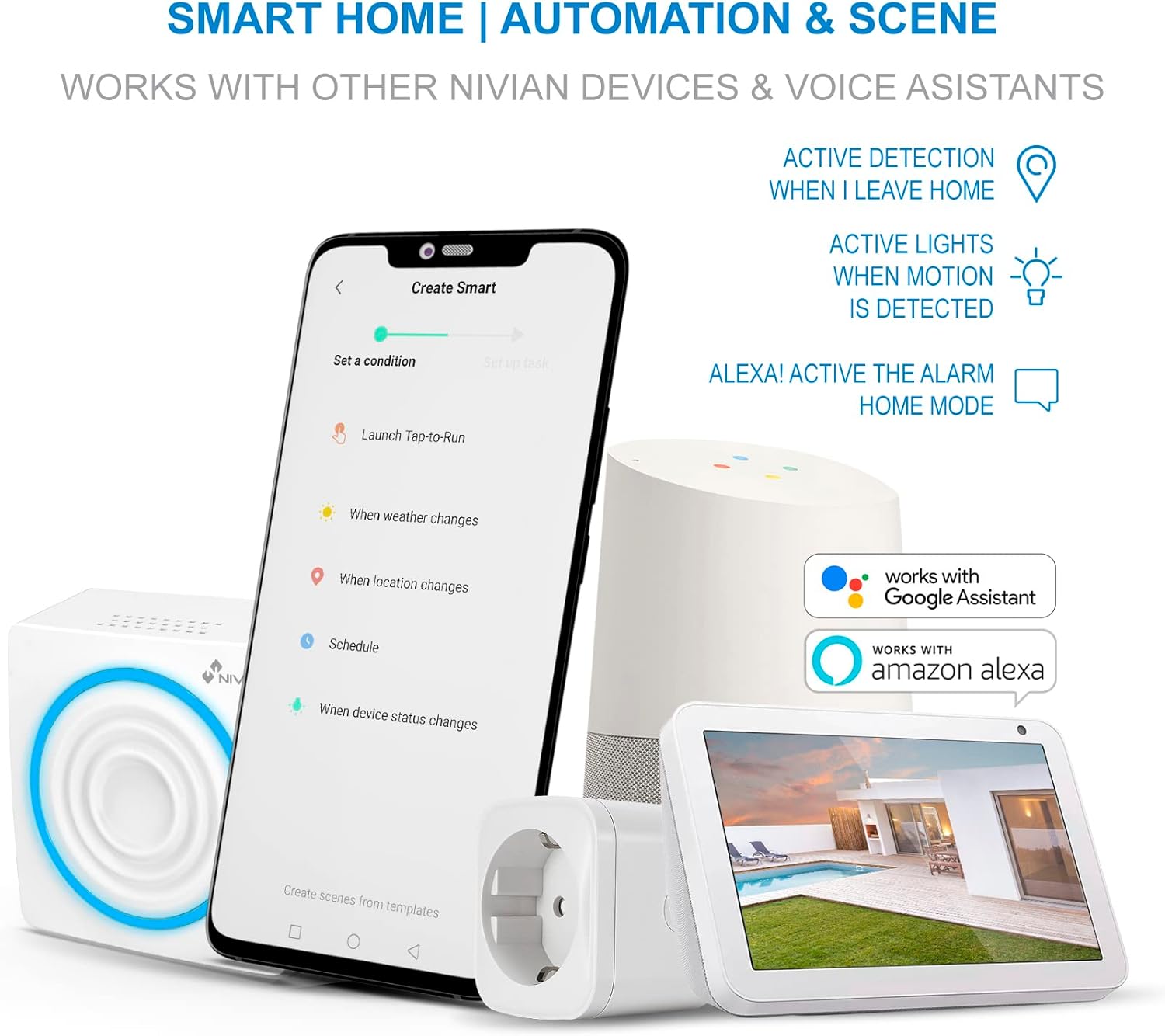
Image 4.3: The system's compatibility with Google Assistant and Amazon Alexa for smart home automation.
5. Baxım
5.1. Ehtiyat Batareya
The control panel features a built-in Lithium-ion backup battery, providing approximately 4 hours of operation during a power outage. The system will notify your smartphone if a power cut occurs.
5.2. Sensor Batteries
Wireless sensors (PIR, door/window) are battery-powered. Monitor battery levels via the Tuya Smart app and replace batteries as needed to ensure continuous operation. Specific battery types for each sensor are usually indicated on the device itself or in its individual manual.
5.3. Təmizləmə
İdarəetmə panelini və sensorları yumşaq, quru parça ilə silin. Aşındırıcı təmizləyicilərdən və ya həlledicilərdən istifadə etməkdən çəkinin.
5.4. Mikroproqram yeniləmələri
Periodically check the Tuya Smart app for available firmware updates for your alarm system. Updates can improve performance and add new features.
6. Giderme
- Sistem Wi-Fi-a qoşulmur: Ensure your Wi-Fi network is 2.4 GHz. Verify the Wi-Fi password. Move the control panel closer to your router. Restart your router and the alarm panel.
- Sensor həyəcan siqnalını işə salmır: Check the sensor's battery level in the app. Ensure the sensor is properly paired. For magnetic sensors, verify the alignment of the two parts. For PIR motion detectors, ensure there are no obstructions and that it is placed correctly.
- PIR Motion Detector retrigger delay: The PIR motion detector has a built-in delay. After an initial detection, it will only retrigger if no movement is detected for approximately 4 minutes. Continuous movement within this period will delay subsequent triggers. This is a normal operational characteristic.
- Siren not sounding: Check the volume settings in the Tuya Smart app. Ensure the control panel is powered on and not in a silent mode.
- Tətbiq bildirişləri alınmadı: Ensure the Tuya Smart app has notification permissions enabled on your smartphone. Check your phone's internet connection.
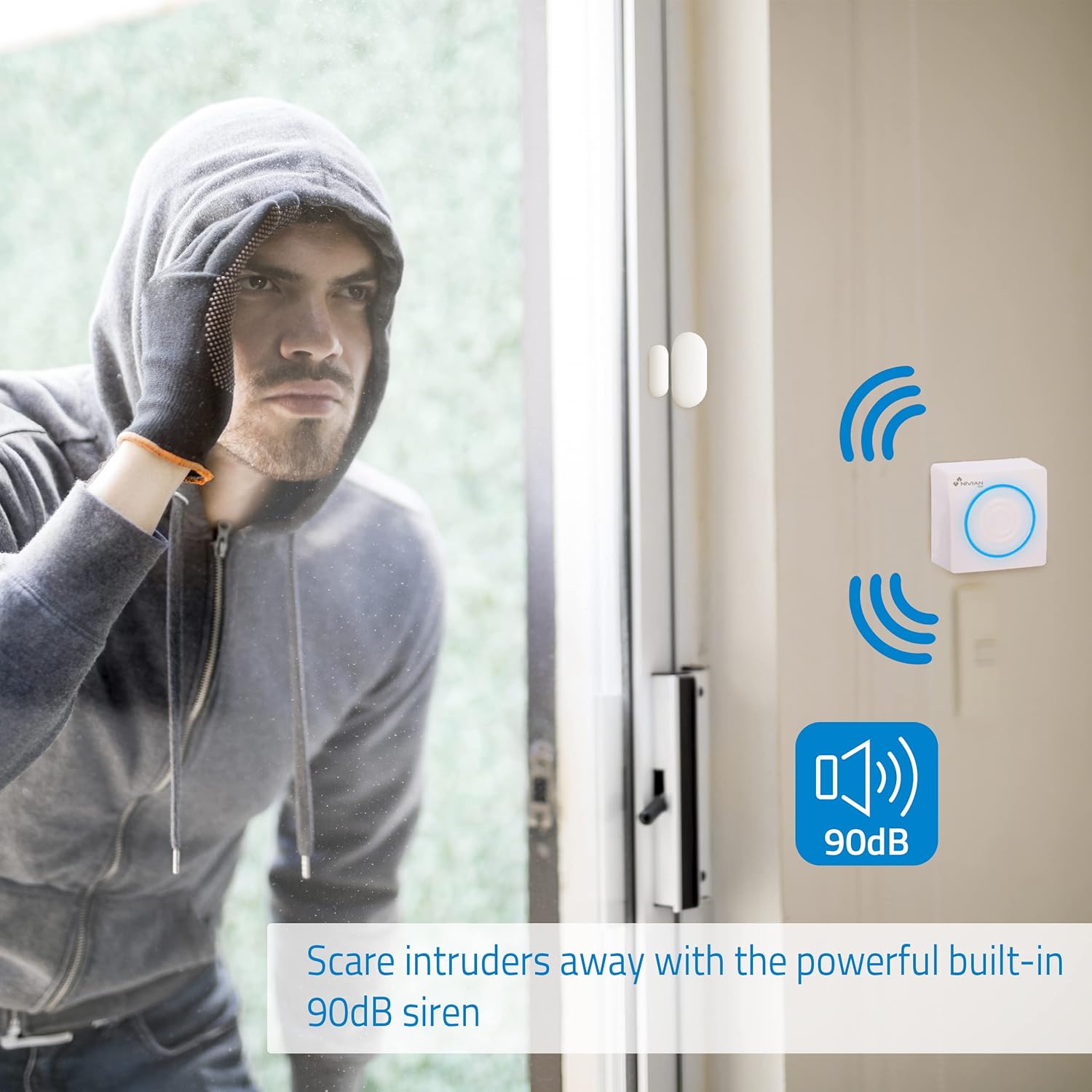
Image 6.1: The 90 dB siren is designed to deter potential intruders.
7. Spesifikasiyalar
| Model nömrəsi | NVS-ALARM1-W |
| Brend | NIVIAN |
| Ölçülər (U x G x Y) | 20 x 8 x 11 sm |
| Çəki | 360 qram |
| Güc mənbəyi | Battery powered (main unit with adapter) |
| Ehtiyat Batareyanın Növü | Litium-ion |
| Ehtiyat Batareya Ömrü | təqribən. 4 saat |
| Bağlantı texnologiyası | Simsiz (Wi-Fi) |
| Nəzarət metodu | Application (Tuya Smart App) |
| Uyğun Cihazlar | Smartfon, Amazon Alexa, Google Assistant |
| Xəbərdarlıq növü | Audio və Hərəkət |
| Quraşdırma növü | Simsiz DIY |
8. Zəmanət və Dəstək
For warranty information, technical support, or service inquiries, please refer to the documentation provided with your purchase or contact Nivian customer support directly. Contact details can typically be found on the manufacturer's official websayt və ya satıcınız vasitəsilə.


