1. Giriş
Thank you for choosing the GenMachine Mini PC. This compact yet powerful computer is designed to deliver exceptional performance for a variety of tasks, including gaming, office productivity, and creative design. Equipped with an AMD Ryzen 7 3750H processor, ample memory, and fast storage, it offers a seamless computing experience. This manual provides essential information for setting up, operating, maintaining, and troubleshooting your new Mini PC.
2. Qutuda nə var
Qutunu açarkən bütün əşyaların mövcudluğunu və yaxşı vəziyyətdə olduğunu yoxlayın.
- 1 x GenMachine Mini PC
- 1 x HDMI kabeli
- 1 x Enerji Adapteri
- 1 x İstifadəçi Təlimatı (bu sənəd)
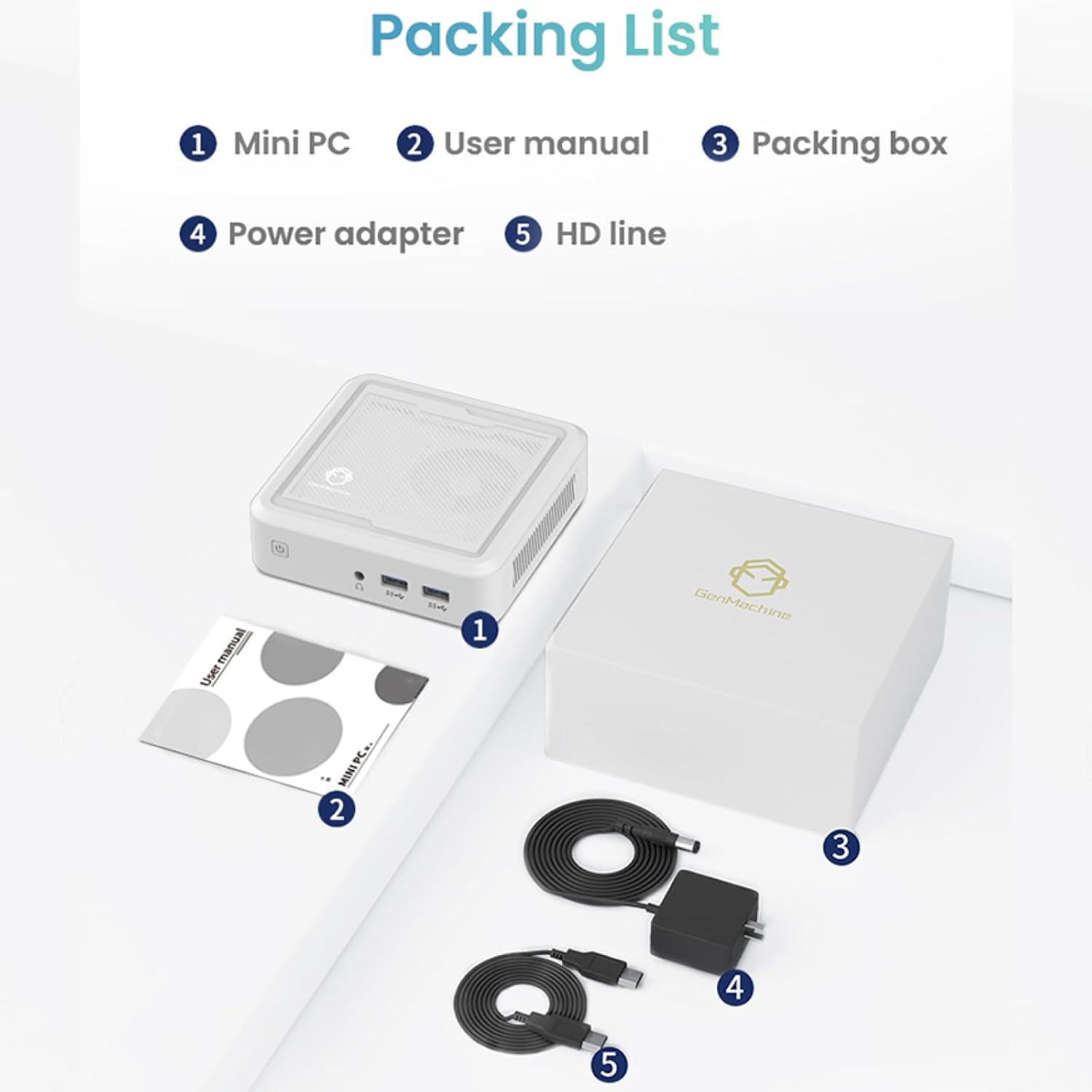
Figure 2.1: Packaging contents of the GenMachine Mini PC.
3. Məhsulun xüsusiyyətləri
The GenMachine Mini PC is engineered with features to enhance your computing experience:
- Güclü Performans: Equipped with an AMD Ryzen 7 3750H processor, delivering speeds up to 4.0GHz with 4 cores and 8 threads for demanding tasks.
- AmpYaddaş və Saxlama: Features 8GB of DDR4 RAM and a 256GB SSD with M.2 NVMe support for seamless multitasking and quick file giriş.
- Çox yönlü əlaqə: Advanced WiFi 6 and Bluetooth 5.2 capabilities ensure high-speed internet and smooth device pairing.
- Kompakt dizayn: A sleek, small form factor that fits easily into any workspace or gaming setup.
- Çoxsaylı Ekran Seçimləri: HDMI and DisplayPort outputs support dual 4K displays for expanded productivity and immersive visuals.

Şəkil 3.1: Ön view of the GenMachine Mini PC.
3.1 Rich Interface for Easy Connection
The Mini PC offers a comprehensive set of ports to meet various connectivity needs:
- USB 3.0 x 4
- HDMIx1
- DisplayPort (DP) x 1
- LAN (Ethernet) x 1
- 3.5mm Audio Jack x 1
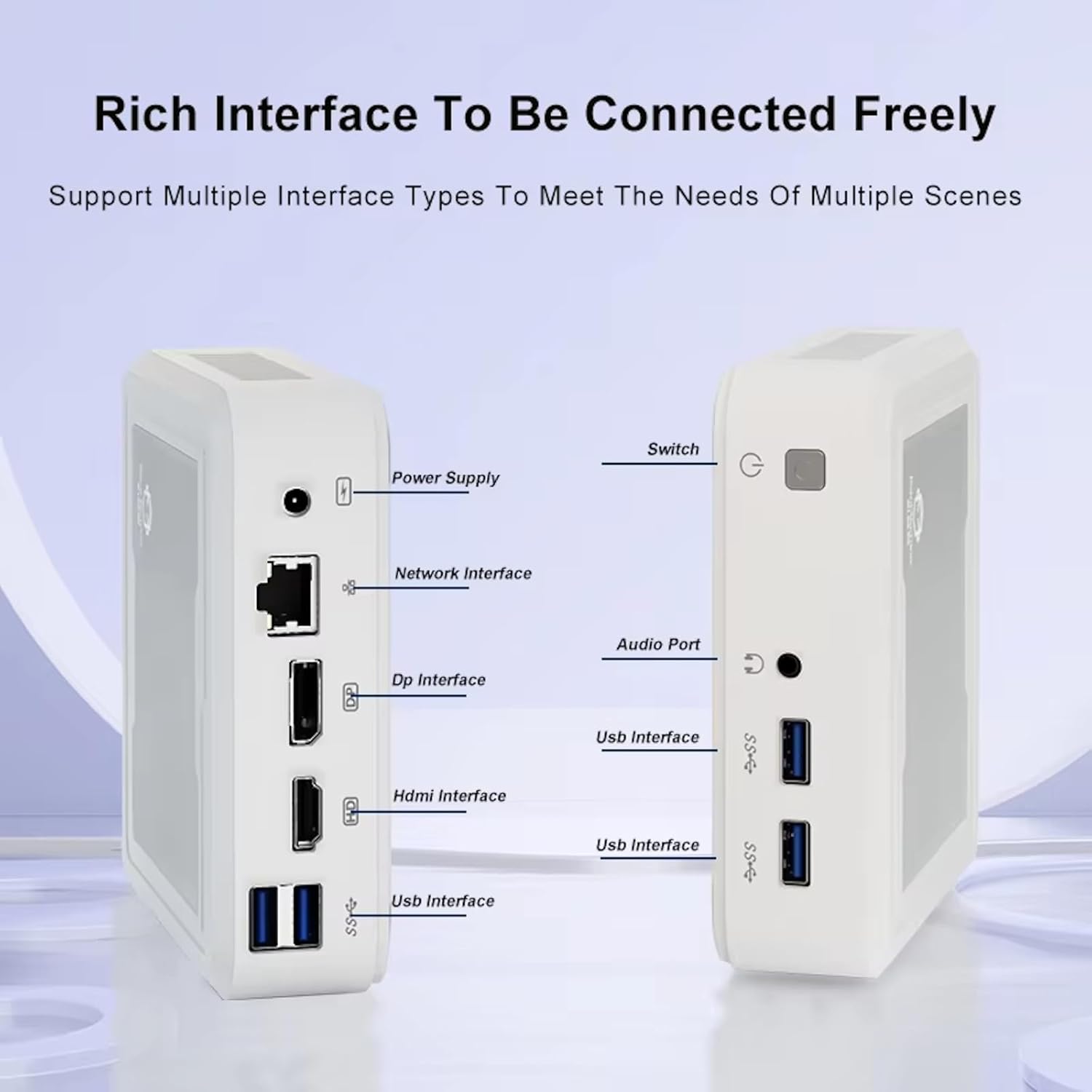
Figure 3.2: Available ports on the GenMachine Mini PC.
3.2 Dual Monitor Support
Enhance your productivity or gaming experience by connecting up to two 4K displays simultaneously using the HDMI and DisplayPort outputs.

Figure 3.3: Dual 4K display setup with the GenMachine Mini PC.
Video 3.1: Demonstration of the GenMachine Mini PC supporting two monitors simultaneously.
3.3 Energy Efficiency and Quiet Operation
Designed for low noise operation, the Mini PC maintains a quiet environment, making it suitable for various settings.

Figure 3.4: Noise level comparison of the GenMachine Mini PC.
3.4 Kompakt və Davamlı Dizayn
The Mini PC features an ultra-durable, lightweight metal casing, making it space-saving and robust for any work environment.
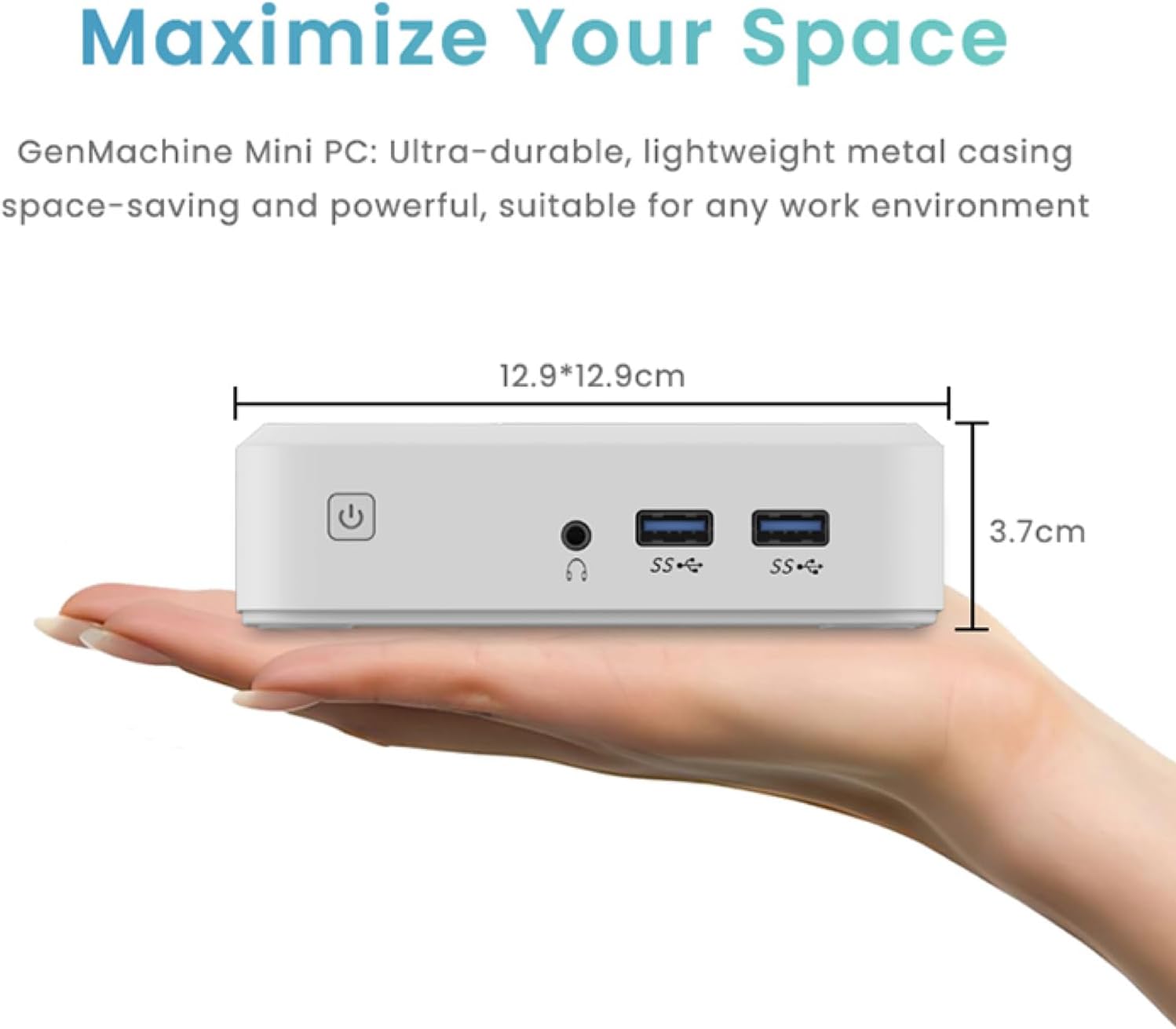
Figure 3.5: Compact size of the GenMachine Mini PC.
Video 3.2: Bitdiview of the GenMachine Mini PC's features and compact design.
4. Quraşdırma Bələdçisi
Follow these steps to set up your GenMachine Mini PC:
- Unpack the Mini PC: Bütün komponentləri qablaşdırmadan diqqətlə çıxarın.
- Ekrana qoşulun: Use the provided HDMI cable to connect the Mini PC to your monitor or TV. If using a DisplayPort monitor, use a compatible DP cable (not included).
- Periferiyaları birləşdirin: Plug in your keyboard, mouse, and any other USB devices into the available USB 3.0 ports.
- Şəbəkəyə qoşulun (İstəyə görə): For a wired internet connection, connect an Ethernet cable to the LAN port. For wireless, ensure your WiFi network is available during initial setup.
- Güc bağlayın: Plug the power adapter into the DC-in port on the Mini PC, then plug the adapter into a power outlet.
- Güc Aktivdir: Press the power button on the front of the Mini PC. The system should boot up.
5. Əməliyyat Təlimatları
5.1 İlkin Yükləmə və Əməliyyat Sisteminin Qurulması
Upon first power-on, the Mini PC will guide you through the operating system setup process. Follow the on-screen prompts to configure language, region, user accounts, and network settings.
5.2 Gücün idarə edilməsi
- Güc Aktivdir: Güc düyməsini bir dəfə basın.
- Bağlayın: Access the power options through the operating system's start menu and select 'Shut down'.
- Yenidən başladın: Access the power options through the operating system's start menu and select 'Restart'.
- Yuxu rejimi: Access the power options through the operating system's start menu and select 'Sleep'.
5.3 Wi-Fi və Bluetooth-a qoşulma
To connect to a wireless network or Bluetooth device, use the respective settings within your operating system. The Mini PC supports WiFi 6 and Bluetooth 5.2 for fast and reliable connections.
6. Baxım
Regular maintenance helps ensure the longevity and optimal performance of your Mini PC:
- Təmizləmə: Use a soft, dry cloth to clean the exterior. For dust in vents, use compressed air. Ensure the device is powered off and unplugged before cleaning.
- Havalandırma: Ensure the Mini PC is placed in a well-ventilated area. Do not block the air vents.
- Proqram təminatı yeniləmələri: Regularly update your operating system, drivers, and applications to ensure security and performance.
- Məlumatların Yedəklənməsi: Vacib məlumatların vaxtaşırı xarici sürücüyə və ya bulud yaddaşına ehtiyat nüsxəsini çıxarın.
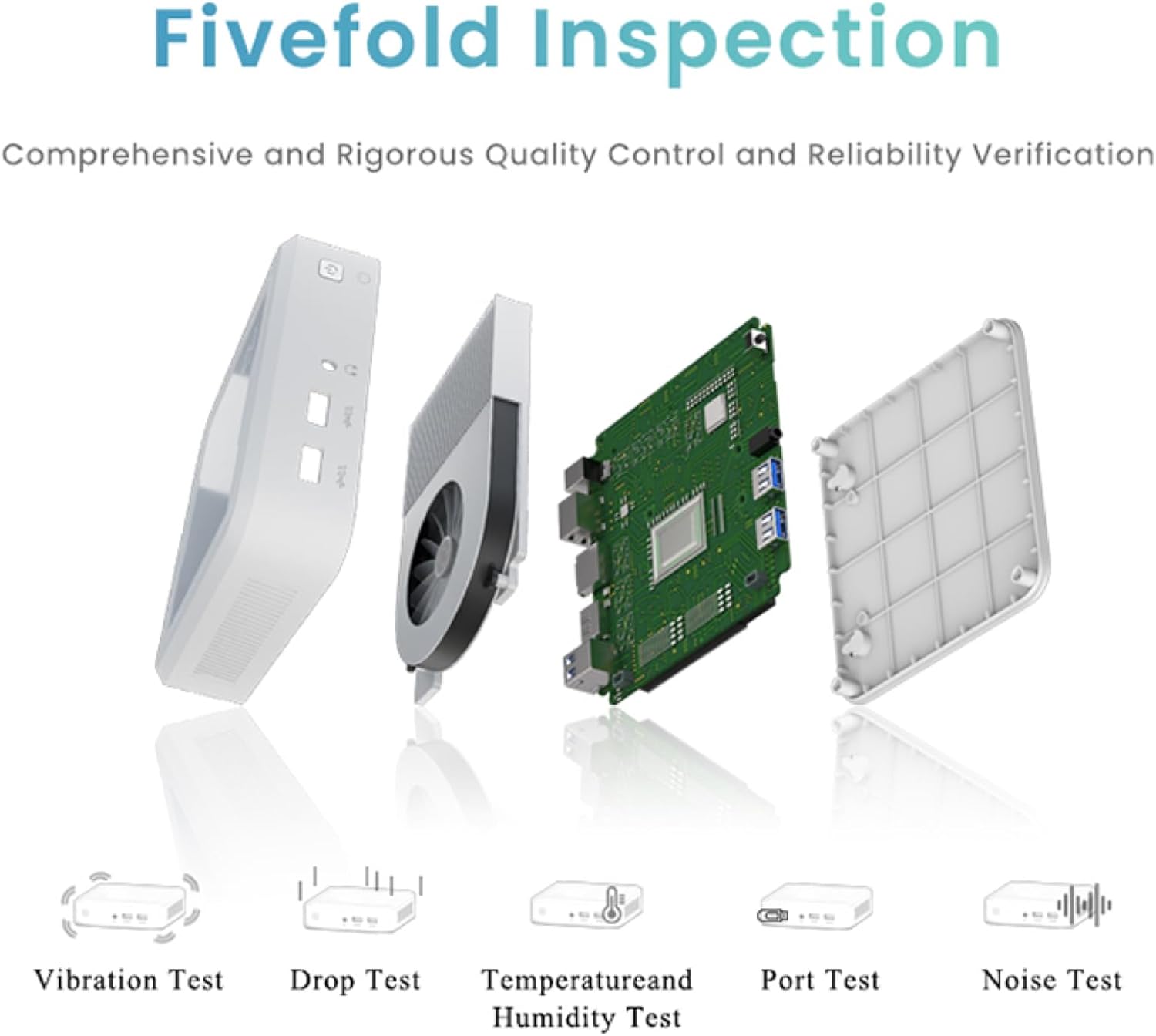
Figure 6.1: GenMachine's Fivefold Inspection process for quality control.
7. Giderme
If you encounter issues with your Mini PC, refer to the following common problems and solutions:
- Güc yoxdur:
- Enerji adapterinin həm Mini PC-yə, həm də işləyən elektrik rozetkasına etibarlı şəkildə qoşulduğundan əmin olun.
- Fərqli elektrik rozetkasını sınayın.
- Ekran yoxdur:
- Verify that the HDMI or DisplayPort cable is securely connected to both the Mini PC and the monitor.
- Monitorun işə salındığından və düzgün giriş mənbəyinə təyin olunduğundan əmin olun.
- Mümkünsə, fərqli bir ekran kabeli və ya monitor sınayın.
- System Freezes or Unresponsive:
- Perform a hard reset by holding the power button for 5-10 seconds until the device powers off, then restart.
- Ensure the operating system and drivers are up to date.
- Check for overheating; ensure proper ventilation.
- Run a system diagnostic or memory test if the issue persists.
- İnternet bağlantısı yoxdur:
- Simli bağlantılar üçün Ethernet kabelinin və routerin vəziyyətini yoxlayın.
- For Wi-Fi, ensure Wi-Fi is enabled in the operating system and you are connected to the correct network with the correct password.
- Routerinizi/modeminizi yenidən başladın.
8. Spesifikasiyalar
| Xüsusiyyət | Spesifikasiya |
|---|---|
| Prosessor | AMD Ryzen 7 3750H (4 cores, 8 threads, up to 4.0GHz) |
| RAM | 8 GB DDR4 |
| Saxlama | 256GB SSD (with M.2 NVMe support) |
| Qrafik koprosessor | AMD Radeon Vega 10 Qrafikası |
| Maksimum Ekran Çözünürlüğü | 3840 x 2160 piksel (4K) |
| Simsiz Tip | 802.11ac (WiFi 6), Bluetooth 5.2 |
| USB Portları | 4 x USB 3.0 |
| Video Çıxışları | HDMI, DisplayPort |
| Əməliyyat sistemi | OS (Pre-installed) |
| Maddə Çəkisi | 2.1 funt sterlinq |
| Məhsul Ölçüləri | 4.9 x 4.9 x 1.4 düym |
| Rəng | Qara |
9. Zəmanət və Dəstək
For warranty information and technical support, please refer to the warranty card included with your product or visit the official GenMachine websayt. Satınalma qəbzinizi zəmanət iddiaları üçün satınalmanın sübutu kimi saxlayın.
If you require further assistance, please contact GenMachine customer support through the channels provided on their official websayt.


