1. Giriş
This manual provides detailed instructions for the proper use and maintenance of your Arlec Remote SS3136. This remote control is specifically designed to operate the Arlec Wall Fan AWDC001HA, offering convenient and effortless control over your fan's functions. Please read this manual thoroughly before first use to ensure optimal performance and longevity of your device.
2. Məhsulun xüsusiyyətləri
- Asan nəzarət: Utilizes Infrared technology for seamless communication with your Arlec Wall Fan AWDC001HA from up to 10 meters away.
- Uzunmüddətli güc: Requires 3 alkaline batteries for extended use.
- Parlaq Dizayn: Finished in a sophisticated black color.
- Çox yönlü uyğunluq: Designed to control Arlec Wall Fans, specifically model AWDC001HA.
- Sadə əməliyyat: Features 3 intuitive buttons for easy fan control.
3. Paketin məzmunu
Bütün əşyaların paketdə olduğunu yoxlayın:
- 1 x Arlec Remote SS3136
- 1 x Wall Mount Holder
- 2 x Montaj vintləri
- 2 x Divar fişləri
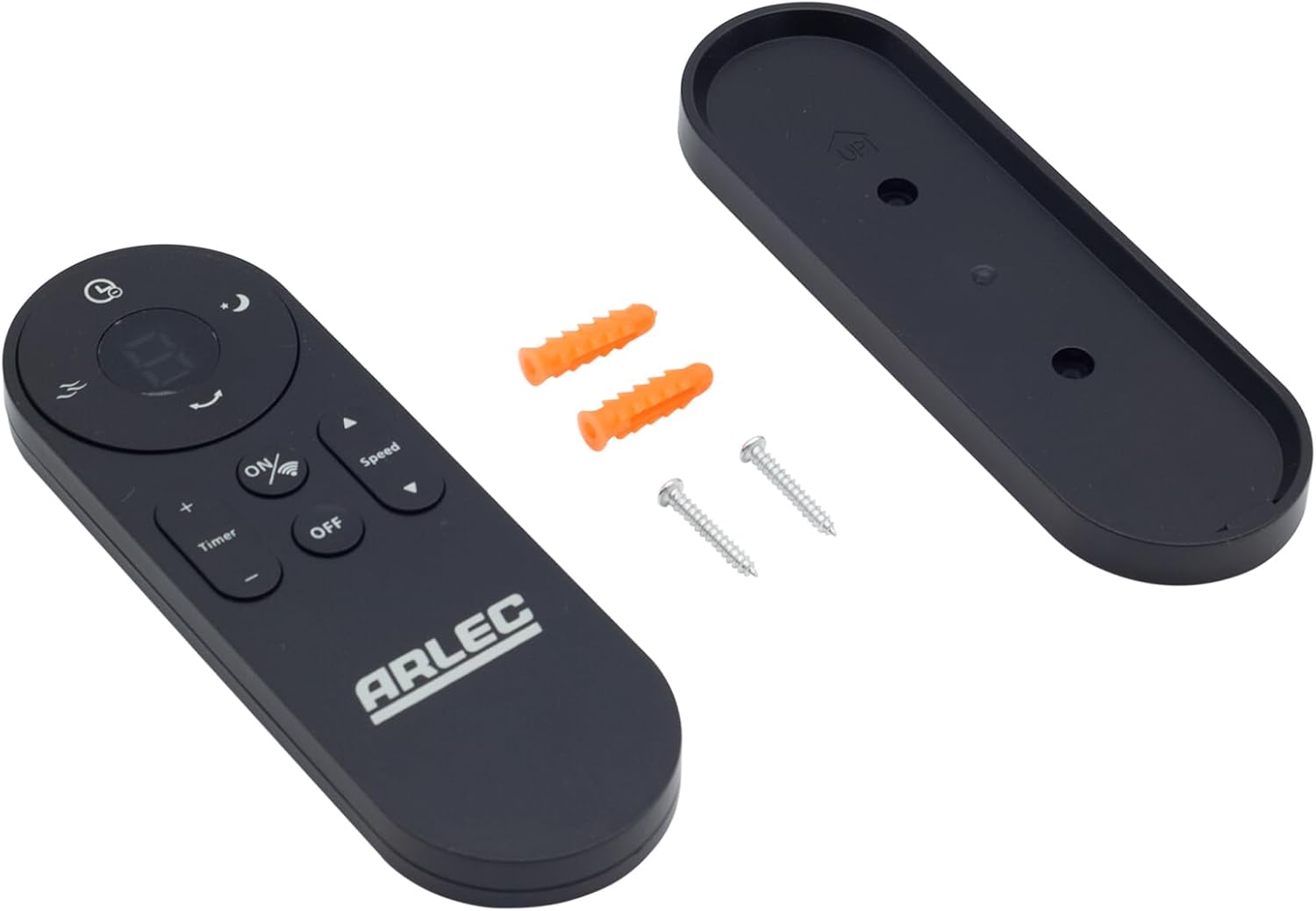
Image: Arlec Remote SS3136 shown with its included wall mount holder, two mounting screws, and two wall plugs, indicating the complete package contents.
4. Quraşdırma
4.1 Batareyanın quraşdırılması
- Pultun arxasındakı batareya bölməsini tapın.
- Batareya bölməsinin qapağını açın.
- Insert 3 Alkaline batteries (not included) into the compartment, ensuring the correct polarity (+ and -) as indicated inside the compartment. The remote requires 3 Volts (DC).
- Batareya bölməsinin qapağını etibarlı şəkildə bağlayın.
4.2 Divar montajı (İstəyə görə)
- Choose a suitable location on a wall for the remote holder.
- Mark the positions for the two mounting screws using the holder as a template.
- Drill pilot holes at the marked positions. Insert the wall plugs if drilling into drywall or masonry.
- Secure the wall mount holder to the wall using the provided screws.
- Place the remote control into the installed holder for convenient storage.
5. Əməliyyat Təlimatları
The Arlec Remote SS3136 features a simple 3-button layout for controlling your Arlec Wall Fan AWDC001HA. Ensure there is a clear line of sight between the remote and the fan's infrared receiver for optimal performance.

Şəkil: Yaxından view of the Arlec Remote SS3136, highlighting its three main control buttons: ON/OFF, Speed, and Timer.
- ON/OFF düyməsi: Fanı yandırmaq və ya söndürmək üçün bu düyməni basın.
- Sürət düyməsi: Use this button to cycle through the available fan speed settings (e.g., Low, Medium, High).
- Taymer düyməsi: Press this button to set or adjust the fan's timer function. Refer to your Arlec Wall Fan AWDC001HA manual for specific timer intervals.
The remote operates using Infrared (IR) technology. Point the remote directly towards the fan's IR receiver. The effective operating range is up to 10 meters (approximately 33 feet).
6. Baxım
- Təmizləmə: Pultu yumşaq, quru parça ilə silin. Aşındırıcı təmizləyicilərdən və ya həlledicilərdən istifadə etməyin.
- Batareyanın dəyişdirilməsi: Replace batteries when the remote's performance degrades or it stops responding. Always replace all 3 batteries at the same time with new alkaline batteries.
- Yaddaş: Pult uzun müddət istifadə olunmayacaqsa, sızmanın qarşısını almaq üçün batareyaları çıxarın. Sərin və quru yerdə saxlayın.
7. Giderme
| Problem | Mümkün Səbəb | Həll |
|---|---|---|
| Pult fanata cavab vermir. |
|
|
| Düymələr yapışqandır və ya cavab vermir. | Düymələrin altındakı kir və ya zibil. | Clean the remote surface with a soft, dry cloth. Avoid liquids. |
8. Spesifikasiyalar
| Atribut | Detal |
|---|---|
| Model | SS3136 |
| İstehsalçı | Arlec |
| Uyğun Cihazlar | Arlec Wall Fan AWDC001HA |
| Bağlantı texnologiyası | İnfraqırmızı (IR) |
| Düymələrin sayı | 3 |
| Nəzarətçi növü | Düymə İdarəsi |
| Batareya növü | Alkaline (3 required) |
| Cildtage | 3 Volt (DC) |
| Əməliyyat diapazonu | 10 metrə qədər |
9. Zəmanət və Dəstək
For warranty information and technical support, please refer to the documentation provided with your Arlec Wall Fan AWDC001HA or contact Arlec customer service directly. Keep your purchase receipt as proof of purchase.
For further assistance, please visit the manufacturer's official websaytına daxil olun və ya onların müştəri dəstəyi xətti ilə əlaqə saxlayın.


