LAUNCH CR3008 Plus Professional OBD2 Scanner Diagnostic Tool Instruction Manual
Model: CR3008 Plus
Brend: LAUNCH
Giriş
The LAUNCH CR3008 Plus is a professional OBD2 scanner and diagnostic tool designed to help vehicle owners and technicians quickly and accurately diagnose car problems. This manual provides detailed instructions for setting up, operating, maintaining, and troubleshooting your device, ensuring you can effectively utilize its full range of features.
Quraşdırma
1. Qutudan Çıxarma və Komponentlər
Paketi açarkən bütün komponentlərin mövcud olduğundan əmin olun:
1x LAUNCH Creader 3008 Plus Unit
1x İstifadəçi Təlimatı
Image: The LAUNCH CR3008 Plus unit with its included components.
2. Cihaz bitdiview
Familiarize yourself with the physical features of the CR3008 Plus:
Ekran: 2.8-inch TFT true color LCD screen for clear readability.
Klaviatura: Silicone buttons for easy navigation and operation.
OBD2 Cable: Integrated 32-inch data cable for vehicle connection.
USB-C portu: Located at the bottom for software updates and data printing.
Şəkil: Ön view of the LAUNCH CR3008 Plus, highlighting its display and silicone keypad.
Image: The LAUNCH CR3008 Plus showing its integrated OBD2 cable for vehicle connection.
Image: The USB-C port located at the bottom of the LAUNCH CR3008 Plus, used for updates and data transfer.
Video: Ətraflı məlumatview of the LAUNCH CR3008 Plus, demonstrating its physical features and user interface.
3. Initial Setup (Plug & Play)
The LAUNCH CR3008 Plus is designed for immediate use without the need for batteries or chargers, as it is powered directly from your vehicle's OBD2 port.
Locate your vehicle's 16-pin OBD2 Data Link Connector (DLC). This is typically found under the dashboard on the driver's side.
Plug the CR3008 Plus's integrated OBD2 cable into the vehicle's DLC.
Avtomobilin alışdırma sistemini "ON" vəziyyətinə keçirin (mühərrik funksiyadan asılı olaraq sönülü və ya işlək vəziyyətdə ola bilər). Cihaz avtomatik olaraq işə düşəcək.
Video: Demonstration of the simple plug-and-play setup for the LAUNCH CR3008 Plus, showing how to connect it to a vehicle's OBD2 port.
Cihazın işlədilməsi
1. Əsas Menyu Naviqasiyası
The main menu provides access to all diagnostic and utility functions. Use the directional buttons (up, down, left, right) to navigate and the 'OK' button to select an option.
Image: The main menu of the LAUNCH CR3008 Plus, displaying icons for Diagnose, Battery, Review, Lookup, Print, Help, Setup, and Info.
2. Diaqnostik funksiyalar
Select 'Diagnose' from the main menu to access the core diagnostic features:
Kodları oxuyun: Diaqnostik Problem Kodlarının (DTC) ətraflı təsvirlərini göstərir.
Kodları silmək: Clears DTCs and turns off the Malfunction Indicator Lamp (MIL) after repairs.
Canlı Məlumat Yayımı: Reads and displays real-time ECU/PCM data, often with graphical plotting.
View Çərçivə məlumatlarını dondurun: Shows vehicle conditions recorded by the on-board computer at the time an emission-related fault occurred.
O2 Sensor Testi: O2 sensor monitorunun test nəticələrini alır və göstərir.
Bortda monitor testi: Emissiya ilə əlaqəli güc aqreqatı komponentləri və sistemləri üçün sınaq nəticələrini əldə edir və göstərir.
EVAP Sistem Testi: Initiates a leak test for the vehicle's EVAP system.
Nəqliyyat vasitəsi haqqında məlumat: Displays information such as VIN, CID, and CVN.
Image: The diagnostic menu of the LAUNCH CR3008 Plus, listing various test modes and functions.
Image: The scanner displaying the status of the Check Engine Light (MIL) and its ability to clear fault codes.
Video: A demonstration of how to use the LAUNCH CR3008 Plus to diagnose car issues, including reading and clearing codes.
3. One-Click I/M Readiness
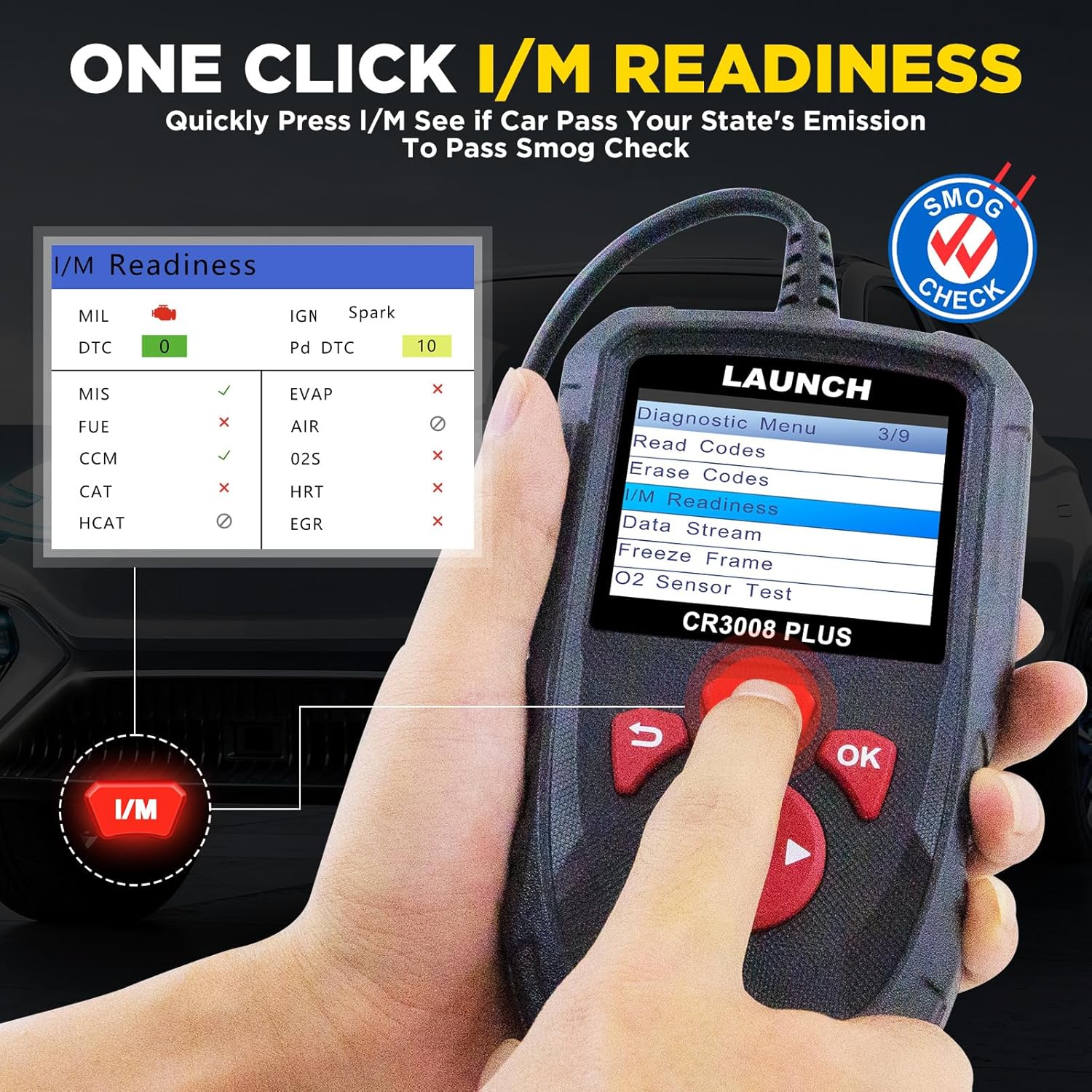
This convenient feature allows for a quick check of your vehicle's emission readiness status, which is crucial for smog tests.
From the main menu, press the dedicated 'I/M' button.
The scanner will quickly process and display the readiness status of various emission-related systems.
Image: The One-Click I/M Readiness screen, showing the status of various emission monitors for a quick smog check.
4. Batareya Cildtage Test
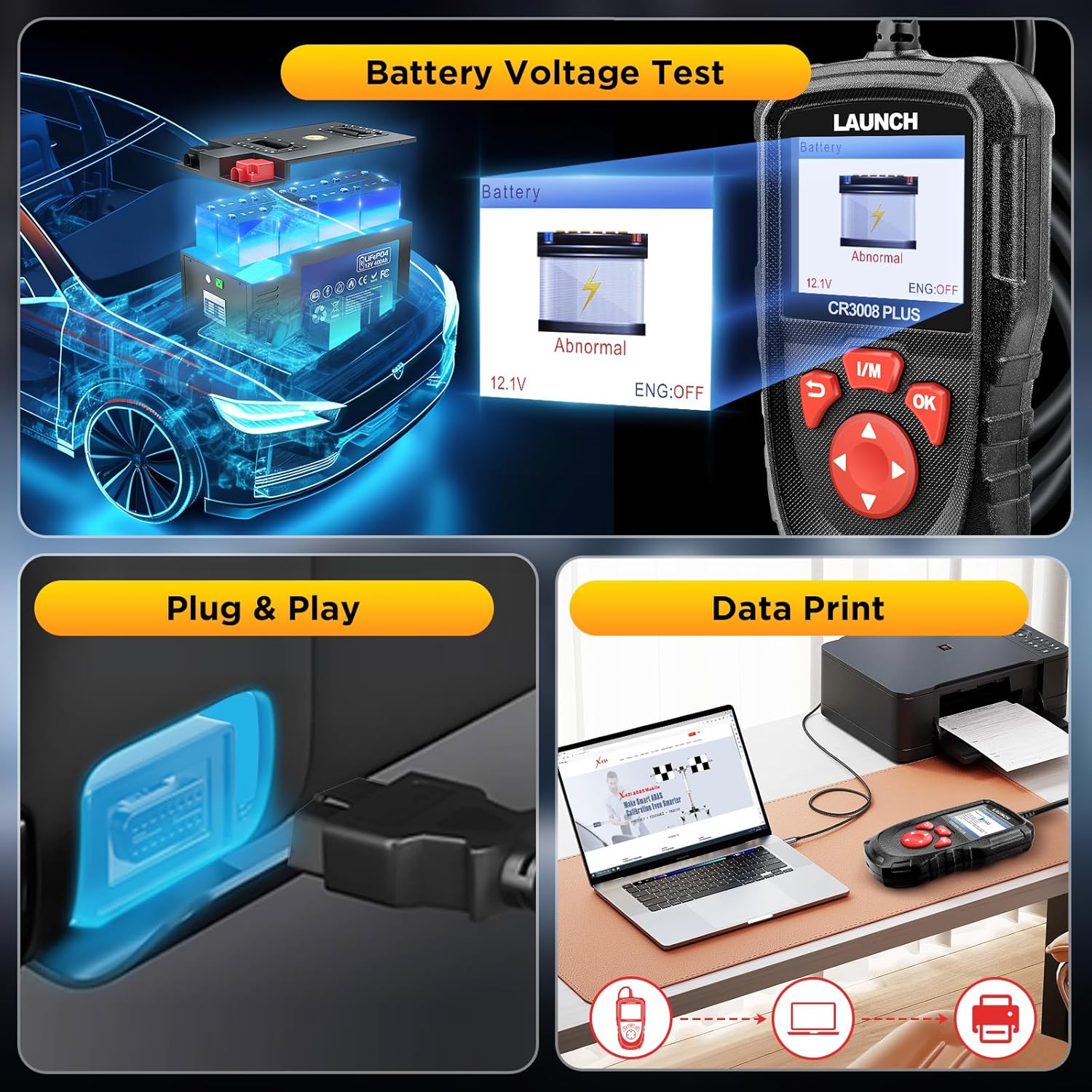
Quickly check your car's battery voltage and health:
Select 'Battery' from the main menu.
Cihaz cari batareya həcmini göstərəcəktage and indicate its status (Normal/Abnormal).
Image: The Battery Voltage Test screen, showing the current voltage and battery health status.
5. DTC Axtarışı
The built-in DTC library allows you to quickly find definitions and possible causes of Diagnostic Trouble Codes without needing to search online.
Select 'Lookup' from the main menu.
Input the DTC code using the directional buttons.
The scanner will display the definition and relevant information for the entered code.
Image: The DTC Lookup feature, allowing users to input a code and receive its definition and potential causes.
Baxım
1. Proqram təminatı yeniləmələri
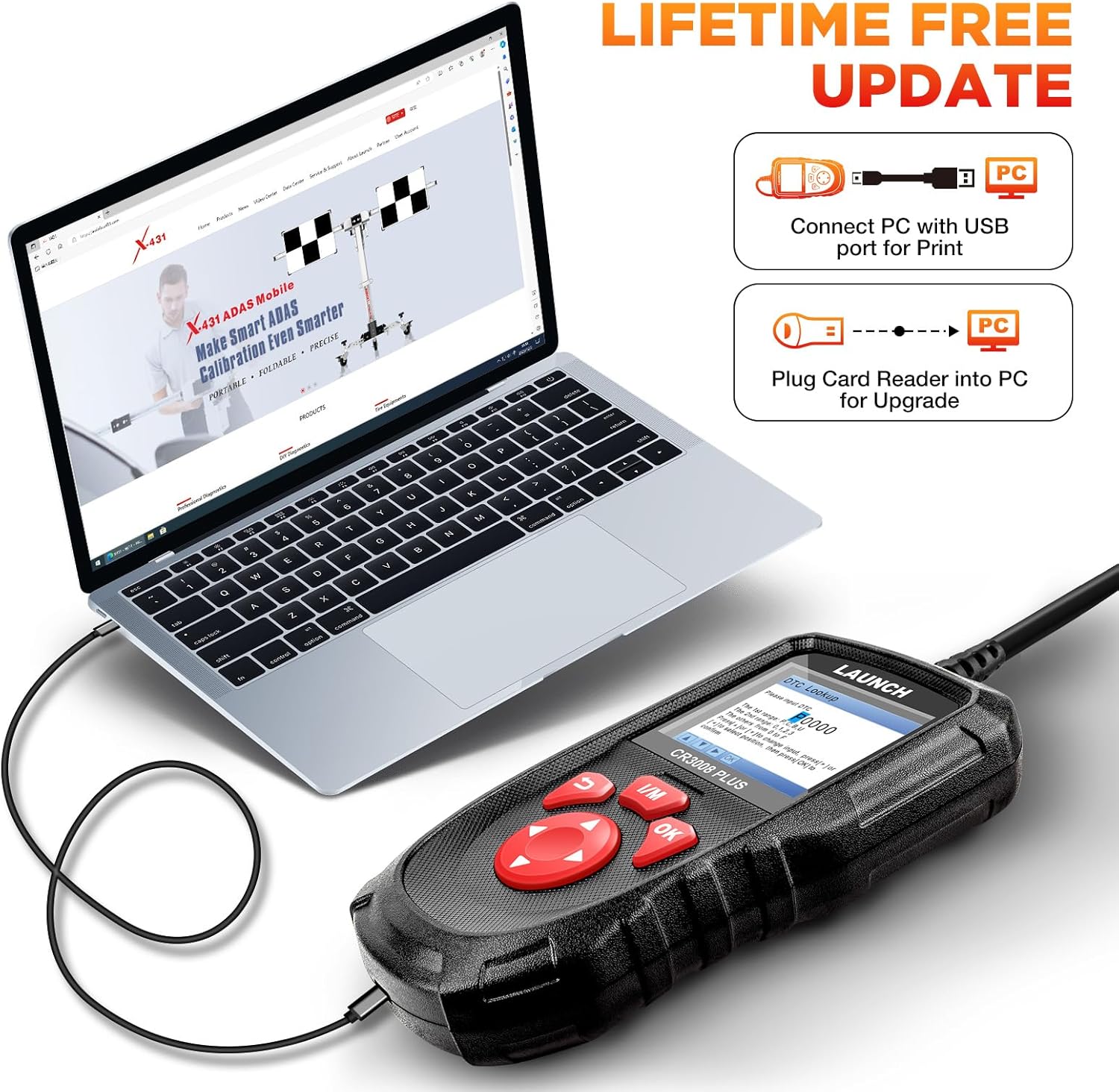
The LAUNCH CR3008 Plus offers free lifetime software updates to ensure compatibility with new vehicle models and diagnostic protocols.
Rəsmi LAUNCH-ı ziyarət edin website to download the update tool (compatible with Windows XP, 7, 8, & 10).
Connect the CR3008 Plus to your computer via a USB cable using the USB-C port at the bottom of the device.
Register the scanner using its serial number through the update tool.
Follow the on-screen instructions to download and install the latest software updates. Ensure a stable internet connection during the process.
Image: Close-up of the USB-C port on the LAUNCH CR3008 Plus, used for connecting to a computer for software updates.
Image: The LAUNCH CR3008 Plus connected to a laptop, illustrating the process for software updates or printing diagnostic reports.
2. Data Record and Print
The device allows you to record diagnostic data for later review and print reports for your records or to share with a mechanic.
Qeyd rejimi: Enable 'Record Mode' in the 'Setup' menu to save live data streams and DTCs during diagnosis.
Review Məlumat: Access 'Review' from the main menu to view recorded DTCs, data streams, and freeze frame data.
Hesabatları çap edin: Connect the scanner to a computer via USB. Use the LAUNCH update tool's 'Print Manager' function to print saved diagnostic reports.
Image: The LAUNCH CR3008 Plus connected to a laptop, illustrating the process for software updates or printing diagnostic reports.
Problemlərin aradan qaldırılması
If you encounter issues with your LAUNCH CR3008 Plus, consider the following common troubleshooting steps:
No Power/Communication Error:
Ensure your vehicle supports OBD2 protocols and has a standard 16-pin data connector. Check the compliance label under the hood for OBD certification.
Verify the vehicle's wiring and fuses for any short circuits.
Try connecting the scanner to another OBD2-compliant vehicle to determine if the communication error persists.
Check Engine Light (MIL) Issues:
If the MIL is on, use the 'Read Codes' function to identify the specific DTCs. The scanner will help pinpoint the area to investigate.
If the engine is running erratically (stalling, poor acceleration, decreased fuel efficiency) even without the MIL, use 'Live Data Stream' to monitor parameters and identify values outside the normal range.
Remember, clearing codes only turns off the MIL; the underlying fault must be repaired to prevent the code from reappearing.
Software Update Problems:
Ensure your computer's operating system is compatible (Windows XP, 7, 8, or 10).
Verify your internet connection is strong and stable during the update process.
Double-check that the serial number entered for registration is correct.
Spesifikasiyalar
Model: LAUNCH Creader 3008 Plus
Ekran: 2.8-inch TFT True Color LCD
Əməliyyat sistemi: Linux
Bağlantı: OBD2 (integrated cable), USB-C (for PC connection)
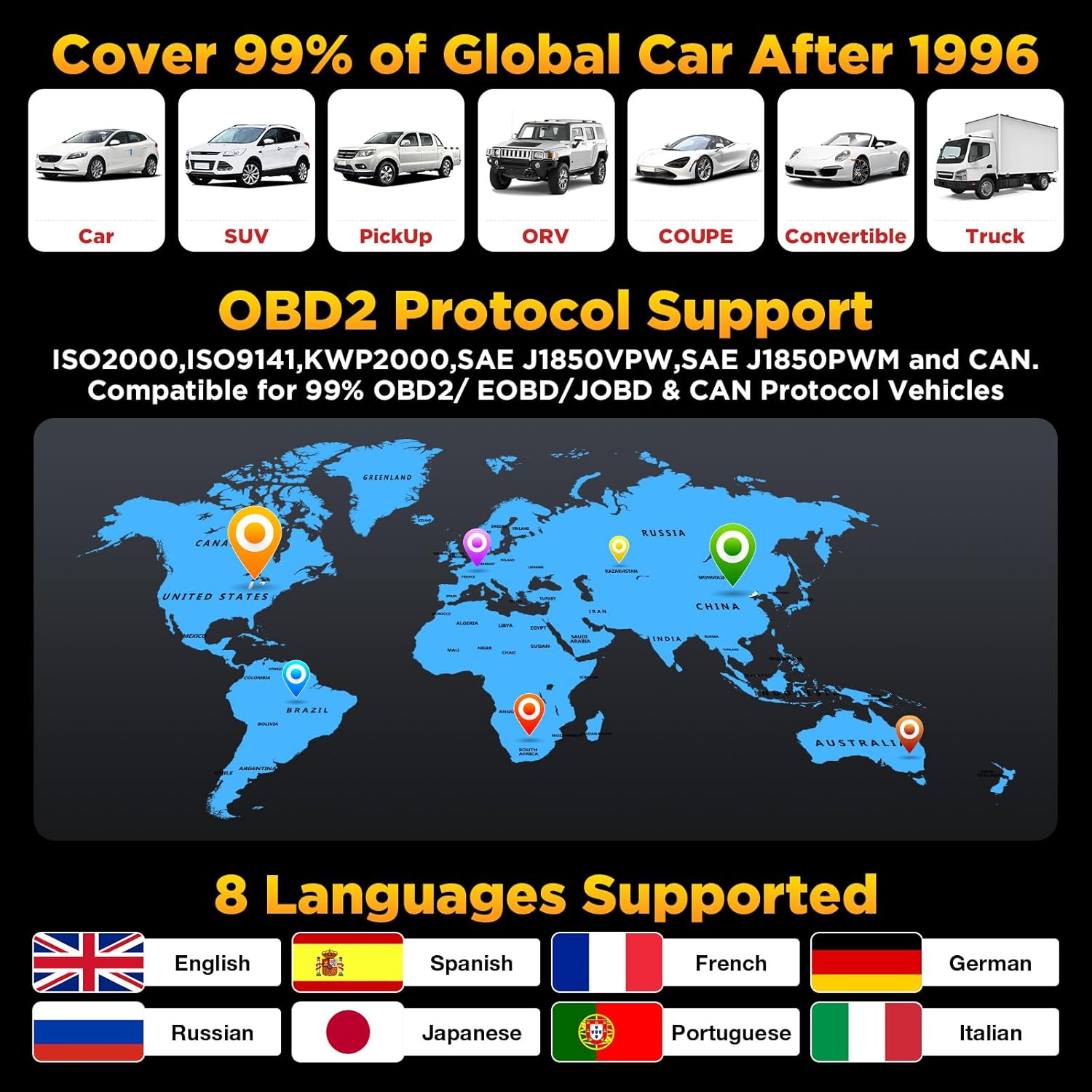
Dəstəklənən Protokollar: KWP2000, ISO9141, J1850 VPW, J1850 PWM, CAN (Controller Area Network)
Avtomobil Uyğunluğu: US vehicles (1996 & newer), EU vehicles (2000 & newer), Asian vehicles (2008 & newer)
Dəstəklənən Dillər: English, Spanish, French, German, Russian, Japanese, Portuguese, Italian
Maddə çəkisi: 12.7 unsiya
Məhsul Ölçüləri: 4.65 x 2.68 x 0.88 düym
Mənşə ölkəsi: Çin
Zəmanət və Dəstək
Zəmanət
The LAUNCH CR3008 Plus comes with a 5-year warranty, ensuring long-term reliability and peace of mind for your investment.
Dəstək
For any technical assistance or inquiries, LAUNCH offers 24/7/365 technical support. Please refer to the contact information provided in your product packaging or on the official LAUNCH webbirbaşa yardım üçün sayt.
LAUNCH CR3008 Plus Quick Start Guide A quick start guide for the LAUNCH CR3008 Plus OBD2 scanner, detailing components, controls, and basic diagnostic procedures for OBD II compliant vehicles.
LAUNCH Creader Professional 123i İstifadəçi Təlimatı - Hərtərəfli Təlimat LAUNCH Creader Professional 123i avtomobil diaqnostika alətinin xüsusiyyətlərini və işləməsini araşdırın. Bu istifadəçi təlimatı avtomobil diaqnostikası, sistem yoxlamaları, yeniləmələr və parametrlər barədə ətraflı təlimatlar təqdim edir.
CRP123X OBD2 Skanerini İŞƏ GÖTÜRÜN: Satın almadan əvvəl əsas məlumatlar Uyğunluq, yeniləmələr, zəmanət, istifadə tövsiyələri və daxil olan aksesuarlar da daxil olmaqla, LAUNCH CRP123X OBD2 skaner istifadəçiləri üçün 10 vacib məqamı əhatə edən vacib təlimat. Məhsul xüsusiyyətləri, dəstək və qaytarma siyasətləri haqqında məlumat əldə edin.