1. Giriş
Thank you for choosing the Baseus E13 TWS Bowie Headphones. This manual provides essential information for setting up, operating, and maintaining your new wireless earbuds. Please read it carefully before use to ensure optimal performance and longevity of your device.
2. Paketin məzmunu
Bütün əşyaların paketinizdə olduğunu yoxlayın:
- Baseus E13 TWS Bowie Headphones (Left and Right Earbuds)
- Doldurma qutusu
- USB şarj kabeli
- Qulaq yastıqları (müxtəlif ölçülərdə)
- İstifadəçi Təlimatı (bu sənəd)

Image: The Baseus E13 TWS Bowie Headphones, including the earbuds, charging case, and the included USB charging cable.
3. Məhsul bitdiview
The Baseus E13 TWS Bowie Headphones feature a compact design with a charging case for portability and extended battery life.

Image: The Baseus E13 TWS Bowie Headphones, showing both earbuds resting in their open charging case.
4. Quraşdırma
4.1 Qulaqlıqların və qutunun doldurulması
- İlkin ödəniş: İlk istifadə etməzdən əvvəl qulaqcıqları və doldurma qutusunu tam doldurun.
- Çantanın doldurulması: Connect the provided USB charging cable to the charging port on the case and a compatible USB power source. The indicator light on the case will show charging status.
- Qulaqlıqların doldurulması: Place the earbuds into the charging case. Ensure they are correctly seated; the indicator lights on the earbuds will confirm charging.
Tam doldurma, şarj qutusu ilə birlikdə 30 saata qədər ümumi oxutma müddəti təmin edir.
4.2 Bluetooth Qoşulması
- Güc Aktivdir: Şarj qutusunu açın. Qulaqlıqlar avtomatik işə düşəcək və cütləşdirmə rejiminə keçəcək.
- Bluetooth-u aktivləşdirin: Cihazınızda (smartfon, planşet və s.) Bluetooth-u aktiv edin.
- Cihazı seçin: axtarın "Baseus E13" in the list of available Bluetooth devices and select it to connect.
- Təsdiq: Səsli sorğu uğurlu cütləşməni təsdiqləyəcək.
Cihazda Bluetooth aktivləşdirilərsə, qulaqlıqlar qutudan çıxarıldıqda avtomatik olaraq sonuncu qoşalaşmış cihaza yenidən qoşulacaq.
4.3 Proqrama nəzarət
Enhance your experience by downloading the official Baseus app. The app allows for customizable controls, EQ settings, and other features.
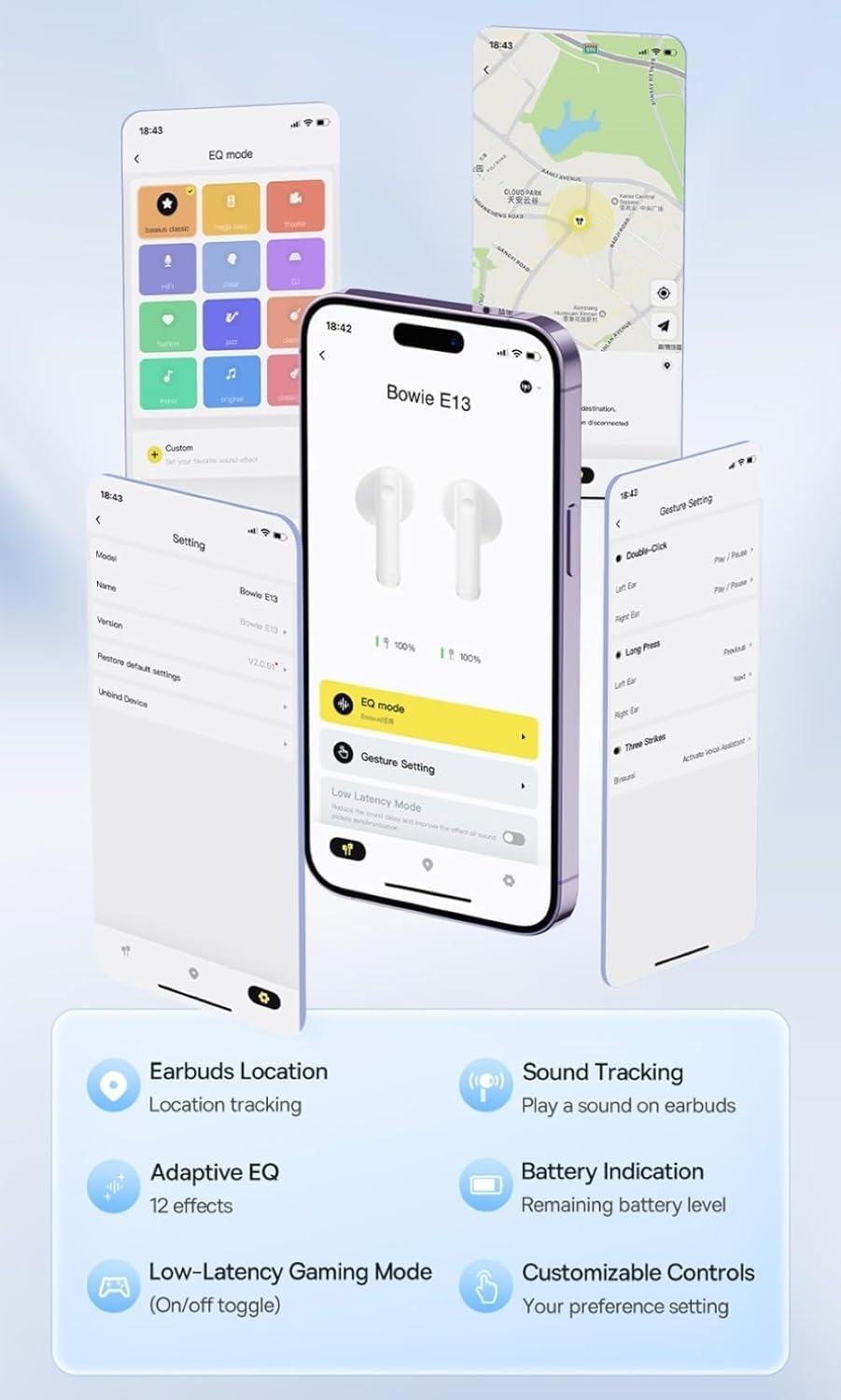
Image: Multiple smartphone screens displaying the Baseus app interface, highlighting features such as EQ mode, gesture settings, low-latency gaming mode, earbud location tracking, sound tracking, adaptive EQ with 12 effects, battery indication, and customizable controls.
5. Əməliyyat
5.1 Əsas idarəetmə vasitələri
The Baseus E13 TWS Bowie Headphones feature touch controls for easy management of audio and calls. Specific gestures can be customized via the Baseus app.
- Oynat/Pauza: Hər iki qulaqcığa bir dəfə toxunun.
- Növbəti trek: Sağ qulaqcığa iki dəfə toxunun.
- Əvvəlki Track: Sol qulaqcığa iki dəfə toxunun.
- Zəngə Cavab Vermək/Bitirmək: Hər iki qulaqcığa bir dəfə toxunun.
- Zəngi rədd edin: Hər iki qulaqcığa uzun basın.
- Səs köməkçisini aktivləşdirin: Hər iki qulaqcığa üç dəfə toxunun.
5.2 Low-Latency Gaming Mode
For an optimized gaming experience, activate the 0.06s ultra-low latency gaming mode through the Baseus app. This reduces audio delay, providing faster response times.
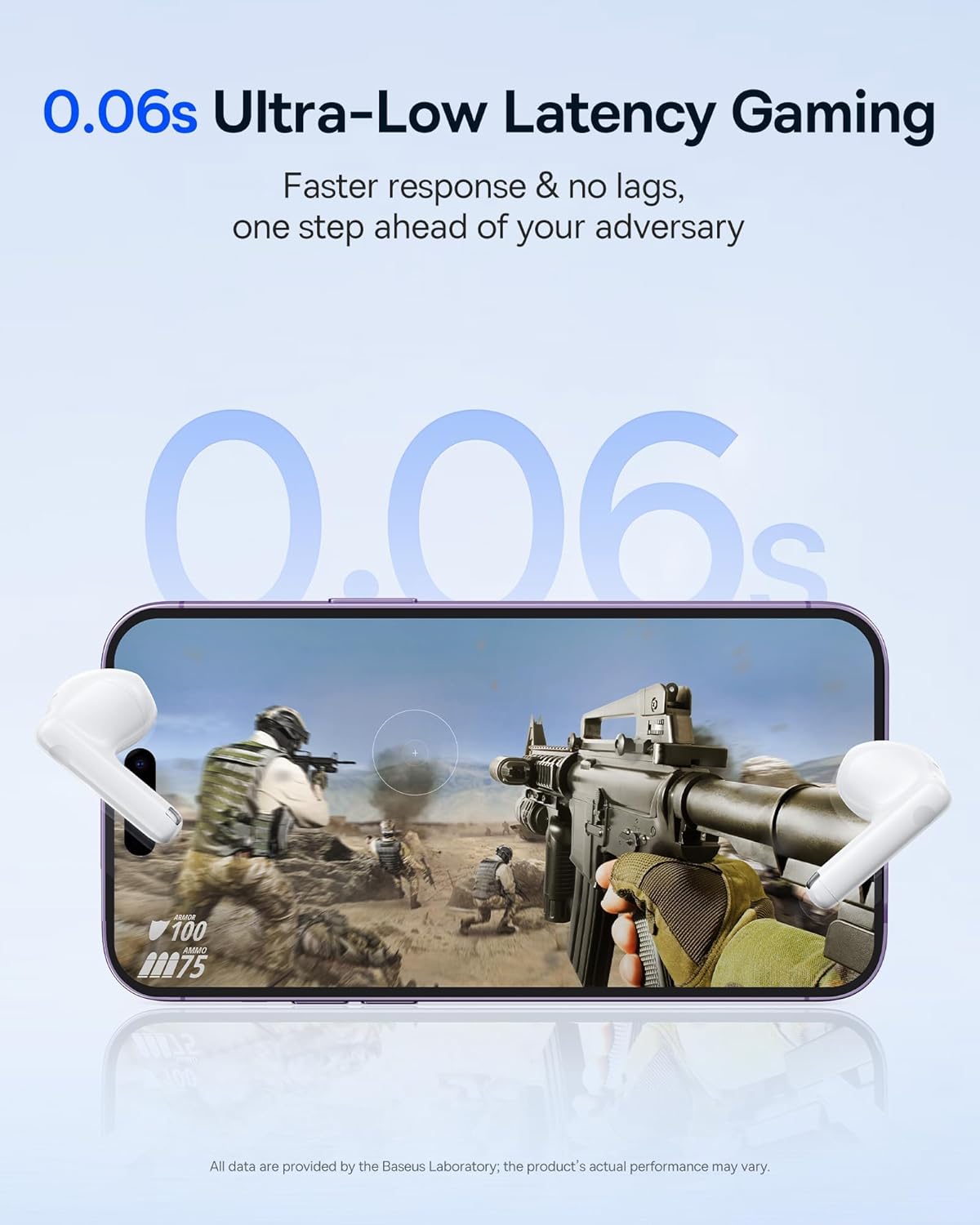
Image: The Baseus E13 TWS Bowie Headphones positioned near a smartphone screen displaying a fast-paced first-person shooter game, emphasizing the 0.06s ultra-low latency feature for gaming.
5.3 Audio oxutma
Enjoy up to 30 hours of continuous audio playback with the assistance of the charging case. Each earbud provides several hours of playback on a single charge, with the case offering multiple recharges.

Image: The Baseus E13 TWS Bowie Headphones and their charging case, overlaid with a graphic prominently displaying '30H', signifying the total audio playback time achievable with the case.
5.4 Səs Keyfiyyəti
The earbuds are equipped with a large 12mm diaphragm, designed to restore each note with remarkable depth and accuracy, providing a powerful low-frequency audio experience.

Image: A detailed cutaway diagram of a Baseus E13 TWS earbud, focusing on the internal structure of the large 12mm diaphragm and its contribution to sound quality.
5.5 Bağlantı
Utilizing Bluetooth 5.3 technology, the headphones offer a faster and more stable wireless connection, ensuring smooth audio transmission and enhanced sound quality.

Şəkil: şəffaf view of a Baseus E13 TWS earbud, revealing its internal circuitry and specifically highlighting the integrated Bluetooth 5.3 chip for advanced wireless connectivity.
6. Qulaqcıqların taxılması
The earbuds are designed with a mini stem and a lightweight profile, featuring a 45° wearing angle for a comfortable and secure fit.

Image: A woman wearing a Baseus E13 TWS earbud, illustrating the ergonomic design with a mini stem and lightweight construction for a comfortable user experience.
7. Baxım
- Təmizləmə: Qulaqcıqları və şarj qutusunu mütəmadi olaraq yumşaq, quru və tüksüz bir parça ilə təmizləyin. Sərt kimyəvi maddələrdən və ya aşındırıcı materiallardan istifadə etməyin.
- Suya davamlılıq: The earbuds are water resistant. Avoid submerging them in water or exposing them to excessive moisture. Dry thoroughly if they come into contact with liquids.
- Yaddaş: İstifadə edilmədikdə, qulaqcıqları qorumaq və doldurulmalarını təmin etmək üçün onları şarj qutusunda saxlayın. Sərin və quru yerdə, həddindən artıq temperaturdan uzaq saxlayın.
- Batareyaya qulluq: Batareyanın ömrünü qorumaq üçün qulaqcıqları və qutunu tez-tez tam boşaltmaqdan çəkinin. Daimi istifadədə olmasa belə, onları müntəzəm olaraq doldurun.
8. Giderme
If you encounter issues with your Baseus E13 TWS Bowie Headphones, refer to the following common solutions:
- Səs yoxdur:
- Qulaqlıqların doldurulduğundan əmin olun.
- Check Bluetooth connection to your device.
- Həm qulaqcıqlarda, həm də qoşulmuş cihazda səs səviyyəsini tənzimləyin.
- Qulaqlıqlar Qoşulmur:
- Qulaqlıqları qutuya yerləşdirin, bağlayın və sonra cütləşmə rejiminə yenidən daxil olmaq üçün yenidən açın.
- Forget "Baseus E13" from your device's Bluetooth list and attempt to pair again.
- Qulaqlıqların cihazınızın əhatə dairəsində olduğundan əmin olun.
- Doldurma Problemləri:
- Şarj kabelinin həm korpusa, həm də enerji mənbəyinə etibarlı şəkildə qoşulduğunu yoxlayın.
- Fərqli USB portu və ya güc adapterini sınayın.
- Ensure charging contacts on earbuds and in case are clean and free of debris.
- Bir Qulaqlıq İşləmir:
- Hər iki qulaqcığın doldurulduğundan əmin olun.
- Try resetting the earbuds (refer to app or Baseus support for specific instructions).
9. Spesifikasiyalar
| Brend | Baseus |
| Model Adı | E13 TWS |
| Bağlantı texnologiyası | Simsiz (Bluetooth 5.3) |
| Qulaqların Yerləşdirilməsi | Qulaqda |
| Forma faktoru | Əsl Simsiz |
| Empedans | 32 Ohm |
| Nəzarət növü | Touch controls, App |
| Material | plastik |
| Maddə Çəkisi | 0.07 kiloqram |
| Suya davamlılıq səviyyəsi | Suya davamlı |
| Maksimum Əməliyyat Məsafəsi | 10 Metr |
| Batareyanın Orta Ömrü | 30 saata qədər (şarj qutusu ilə) |
| Xüsusi Xüsusiyyətlər | 0.06s ultra-low latency, Faster and more stable 5.3 wireless chip, Lightweight and Mini Design, Powerful low frequency controller |
10. Zəmanət və Dəstək
Baseus products are designed for reliability and performance. For warranty information, please refer to the warranty card included with your purchase or visit the official Baseus website. For technical support or further assistance, please contact Baseus customer service or visit the Amazonda Baseus Mağazası.


