1. Giriş
Thank you for choosing the Maxcom FW58 Vanad Pro Smartwatch. This manual provides essential information for setting up, operating, and maintaining your device. The FW58 Vanad Pro is designed to enhance your daily life by offering comprehensive health monitoring, seamless communication, and robust activity tracking capabilities. Its lightweight design and customizable features make it an ideal companion for both busy individuals and active sports enthusiasts.
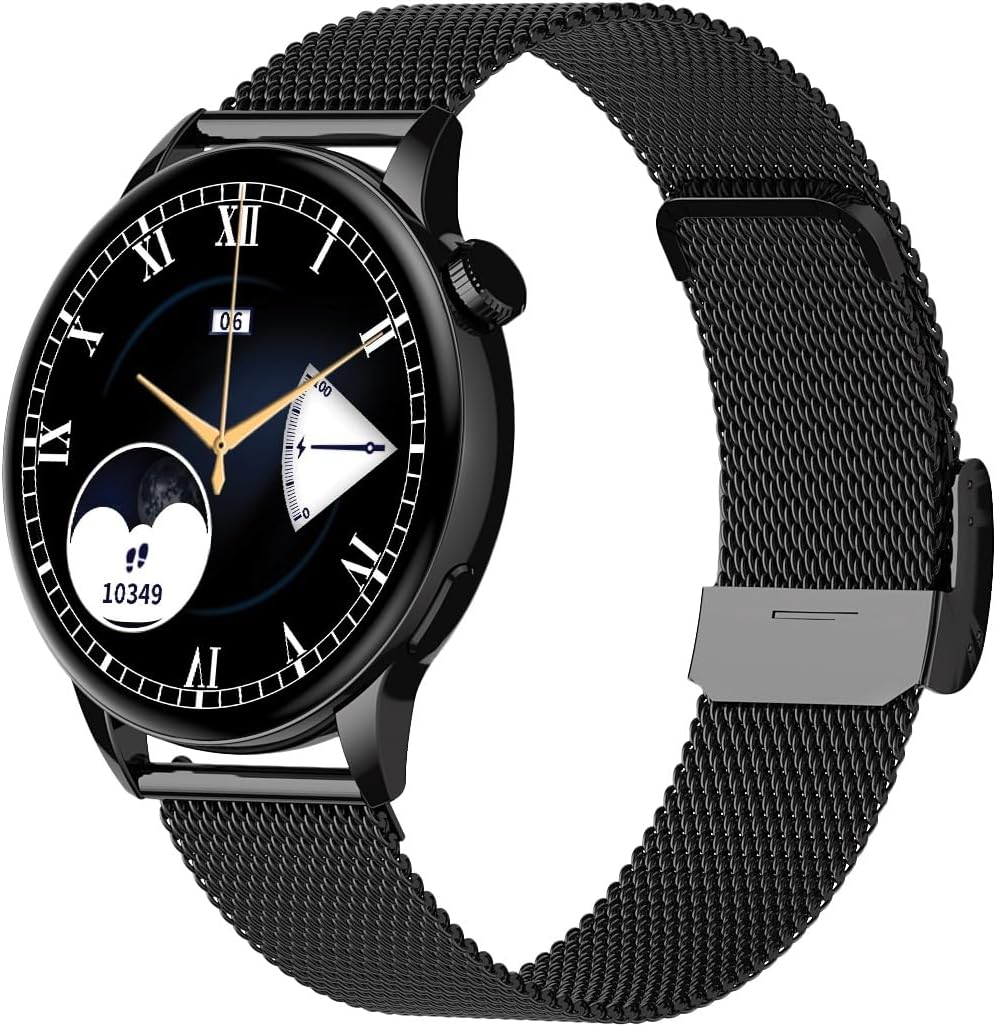
Image 1.1: Maxcom FW58 Vanad Pro Smartwatch, showcasing its elegant design with a black mesh strap and a classic watch face.
2. Quraşdırma
2.1. Paketin məzmunu
Başlamazdan əvvəl, lütfən, bütün əşyaların paketinizdə olduğundan əmin olun:
- Maxcom FW58 Vanad Pro Smartwatch
- Maqnetik Şarj Kabeli
- Additional Silicone Strap
- İstifadəçi Təlimatı (bu sənəd)
2.2. Ağıllı saatın doldurulması
For optimal performance, fully charge your smartwatch before first use.
- Connect the magnetic charging cable to the charging contacts on the back of the smartwatch. Ensure the pins align correctly.
- Kabelin USB ucunu standart USB güc adapterinə (5V/1A tövsiyə olunur) və ya kompüterin USB portuna qoşun.
- Saat ekranında şarj vəziyyəti göstəriləcək. Tam şarj adətən təxminən 2 saat çəkir.

Şəkil 2.1: Arxa view of the Maxcom FW58 Smartwatch, highlighting the optical sensor for health monitoring and the magnetic charging contacts.
2.3. Smartfonunuzla Cütləşmə
To unlock all features, pair your smartwatch with the dedicated Maxcom smartwatch application on your smartphone.
- Download the official Maxcom smartwatch application from your smartphone's app store (e.g., Google Play Store or Apple App Store). axtarın "Maxcom Smartwatch" or refer to the QR code in the quick start guide if provided.
- Smartfonunuzda Bluetooth-un aktiv olduğundan əmin olun.
- Open the Maxcom app and follow the on-screen instructions to add a new device.
- Select "FW58" from the list of available devices. Confirm the pairing request on both your phone and the smartwatch.
3. Ağıllı saatın idarə edilməsi
3.1. Əsas Naviqasiya
The Maxcom FW58 features a responsive touchscreen and a side button/crown for navigation.
- Sensorlu ekran: Menyular və funksiyalar arasında getmək üçün sola/sağa, yuxarı/aşağı sürüşdürün. Seçmək üçün toxunun.
- Yan Düymə/Tac: Press to wake the screen, return to the home screen, or access the app menu. Rotate the crown (if applicable) to scroll through lists or adjust settings.

Şəkil 3.1: Side profile of the Maxcom FW58 Smartwatch, illustrating the physical crown and button for intuitive control and navigation.
3.2. Ünsiyyət Xüsusiyyətləri
- Zənglərin edilməsi/qəbul edilməsi: Once paired, you can answer incoming calls directly from your smartwatch. You can also initiate calls from your watch's call log or contacts (synced via the app).
- Bildirişlər: Receive real-time notifications for SMS messages, app alerts, emails, social media updates, and news directly on your wrist. Manage notification settings through the Maxcom app.
3.3. Sağlamlığın monitorinqi
The smartwatch provides various health metrics to help you monitor your well-being.
- Ürək dərəcəsi: Davamlı və ya tələb üzrə ürək döyüntüsünün monitorinqi.
- Qan təzyiqi: Measure your blood pressure (for reference only, not a medical device).
- Qan oksigeni (SpO2): Qanınızın oksigen doyma səviyyələrini izləyin.
- Yuxunun İzlənməsi: Automatically monitors your sleep patterns, including deep sleep, light sleep, and awake times.
3.4. Activity Tracking & Sports Modes
Track your daily activity and specific workouts.
- Gündəlik Fəaliyyət: Records steps taken, calories burned, and distance traveled (mileage).
- İdman rejimləri: Select from various sports modes such as fitness, hiking, running, badminton, cycling, and football to track specific workout data.
3.5. Musiqi Nəzarəti
Control music playback on your connected smartphone directly from your smartwatch. Play, pause, skip tracks, and adjust volume without needing to access your phone.
3.6. Fərdiləşdirmə
Personalize your smartwatch experience.
- Üzlərə baxın: Choose from over 100 pre-installed watch face models or download more via the Maxcom app to match your style or mood.
- Menyu üslubu: Customize the layout and appearance of your smartwatch menu.
- Kəmərin dəyişdirilməsi: Easily change between the included mesh and silicone straps to suit different occasions or activities.

Image 3.2: A digital watch face on the Maxcom FW58 Smartwatch, showing steps and heart rate data.

Image 3.3: The Maxcom FW58 Smartwatch showcasing a dynamic and colorful digital watch face option.
4. Baxım
4.1. Ağıllı saatın təmizlənməsi
Daimi təmizləmə cihazın görünüşünü və funksionallığını qorumağa kömək edir.
- Ekranı və korpusu yumşaq, tüysüz parça ilə silin.
- İnadkar ləkələr üçün, bir az dampsu ilə parça. Sərt kimyəvi maddələrdən və ya aşındırıcı materiallardan istifadə etməyin.
- Clean the sensor area on the back of the watch regularly to ensure accurate readings.
4.2. Batareyaya qulluq
Batareya ömrünü uzatmaq üçün:
- Həddindən artıq temperaturdan çəkinin.
- Saatı uzun müddət tam boş vəziyyətdə qoymayın.
- Charge the device using only the provided charging cable.
4.3. Suya davamlılıq (IP67)
The Maxcom FW58 Vanad Pro Smartwatch is rated IP67, meaning it is protected against dust ingress and can withstand immersion in water up to 1 meter for up to 30 minutes. While it is suitable for daily use and splashes, it is not recommended for swimming, diving, or high-pressure water activities.
5. Giderme
Ağıllı saatınızla bağlı problemlərlə qarşılaşsanız, aşağıdakı həlləri sınayın:
| Problem | Həll |
|---|---|
| Saat açılmır | Ensure the watch is fully charged. Press and hold the side button for 5-10 seconds. |
| Smartfonla qoşalana bilməz | Ensure Bluetooth is on. Restart both the watch and phone. Clear app cache/data. Try pairing again. |
| Səhv sağlamlıq göstəriciləri | Ensure the watch is worn snugly on your wrist. Clean the sensor area. Remain still during measurements. |
| Bildirişlər alınmadı | Check app notification permissions on your phone. Ensure the watch is connected via Bluetooth. Verify notification settings within the Maxcom app. |
5.1. Zavod parametrlərinə sıfırlama
If problems persist, you may need to perform a factory reset. This will erase all data on the smartwatch and restore it to its original settings. Navigate to 'Settings' on your smartwatch, then look for 'System' or 'Reset' options.
6. Spesifikasiyalar
| Xüsusiyyət | Detal |
|---|---|
| Model nömrəsi | FW58 |
| Ekran Ölçüsü | 1.5 düym |
| Batareya Ömrü | 6-10 days (intensive use) |
| Çəki | 46 q |
| Case Ölçüləri | 44 x 38 x 10 mm |
| Döşəmə ölçüsü | 255 x 20 mm |
| Suya davamlılıq | IP67 (1 dəqiqə ərzində 30 metrə qədər) |
| Bağlantı | Bluetooth |
| Included Straps | Mesh and Silicone |
7. Zəmanət və Dəstək
7.1. Zəmanət Məlumatı
Maxcom products are manufactured to the highest quality standards. For detailed warranty terms and conditions, please refer to the warranty card included with your purchase or visit the official Maxcom websayt. Zəmanət iddiaları üçün satınalma sübutunuzu saxlayın.
7.2. Müştəri dəstəyi
If you require further assistance or have questions not covered in this manual, please contact Maxcom customer support:
- Websayt: Visit the official Maxcom support website for FAQs, software updates, and contact forms.
- E-poçt/Telefon: Refer to the contact information provided on the Maxcom websayt və ya məhsul qablaşdırma.