1. Məhsul bitdiview
The BOTSLAB G500H is a dual dash camera system designed to provide comprehensive video surveillance for your vehicle. It features a 3K front camera and a rear camera, offering wide-angle views, advanced night vision, built-in GPS for tracking, and intelligent parking monitoring. This manual provides detailed instructions for setup, operation, and maintenance to ensure optimal performance and safety.

Image: The BOTSLAB G500H Dash Cam, showing the main unit, rear camera, and a smartphone displaying the live view and GPS tracking.
2. Paketin məzmunu
Zəhmət olmasa, aşağıda sadalanan bütün əşyaların paketinizə daxil olduğunu yoxlayın:
- Front Camera (1x)
- Rear Camera (1x)
- Car Charger (1x)
- USB Power Cord (1x)
- Installation Pry Bar (1x)
- İstifadəçi təlimatı (1x)
- Electrostatic Film (1x)

Image: Visual representation of all components included in the BOTSLAB G500H Dash Cam package.
3. Quraşdırma və Quraşdırma
3.1 Daş kamerasının quraşdırılması
- Clean the area on your windshield where the dash cam will be mounted. Ensure it is free of dust and grease.
- Apply the electrostatic film to the cleaned area. This helps protect your windshield and allows for easier removal.
- Attach the main dash cam unit to the electrostatic film using its adhesive mount. Position it to ensure a clear view görünürlüğünüzə mane olmadan yolun kənarını.

Image: Illustration of the dash cam's wide viewing angles (150° front, 130° rear) for optimal road coverage.
3.2 Gücün qoşulması
- Connect the USB power cord to the main dash cam unit.
- Avtomobil şarj cihazını avtomobilinizin 12V elektrik rozetkasına (siqaret alışqanı yuvasına) qoşun.
- Route the power cable neatly along the windshield and dashboard edges using the provided installation pry bar to tuck it away.
3.3 Arxa Kameranın Quraşdırılması
- Arxa kamera kabelini əsas panel kamerasına qoşun.
- Mount the rear camera on your vehicle's rear windshield, ensuring a clear view. Route the cable discreetly to the front unit.
Video: Official installation guide for the G500H dash cam, demonstrating the setup process for both front and rear cameras.
4. Əməliyyat Təlimatları
4.1 Recording Modes (Front & Rear)
The dash cam records continuously once powered on. The front camera captures in crisp 3K resolution, while the rear camera provides optimal coverage. The wide 170° angle ensures comprehensive recording of the road ahead and behind.

Şəkil: Məsample footage demonstrating the clear front (3K) and rear (720P) video quality, ensuring no blind spots.
4.2 Clear Night Vision
Equipped with an F1.5 aperture lens and a single infrared filter, the G500H provides full-color, high-quality video even in low-light conditions. This ensures clear and vivid footage at night, allowing for identification of details like license plates.
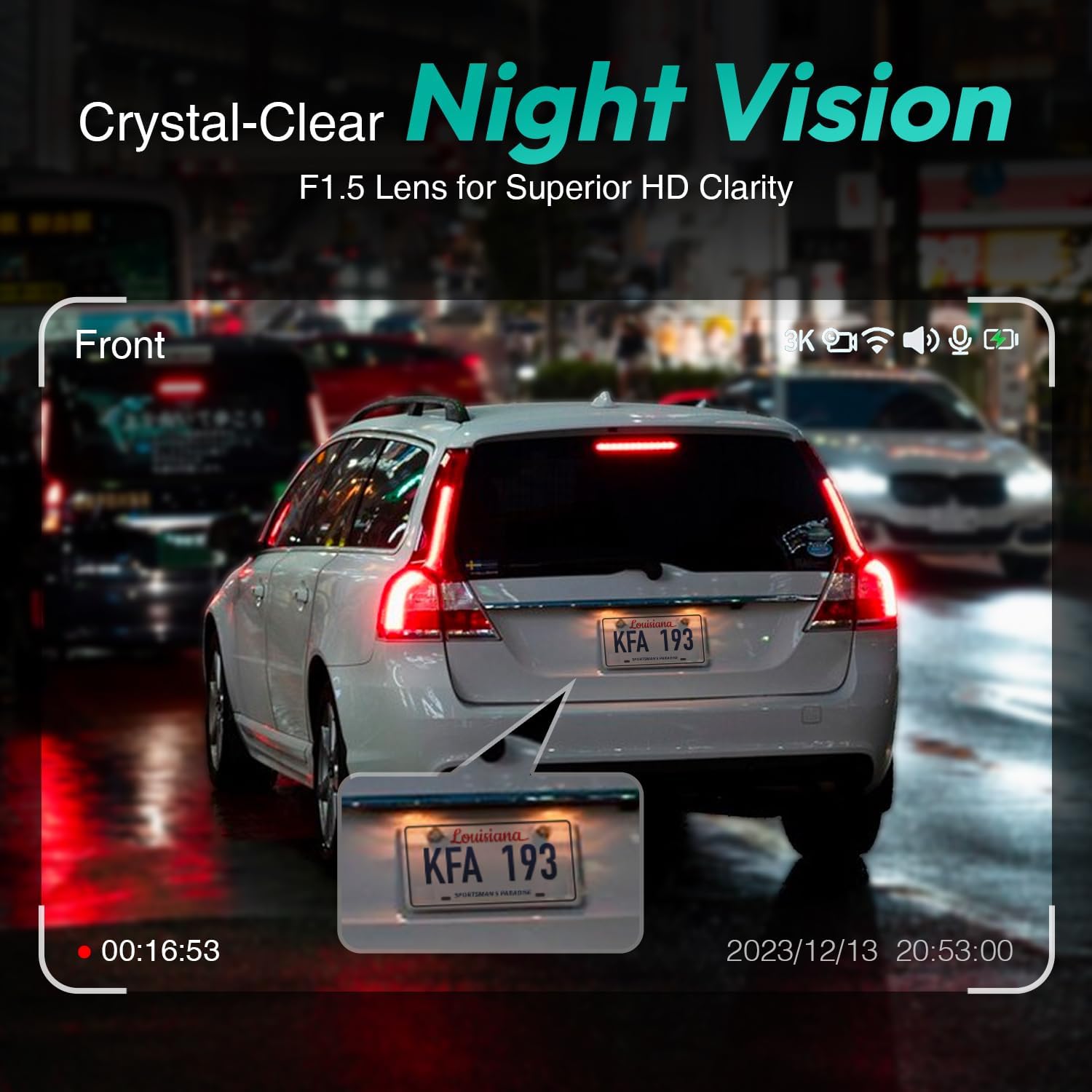
Image: A still from night vision footage, highlighting the clarity of a car's license plate in dark conditions.
4.3 Built-in GPS Integration
The integrated GPS automatically records your driving details, including speed, time, and location. You can view your routes on Google Maps directly from your smartphone, providing secure and personal data tracking.

Image: A smartphone displaying the dash cam's live view integrated with Google Maps, showing precise location tracking.
4.4 Driver Fatigue Reminder
For enhanced safety, the dash cam includes a Driver Fatigue Reminder feature. This system alerts you to potential fatigue, prompting you to take a break during long journeys.

Image: A driver receiving a visual alert for fatigue, emphasizing the safety feature of the dash cam.
4.5 Parkinqin monitorinqi
When your vehicle is parked, the parking monitoring feature keeps an eye on your car. It can detect motion and impacts, recording events to provide an extra layer of security. Note: A dashcam hardware kit is required for this function, not included in the package.

Şəkil: Antenna view illustrating the 24/7 parking monitoring feature, showing motion detection around a parked car.
4.6 Təcili Qeyd (G-Sensor)
In the event of a collision or sudden movement, the emergency recording feature automatically activates. It locks the current video footage, preventing it from being overwritten, and captures critical details of the incident. This is invaluable for insurance claims or traffic disputes.

Image: A visual representation of the emergency video protection feature, triggered by a collision, ensuring critical footage xilas oldu.
4.7 Wi-Fi Bağlantısı və Tətbiqlərə Nəzarət
The dash cam supports 2.4GHz Wi-Fi connectivity, allowing you to connect it to your smartphone. Through the dedicated app, you can access live view, yenidənview recorded videos, take snapshots, and track driving trajectories, providing real-time insight and control.

Image: A graphic illustrating the stable 2.4GHz Wi-Fi connection between the dash cam and a smartphone for seamless data transfer.

Image: A driver using the smartphone app to view real-time road insight from the dash cam.
4.8 Seamless Loop Recording
The camera continuously records, automatically replacing the oldest videos with new ones when the memory card is full. Important clips, such as those triggered by the G-Sensor, are locked and will not be overwritten.

Image: A visual metaphor of a continuous film strip, representing the seamless loop recording function of the dash cam.
5. Baxım
5.1 SD Kartın İdarə Edilməsi
The BOTSLAB G500H supports up to 128GB Micro SD cards. It is recommended to use a high-speed (Class 10 or higher) Micro SD card for optimal performance. Periodically format the SD card within the dash cam's settings to ensure stable recording and prevent data corruption. Note: Micro SD card is not included.

Şəkil: Yaxın plan view of the dash cam highlighting the Micro SD card slot, indicating where to insert the memory card.
5.2 Təmizləmə
To maintain clear video quality, regularly clean the dash cam lenses with a soft, lint-free cloth. Avoid using abrasive cleaners or solvents that could damage the lens coating. Keep the dash cam unit free from dust and debris.
6. Giderme
| Məsələ | Mümkün Səbəb | Həll |
|---|---|---|
| Dash kamerası işə düşmür. | Elektrik təchizatı yoxdur; əlaqə zəifdir. | Check car charger connection to vehicle's 12V outlet and to the dash cam. Ensure vehicle's power outlet is functional. |
| Yazma dayanır və ya footage xarabdır. | SD card full or corrupted; incompatible SD card. | Format the SD card via the dash cam settings. Replace with a new high-speed (Class 10 or higher) Micro SD card if issues persist. Ensure card is up to 128GB. |
| Video keyfiyyəti aşağıdır (bulanıq/aydın deyil). | çirkli lens; qoruyucu film hələ də obyektivdədir. | Clean the camera lenses with a soft cloth. Remove any protective films from the lenses. |
| Wi-Fi bağlantısı problemləri. | Incorrect app settings; interference. | Ensure the dash cam's Wi-Fi is enabled. Restart both the dash cam and your smartphone. Check app permissions. |
| Dayanacaq monitorinqi işləmir. | Hardware kit not installed; feature disabled. | Ensure the optional hardwire kit is correctly installed. Verify parking monitoring is enabled in the dash cam settings. |
7. Spesifikasiyalar
| Xüsusiyyət | Detal |
|---|---|
| Model nömrəsi | G500H |
| Məhsul Ölçüləri | 1.9 x 3 x 2.2 düym |
| Maddə Çəkisi | 1.39 funt sterlinq |
| Video çəkiliş həlli | 1944p (Front) |
| Ön linza bucağı | 150° Geniş Bucaq |
| Arxa linza bucağı | 130° Geniş Bucaq |
| Bağlantı texnologiyası | 2.4 GHz Wi-Fi |
| Xüsusi Xüsusiyyətlər | Parking Monitoring, Driver Fatigue Reminder, Built-In GPS, Loop Recording, G-Sensor |
| Montaj növü | Şüşə dağı |
| Maksimum SD Kart Dəstəyi | 128 GB-a qədər (Micro SD) |
8. Zəmanət və Dəstək
BOTSLAB products are designed for reliability and performance. For detailed warranty information and customer support, please refer to the official BOTSLAB websaytına daxil olun və ya müştəri xidmətləri ilə əlaqə saxlayın. Zəmanət iddiaları üçün alış qəbzini saxlayın.
PDF formatında ətraflı istifadəçi təlimatı üçün onu aşağıdakı linkdən yükləyə bilərsiniz: BOTSLAB G500H User Manual (PDF)