1. Giriş
This manual provides detailed instructions for the installation, operation, and maintenance of your Codnida 2K Security Light Bulb Camera (Model LC323). Please read this manual thoroughly before using the product to ensure proper function and safety.
The Codnida LC323 is a versatile security camera designed for both outdoor and indoor use, featuring 2K resolution, PTZ capabilities, 24/7 recording, sound and light alarms, human motion detection, and color night vision. It is designed to fit into standard E27 light bulb sockets for easy installation.
2. Paketin məzmunu
Bütün komponentlərin paketdə olduğunu yoxlayın:
- Codnida 2K Security Light Bulb Camera (LC323)
- İstifadəçi təlimatı
- Mounting Accessories (if applicable, e.g., E27 adapter if not integrated)
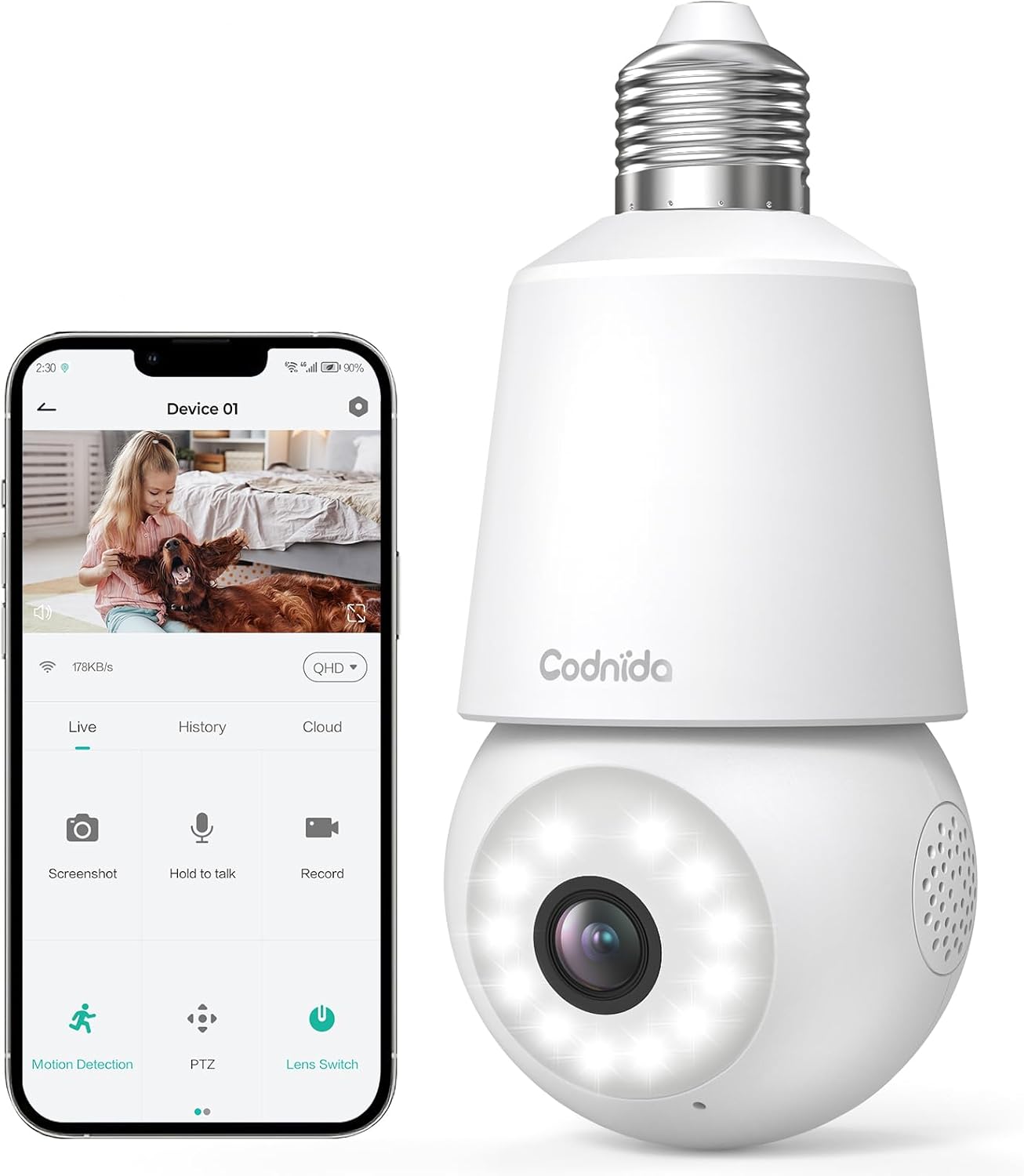
Image: The Codnida LC323 light bulb camera shown alongside a smartphone displaying its live view and control interface.
3. Spesifikasiyalar
| Xüsusiyyət | Detal |
|---|---|
| Model nömrəsi | LC323 |
| Qətnamə | 2K (3MP) |
| Bağlantı | Wi-Fi (yalnız 2.4 GHz) |
| Güc mənbəyi | Corded Electric (E27 Socket) |
| Gecə Görmə Aralığı | 10 Metr |
| PTZ fırlanması | Tava 355 °, 50 ° meyl edin |
| Saxlama Seçimləri | Micro SD Card (16-128GB, not included), Cloud Storage |
| İki tərəfli audio | Dəstəklənir |
| Hərəkət aşkarlanması | Human Motion Detection, Auto Tracking |
| Siqnal Xüsusiyyətləri | Səs və işıq siqnalı |
| Daxili / Xarici istifadə | Outdoor, Indoor (IP66 waterproof and dustproof) |
| Tətbiq Uyğunluğu | CloudEdge App (Tablet, Smartphone) |
Note: The camera requires a 2.4GHz Wi-Fi connection. 5GHz Wi-Fi is not supported.
4. Təhlükəsizlik Məlumatı
- Ensure the power is off before installing or removing the camera.
- Install the camera in a standard E27 light bulb socket.
- Do not expose the camera to extreme temperatures or humidity beyond its operating range.
- Avoid direct exposure to water jets or prolonged submersion, despite its IP66 rating.
- Uşaqların əli çatmayan yerdə saxlayın.
- Only use the camera with compatible power sources (240 Volts, 5 watts).
5. Quraşdırma Bələdçisi
5.1 Tətbiqin quraşdırılması
- Download the "CloudEdge" app from your smartphone's app store (Google Play Store for Android or Apple App Store for iOS).
- Yeni hesab üçün qeydiyyatdan keçin və ya artıq hesabınız varsa daxil olun.
5.2 Kamera Quraşdırılması
The camera is designed for easy installation into a standard E27 light bulb socket.
- Ensure the power to the E27 socket is turned off at the main switch.
- Carefully screw the Codnida LC323 camera into the E27 socket until it is securely fastened.
- Turn on the power to the E27 socket. The camera will power on and initiate its startup sequence.

Image: A hand demonstrates screwing the Codnida light bulb camera into an outdoor E27 light fixture, illustrating the simple installation process.
5.3 Wi-Fi şəbəkəsinə qoşulma
Follow the in-app instructions to connect your camera to your home Wi-Fi network. Remember, only 2.4GHz Wi-Fi is supported.
- Open the CloudEdge app and tap "Add Device" or the "+" icon.
- Select the appropriate device type (e.g., "Smart Camera" or "Light Bulb Camera").
- Follow the prompts to enter your 2.4GHz Wi-Fi network name (SSID) and password.
- The app will generate a QR code. Position your phone screen in front of the camera lens (approx. 15-20 cm away) until you hear a confirmation sound from the camera.
- Once connected, the camera's status indicator light will change, and you can name your device in the app.
6. Əməliyyat Təlimatları
6.1 Canlı View və PTZ nəzarəti
Access the live video feed and control the camera's pan and tilt functions directly from the CloudEdge app.
- Open the CloudEdge app and select your camera from the device list.
- Canlı view will appear. Use the on-screen joystick or directional arrows to pan (355°) and tilt (50°) the camera lens.

Image: A smartphone screen displays the live view from the Codnida camera with on-screen controls for pan and tilt (PTZ) functionality.
6.2 İkitərəfli Audio
The camera supports two-way audio communication, allowing you to speak and listen through the camera.
- Canlıda view, tap the microphone icon to speak. Hold the button while speaking.
- Kameradan səs eşitmək üçün telefonunuzun səs səviyyəsinin yüksək olduğundan əmin olun.
Image: An illustration showing the two-way audio feature, with a person outside the house hearing "OK!" from the camera and a person inside speaking "Please put it at the door." through the app.
6.3 Hərəkət Aşkarlanması və Avtomatik İzləmə
The camera can detect human motion and automatically track the subject within its field of view.
- Navigate to the camera settings in the CloudEdge app.
- Enable "Motion Detection" and "Human Detection" for optimized alerts.
- Activate "Auto Tracking" to have the camera follow detected movement.
- You can define specific detection zones to focus monitoring on critical areas.
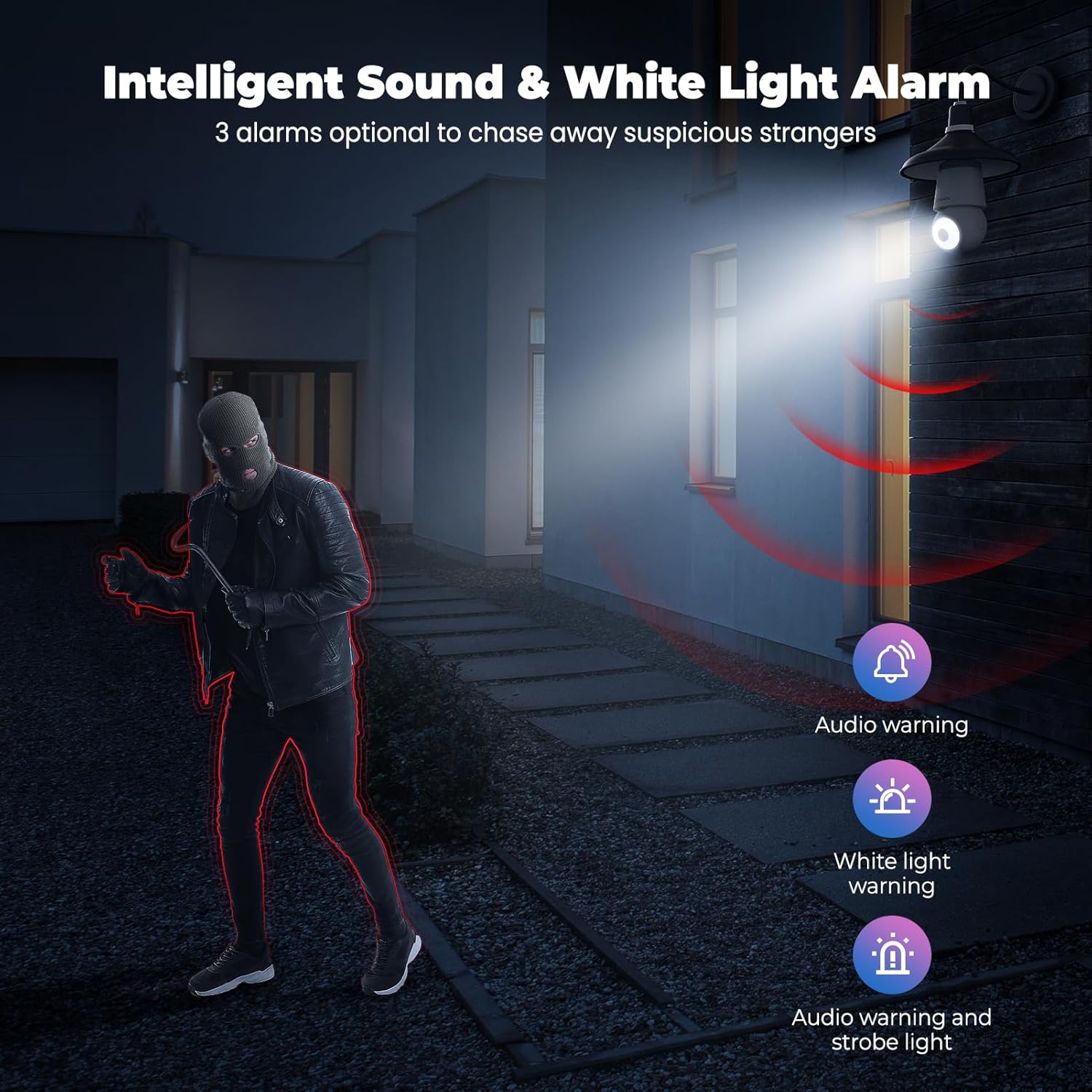
Image: An indoor scene demonstrating motion detection and auto-tracking, with dashed lines indicating the camera's pan and tilt range and boxes highlighting moving cats being tracked.

Image: An outdoor scene illustrating Human AI Intelligent Analytics, showing the camera's ability to detect and differentiate between a person, animal, car, and package.
6.4 Gecə Görünüşü
The camera provides clear surveillance even in low-light conditions with its color night vision capability.
- The camera automatically switches to night vision mode when ambient light is insufficient.
- Color night vision provides more detail than traditional black and white infrared night vision.

Image: A side-by-side comparison showing the superior detail and color provided by the camera's color night vision feature compared to standard black and white night vision in a low-light outdoor setting.
6.5 Sound and Light Alarm
Configure the camera to trigger an audible alarm and/or flashing white light upon detection of suspicious activity.
- In the app settings, enable the sound and light alarm features.
- Choose from audio warning, white light warning, or a combination of both.
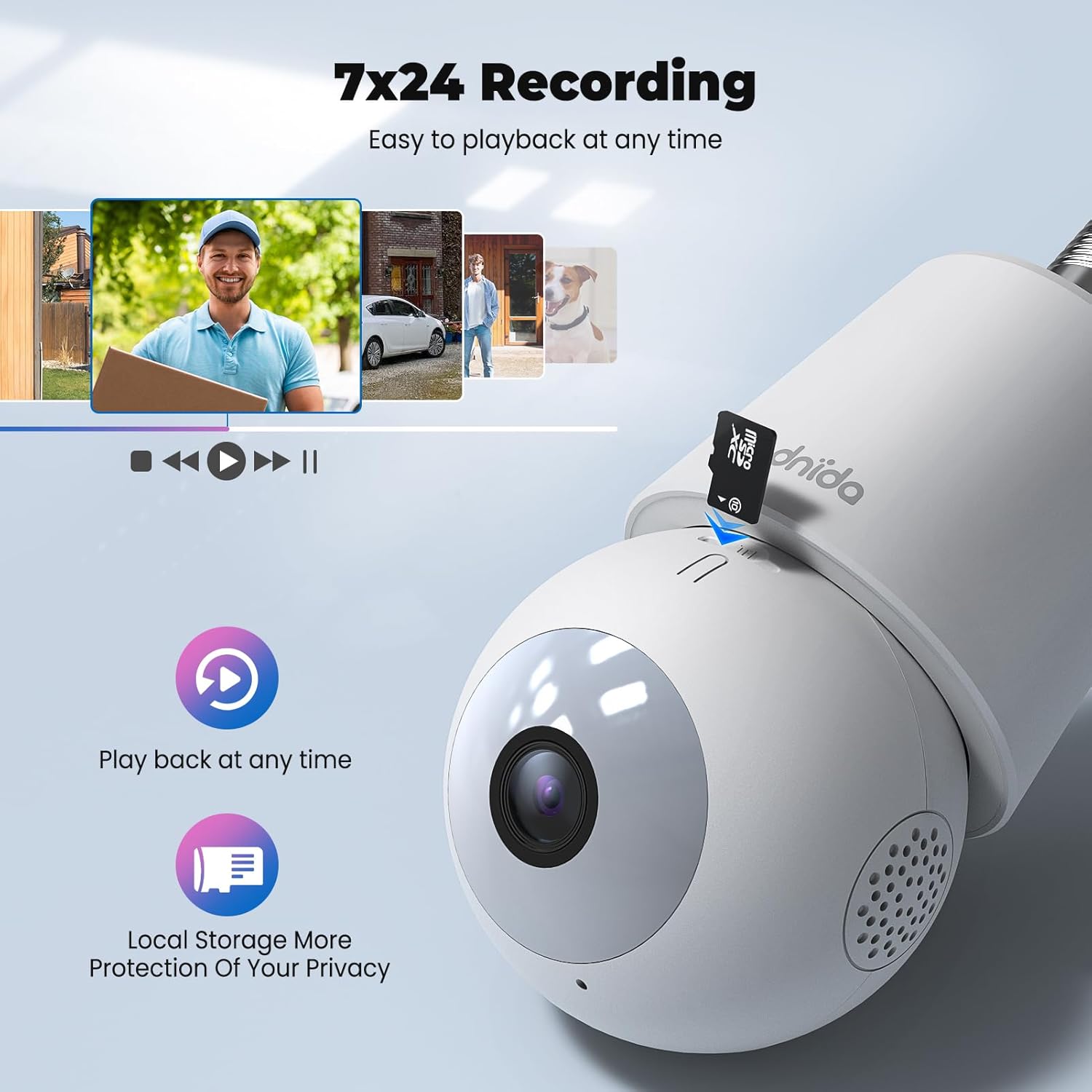
Image: An illustration depicting the intelligent sound and white light alarm feature, showing a bright light and red sound waves emanating from the camera towards a masked figure, with options for audio warning, white light warning, and audio warning with strobe light.
6.6 Qeyd və Saxlama
The camera supports 24/7 recording and offers both local and cloud storage options.
- Mikro SD Kart: Insert a Micro SD card (16GB to 128GB, not included) into the designated slot for local storage. Ensure the card is formatted correctly via the app.
- Bulud Saxlama: Cloud storage options may be available through the CloudEdge app (subscription may be required).
- Qeydə alınmış foo-ya daxil oluntage via the "History" or "Playback" section in the app.

Şəkil: Yaxın plan view of the Codnida camera showing the Micro SD card slot, with icons indicating playback functionality and local storage benefits.

Image: A detailed diagram highlighting the key components of the Codnida camera, including the E27 base, TF card slot, reset button, loudspeaker, working indicator light, lens, and microphone.
6.7 Cihaz Paylaşımı
Share access to your camera with family members or trusted individuals through the CloudEdge app.
- In the app, navigate to the device settings and find the "Share Device" option.
- You can share by scanning a QR code or by entering the recipient's registered CloudEdge account.

Image: An illustration demonstrating the device sharing feature within the CloudEdge app, showing options to share via QR code or by entering another user's registered account.
7. Baxım
- Təmizləmə: Kamera obyektivini və gövdəsini yumşaq, quru bir parça ilə yumşaq bir şəkildə silin. Sərt kimyəvi maddələrdən və ya aşındırıcı təmizləyicilərdən istifadə etməyin.
- Firmware Güncellemeleri: Regularly check the CloudEdge app for firmware updates to ensure optimal performance and security.
- SD Kart İdarəetmə: Vaxtaşırı yenidənview və qeydə alınmış foo-nu idarə edintage on your Micro SD card to prevent it from becoming full.
8. Giderme
| Problem | Mümkün Həll |
|---|---|
| Kamera Wi-Fi-a qoşula bilmir. |
|
| Zəif video keyfiyyəti. |
|
| Motion detection not working or too many false alarms. |
|
| Cannot hear audio or two-way audio not functioning. |
|
9. Zəmanət və Dəstək
For warranty information and technical support, please refer to the official Codnida websaytına daxil olun və ya birbaşa müştəri xidmətləri ilə əlaqə saxlayın. Satınalma qəbzinizi zəmanət iddiaları üçün satınalmanın sübutu kimi saxlayın.
İstehsalçı: Codnida
Əlaqə: Refer to Codnida's official support channels for assistance.
Onlayn Resurslar: ziyarət edin Codnida Store on Amazon for product updates and additional information.


