1. Giriş
Thank you for choosing the Otovoda B-T51 2K Front Dash Cam. This manual provides essential information for the proper setup, operation, and maintenance of your device. Please read it thoroughly before use to ensure optimal performance and safety.
2. Paketin məzmunu
Aşağıda sadalanan bütün elementlərin paketinizə daxil olduğunu yoxlayın:
- 1 x Otovoda B-T51 2K Front Dash Cam
- 1 x Car Charger (11.5ft)
- 1 x 64 GB MicroSD Kart
- 1 x İstifadəçi Təlimatı
- 1 x Operation Video Card
- 1 x Asan Pry Aləti
- 1 x Spare 3M Adhesive Pad
- 1 x Pin (for reset/card removal)
- 2 x Elektrostatik Etiketlər

3. Məhsul bitdiview
The Otovoda B-T51 is a compact and powerful dash camera designed for clear road recording. It features a 3-inch display and a 170-degree wide-angle lens.
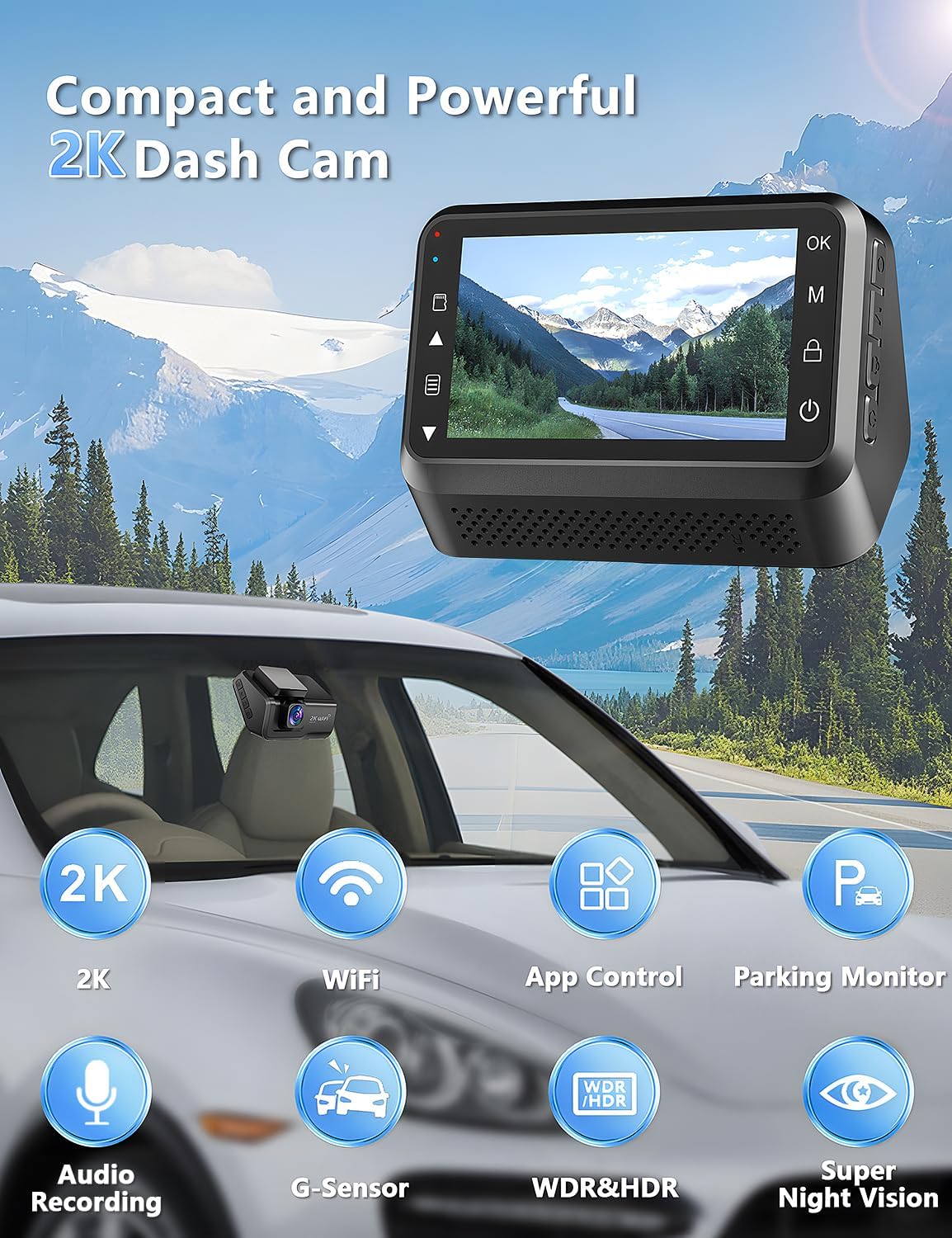
Əsas komponentlər:
- Lens: 2K resolution, 170° wide-angle, F1.8 large aperture, 6-layer glass.
- Ekran: 3-inch LED screen for real-time viewing and settings.
- Nəzarət Düymələri: Located on the side for menu navigation and function control.
- MicroSD Kart Yuvası: Supports up to 256GB, 64GB card included.
- Tip-C Portu: Elektrik bağlantısı üçün.
- Dağı: Adhesive pad for windshield mounting.
4. Quraşdırma və Quraşdırma
Follow these steps to install your dash cam:
- Ön şüşəni hazırlayın: Clean the area on your car's windshield where you intend to mount the dash cam. Ensure it is free of dust and grease.
- Elektrostatik Etiket Tətbiq Edin: Apply one of the provided electrostatic stickers to the cleaned area. This helps in stable mounting and easy removal without leaving residue.
- Attach Adhesive Pad: Peel off the protective film from the 3M adhesive pad on the dash cam mount and firmly press it onto the electrostatic sticker.
- Güc bağlayın: Connect the Type-C power cable from the car charger to the dash cam. Route the cable neatly along the windshield and dashboard edges using the easy pry tool to tuck it away. Plug the car charger into your vehicle's cigarette lighter socket.
- MicroSD kartı daxil edin: Insert the provided 64GB MicroSD card into the card slot on the dash cam. Ensure it clicks into place.

5. Əsas əməliyyat
Yandırma/Söndürmə:
- Avtomobilinizin alışması işə salındıqda, idarəetmə paneli avtomatik olaraq işə düşəcək və qeyd etməyə başlayacaq.
- Alovlanma söndürüldükdə avtomatik olaraq sönəcək.
- To manually power on/off, press and hold the power button located on the device.
Qeyd:
- Recording starts automatically when the device powers on.
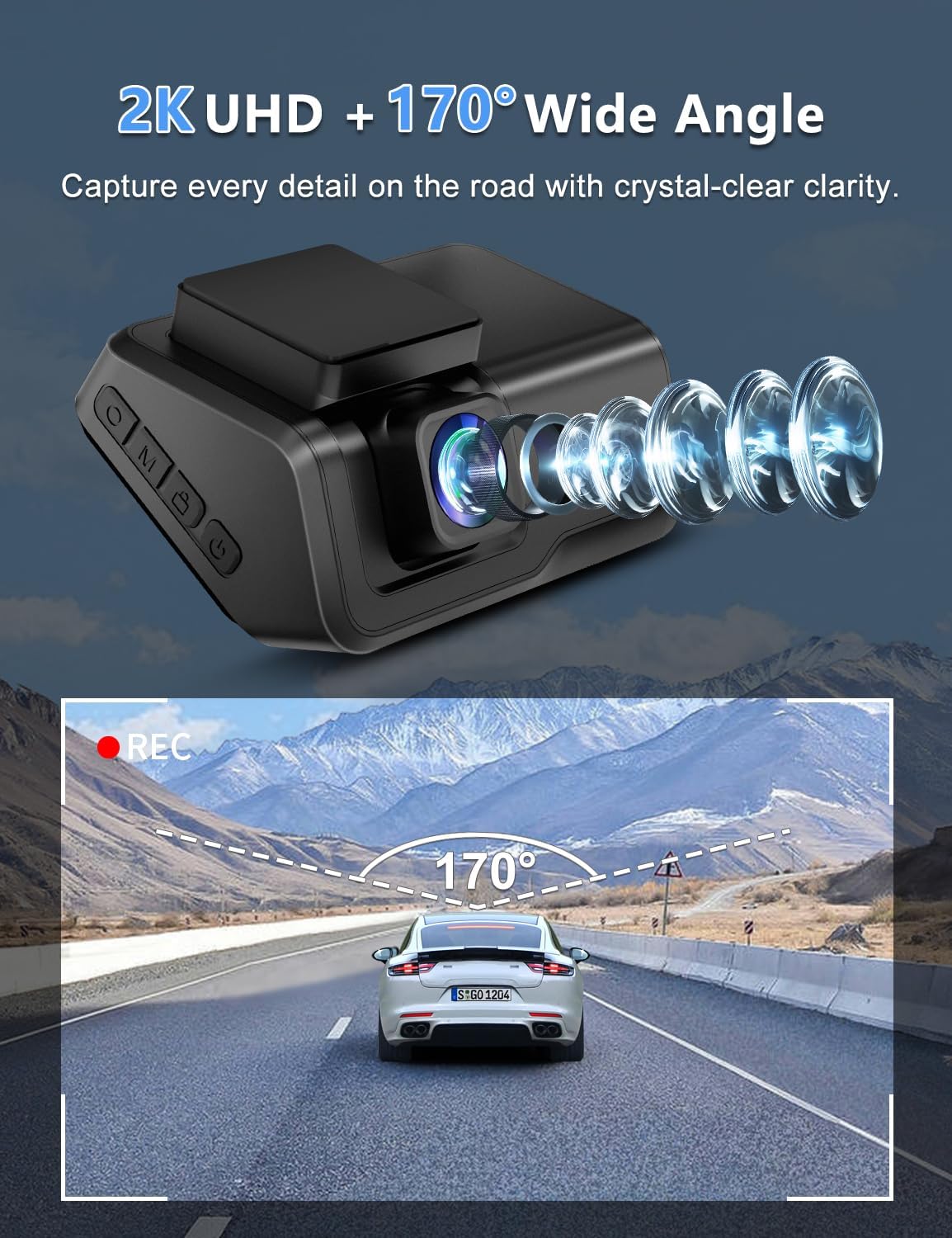
- The 2K front camera captures video at a 170° wide-angle, ensuring comprehensive road coverage.
- Audio recording is also supported.
6. Qabaqcıl Xüsusiyyətlər
WiFi and App Control:
Connect your dash cam to the exclusive Viidure APP (available for Android and iOS devices) via WiFi for real-time preview, smooth video downloads, easy editing, and sharing to social media platforms.

Super Gecə Görünüşü:
Equipped with an F1.8 large aperture, WDR (Wide Dynamic Range), and a 6-layer glass lens, the dash cam captures clear and sharp footage in low-light conditions, ensuring detailed number plates and road signs are visible day and night.

24 Saat Park Monitoru:
When your car is parked, this function automatically activates upon detecting motion or impact, locking the video to provide continuous protection against potential threats. Note: This feature requires a hardwire kit (ASIN: B0CP4WYYSX), which is not included.

G-Sensor and Loop Recording:
- G-sensor: Qəfil titrəmələri və ya toqquşmaları avtomatik olaraq aşkarlayır və cari video görüntüsünü kilidləyirtage to prevent it from being overwritten, securing critical evidence.
- Döngü qeydi: Ensures continuous recording by automatically overwriting the oldest unlocked files yaddaş kartı dolu olduqda.

7. Baxım
- Lensi təmizləyin: Regularly clean the camera lens with a soft, lint-free cloth to ensure clear video quality.
- MicroSD kart formatı: It is recommended to format the MicroSD card periodically (e.g., once a month) to maintain optimal recording performance and prevent data corruption. Back up any important files formatlamadan əvvəl.
- İşləmə temperaturu: The dash cam is designed to operate in temperatures from -30℃ to 80℃ (-22℉ to 176℉). Avoid exposing the device to extreme temperatures outside this range for prolonged periods.

8. Giderme
If you encounter any issues with your Otovoda B-T51 Dash Cam, please refer to the following common solutions:
- Cihaz açılmır: Ensure the car charger is properly connected to both the dash cam and the vehicle's power outlet. Check if the vehicle's ignition is on.
- Qeydiyyat problemləri: Verify that the MicroSD card is correctly inserted and formatted. If the card is full, loop recording should overwrite old files, but ensure no critical files are locked. Try formatting the card.
- WiFi bağlantısı problemləri: Ensure the dash cam's WiFi is enabled and your smartphone is within range. Re-enter the WiFi password if necessary.
- Zəif video keyfiyyəti: Clean the camera lens. Check the recording resolution settings in the app.
- Parking monitor not working: Confirm that the optional hardwire kit is correctly installed and connected, as this feature requires constant power.
9. Spesifikasiyalar
| Xüsusiyyət | Spesifikasiya |
|---|---|
| Brend | Otovoda |
| Model | B-T51 |
| Video çəkiliş həlli | 2K |
| Viewaçı | 170 dərəcə |
| Ekran Ölçüsü | 3 düym |
| Bağlantı texnologiyası | Wi-Fi |
| Included Memory Card Size | 64 GB (256 GB -a qədər dəstəkləyir) |
| Xüsusi Xüsusiyyətlər | 2-Year Warranty, Built-in WiFi, Built-in Microphone, App Control, Type-C Port, Compact Design, WDR, HDR, Super Night Vision, Loop Recording, G-sensor, Parking Monitor |
| İşləmə temperaturu | -30 ℃ - 80 ℃ (-22 ℉ - 176 ℉) |
| Məhsul Ölçüləri | 3.8 x 8.2 x 5.3 sm; 315 q |
10. Zəmanət və dəstək
Your Otovoda B-T51 Dash Cam comes with an extendable 2-Year Repair Warranty və a 30 gün ərzində tam geri ödəmə of purchase. For any questions, missing accessories, or technical support, please contact us. We provide technical support and aim to respond within 24 hours, ensuring 100% satisfaction.
After Service Email Address: dashcam@bestservices.vip


