1. Giriş
Thank you for choosing the Timex Unisex Digital 43mm Watch. This manual provides essential information for the proper setup, operation, and care of your new timepiece. Please read these instructions carefully to ensure optimal performance and longevity of your watch.
2. Watch Overview
Familiarize yourself with the buttons and display of your Timex Digital 43mm Watch.

Şəkil 2.1: Yan view of the watch, highlighting the function buttons. The top left button is typically for INDIGLO, and the top right button is for START/STOP functions.
Your watch features a clear digital display and multiple function buttons for easy access to time, date, stopwatch, and alarm features. The specific button functions are detailed in the operating instructions.
3. İlkin Quraşdırma
İlk istifadədə və ya batareyanı dəyişdirdikdən sonra vaxtı və tarixi təyin etməlisiniz.
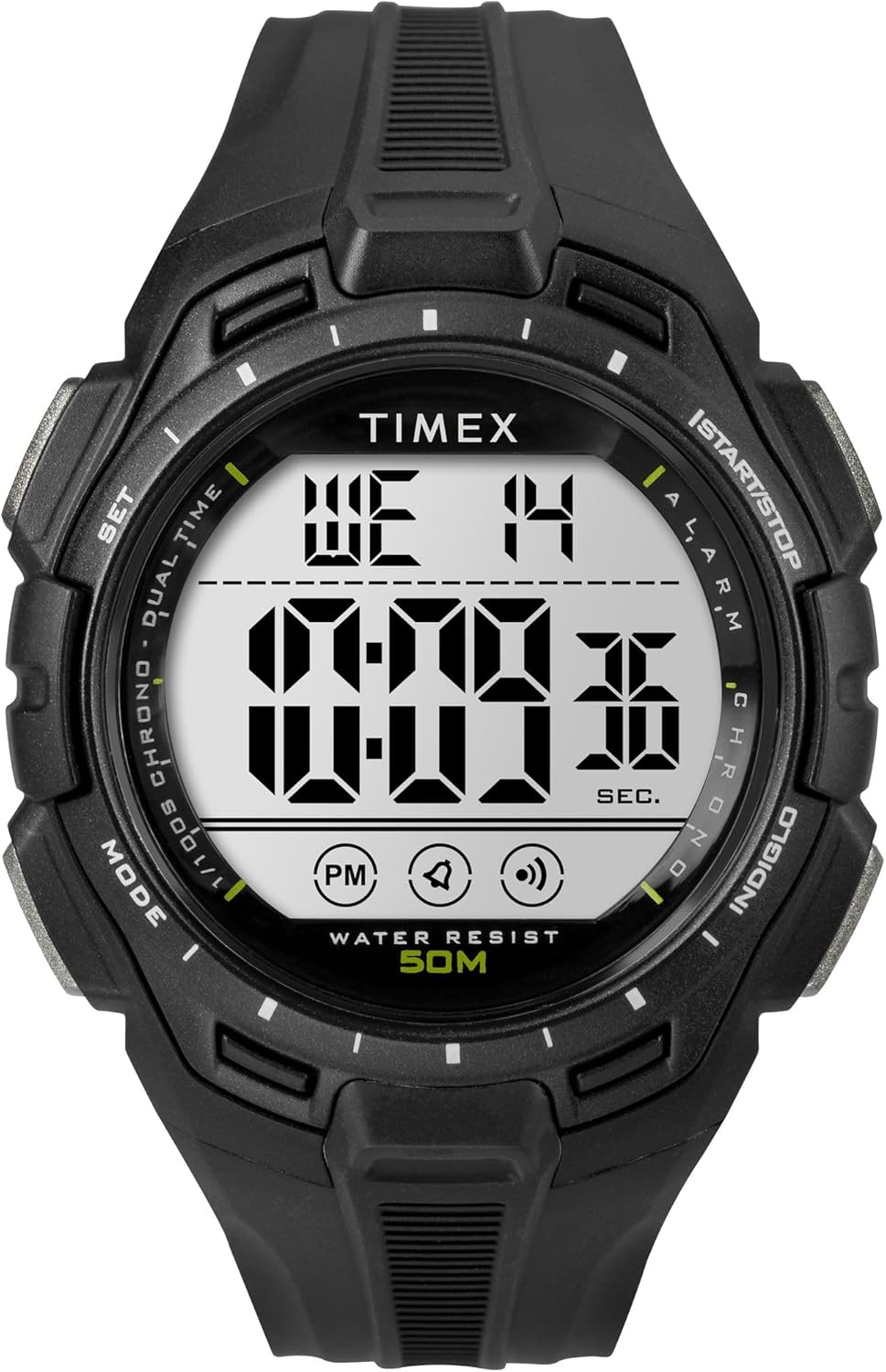
Şəkil 3.1: Ön view of the Timex Digital 43mm Watch, showing the digital display.
3.1 Vaxt və Tarixin qurulması
- düyməsini basın MODE button (usually bottom left) repeatedly until the time setting mode is displayed (often indicated by flashing digits).
- istifadə edin SET or START/STOP button (usually top right) to adjust the flashing digit (hours, minutes, seconds).
- düyməsini basın MODE button again to move to the next setting (e.g., minutes, then year, month, day).
- Bütün parametrlər düzgün olduqdan sonra düyməsini basın MODE button or a dedicated EXIT Normal vaxt ekranına qayıtmaq üçün düyməni basın.
3.2 Siqnalın qurulması
- düyməsini basın MODE button until the alarm time is displayed.
- istifadə edin SET or START/STOP button to adjust the alarm hours and minutes.
- düyməsini basın MODE təsdiq etmək və siqnalizasiya rejimindən çıxmaq üçün düymə.
- To activate/deactivate the alarm, typically press the SET button while in alarm display mode. An alarm icon will appear/disappear.
4. Əməliyyat Təlimatları
4.1 Using INDIGLO Night-Light
düyməsini basın İNDİQLO button (usually top left) to illuminate the watch face for easy viewaz işıqlı şəraitdə. İşıq bir neçə saniyə yanacaq.
4.2 Saniyəölçəndən İstifadə
- düyməsini basın MODE button until the stopwatch display appears (usually showing 00:00:00).
- düyməsini basın START/STOP button (top right) to start the stopwatch.
- basın START/STOP saniyəölçəni dayandırmaq üçün yenidən.
- Saniyəölçəni yenidən qurmaq üçün düyməni basın RESET button (often the bottom right button) while the stopwatch is paused.
4.3 Switching 12/24-Hour Format
While in time setting mode, when adjusting the hours, you can typically toggle between 12-hour (with AM/PM indicator) and 24-hour (military) format by pressing the SET or START/STOP button past 12 PM or 24. Refer to the specific setting sequence for your model.
5. Baxım və qulluq
Proper care will extend the life and appearance of your Timex watch.
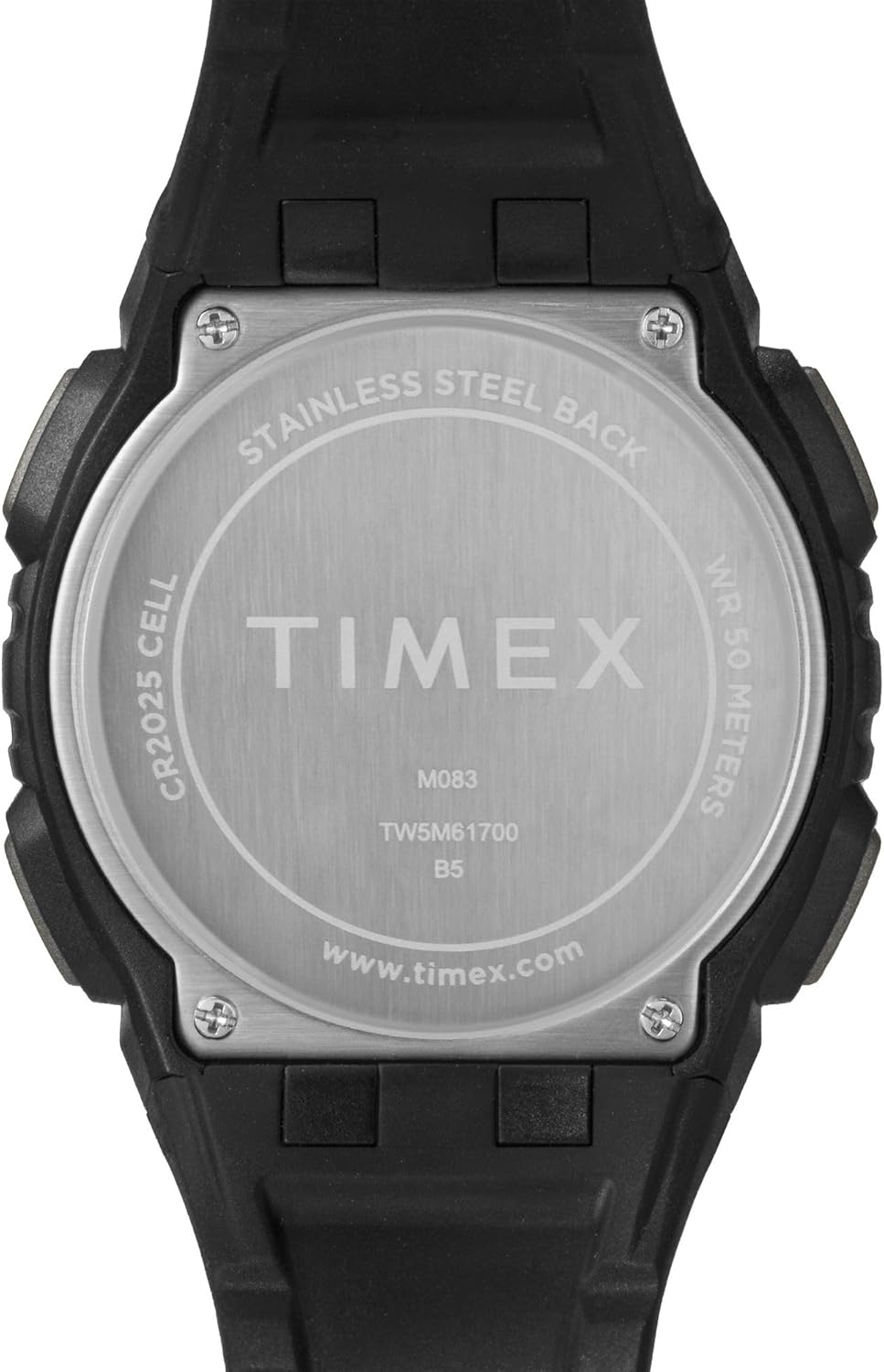
Şəkil 5.1: Arxa view of the watch case, indicating water resistance and battery type.
5.1 Suya davamlılıq
- Your watch is water resistant to 50 metr (164 fut). This means it is suitable for short periods of recreational swimming, but not for diving or snorkeling.
- Su altında düymələri işlətməyin.
- Avoid exposing the watch to hot water, steam, or extreme temperature changes, as this can compromise the water seals.
5.2 Batareyanın dəyişdirilməsi
- The watch uses one CR2025 Lithium Metal battery.
- Batareyanın dəyişdirilməsi, ideal olaraq, düzgün möhürləmə və suya davamlılığı təmin etmək üçün ixtisaslı bir saat texniki tərəfindən aparılmalıdır.
- Improper battery replacement can damage the watch and void the warranty.
5.3 Təmizləmə
Saatınızı müntəzəm olaraq yumşaq bir vasitə ilə təmizləyin, damp parça. Korpusa və ya kəmərə zərər verə biləcək sərt kimyəvi maddələrdən və ya aşındırıcı materiallardan istifadə etməyin.
5.4 Avoiding Scratches
The watch crystal is made of acrylic, which is susceptible to scratches. To minimize scratching, avoid contact with abrasive surfaces and store the watch carefully when not in use.
6. Giderme
If you encounter issues with your watch, refer to the following common solutions:
- Watch Not Displaying Correctly / Frozen Display: A soft reset may resolve this. Press and hold all four buttons simultaneously for a few seconds, then release. If the issue persists, the battery may need replacement.
- Display is Dim or Faint: Bu, adətən batareyanın az olduğunu göstərir. Batareyanı mümkün qədər tez dəyişdirin.
- Cavab Verməyən Düymələr: Ensure the watch is not in a locked mode (if applicable). If buttons remain unresponsive, try a soft reset. If the problem continues, professional service may be required.
- İçəridə Su Saatı: If moisture appears inside the watch, stop using it immediately and have it inspected by a qualified technician. Water damage is often not covered under warranty.
7. Spesifikasiyalar
| Xüsusiyyət | Detal |
|---|---|
| Model nömrəsi | TW5M617009J |
| Ekran növü | Rəqəmsal |
| Korpusun diametri | 43 Millimetr |
| Korpusun qalınlığı | 13.8 Millimetr |
| Bant Genişliyi | 15 Millimetr |
| Band material növü | qatran |
| Case Material Type | qatran |
| Kristal növü | Akril |
| Suya davamlılıq dərinliyi | 50 Metrlər (164 Ayaq) |
| Hərəkət növü | Kvars |
| Batareya növü | CR2025 Litium Metal (daxildir) |
| Maddə Çəkisi | 0.08 kiloqram |
8. Məhdud Zəmanət
Your Timex watch is warranted against manufacturing defects for a period of bir (1) il from the original date of purchase. This warranty does not cover:
- Batareyanın ömrü.
- Yanlış rəftar, baxımsızlıq, qəza və ya normal aşınma nəticəsində yaranan zərər.
- Water damage unless marked as water-resistant and damage occurs within the specified depth rating and proper care instructions were followed.
- Scratches to the crystal, case, or band.
For warranty service, please retain your proof of purchase and contact Timex customer support.
9. Müştəri dəstəyi
For further assistance, frequently asked questions, or to locate an authorized service center, please visit the official Timex websayt:
You may also refer to the product page on Amazon for additional details and customer reviews: Timex Unisex Digital 43mm Watch on Amazon


