1. Giriş
The ASMAX F1 Motorcycle Bluetooth Headset is an advanced communication system designed for motorcyclists. It features Bluetooth 5.3 technology, supporting up to 10 riders with a communication range of up to 1.8km. The F1 offers dual intercom modes (Free and Group Mesh), voice control, superior sound quality with ENC noise reduction, and an IP67 waterproof rating. Its magnetic mounting system and fast-charging capabilities ensure convenience and reliability for all your rides.
2. Təhlükəsizlik Məlumatı
- Həmişə yol təhlükəsizliyinə üstünlük verin. Cihazı diqqətinizi sürməkdən yayındıracaq şəkildə işlətməyin.
- At sürməzdən əvvəl qulaqlığın dəbilqənizə etibarlı şəkildə quraşdırıldığından əmin olun.
- Adjust volume levels to ensure you can still hear ambient traffic sounds.
- Cihazı sökməyə və ya dəyişdirməyə çalışmayın, çünki bu, zəmanəti ləğv edə və təhlükəsizlik riskləri yarada bilər.
- Cihazı həddindən artıq temperaturdan və birbaşa günəş işığından uzaq saxlayın.
- Cihazı yalnız verilən kabel və uyğun enerji mənbəyi ilə doldurun.
3. Paketin məzmunu
Bütün əşyaların paketinizdə olduğunu yoxlayın:
- ASMAX F1 Bluetooth Headset Unit(s)
- Speaker and Microphone Kit(s)
- Magnetic Mounting Base(s)
- USB Charging Cable(s)
- İstifadəçi təlimatı
- Mounting Accessories (e.g., adhesive pads, clips)

Image: ASMAX F1 Headset and included accessories.
4. Məhsul bitdiview
4.1 Komponentlər
The ASMAX F1 unit features a sleek design with an illuminated cross-shaped indicator. It is designed for easy attachment to most motorcycle helmets.

Image: ASMAX F1 Bluetooth Headset units.
4.2 Nəzarət və Göstəricilər
The ASMAX F1 is equipped with intuitive controls and indicators for ease of use while riding.
- İnterkom düyməsi: Initiates and manages intercom connections.
- Səs +/- Düymələri: Səs səviyyəsini tənzimləyir.
- Funksiya düyməsi: Müxtəlif əməliyyatlar üçün çoxməqsədli düymə.
- LED Göstərici: Displays device status (e.g., power, pairing, charging).
- Səslə Nəzarət: Activates functions using voice commands (e.g., "Hi Max").

Image: ASMAX F1 controls and helmet compatibility.
5. Quraşdırma
5.1 Dəbilqəyə Quraşdırma
The ASMAX F1 features a magnetic mounting system for easy and secure attachment to your helmet.
- Choose a suitable location on the side of your helmet, typically on the left side, ensuring it does not obstruct your vision or helmet functionality.
- Clean the helmet surface thoroughly where the mounting base will be attached.
- Attach the magnetic mounting base to the helmet using the provided adhesive pad or clamp. Ensure it is firmly secured.
- Insert the speakers into the helmet's ear pockets. Ensure they are positioned directly over your ears for optimal sound.
- Route the microphone boom or wired microphone to a position near your mouth, ensuring clear voice pickup and minimal wind noise.
- Connect the speaker and microphone cables to the ASMAX F1 unit.
- Attach the ASMAX F1 unit to the magnetic mounting base. The strong magnet will secure it in place.
5.2 İlkin Doldurma
Before first use, fully charge the ASMAX F1 unit. The 1250mAh battery supports fast charging.
- Connect the provided USB charging cable to the ASMAX F1 unit's charging port.
- Kabelin digər ucunu USB güc adapterinə (daxil deyil) və ya kompüterin USB portuna qoşun.
- The LED indicator will show charging status. Once fully charged, the indicator will change (refer to specific LED behavior in the full manual).
- Cihazı istifadə edərkən şarj etmək olar.
6. Əməliyyat Təlimatları
6.1 Yandırma/Söndürmə
- Güc Aktivdir: Press and hold the Function Button for approximately 3 seconds until the LED indicator lights up and you hear a voice prompt.
- Söndürmək: Press and hold the Function Button for approximately 3 seconds until the LED indicator turns off and you hear a voice prompt.
6.2 Bluetooth Pairing with Mobile Device
The ASMAX F1 uses Bluetooth 5.3 for stable connections.
- With the ASMAX F1 powered off, press and hold the Function Button for approximately 5-7 seconds until the LED indicator flashes rapidly (usually blue/red alternating), indicating pairing mode.
- Mobil telefonunuzda Bluetooth-u aktivləşdirin və yeni cihazlar axtarın.
- Select "ASMAX F1" from the list of available devices.
- Once paired, the LED indicator will change (e.g., slow blue flashes) and you will hear a confirmation tone.

Image: Universal pairing capability of ASMAX F1.
6.3 Intercom Modes
The ASMAX F1 supports various intercom modes for group communication.
- Pulsuz rejim: For spontaneous connections within range. Up to 10 riders can join instantly.
- Group Mode (MESH Communication): For private conversations with a team of up to 10 riders. Supports 1-on-1 chats within the group.
- CloudTalk Mode: (Requires app update) Supports cross-brand cloud intercom for up to 50 people, anywhere with a mobile network.

Image: ASMAX F1 10-Rider Mesh Group Intercom.
6.4 Səslə idarəetmə
Activate voice commands by saying "Hi Max" followed by your command. This allows for hands-free operation.
- "Hi Max, Music On"
- "Hi Max, Next Track"
- "Hi Max, Volume Up/Down"
- "Hi Max, Answer The Phone"
- "Hi Max, End Intercom"
- "Hi Max, Phone Pairing"
- "Hi Max, Group Mesh"
- "Hi Max, Free Mode"

Image: ASMAX F1 Voice Control feature.
6.5 Audio Multitasking
The ASMAX F1 allows for simultaneous audio streams, such as listening to music while receiving navigation instructions or participating in an intercom conversation.

Image: ASMAX F1 Audio Multitasking.
7. Baxım
- Təmizləmə: Cihazı yumşaq bir şəkildə silin, damp parça. Sərt kimyəvi maddələrdən və ya aşındırıcı təmizləyicilərdən istifadə etməyin.
- Yaddaş: İstifadə edilmədikdə cihazı sərin, quru yerdə saxlayın.
- Batareyaya qulluq: Batareyanın optimal ömrü üçün batareyanı tez-tez tam boşaltmaqdan çəkinin. Mütəmadi olaraq doldurun.
- Suya davamlılıq: The ASMAX F1 is IP67 waterproof. While it can withstand rain and splashes, avoid prolonged submersion.

Image: ASMAX F1 IP67 Waterproof feature.
8. Giderme
| Problem | Mümkün Səbəb | Həll |
|---|---|---|
| Cihaz işə düşmür. | Aşağı batareya. | Cihazı tam doldurun. |
| Telefonla cütləşdirmək mümkün deyil. | Cihaz qoşalaşma rejimində deyil; Telefonda Bluetooth söndürülüb. | Ensure device is in pairing mode (flashing LED). Turn on phone's Bluetooth. Forget previous pairings on phone. |
| İnterkom bağlantısı problemləri. | Out of range; interference; incorrect mode. | Ensure units are within range. Check for obstacles. Verify correct intercom mode (Free/Group). |
| Zəif səs keyfiyyəti / səs-küy. | Microphone position; speaker placement; high speed. | Adjust microphone closer to mouth. Ensure speakers are aligned with ears. ENC noise reduction works best with visor closed at high speeds. |
| Səs əmrləri cavab vermir. | Microphone issue; noisy environment; incorrect command. | Ensure microphone is clear. Speak clearly. Try again in a quieter environment. Refer to voice command list. |
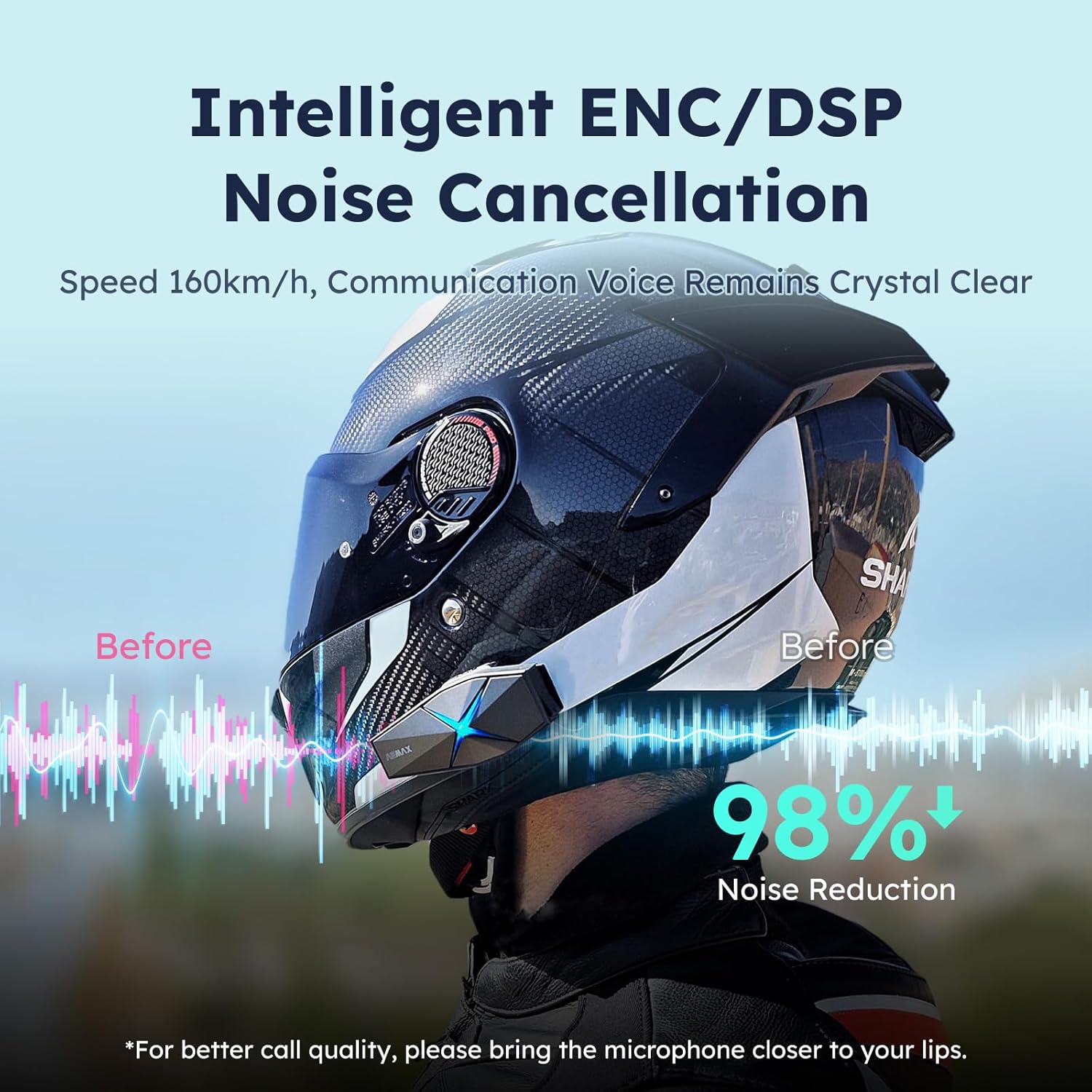
Image: ASMAX F1 Noise Cancellation technology.
9. Spesifikasiyalar
| Xüsusiyyət | Detal |
|---|---|
| Model Adı | ASMAX F1 (F1 DP) |
| Bluetooth versiyası | 5.3 |
| İnterkom diapazonu | Up to 1.8 km (10 riders) |
| Batareya Tutumu | 1250 mAh |
| Doldurulur | Fast Charging, USB |
| Suya davamlı reytinq | IP67 |
| Səs-küyə Nəzarət | Active Noise Cancellation (ENC/DSP) |
| Səslə Nəzarət | "Hi Max" commands |
| Audio Xüsusiyyətlər | Audio Multitasking, Superior Sound Quality |
| Ölçülər | Approx. 86mm x 36mm x 23.6mm (unit) |
| Çəki | Approx. 50g (unit) |
| Qulaqların Yerləşdirilməsi | Qulaqda |
| Empedans | 32 Ohm |
| Həssaslıq | 105 dB |
| Tezliyə cavab | 20 Hz (minimum) |

Image: ASMAX F1 Dual-Chip Octa-Core technology.
10. Zəmanət və Dəstək
ASMAX products come with a standard manufacturer's warranty. For specific warranty terms and conditions, please refer to the warranty card included in your product packaging or visit the official ASMAX websayt.
For technical support, troubleshooting assistance, or any inquiries regarding your ASMAX F1 headset, please contact ASMAX customer service through their official channels. Contact information can typically be found on the ASMAX websaytda və ya məhsulun qablaşdırmasında.
Regularly check the ASMAX website or app for firmware updates to ensure optimal performance and access to new features, such as CloudTalk Mode.


