1. Giriş
Thank you for choosing the KIDYWOLF KIDYMICPARENT Bluetooth Microphone. This all-in-one microphone features a built-in speaker, light effects, and Bluetooth connectivity, designed to provide an engaging music experience. This manual provides essential information for the safe and effective use of your device. Please read it thoroughly before use and retain it for future reference.
2. Təhlükəsizlik Məlumatı
- Keep the microphone away from water and moisture.
- Cihazı həddindən artıq temperatura və ya birbaşa günəş işığına məruz qoymayın.
- Avoid dropping or subjecting the microphone to strong impacts.
- Cihazı özünüz sökməyə və ya təmir etməyə çalışmayın. İxtisaslı xidmət personalı ilə əlaqə saxlayın.
- Yalnız təqdim olunan USB-C şarj kabelindən və ya sertifikatlı ekvivalentindən istifadə edin.
- This product contains a rechargeable battery. Do not dispose of it in fire.
- Ensure children use the microphone under adult supervision.
3. Paketin məzmunu
Zəhmət olmasa paketi aşağıdakı maddələr üçün yoxlayın:
- 1 x KIDYWOLF KIDYMICPARENT Bluetooth Microphone
- 1 x USB-C Şarj Kabeli
4. Məhsul bitdiview
The KIDYWOLF KIDYMICPARENT is a versatile microphone designed for entertainment. It integrates a 5W speaker, dynamic light effects, and various voice modulation features.
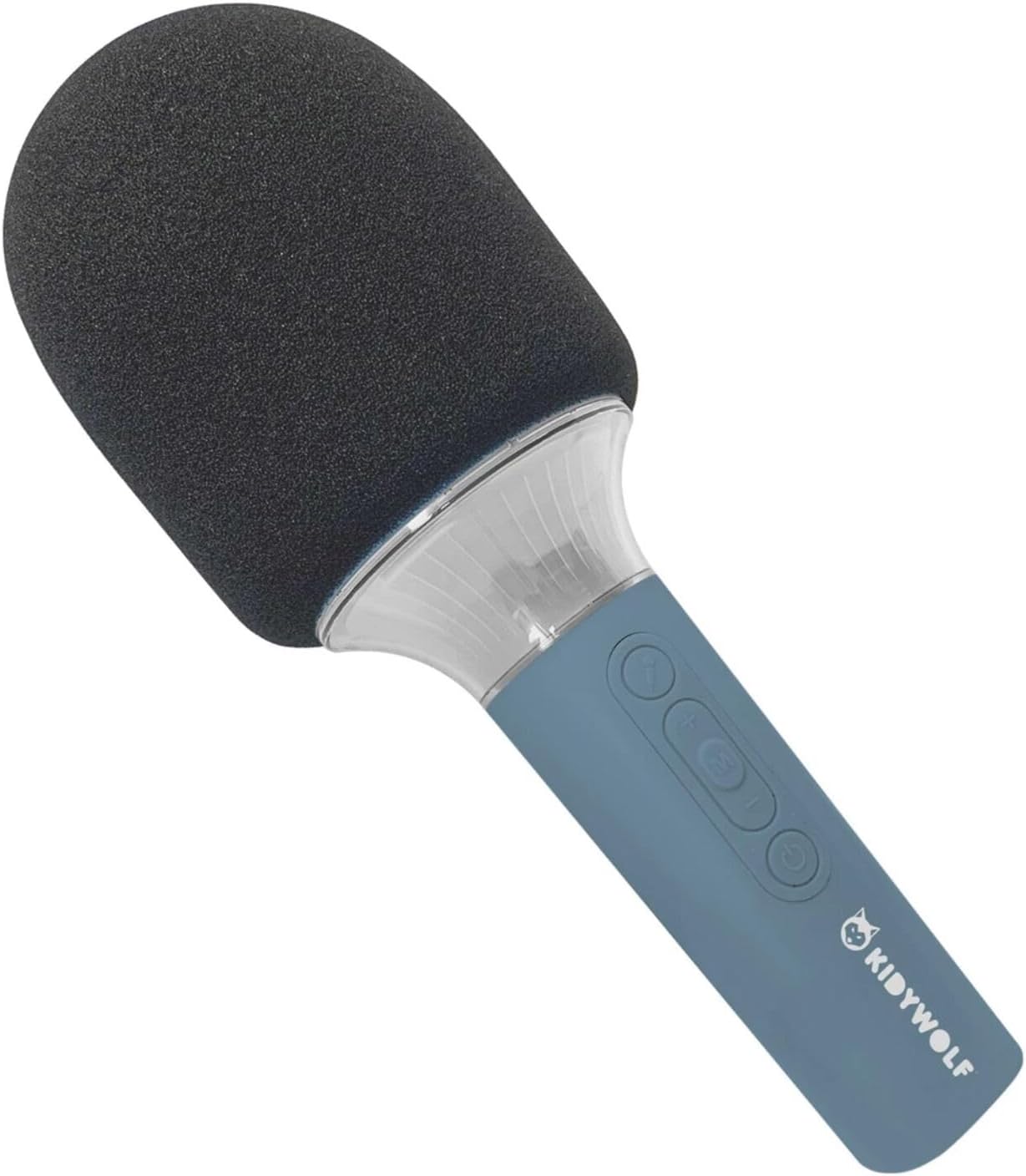
Şəkil 4.1: Ön view of the KIDYWOLF KIDYMICPARENT Bluetooth Microphone. This image shows the microphone head with its foam cover and the main body with control buttons.
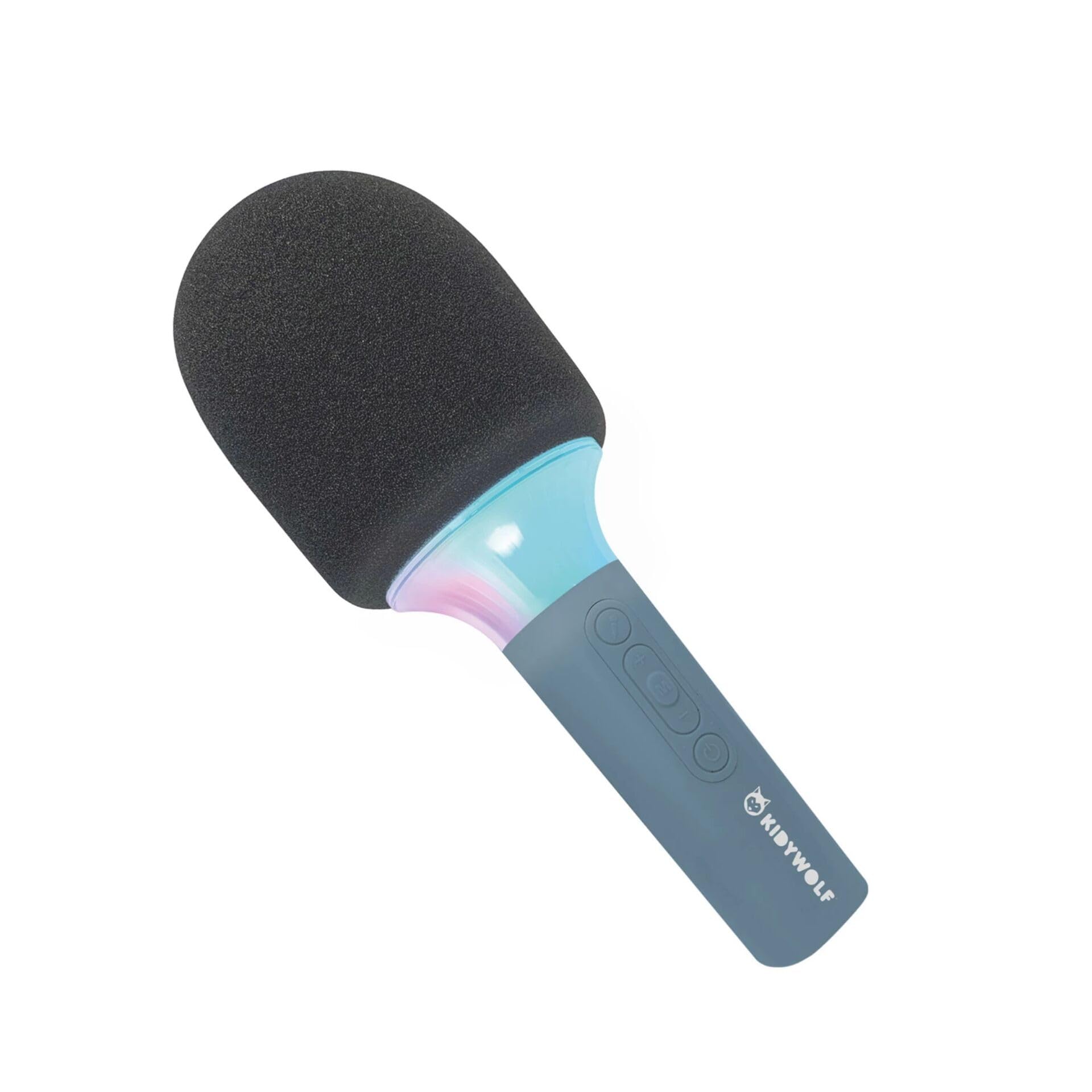
Şəkil 4.2: Bucaqlı view of the KIDYWOLF KIDYMICPARENT Bluetooth Microphone. This perspective highlights the ergonomic design of the handle and the placement of the control buttons.

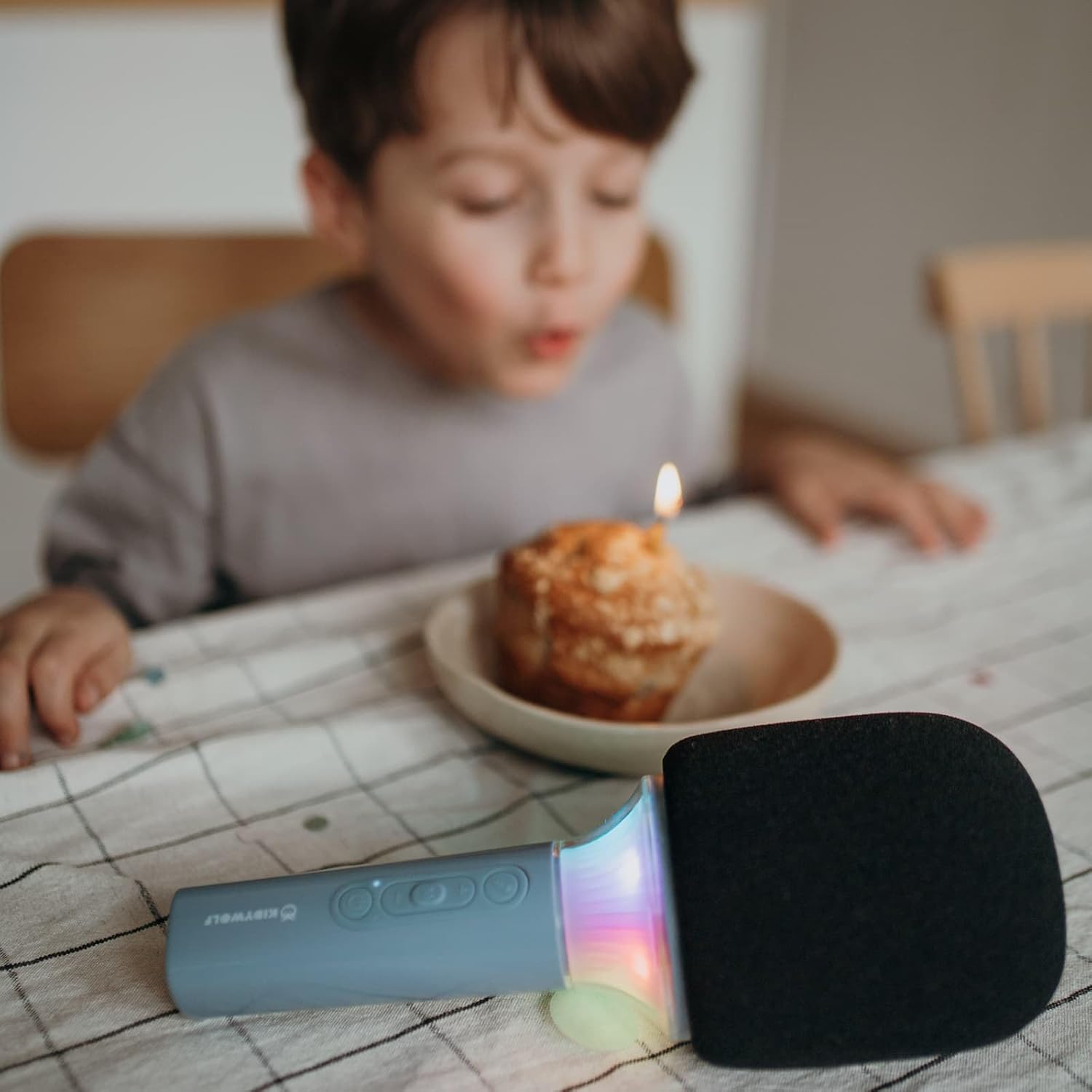
Şəkil 4.3: The KIDYWOLF KIDYMICPARENT Bluetooth Microphone with its integrated light effects active, showcasing the illuminated section below the microphone head.
Şəkil 4.4: A child using the KIDYWOLF KIDYMICPARENT Bluetooth Microphone, demonstrating its intended use for entertainment.
5. Quraşdırma
5.1 Mikrofonun doldurulması
- Locate the USB-C charging port on the microphone.
- Connect the provided USB-C cable to the microphone's charging port.
- USB-C kabelinin digər ucunu uyğun USB güc adapterinə (daxil deyil) və ya kompüterin USB portuna qoşun.
- Doldurma indikatoru şarj zamanı yanacaq və tam doldurulduqda sönəcək və ya rəngini dəyişəcək.
- Tam şarj adətən təxminən 2-3 saat çəkir.
5.2 Bluetooth Qoşulması
- Güc Aktivdir: Press and hold the Power button (usually marked with a power symbol) on the microphone until the indicator light turns on and you hear an audible prompt.
- Bluetooth-u aktivləşdirin: The microphone will automatically enter Bluetooth pairing mode, indicated by a flashing light or an audible prompt.
- Cihazınızda Bluetooth-u aktivləşdirin: Smartfonunuzda, planşetinizdə və ya digər Bluetooth-u aktivləşdirən cihazınızda Bluetooth parametrlərinə keçin və Bluetooth-un aktiv olduğundan əmin olun.
- Cihazı seçin: Look for "KIDYMICPARENT" or a similar name in the list of available Bluetooth devices and select it to pair.
- Təsdiq: Once successfully paired, you will hear a confirmation sound from the microphone, and the indicator light will stop flashing and remain solid.
Qeyd: If pairing fails, turn off the microphone and your device's Bluetooth, then repeat the steps. The microphone will automatically attempt to reconnect to the last paired device when powered on.
6. Əməliyyat Təlimatları
6.1 Yandırma/Söndürmə
- Yandırmaq üçün: Güc düyməsini təxminən 3 saniyə basıb saxlayın.
- Söndürmək üçün: Güc düyməsini təxminən 3 saniyə basıb saxlayın.
6.2 Səs səviyyəsinə nəzarət
- istifadə edin '+' button to increase the microphone and speaker volume.
- istifadə edin '-' button to decrease the microphone and speaker volume.
6.3 Musiqi oxutma
Once paired via Bluetooth, you can play music from your connected device. The microphone's built-in speaker will output the audio. Use your connected device to control music playback (play, pause, skip tracks).
6.4 İşıq effektləri
The microphone features integrated light effects. Refer to the specific button (if available, often marked with a light bulb symbol or integrated with another function) to cycle through different light modes or turn them on/off. If no dedicated button is present, the lights may activate automatically with sound or be controlled via a multi-function button.
7. Səs effektləri
The KIDYWOLF KIDYMICPARENT microphone offers 6 different voice settings to enhance your singing experience. To change voice effects:
- Locate the dedicated voice effect button (often marked with a microphone icon or "FX").
- Press the button repeatedly to cycle through the available voice effects.
- Listen to the audio output to select your desired voice effect.
8. Baxım
8.1 Təmizləmə
- Wipe the microphone's exterior with a soft, dry, or slightly damp parça.
- Sərt kimyəvi maddələr, aşındırıcı təmizləyicilər və ya həlledicilərdən istifadə etməyin.
- Ensure no liquid enters the microphone's openings.
8.2 Saxlama
- Store the microphone in a cool, dry place away from direct sunlight.
- Keep it away from dust and extreme temperatures.
9. Giderme
| Problem | Mümkün Səbəb | Həll |
|---|---|---|
| Mikrofon açılmır. | Batareya bitib. | USB-C kabelindən istifadə edərək mikrofonu doldurun. |
| Bluetooth vasitəsilə qoşulmaq mümkün deyil. | Bluetooth is off on the device; microphone is not in pairing mode; device is too far. | Ensure Bluetooth is enabled on your device. Put the microphone into pairing mode. Move the device closer to the microphone (within 10 meters). |
| Dinamikdən səs yoxdur. | Volume is too low; microphone is muted; device is not playing audio. | Increase volume using the '+' button. Check if the microphone is muted. Ensure audio is playing on the connected device. |
| Voice effects are not changing. | Incorrect button pressed; feature not active. | Ensure you are pressing the correct voice effect button. |
10. Spesifikasiyalar
| Model Adı | KIDYMICPARENT |
| Brend | UŞAQQUR |
| Forma faktoru | Əl |
| Ölçülər (UxGxY) | 24 x 9 x 9 sm |
| Çəki | 414 q |
| Güc mənbəyi | Yenidən doldurulan batareya |
| Material | plastik |
| Kanalların sayı | 1 |
| Bağlantı texnologiyası | Bluetooth |
| Bağlantı növü | USB Type-C |
| Xüsusi Xüsusiyyətlər | Volume Control, Light Effects, Voice Modulation (6 settings) |
| Daxil olan komponentlər | Microphone, USB-C Charging Cable |
| Tövsiyə olunan istifadə | Karaoke |
11. Zəmanət və Dəstək
For warranty information and customer support, please refer to the documentation provided at the time of purchase or contact your retailer. You may also visit the official KIDYWOLF webƏn son dəstək resursları və əlaqə məlumatları üçün sayt.


