1. Giriş
Welcome to the user manual for your Thomson RT850BT Bluetooth Speaker, FM Radio, and Alarm Clock. This guide provides detailed instructions on how to set up, operate, and maintain your device. Please read this manual thoroughly before use to ensure proper functionality and to maximize your experience with the RT850BT.
2. Təhlükəsizlik Məlumatı
Təhlükəsiz işləməyi təmin etmək və zərərin qarşısını almaq üçün aşağıdakı təhlükəsizlik tədbirlərinə əməl edin:
- Cihazı yağışa, nəmə və ya həddindən artıq temperatura məruz qoymayın.
- Cihazı istilik mənbələrinin yaxınlığında və ya birbaşa günəş işığı altında yerləşdirməyin.
- Düzgün havalandırma təmin edin; heç bir havalandırma dəliyini bağlamayın.
- Yalnız təchiz edilmiş güc adapterindən istifadə edin.
- Cihazı sökməyə və ya dəyişdirməyə çalışmayın. Bütün xidmətlər üçün ixtisaslı işçilərə müraciət edin.
- Cihazı güclü maqnit sahələrindən uzaq tutun.
3. Paketin məzmunu
Bütün əşyaların paketdə olduğunu yoxlayın:
- Thomson RT850BT Unit
- Güc adapteri
- İstifadəçi təlimatı

Image: Thomson RT850BT packaging, illustrating the product and its key features.
4. Məhsul bitdiview
4.1 Ön Panel
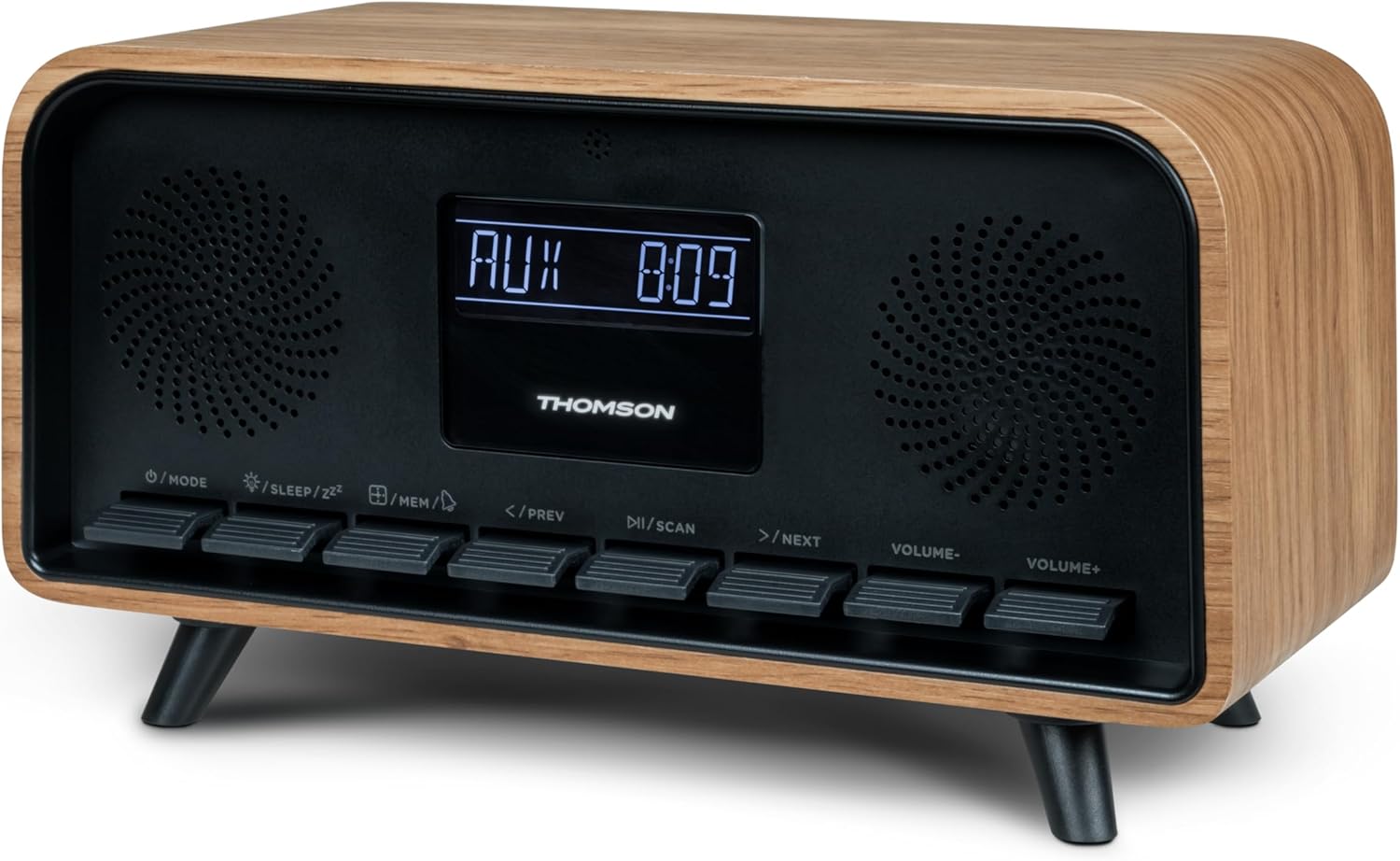
Şəkil: Ön view of the Thomson RT850BT unit, showing the LCD display, speakers, and control buttons.
- LCD displey: Vaxtı, rejimi və digər məlumatları göstərir.
- /MODE Button: Power On/Off, switch between modes (Bluetooth, FM, AUX).
- /SLEEP/ZZ Düymə: Set sleep timer, activate snooze.
- /MEM Button: Set alarm, save/recall radio stations.
- </PREV Button: Previous track (Bluetooth), tune down (FM).
- /SCAN Düyməsi: Play/Pause (Bluetooth), auto scan (FM).
- >/NEXT Button: Next track (Bluetooth), tune up (FM).
- VOLUME- Button: Həcmi azaldın.
- VOLUME+ Button: Həcmi artırın.
4.2 Arxa Panel

Şəkil: arxa view of the Thomson RT850BT, highlighting the power supply, Line In (AUX-IN), and USB-C charge output ports.
- Power Supply (DC IN 5V): Təqdim olunan güc adapterini qoşun.
- Line In (AUX-IN): Xarici cihazlar üçün 3.5 mm audio giriş.
- Charge Output (USB-C): USB Type-C port for charging external devices.
5. Quraşdırma
5.1 Enerji Bağlantısı
- Connect the power adapter to the DC IN 5V port on the rear of the RT850BT.
- Elektrik adapterini standart rozetkaya qoşun.
- The unit will power on automatically or enter standby mode.
5.2 Initial Power On and Clock Setting
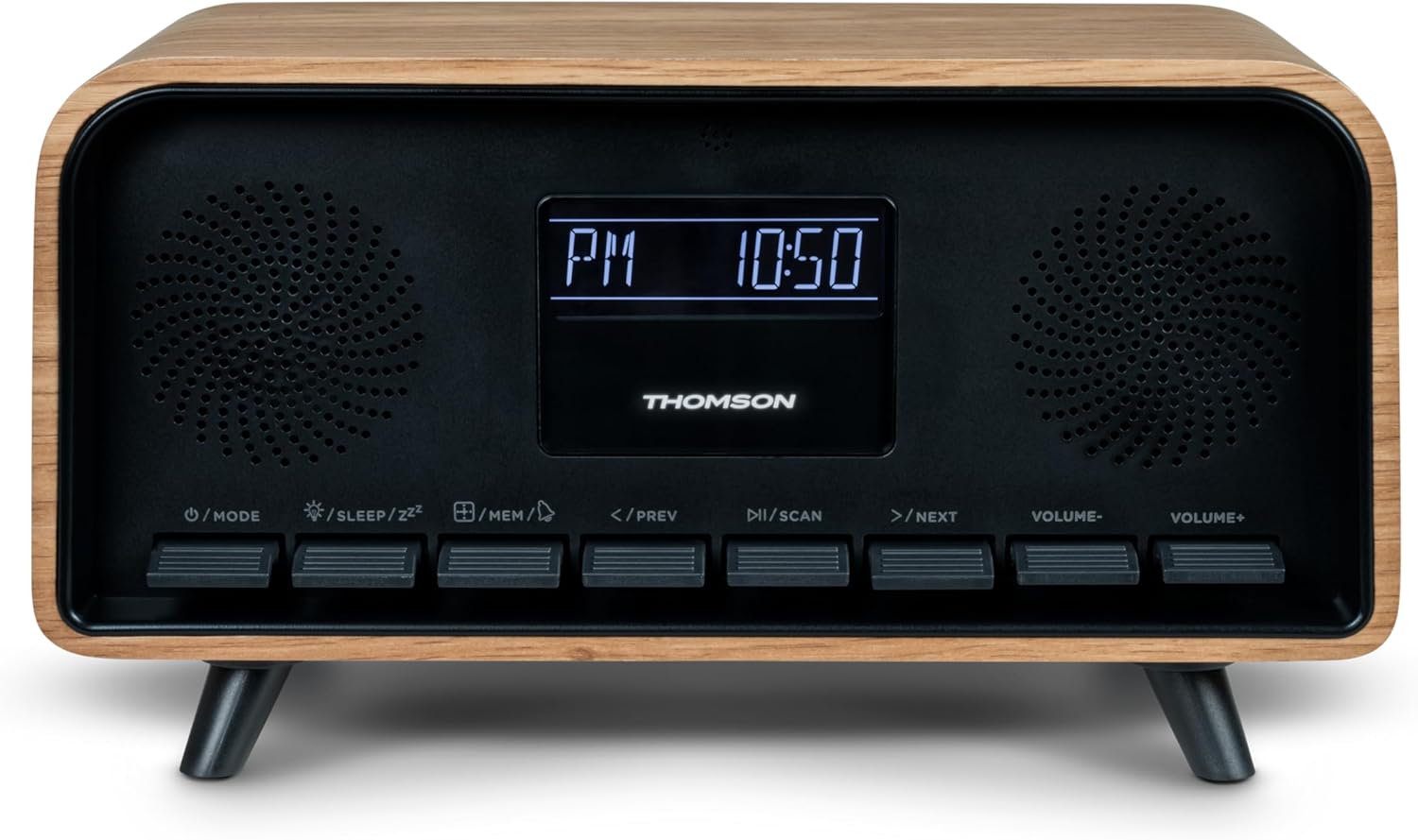
Image: Close-up of the RT850BT's LCD display showing the time, 10:50 PM, and the 'PM' indicator.
- If the unit is in standby, press the / MODE yandırmaq üçün düymə.
- Saatı qurmaq üçün basıb saxlayın /MEM button until the time display flashes.
- istifadə edin </PREV və >/NEXT saatı tənzimləmək üçün düymələr. basın /MEM təsdiq etmək.
- istifadə edin </PREV və >/NEXT Dəqiqəni tənzimləmək üçün düymələri basın. /MEM təsdiq etmək.
- Saat qurulub.
6. Əməliyyat Təlimatları
6.1 Bluetooth rejimi

Image: Close-up of the RT850BT's LCD display indicating 'bt' for Bluetooth mode, along with the current time.
- düyməsini basın / MODE button repeatedly until 'bt' appears on the display. The unit is now in Bluetooth pairing mode.
- Mobil cihazınızda Bluetooth-u aktiv edin və mövcud cihazları axtarın.
- Select 'RT850BT' from the list to pair. A confirmation tone will sound upon successful connection.
- You can now play audio from your device through the RT850BT.
- istifadə edin / SCAN Oxutma/Pauza vermə düyməsini və </PREV / >/NEXT trekləri keçmək üçün düymələr.
- Səs səviyyəsini HƏCİM- və VOLUME+ düymələri.
6.2 FM Radio Rejimi
- düyməsini basın / MODE button repeatedly until the FM frequency appears on the display.
- Avtomatik Tarama: basın və saxlayın / SCAN button to automatically scan and save available FM stations (up to 50 stations).
- Əl ilə tənzimləmə: Qısa basın </PREV or >/NEXT to fine-tune the frequency. Press and hold to scan for the next available station.
- Recall Saved Stations: düyməsini qısaca basın /MEM saxlanmış stansiyalar arasında dövrə vurmaq üçün düymə.
6.3 Zəngli saat funksiyası
The RT850BT supports setting multiple alarms.
- Gözləmə rejimində düyməsini basıb saxlayın /MEM button until 'AL1' or 'AL2' flashes.
- istifadə edin </PREV və >/NEXT to set the alarm hour, then press /MEM təsdiq etmək.
- Dəqiqələrlə təkrarlayın.
- Siqnal mənbəyini (Zumzer və ya FM Radio) seçin </PREV və >/NEXT, sonra basın /MEM.
- To activate/deactivate an alarm, briefly press the /MEM button in standby mode to cycle through alarm settings (AL1 ON/OFF, AL2 ON/OFF).
- Siqnal səsləndikdə basın /SLEEP/ZZ for snooze (alarm will sound again after 9 minutes) or press / MODE to turn off the alarm for the day.
6.4 AUX-IN Rejimi
- Connect an external audio device (e.g., MP3 player, smartphone) to the 'Line In' (AUX-IN) port on the rear panel using a 3.5mm audio cable (not included).
- düyməsini basın / MODE düyməsini ekranda 'AUX' görünənə qədər təkrar-təkrar basın.
- Audio from the connected device will now play through the RT850BT. Control playback from your external device.
6.5 Dimmer Funksiyası
The display brightness can be adjusted to three intensity levels.
- In any mode, briefly press the /SLEEP/ZZ button to cycle through the brightness levels.
6.6 Yuxu funksiyası
Set a timer for the unit to automatically turn off.
- Cihaz işə salınarkən, düyməsini basın /SLEEP/ZZ button repeatedly to select the desired sleep timer duration (e.g., 15, 30, 60, 90 minutes, OFF).
- The unit will automatically power off after the selected time.
6.7 USB-C Şarj Portu
The USB-C port on the rear panel is for charging external devices.
- Connect your compatible device's USB-C charging cable to the 'Charge output' port.
- Ensure the RT850BT is powered on or in standby mode for charging functionality.
7. Baxım
To maintain the performance and appearance of your RT850BT:
- Təmizləmə: Use a soft, dry cloth to clean the exterior. Do not use abrasive cleaners, waxes, or solvents.
- Yaddaş: Cihazı uzun müddət saxlasanız, onu elektrik rozetkasından ayırın və sərin, quru yerdə saxlayın.
- Havalandırma: Ensure the ventilation grilles are free from dust and obstructions.
8. Giderme
If you encounter issues with your RT850BT, refer to the following table for common problems and solutions:
| Problem | Mümkün Səbəb | Həll |
|---|---|---|
| Güc yoxdur | Enerji adapteri qoşulmayıb və ya nasaz çıxış. | Güc adapterinin etibarlı şəkildə qoşulduğundan və rozetkanın işlək olduğundan əmin olun. |
| Səs yoxdur | Volume too low, incorrect mode, or device not paired (Bluetooth). | Increase volume. Check if the correct mode (BT, FM, AUX) is selected. Re-pair Bluetooth device. |
| Bluetooth cütləşməsi uğursuz oldu | Device too far, Bluetooth not enabled on source, or RT850BT not in pairing mode. | Ensure devices are within range. Enable Bluetooth on your device. Set RT850BT to 'bt' mode. |
| Zəif FM qəbulu | Zəif siqnal. | Adjust the unit's position to improve reception. |
| Siqnal səslənmir | Siqnal aktivləşdirilməyib və ya səhv qurulub. | Verify alarm settings and ensure it is set to ON. |
9. Spesifikasiyalar
- Model: RT850BT
- Bluetooth Versiyası: 5.3
- Radio Tuner: FM (87.5-108 MHz)
- Station Memory: 50 FM stansiyaları
- Audio Giriş: AUX-IN (3.5 mm)
- Ekran: LCD with 3-intensity dimmer
- Güc Çıxışı: 30W Total Music Power
- Doldurma Portu: USB-C (for external devices)
- Güc mənbəyi: Kabelli Elektrik (DC 5V)
- Çəki: 600 qram
10. Zəmanət və Dəstək
For warranty information and technical support, please refer to the documentation provided at the time of purchase or contact your local Thomson customer service. Keep your proof of purchase for warranty claims.


