1. Giriş
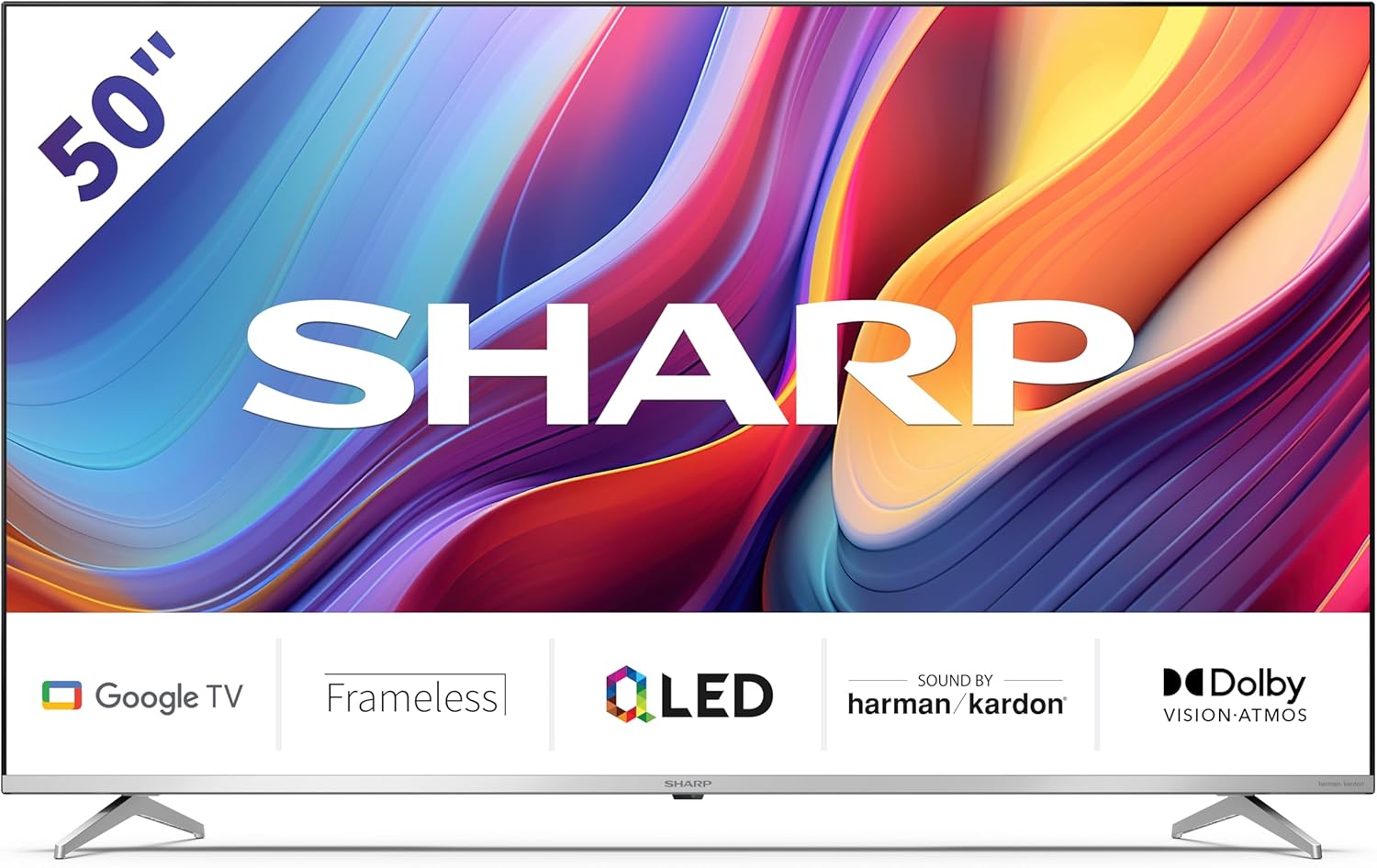
Welcome to the user manual for your new Sharp 50GP6265E 50-inch QLED 4K Ultra HD Google TV. This manual provides essential information for the safe and efficient use of your television. Please read it thoroughly before operating the device and retain it for future reference.
Əhəmiyyətli Təhlükəsizlik Məlumatı
- Ensure the television is placed on a stable surface to prevent it from falling.
- Do not block ventilation openings. Proper airflow is crucial to prevent overheating.
- Elektrik kabelini gəzməkdən və ya sıxılmaqdan qoruyun.
- Do not expose the TV to rain or moisture to reduce the risk of fire or electric shock.
- Bütün xidmətlər üçün ixtisaslı xidmət personalına müraciət edin.
2. Qutuda nə var
Açarkən, aşağıdakı bütün komponentlərin daxil olduğundan əmin olun:
- Sharp 50GP6265E 50-inch QLED 4K Ultra HD Google TV
- Uzaqdan idarəetmə
- 2 x AAA batareya (uzaqdan idarəetmə üçün)
- Sürətli başlanğıc təlimatı
- TV stands (if not wall-mounted)
- Elektrik kabeli
3. Quraşdırma
3.1 Qabın açılması
Carefully remove the television from its packaging. It is recommended to keep the original packaging for potential future transport or servicing.
3.2 Stendin quraşdırılması
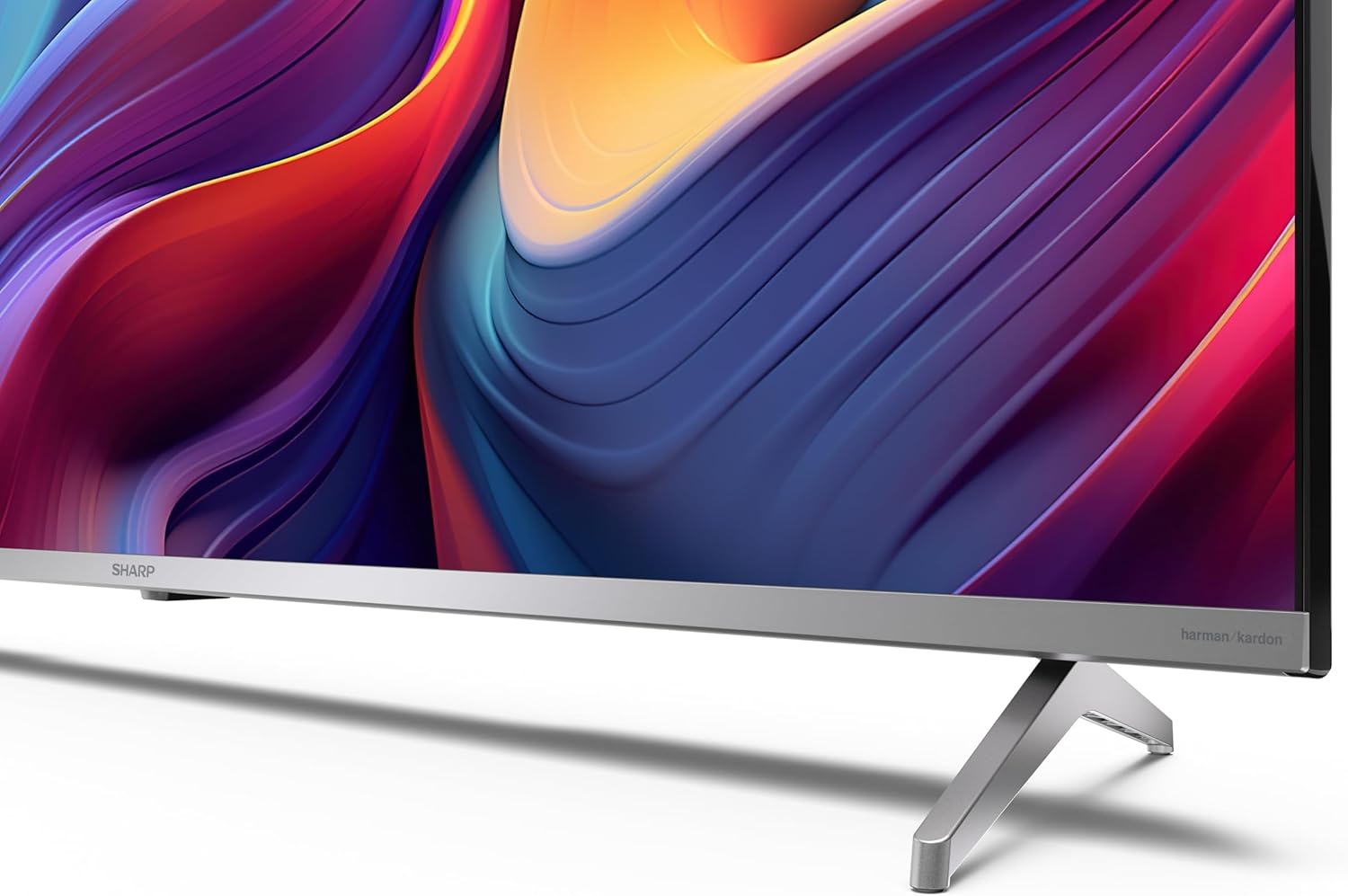
If you are not wall-mounting the television, attach the included stands to the bottom of the TV. Ensure the screws are securely fastened. Refer to the quick start guide for detailed diagrams.
3.3 Divar montajı
For wall mounting, the VESA dimensions required are 400 x 300 mm. Use a compatible wall mount bracket (sold separately) and follow the instructions provided with the bracket. Ensure the wall can support the weight of the television (9.7 kg net weight).

3.4 Periferik qurğuların birləşdirilməsi
Sharp televizorunuz müxtəlif bağlantı seçimləri təklif edir:
- HDMI: Connect external devices such as Blu-ray players, gaming consoles, or set-top boxes using the 4 HDMI 2.1 ports. One port supports eARC for enhanced audio return channel functionality.
- USB: Use the 2 USB ports for connecting external storage devices to play media or for service updates.
- Ethernet: Sabit simli internet bağlantısı üçün.
- Wi-Fi: Simsiz internet bağlantısı üçün.
- Bluetooth: Simsiz qulaqlıqları, səs panellərini və ya digər Bluetooth dəstəkli aksesuarları qoşun.

3.5 İlk dəfə quraşdırma
After connecting the power cable and turning on the TV, follow the on-screen instructions to complete the initial setup. This typically includes language selection, network connection, and Google account sign-in for Google TV features.
4. Televizorunuzun işlənməsi
4.1 Uzaqdan İdarəetmə
The included remote control allows you to navigate the TV's interface, adjust volume, change channels, and access smart features. Insert the 2 AAA batteries into the remote control, ensuring correct polarity.
4.2 Google TV interfeysi
Your Sharp TV runs on Google TV, which organizes movies, shows, and live TV from all your apps and subscriptions. The home screen provides personalized recommendations and quick access to your favorite content.

Supported internet services include Netflix, Amazon Prime Video, HBO, Disney+, Movistar+, DAZN, Atresmedia, KODI, IPTV, Steamlink, Twitch, VLC, YouTube, Puffin TV Browser, Spotify, Deezer, TuneIn Radio, and many more available on Google Play for Google TV.
4.3 Şəkil Ayarları
Experience stunning visuals with 4K Ultra HD resolution and Quantum Dot technology for vibrant colors. The TV supports Dolby Vision and HDR10 for enhanced contrast and brightness. Access picture settings through the TV menu to customize brightness, contrast, color, and sharpness to your preference. AQUOS Smooth Motion technology provides image interpolation for smoother motion.
4.4 Səs Parametrləri
The integrated Harman/Kardon speaker system (2 x 12 W) delivers immersive audio. With Dolby Atmos support, you can enjoy a rich, multi-dimensional sound experience. Adjust sound modes and equalizer settings in the audio menu.
4.5 Ağıllı Xüsusiyyətlər
- Google köməkçisi: Məzmun axtarmaq, ağıllı ev cihazlarını idarə etmək və məlumat əldə etmək üçün səs əmrlərindən istifadə edin.
- Daxili Chromecast: Cast content from your smartphone, tablet, or computer directly to your TV screen.
5. Baxım
5.1 Televizorun təmizlənməsi
- Təmizləməzdən əvvəl həmişə televizoru şəbəkədən ayırın.
- Ekranı və şkafı silmək üçün yumşaq, quru parça istifadə edin. İnadkar izlər üçün yüngülcə dampparçanı su və ya xüsusi ekran təmizləyicisi ilə örtün.
- Aşındırıcı təmizləyicilərdən, mumlardan və ya həlledicilərdən istifadə etməyin.
5.2 Proqram Yeniləmələri
Your TV may receive software updates to improve performance and add new features. Ensure your TV is connected to the internet to receive these updates automatically or check for them manually in the settings menu.
6. Giderme
Televizorunuzla bağlı problemlərlə qarşılaşsanız, aşağıdakı ümumi problemlərə və həll yollarına müraciət edin:
| Problem | Mümkün Həll |
|---|---|
| Güc yoxdur | Elektrik kabelinin televizora və elektrik rozetkasına etibarlı şəkildə qoşulduğunu yoxlayın. Rozetin işlək olduğundan əmin olun. |
| Şəkil yoxdur, amma səs var | Düzgün giriş mənbəyinin seçildiyini yoxlayın. Xarici cihaz bağlantılarını yoxlayın. |
| Səs yoxdur, amma şəkil var | Check the volume level and mute status. Ensure audio cables are correctly connected for external devices. |
| Pult işləmir | AAA batareyalarını dəyişdirin. Pultla televizorun IR sensoru arasında heç bir maneə olmadığından əmin olun. |
| Wi-Fi bağlantısı problemləri | Restart your router and the TV. Re-enter the Wi-Fi password. Ensure the TV is within range of your Wi-Fi network. |
7. Spesifikasiyalar
| Xüsusiyyət | Detal |
|---|---|
| Brend | Kəskin |
| Model nömrəsi | 50GP6265E |
| Ekran Ölçüsü | 50 düym |
| Ekran Texnologiyası | QLED, Quantum Dot |
| Qətnamə | 4K Ultra HD (3840 x 2160 piksel) |
| Yeniləmə dərəcəsi | 60 Hz |
| Əməliyyat sistemi | Google TV |
| HDR dəstəyi | Dolby Vision, HDR10 |
| Audio sistemi | Harman/Kardon (2 x 12 W), Dolby Atmos |
| Bağlantı | 4x HDMI 2.1 (with eARC), 2x USB, Wi-Fi, Bluetooth, Ethernet |
| Xüsusi Xüsusiyyətlər | Google Assistant, Chromecast built-in, AQUOS Smooth Motion |
| VESA divar montajı | 400 x 300 mm |
| Ölçülər (stendlə) | 111.6P x 26.5l x 69.3H cm (1116.4 x 692.9 x 264.7 mm) |
| Ölçülər (stendsiz) | 111.6P x 9.2l x 65.1H cm (1116.4 x 651.3 x 91.5 mm) |
| Xalis Çəki | 9.7 kq |
| Enerji Effektivliyi Sinfi (SDR) | G (69 kVt/1000 saat) |
| Enerji Effektivliyi Sinfi (HDR) | G (98 kVt/1000 saat) |

Məhsul haqqında ətraflı məlumat və enerji səmərəliliyi məlumatları üçün EPREL məlumat bazasına müraciət edin: https://eprel.ec.europa.eu/qr/1942440
8. Zəmanət və Dəstək
Information regarding spare parts availability and software updates is not explicitly provided for a guaranteed period. Please refer to the manufacturer's official website for the most up-to-date warranty terms and support information.
İstehsalçı: SHARP
Rəsmi Websayt: www.sharpconsumer.com
For customer service inquiries, please visit the Sharp consumer website or contact their support channels as listed on their official site.


