Giriş
The Maxcom FW59 Kiddo is a 4G smartwatch specifically designed for children, offering a blend of safety features and communication capabilities. It allows parents to stay connected with their children and monitor their location, providing peace of mind. Key features include video and voice calls, GPS tracking with safe zone definition, an SOS button for emergencies, and a user-friendly interface.
This manual provides detailed instructions on how to set up, operate, and maintain your Maxcom FW59 Kiddo smartwatch to ensure optimal performance and safety.
Paketin məzmunu
Zəhmət olmasa aşağıdakı elementlər üçün qutuyu yoxlayın:
- Maxcom FW59 Kiddo Smartwatch
- USB şarj kabeli
- İstifadəçi Təlimatı (bu sənəd)
- SIM Card Ejector Tool (if applicable)
Quraşdırma Bələdçisi
1. SİM kartın quraşdırılması
The Maxcom FW59 Kiddo requires a nano SIM card for 4G connectivity, enabling calls and GPS tracking. Ensure the SIM card is active and supports 4G LTE networks.
- Locate the SIM card slot on the side of the smartwatch.
- Using the provided SIM ejector tool or a small pin, gently press into the small hole next to the SIM slot to open the tray.
- Carefully place the nano SIM card into the tray with the gold contacts facing down, ensuring it is correctly oriented.
- Gently push the SIM tray back into the slot until it clicks into place.
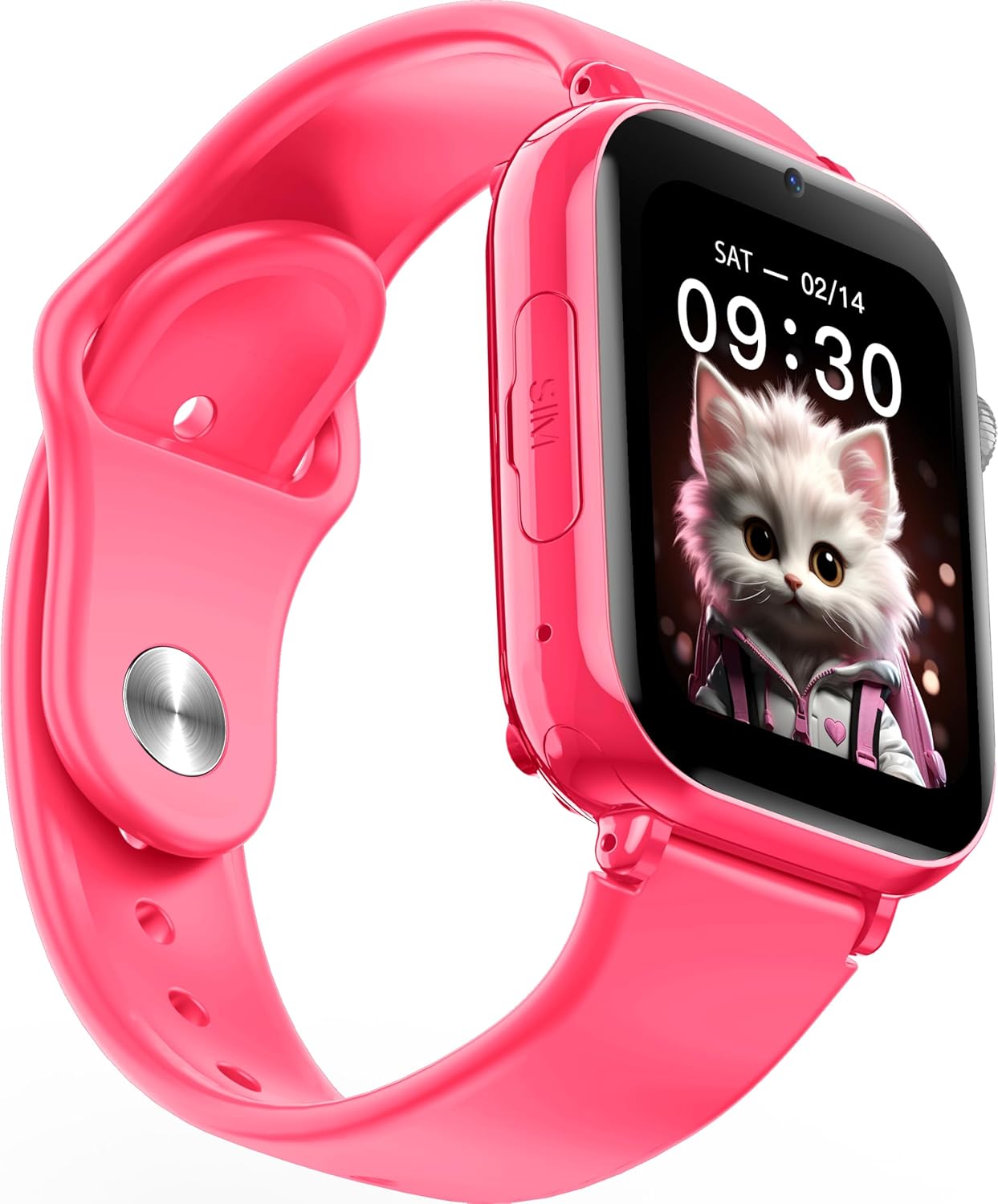
Şəkil: Bucaqlı view of the Maxcom FW59 Kiddo smartwatch, highlighting the location of the SIM card slot on the side.
2. Ağıllı saatın doldurulması
Before first use, fully charge the smartwatch. The device is equipped with a 670 mAh Lithium Ion battery.
- Connect the USB charging cable to the charging port on the smartwatch.
- USB kabelin digər ucunu uyğun USB güc adapterinə (daxil deyil) və ya kompüterin USB portuna qoşun.
- The screen will indicate charging status. A full charge typically takes approximately 2-3 hours.
3. Tətbiqin Quraşdırılması və Qoşulması
To utilize all features, parents must install the "MAXCOM TRACKER" mobile application on their smartphone and pair it with the smartwatch.
- Download the "MAXCOM TRACKER" app from your smartphone's app store (Google Play Store for Android or Apple App Store for iOS).
- Proqramı açın və hesab yaradın və ya hesabınız varsa daxil olun.
- Follow the in-app instructions to add a new device. This usually involves scanning a QR code displayed on the smartwatch screen or manually entering the device ID.
- Once paired, you can configure settings, add contacts, define safe zones, and track the smartwatch's location from the app.
Ağıllı saatın idarə edilməsi
Əsas Naviqasiya
The Maxcom FW59 Kiddo features a 1.85" IPS touchscreen display for easy interaction. Swipe left/right or up/down to navigate through menus and applications. Press the side button to return to the home screen or wake the device.

Şəkil: Ön view of the Maxcom FW59 Kiddo smartwatch displaying the time and a cute cat wallpaper.
Video and Voice Calls
With a nano SIM card inserted, the smartwatch supports both video and voice calls to pre-approved contacts.
- Zəng etmək: Navigate to the "Contacts" or "Phone" application, select the desired contact, and choose to initiate a voice or video call.
- Zəngin qəbulu: When a call comes in, the smartwatch will ring and display the caller ID. Tap the green icon to answer or the red icon to decline.
SOS funksiyası
The dedicated SOS button provides an immediate way for the child to alert pre-set emergency contacts.
- SOS-u aktivləşdirmək: Press and hold the SOS button (usually a prominent side button) for a few seconds.
- The smartwatch will automatically call the emergency contacts in a pre-defined sequence until one answers. It will also send an alert with the child's current location to the parent's app.
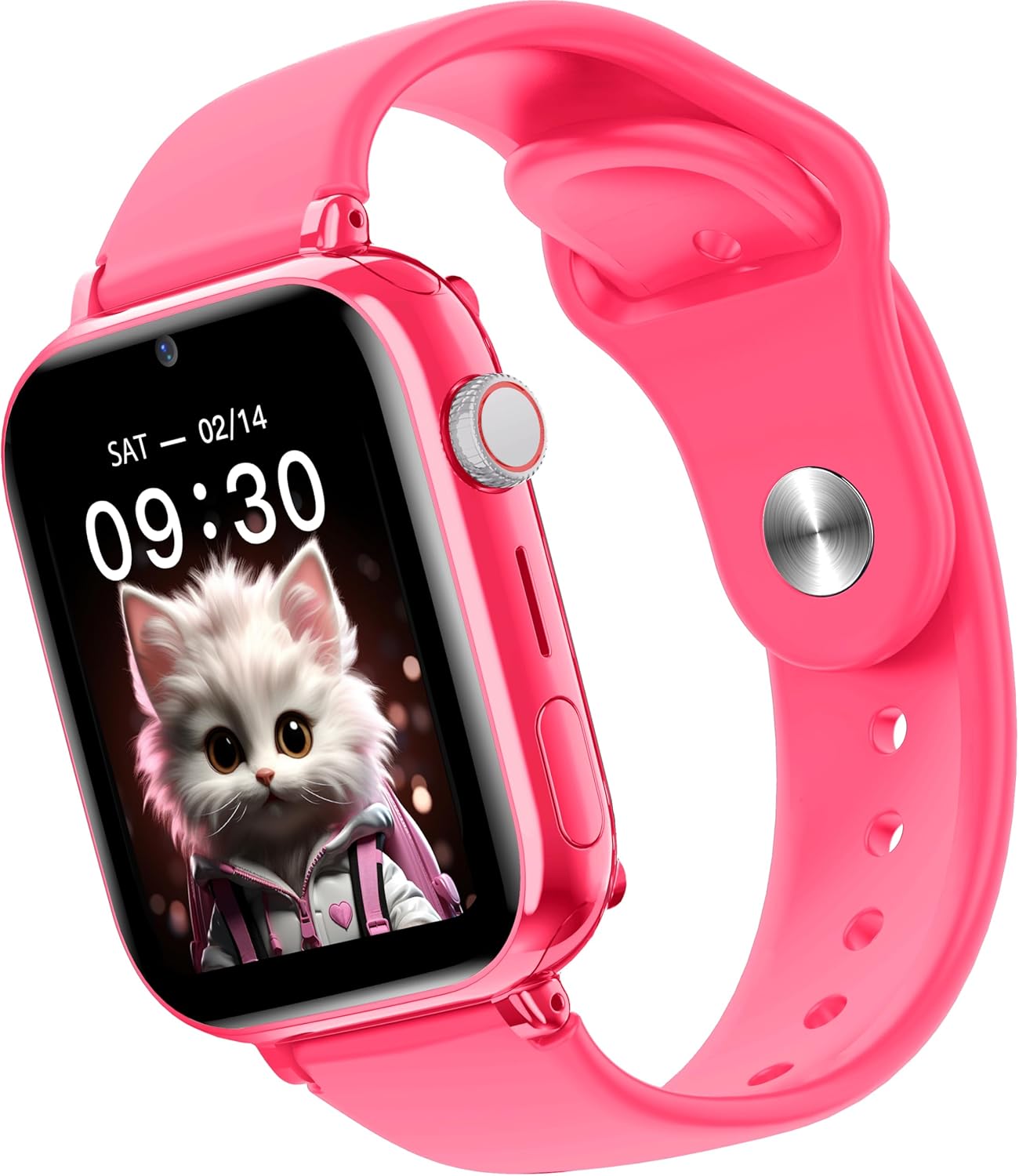
Şəkil: Yan view of the Maxcom FW59 Kiddo smartwatch, illustrating the physical buttons, including the SOS button.
GPS İzləmə və Təhlükəsiz Zonaları
Parents can monitor the child's location in real-time via the MAXCOM TRACKER app.
- Real vaxtda izləmə: Open the MAXCOM TRACKER app on your smartphone to view the smartwatch's current location on a map.
- Təhlükəsiz zonalar: In the app, you can define virtual geographic boundaries (e.g., home, school). You will receive notifications when the smartwatch enters or exits these designated safe zones.
- Route History: The app also allows you to review the historical movement data of the smartwatch.
Kamera funksiyası
The smartwatch includes a built-in camera. Children can take photos directly from the watch, and parents can remotely activate the camera from the MAXCOM TRACKER app to capture images of the surroundings.
Phone Book Management
Contacts can only be added and managed through the MAXCOM TRACKER app by the parent. This ensures that the child can only communicate with pre-approved numbers.
Baxım
Təmizləmə
To keep your smartwatch clean and in good condition:
- Ekranı və korpusu yumşaq, tüysüz parça ilə silin.
- İnadkar izlər üçün bir az dampsu ilə parça. Sərt kimyəvi maddələrdən və ya aşındırıcı materiallardan istifadə etməyin.
- Ensure the charging port and SIM slot are free of dust and debris.
Batareyaya qulluq
Proper battery care extends the life of your device:
- Həddindən artıq temperaturdan çəkinin, çünki onlar batareyanın işini pisləşdirə bilər.
- Cihazı müntəzəm olaraq doldurun, lakin uzun müddət tam boşaldılmış vəziyyətdə qoymayın.
- Yalnız təchiz edilmiş doldurma kabelindən istifadə edin.
Problemlərin aradan qaldırılması
If you encounter issues with your Maxcom FW59 Kiddo, refer to the following common solutions:
- Ağıllı saat açılmır: Batareyanın doldurulduğundan əmin olun. Şarj cihazına qoşun və yandırmağa cəhd etməzdən əvvəl bir neçə dəqiqə gözləyin.
- Şəbəkə siqnalı yoxdur/zəng etmək mümkün deyil:
- Check if the nano SIM card is correctly inserted and active.
- Verify that the SIM card has sufficient credit or an active data plan.
- 4G şəbəkəsinin əhatə dairəsinə malik bir ərazidə olduğunuzdan əmin olun.
- GPS location inaccurate:
- Ağıllı saatın şəffaf olduğundan əmin olun view optimal GPS siqnalının qəbulu üçün səmanın.
- Location accuracy can be affected by dense buildings, underground areas, or poor network signal.
- Check the MAXCOM TRACKER app settings to ensure location services are enabled for the smartwatch.
- Cannot pair with app:
- Ensure the smartwatch is powered on and has a network connection.
- Verify that the QR code or device ID is entered correctly in the app.
- Try restarting both the smartwatch and your smartphone.
- Qısa batareya ömrü:
- Frequent video calls, high screen brightness, and continuous GPS tracking can consume more battery.
- Adjust settings in the app to optimize battery usage (e.g., location update frequency).
If the issue persists, please contact Maxcom customer support for further assistance.
Spesifikasiyalar
| Xüsusiyyət | Detal |
|---|---|
| Brend | Maxcom |
| Model Adı | FW59 Kiddo |
| Ekran Ölçüsü | 1.85 düym |
| Ekran növü | IPS (240 x 280 resolution) |
| Əməliyyat sistemi | Closed OS |
| Yaddaş Saxlama Tutumu | 2 MB |
| Batareya Tutumu | 670 mAh (Lityum İon) |
| Hüceyrə Texnologiyası | 4G |
| Bağlantı texnologiyası | Bluetooth, Radio Tezliyi |
| Xüsusi Xüsusiyyətlər | Kids Tracking, SOS Button, Video/Voice Calls |
| Maddə Çəkisi | 300 q |
Zəmanət və Dəstək
For information regarding warranty coverage and terms for your Maxcom FW59 Kiddo smartwatch, please refer to the warranty card included with your purchase or visit the official Maxcom website. For technical support, troubleshooting beyond this manual, or service inquiries, please contact Maxcom customer support through their official channels.


