1. Giriş
Welcome to your new Amazon Fire TV 55-inch 4-Series 4K UHD Smart TV. This manual provides essential information for setting up, operating, maintaining, and troubleshooting your television. Your Fire TV combines stunning 4K Ultra HD visuals with the intelligence of Alexa, offering a seamless entertainment experience.

Şəkil: Ön view of the Amazon Fire TV 4-Series 55-inch TV, showcasing onun incə çərçivələri və dayağı.

Image: A graphic highlighting key features of the Fire TV 4-Series: 4K Resolution, HDR10+ display, Ambient Experience, and Alexa integration.
2. Quraşdırma
2.1 Qabın açılması və yoxlanılması
Carefully remove all components from the packaging. Inspect the TV and accessories for any signs of damage. Retain the packaging for future transport or service needs.
2.2 Stend Yığımı (İsteğe bağlı)
If you are not wall-mounting your TV, attach the included TV stand legs:
- Cızıqların qarşısını almaq üçün televizor ekranını yumşaq, təmiz bir səthə qoyun.
- Hər bir dayaq ayağını televizorun altındakı müvafiq yuvalarla hizalayın.
- Secure each leg using the provided screws (4 screws total).
The distance between the TV legs is approximately 43.3 inches.
2.3 Divar montajı (İstəyə görə)
For wall mounting, use a VESA-compatible mount that supports a 300 mm x 300 mm standard. Consult a professional for installation if you are unsure.
2.4 Periferik qurğuların birləşdirilməsi
Mövcud portlardan istifadə edərək cihazlarınızı televizora qoşun:
- HDMI Portları: 3 HDMI 2.0 ports and 1 HDMI 2.1 port with eARC for high-definition audio and video devices (e.g., gaming consoles, Blu-ray players, soundbars).
- USB Port: 1 USB 3.0 port for connecting external storage devices.
- Digital Optical Audio Port: 1 port for connecting to external audio systems.
- Ethernet Portu: 1 port for a wired internet connection.
Bütün kabellərin etibarlı şəkildə bağlandığından əmin olun.
2.5 Enerji Bağlantısı
Elektrik kabelini televizorun elektrik girişinə, sonra isə divar rozetkasına qoşun.
2.6 Uzaqdan İdarəetmə Quraşdırması
Insert the two included AAA batteries into the Alexa Voice Remote Enhanced. The remote will automatically pair with your TV upon initial setup.
2.7 İlkin işə salınma və şəbəkənin qurulması
Press the power button on the remote. Follow the on-screen instructions to:
- Dilinizi seçin.
- Connect to your Wi-Fi network (supports Wi-Fi 6) or use the Ethernet connection.
- Amazon hesabınızla daxil olun.
- Complete the guided setup for your Fire TV experience.
3. işlək
3.1 Yandırma/Söndürmə
Press the power button on the Alexa Voice Remote Enhanced to turn the TV on or off. The TV may enter a sleep mode rather than fully powering down, allowing for quick startup and Ambient Experience features.
3.2 Alexa Voice Remote Enhanced
Your TV comes with an Alexa Voice Remote Enhanced, designed for intuitive control:
- Səslə Nəzarət: Press and hold the Alexa button and speak naturally to find content, manage smart home devices, or ask questions.
- Əvvəlcədən təyin edilmiş düymələr: Use the dedicated app buttons for quick access to your favorite streaming services.
- Naviqasiya: Use the directional pad and select button to navigate the Fire OS interface.
Alternatively, you can use the free Fire TV app on your smartphone (available for Fire OS, Android, and iOS) for voice control and navigation.

Image: The Fire TV interface showing the Alexa search bar and icons for popular streaming applications, demonstrating voice control capabilities.
3.3 Fire OS Interface and Content Access
The Fire OS provides a personalized home screen where you can easily find and launch apps, movies, TV shows, and live TV. Navigate through categories and recommendations to discover new content. You can access over 1.8 million movies and TV episodes, including over 400,000 episodes of free content. Subscription fees may apply for certain services.
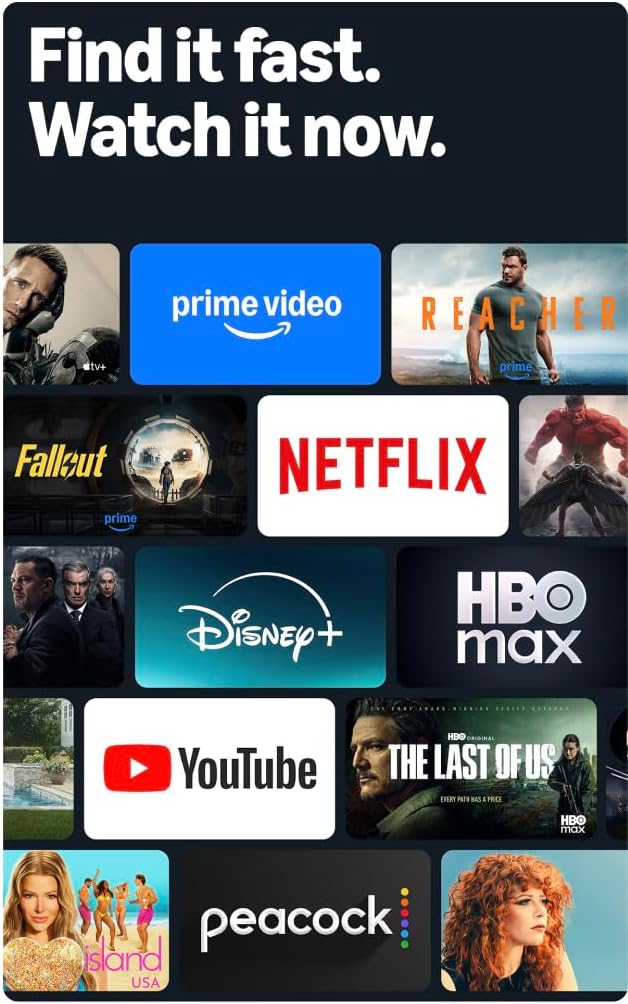
Image: A collage of streaming service logos and content thumbnails on the Fire TV screen, illustrating the wide range of available entertainment.
3.4 Picture Quality
Experience vivid visuals with 4K Ultra HD resolution and HDR10+ support. This technology delivers bright, crisp images with enhanced contrast, ensuring details are visible even in dark scenes.

Image: A visual comparison demonstrating the superior detail and clarity of 4K resolution compared to HD, using a close-up of a chameleon.
3.5 Səs
The TV features Dolby Digital Plus audio support with passthrough of Dolby-encoded audio, providing clear and immersive sound. The integrated speakers offer 10W + 10W audio power.
3.6 Ambient Experience
Utilize the custom Omnisense technology. Built-in sensors wake the display when you enter the room, allowing it to show your favorite artwork or quickly resume watching content.

Image: The Fire TV screen displaying vibrant abstract art, illustrating the Ambient Experience feature that activates when motion is detected.
3.7 Oyun
Download free games from the Appstore or stream games from the cloud with Amazon Luna, offering a versatile gaming experience directly on your TV.
4. Baxım
4.1 Televizorunuzun təmizlənməsi
- Ekran: Ekranı yumşaq, quru, tüysüz parça ilə yumşaq bir şəkildə silin. İnadkar izlər üçün yüngülcə dampParçanı su və ya elektronika üçün xüsusi olaraq hazırlanmış ekran təmizləyici məhlulla silin. Mayeni birbaşa ekrana püskürtməyin.
- Casing: Televizoru silmək üçün yumşaq, quru parçadan istifadə edin casing. Aşındırıcı təmizləyicilərdən və ya həlledicilərdən çəkinin.
Təmizləməzdən əvvəl həmişə televizoru elektrik rozetkasından ayırın.
4.2 Proqram Yeniləmələri
Your Fire TV receives automatic software security updates. Ensure your TV is connected to the internet to receive these updates, which improve performance and security. This device receives guaranteed software security updates until at least four years after the device is last available for purchase as a new unit on our websaytlar.
5. Giderme
If you encounter issues with your Amazon Fire TV, refer to the following common troubleshooting steps:
- Güc yoxdur: Elektrik kabelinin həm televizora, həm də işləyən divar rozetkasına etibarlı şəkildə qoşulduğundan əmin olun. Başqa bir rozetka sınayın.
- Şəkil/Səs yoxdur: Verify that all HDMI cables are correctly connected to both the TV and your external devices. Check the input source on your TV.
- Pult Cavab Vermir: Replace the AAA batteries in the Alexa Voice Remote Enhanced. Ensure there are no obstructions between the remote and the TV.
- Şəbəkə Bağlantısı Problemləri: Check your Wi-Fi router and ensure it is functioning correctly. Restart your router and the TV. If using a wired connection, ensure the Ethernet cable is securely connected.
- Yavaş Performans: Restart your TV by unplugging it from the power outlet for 30 seconds and then plugging it back in. Clear cache for apps if necessary.
For more detailed troubleshooting or persistent issues, visit the Amazon Fire TV support websayt və ya müştəri xidməti ilə əlaqə saxlayın.
6. Spesifikasiyalar
| Xüsusiyyət | Detal |
|---|---|
| Ekran Ölçüsü | 55 düym (54.6 düym) viewbacarar) |
| Qətnamə | 4K UHD (3840 x 2160) |
| Yüksək Dinamik Aralıq (HDR) | HDR10+, HDR10, HLG |
| Arxa işıq növü | Birbaşa LED |
| Yeniləmə dərəcəsi | 60Hz |
| HDMI Portları | eARC ilə 3 HDMI 2.0 + 1 HDMI 2.1 |
| USB portu | 1 USB3.0 |
| Rəqəmsal Optik Audio Çıxış | 1 Port |
| Bağlantı | Wi-Fi 6 + 1 Ethernet port |
| Səs dəstəyi | Alexa Voice Remote Enhanced (included) or Fire TV app |
| Audio dəstəyi | Dolby Digital Plus |
| Səs gücü | 10 Vt + 10 Vt |
| Əməliyyat sistemi | Yanğın ƏS |
| Product Size with Stand | 48.3" x 31.3" x 11.3" |
| Stend ilə çəki | 22.0 funt |
| Product Size without Stand | 48.3" x 28.2" x 3.2" |
| Stendsiz çəki | 21.5 funt |
| Distance between TV legs | 43.3” |
| SKU nömrəsi | 4K43N402 |
| VESA divar montajı standartı | 300 mm x 300 mm |
| Uzaqdan İdarəetmə Batareyaları | 2 AAA (daxil) |
| Uzaqdan İdarəetmə Texnologiyası | Bluetooth 5.0 |
7. Zəmanət və Dəstək
7.1 Məhsul Zəmanəti
Your Amazon Fire TV 4-Series includes a 1-year limited warranty and service. Optional 3-Year and 4-Year Extended Warranties are available for U.S. customers and are sold separately.
The Alexa Voice Remote Enhanced included with your TV has a 90-day limited warranty and service.
Use of Fire TV is subject to the terms found on the Amazon websayt.
7.2 Müştəri dəstəyi
For technical assistance, warranty claims, or additional support, please visit the official Amazon support websaytına daxil olun və ya Amazon müştəri xidməti ilə əlaqə saxlayın.
8. Əlçatanlıq Xüsusiyyətləri
The Amazon Fire TV 4-Series includes several accessibility features to enhance the user experience:
- SəsView Ekran oxuyucusu: Provides spoken feedback for navigation and on-screen text, assisting users who are blind or visually impaired.
- Ekran böyüdücü: Allows users to zoom in and out, and pan around the screen for better visibility of content.
- Mətn Banneri: Ekrandakı mətni fərdiləşdirilə bilən bannerdə birləşdirir.
- Qapalı Altyazı: Displays text captions for dialogue and sounds in supported videos and TV shows.
- Audio Təsvir: Provides verbal descriptions of visual elements on the screen, such as actions, facial expressions, and scene changes, for supported content.
- Bluetooth Eşitmə Cihazları: Supports audio streaming for select compatible Bluetooth hearing aids and devices for a private listening experience. Compatible Bluetooth headphones can also be used.
Note: Captions and audio descriptions are not available for all content. "Hearing aids" refers to compatible Bluetooth hearing devices such as traditional hearing aids, cochlear implants, and bone conduction hearing devices.


