WOLFANG Mini Projector WP02 User Manual
Model: WP02 | Brend: WOLFANG
1. Məhsul bitdiview
The WOLFANG WP02 Mini Projector is a portable and versatile device designed for home theater, outdoor movie nights, and presentations. It features advanced LCD display technology, supporting Full HD 1080P input with a native resolution of 1280x720. Its compact size and lightweight design make it easy to carry, while built-in HIFI speakers provide clear audio. The projector offers multiple connectivity options for various smart devices.

Image: WOLFANG WP02 Mini Projector with included tripod.
2. Paketin məzmunu
Zəhmət olmasa aşağıdakı elementlər üçün qutuyu yoxlayın:
- WOLFANG WP02 Mini Proyektor
- Uzaqdan idarəetmə (batareyalar daxil deyil)
- Elektrik kabeli
- HDMI Kabel
- İstifadəçi təlimatı
- 3-ü 1-də AV kabeli
- Mini Tripod
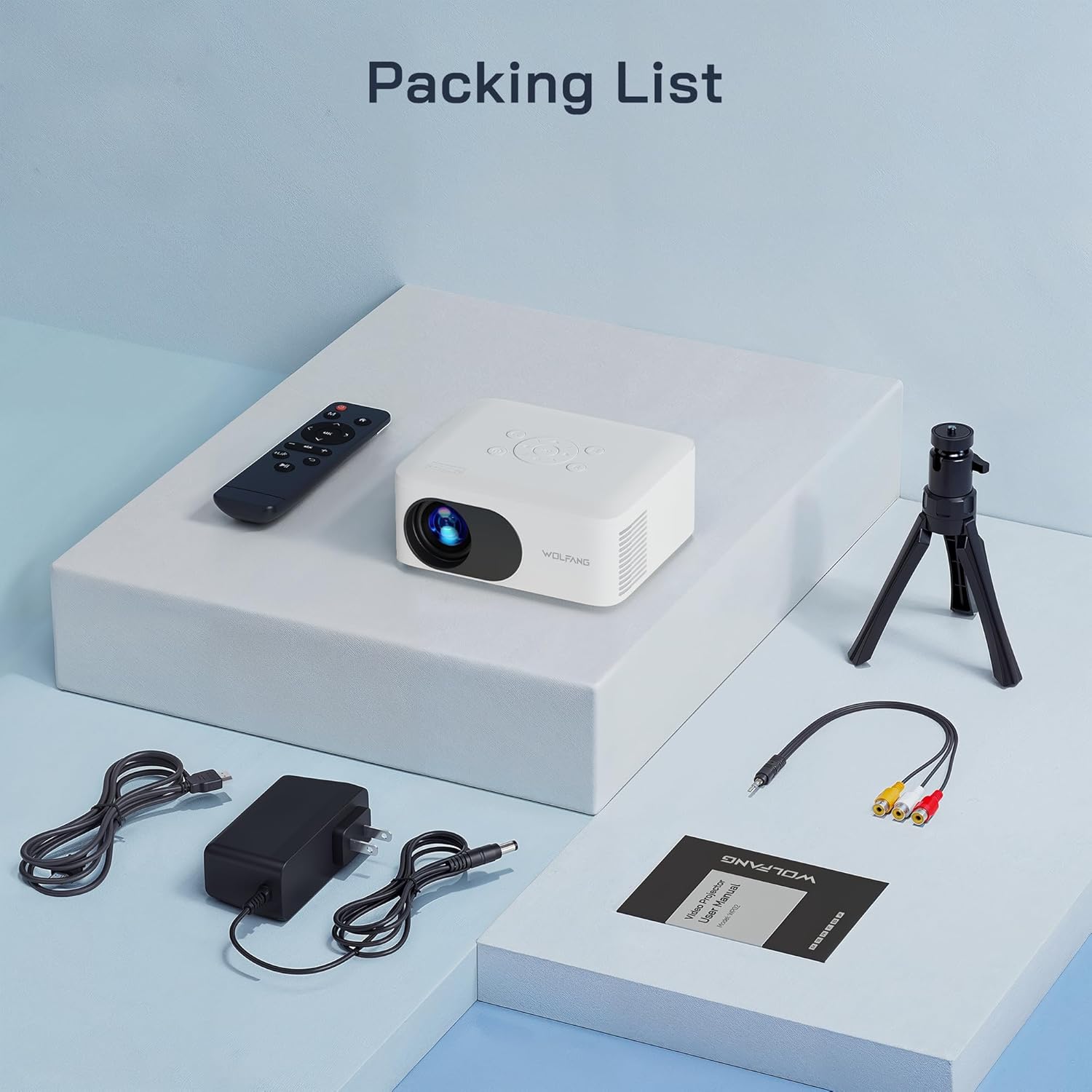
Image: All items included in the WOLFANG WP02 Mini Projector package.
3. Quraşdırma Bələdçisi
3.1 Enerji Bağlantısı
Connect the provided power cable to the 'DC IN' port on the projector and then plug it into a power outlet. The projector will power on or enter standby mode.
3.2 Yerləşdirmə Seçimləri
The WP02 projector offers flexible placement options:
- Cədvəlin yerləşdirilməsi: Proyektoru düz, sabit bir səthə qoyun.
- Tripodun quraşdırılması: Use the included mini tripod by screwing it into the tripod mount on the bottom of the projector. This allows for easy height and angle adjustment.
- Tavan montajı: The projector supports ceiling projection. Ensure proper mounting hardware (not included) is used and the projector is securely fastened.

Image: Multiple installation options for the WOLFANG WP02 Mini Projector.
3.3 Fokus və Keystone Tənzimləməsi
To achieve a clear and rectangular image, adjust the focus and keystone correction:
- Fokus: Rotate the 'FOCUS' dial on the side of the projector until the image appears sharp and clear.
- Açar daşının düzəldilməsi: Rotate the 'KEYSTONE' dial to correct any trapezoidal distortion in the image, making it perfectly rectangular.

Image: The WOLFANG WP02 Mini Projector's focus and keystone adjustment dials for optimal viewing.
4. Cihazları birləşdirmək
4.1 Input Ports Overview
The WOLFANG WP02 Mini Projector features a variety of input ports:
- HDMI: For connecting devices like TV sticks, gaming consoles (e.g., PS5), and PCs.
- USB-A: For playing media directly from USB flash drives.
- Mikro SD: For playing media directly from Micro SD cards.
- OF: For connecting older devices using the included 3-in-1 AV cable.
- 3.5 mm qulaqlıq girişi: Xarici qulaqlıqları və ya dinamikləri birləşdirmək üçün.

Image: Multimedia connection ports on the WOLFANG WP02 Mini Projector.
4.2 Connecting to Smartphones
To connect your smartphone (Android or iPhone) to the projector, an additional HDMI adapter is required (not included). For Android phones, you will need an HDMI to USB-C cable/adapter. For iPhones, you will need an HDMI to Apple Lightning cable/adapter. Once connected, select the HDMI input source on the projector.
Video: This video demonstrates the unboxing, setup, and connection process for the WOLFANG WP02 Portable Mini Projector, including how to connect it to various devices like smartphones.
4.3 Connecting to Other Devices
For TV sticks, PCs, or gaming consoles, connect them directly to the HDMI port using an HDMI cable. For USB drives or Micro SD cards, insert them into the respective slots. Use the 3.5mm audio jack to connect external speakers or headphones for enhanced audio.
5. Əməliyyat
After connecting your desired device and powering on the projector, use the remote control or the buttons on top of the projector to navigate the menu. Select the correct input source (HDMI, USB, Micro SD, AV) corresponding to your connected device. You can adjust volume, picture mode, and other settings through the on-screen menu.
6. Baxım və qulluq
To ensure the longevity and optimal performance of your WOLFANG WP02 Mini Projector, follow these maintenance guidelines:
- Lensin təmizlənməsi: Gently clean the projector lens with a soft, lint-free cloth or lens cleaning paper. Avoid using abrasive materials or harsh chemicals.
- Havalandırma: Ensure that the projector's ventilation holes are not blocked. Proper airflow is crucial to prevent overheating and maintain performance.
- Yaddaş: When not in use, store the projector in a cool, dry place, away from direct sunlight and excessive dust.

Image: The WOLFANG WP02 Mini Projector features advanced noise reduction technology for quiet operation, indicating efficient heat dissipation.
7. Giderme
If you encounter any issues with your WOLFANG WP02 Mini Projector, please refer to the following common problems and solutions:
- Şəkil yoxdur: Ensure the power cable is securely connected and the projector is powered on. Verify that the correct input source is selected. Check all video cables for secure connections.
- Səs yoxdur: Check the volume settings on both the projector and the connected device. Ensure external speakers or headphones are properly connected if used.
- Bulanıq Şəkil: Adjust the 'FOCUS' dial until the image is clear. Ensure the projection distance is within the recommended range.
- Şəkil Trapesiya formasındadır: Adjust the 'KEYSTONE' dial to correct the image shape.
- Uzaqdan İdarəetmə İşləmir: Check if the batteries are inserted correctly and are not depleted. Point the remote directly at the projector's IR receiver.
For further assistance, please contact WOLFANG customer service.
8. Məhsulun Spesifikasiyası
| Xüsusiyyət | Spesifikasiya |
|---|---|
| Brend | WOLFANG |
| Model nömrəsi | WP02 |
| Məhsul Ölçüləri | 14.48 x 11.94 x 6.1 sm |
| Maddə Çəkisi | 550 q |
| Ekran Texnologiyası | LCD |
| Doğma Qətnamə | 1280 x 720 |
| Max Display Resolution | 1920 x 1080 (1080P Supported) |
| Bağlantı texnologiyası | HDMI, USB, Micro SD, AV |
| Xüsusi Xüsusiyyətlər | Palm Size, Built-In Speaker, Low Noise |
| Tövsiyə olunan istifadələr | Təhsil, Ev Kinosu, Biznes |
| Montaj növü | Tripod montajı |
| Mənşə ölkəsi | Çin |
9. Zəmanət və Müştəri Dəstəyi
WOLFANG provides a 12 ay zəmanət for the WP02 Mini Projector, along with lifetime technical support. If you have any questions, require assistance, or need to inquire about upgrading accessories (such as a projection screen or dongle), please do not hesitate to contact our customer service team.
We are committed to resolving any issues to your satisfaction within 24 hours.
Rəsmi E-poçt: support.vc@wolfang.co
You can also reach out via the QR code provided in the product packaging for WOLFANG WhatsApp support.


