1. Giriş
This manual provides detailed instructions for setting up, operating, and maintaining your THOMSON 40-inch FHD Fire TV. Please read this manual thoroughly before using the television to ensure proper functionality and safety. Keep this manual for future reference.
2. Təhlükəsizlik Məlumatı
Yanğın, elektrik şoku və yaralanma riskini azaltmaq üçün bu məhsuldan istifadə edərkən həmişə əsas təhlükəsizlik tədbirlərinə əməl edin.
- Televizoru yağışa və ya nəmə məruz qoymayın.
- Havalandırma deliklərini bağlamayın.
- Ensure proper grounding for the power plug.
- İldırım fırtınası zamanı və ya uzun müddət istifadə edilmədikdə televizoru elektrik şəbəkəsindən ayırın.
- Bütün xidmətlər üçün ixtisaslı xidmət personalına müraciət edin.
3. Paketin məzmunu
Bütün əşyaların paketinizə daxil olduğunu yoxlayın:
- THOMSON 40-inch FHD Fire TV
- Uzaqdan idarəetmə (batareyalar ilə)
- Elektrik kabeli
- Televizor altlığı (2 ədəd)
- Televizor dayağı üçün vintlər
- İstifadəçi Təlimatı (bu sənəd)

Image: The product box illustrating the TV, remote control, and various features like Fire TV, Alexa, and Dolby Audio.
4. Məhsul bitdiview
Familiarize yourself with the components and connections of your THOMSON Fire TV.
4.1 Ön View

Image: The front of the TV, showcasing its slim bezel and the Fire TV smart interface with popular streaming applications.
4.2 Yan View və ölçülər
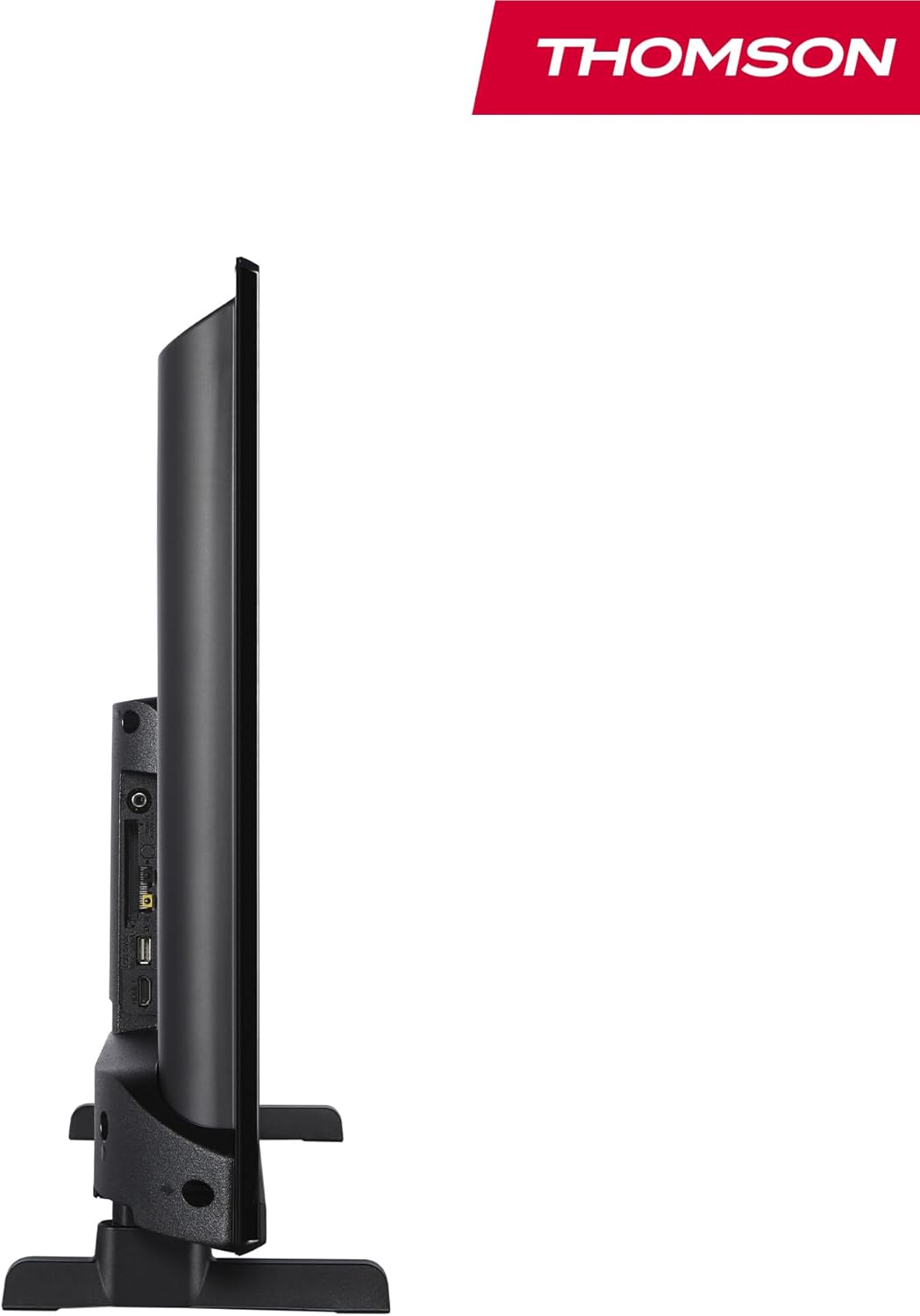
Şəkil: bir tərəf view of the television, demonstrating its thin profile.

Image: A diagram illustrating the physical dimensions of the TV, including width, height, and depth with the stand.
4.3 Arxa View və Limanlar
The rear panel of your TV features various input and output ports for connecting external devices.

Şəkil: ətraflı view of the TV's rear panel, highlighting all connectivity ports such as HDMI, USB, Audio Out, CI+, and antenna inputs.
- Audio Çıxış: Xarici audio sistemləri birləşdirmək üçün.
- CI+: Common Interface Plus slot for conditional access modules.
- Qulaqlıqlar: Şəxsi dinləmə üçün 3.5 mm jak.
- AV: Köhnə cihazları kompozit video və stereo audio ilə birləşdirmək üçün.
- USB 2.0: USB sürücülərindən media oxutma üçün.
- HDMI 1.4 (x2): High-Definition Multimedia Interface for connecting Blu-ray players, game consoles, etc.
- Antena: For connecting a terrestrial antenna (DVB-T2).
- Peyk: For connecting a satellite dish (DVB-S2).
- LAN: Simli şəbəkə bağlantısı üçün Ethernet portu.
5. Quraşdırma
5.1 Televizor Stendinin Qoşulması
- Ekranın zədələnməsinin qarşısını almaq üçün televizoru diqqətlə yumşaq, düz bir səthə üzü aşağı qoyun.
- Stend hissələrini televizorun altındakı müvafiq yuvalarla hizalayın.
- Verilən vintlərdən istifadə edərək dayaqları bərkidin.
5.2 İlkin Yandırma və Şəbəkə Bağlantısı
- Elektrik kabelini televizora və divar rozetkasına qoşun.
- Onu yandırmaq üçün televizordakı və ya pultdakı güc düyməsini basın.
- Follow the on-screen instructions for initial setup, including language selection and network connection (Wi-Fi or Ethernet).
- Log in with your Amazon account to activate Fire TV features.
5.3 Tuner Setup (Triple-Tuner)
Your TV is equipped with a triple-tuner for DVB-C (cable), DVB-S2 (satellite), and DVB-T2 (terrestrial) reception.

Image: The DVB-T2/C/S2 tuner inputs, allowing connection to various broadcast sources.
- Connect your antenna or satellite cable to the appropriate input on the TV.
- Navigate to the TV settings and select 'Channel Scan' or 'Tuner Setup'.
- Choose your broadcast type (Antenna, Cable, or Satellite) and follow the prompts to scan for available channels.
6. Əməliyyat Təlimatları
6.1 Yanğın TV interfeysi
The Fire TV interface provides easy access to your favorite streaming services, apps, and live TV.
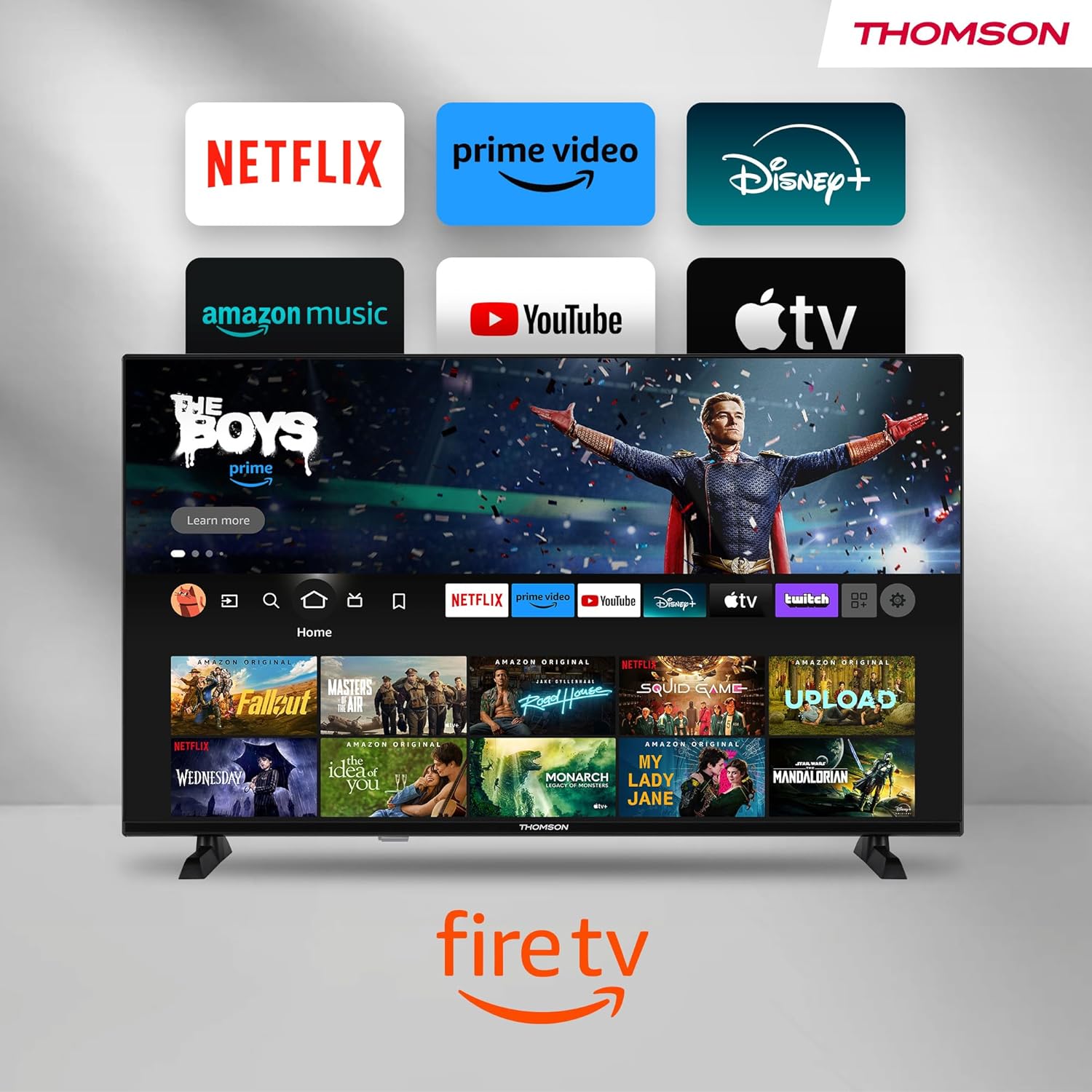
Image: The Fire TV home screen, showing a selection of popular streaming apps and content recommendations.
Navigate using the remote control's directional pad. The home screen provides personalized recommendations and quick access to your installed applications.
6.2 Alexa Səslə İdarəetmə
Use the integrated Alexa voice control for hands-free operation.
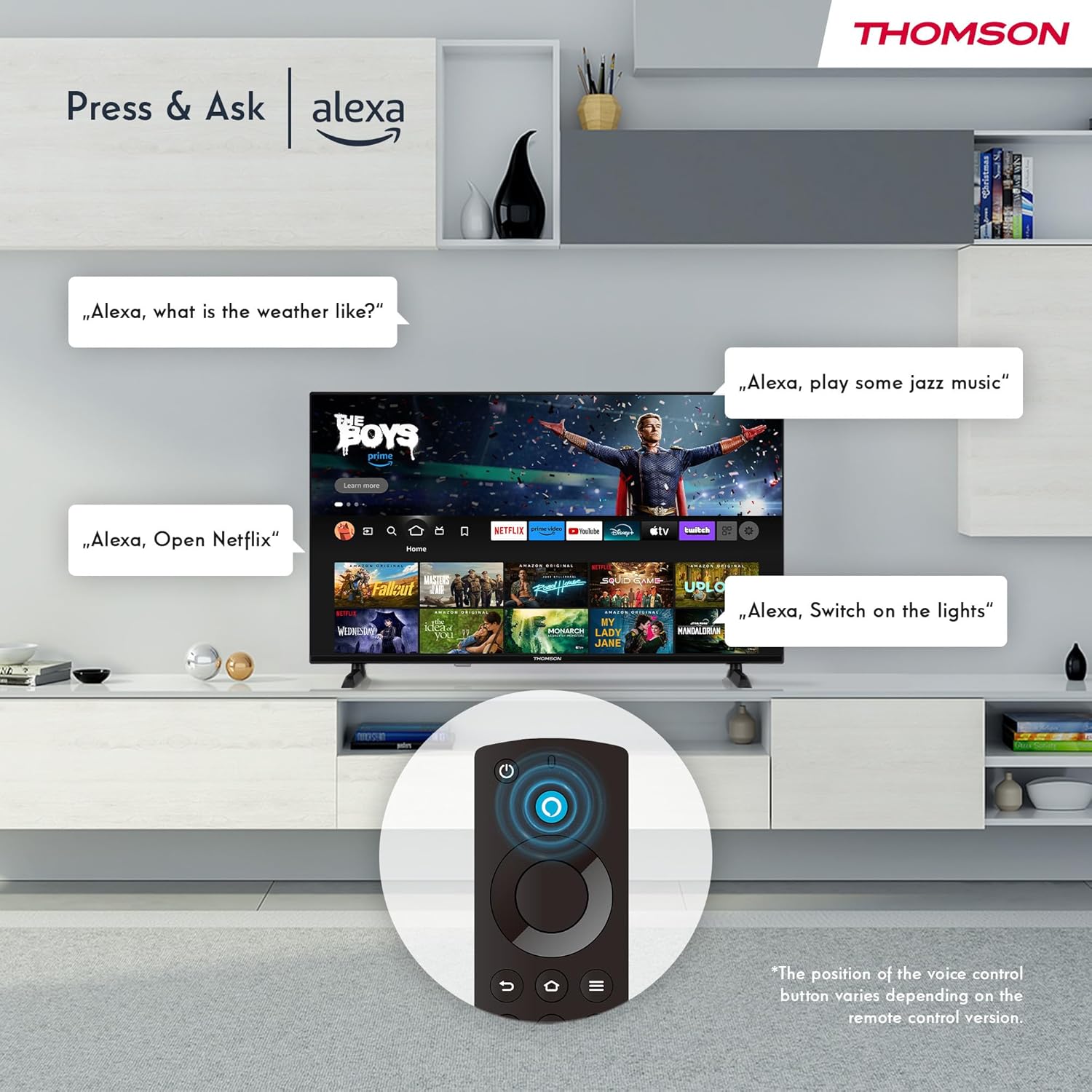
Image: Demonstrating Alexa voice commands for controlling the TV, searching content, and managing smart home devices.
Press the Alexa button on your remote and speak your command. You can ask Alexa to:
- axtarın filmlər və ya televiziya şouları.
- Tətbiqləri işə salın.
- Control playback (pause, play, skip).
- Hava və ya xəbərləri yoxlayın.
- Uyğun ağıllı ev cihazlarını idarə edin.
6.3 Ağıllı Ev İnteqrasiyası
Manage your connected smart home devices directly from your TV's integrated dashboard.

Image: The Smart Home dashboard, providing a centralized control panel for various smart devices in your home.
Access the Smart Home dashboard to monitor and control devices such as cameras, lights, and plugs.
6.4 AirPlay Functionality
Stream content directly from your Apple devices (iPhone, iPad, Mac) to your THOMSON Fire TV using AirPlay.

Image: A demonstration of Apple AirPlay, showing content being mirrored from an iOS device to the television screen.
Ensure both your Apple device and the TV are connected to the same Wi-Fi network. Select the AirPlay icon on your Apple device and choose your THOMSON TV from the list of available devices.
6.5 Creating User Profiles
Çox istifadəçi pro yaradınfiles for personalized content recommendations and settings.

Şəkil: İstifadəçi profile selection screen on Fire TV, allowing different users to have their own personalized viewtəcrübə.
From the Fire TV home screen, navigate to the profile selection to add or switch profiles. Hər bir profile can have its own watch history and app preferences.
6.6 HDR10 and Dolby Audio
Experience enhanced picture quality with HDR10 and immersive sound with Dolby Audio.

Image: A visual comparison demonstrating the improved contrast and color vibrancy offered by HDR10 technology.

Image: A graphic illustrating the immersive sound experience provided by Dolby Audio.
HDR10 provides a wider range of colors and contrasts, while Dolby Audio delivers rich, clear, and powerful sound.
6.7 Uzaqdan İdarəetmə
The ergonomic Bluetooth remote control provides easy navigation and direct access to key features.
- Alexa düyməsi: Səs əmrlərini aktivləşdirmək üçün basıb saxlayın.
- Naviqasiya paneli: For moving through menus and selecting items.
- Netflix/Prime Video Düymələri: Bu axın xidmətlərinə birbaşa giriş.
- Amazon Silk Button: Birbaşa giriş web brauzer.
7. Baxım
Televizorunuzun uzunömürlülüyünü və optimal işləməsini təmin etmək üçün bu texniki xidmət təlimatlarına əməl edin:
- Ekranın təmizlənməsi: Ekranı yumşaq, tüysüz bir parça ilə yumşaq bir şəkildə silin. İnadkar izlər üçün televizorlar üçün xüsusi olaraq hazırlanmış ekran təmizləyicisini birbaşa ekrana deyil, parçaya tətbiq edin.
- Şkafın təmizlənməsi: Televizor şkafını silmək üçün yumşaq, quru parça istifadə edin. Aşındırıcı təmizləyicilərdən və ya həlledicilərdən istifadə etməyin.
- Havalandırma: Həddindən artıq istiləşmənin qarşısını almaq üçün televizorun arxasındakı havalandırma dəliklərinin bağlanmadığından əmin olun.
- Elektrik kabeli: Elektrik kabelində hər hansı bir zədələnmə olub olmadığını müntəzəm olaraq yoxlayın. Zədələnibsə, dərhal dəyişdirin.
8. Giderme
Televizorunuzla bağlı problemlərlə qarşılaşsanız, aşağıdakı ümumi problemlərə və həll yollarına müraciət edin:
| Problem | Mümkün səbəb/həlli |
|---|---|
| Güc yoxdur | Check if the power cord is securely plugged into the TV and the wall outlet. Ensure the outlet is active. |
| Şəkil yoxdur, amma səs var | Check input source. Ensure external devices are properly connected and powered on. |
| Səs yoxdur, amma şəkil var | Check volume level. Ensure Mute is not activated. Check audio cables for external devices. |
| Pult işləmir | Check batteries. Ensure there are no obstructions between the remote and the TV. Re-pair the Bluetooth remote if necessary. |
| Wi-Fi-a qoşulmaq mümkün deyil | Ensure Wi-Fi is enabled on the TV. Check Wi-Fi password. Restart your router. Move TV closer to router. |
| Proqramlar yavaş və ya donur | Restart the TV. Clear app cache or data in settings. Ensure sufficient internet speed. |
Problem davam edərsə, müştəri dəstəyi ilə əlaqə saxlayın.
9. Spesifikasiyalar
| Xüsusiyyət | Detal |
|---|---|
| Model nömrəsi | 40FF2S34 |
| Ekran Ölçüsü | 40.0 düym (100 sm) |
| Ekran Texnologiyası | LED |
| Qətnamə | 1080p (Full HD) |
| Yeniləmə dərəcəsi | 60 Hz |
| Aspekt nisbəti | 16:9 |
| Bağlantı | Wi-Fi, Bluetooth 5.0, 2x HDMI 1.4, USB 2.0, AV IN, Audio Out, CI+, LAN |
| Tünerlər | DVB-C, DVB-S2, DVB-T2 |
| Xüsusi Xüsusiyyətlər | Fire TV, Alexa Voice Control, AirPlay, HDR10, Dolby Audio, Smart Home Dashboard, User Profiles |
| Ölçülər (stendlə) | 90.2 x 55.4 x 17.5 sm (En x Y x D) |
| Çəki | 9 kq |
| Enerji səmərəliliyi reytinqi | E |
| Daxil olan komponentlər | Uzaqdan idarəetmə |
| Dəstəklənən Dillər | Spanish, French, English, Italian, Germanic languages |
10. Zəmanət və Dəstək
Your THOMSON Fire TV comes with a manufacturer's warranty. Please refer to the warranty card included in your package for specific terms and conditions.
For technical support, troubleshooting assistance, or warranty claims, please visit the official THOMSON support website or contact their customer service line. Keep your purchase receipt and model number (40FF2S34) handy when contacting support.
Onlayn dəstək: www.thomsonconsumer.com/support


