1. Giriş
This manual provides essential information for the safe and efficient operation of your Xiaomi Toaster BHR8811EU. Please read these instructions carefully before first use and retain them for future reference. This 2-slice toaster features 6 browning settings, a defrost function, and a removable crumb tray for easy cleaning.
2. Təhlükəsizlik Təlimatları
- Tosterin həmişə sabit, istiliyədavamlı bir səthdə, tezalışan materiallardan uzaqda yerləşdirildiyinə əmin olun.
- İsti səthlərə toxunmayın. Tutacaqlardan və ya düymələrdən istifadə edin.
- Unplug the toaster from the outlet when not in use and before cleaning. Allow it to cool completely before handling or cleaning.
- Elektrik təhlükələrindən qorunmaq üçün kabeli, ştepseli və ya tosteri suya və ya digər mayelərə batırmayın.
- Böyük ölçülü qidaları, metal folqa paketlərini və ya qab-qacaqları tosterə qoymayın, çünki bu, yanğın və ya elektrik şoku təhlükəsi yarada bilər.
- Do not operate the toaster if the cord or plug is damaged, or if the appliance malfunctions or has been damaged in any manner.
- İstifadə zamanı tosteri heç vaxt nəzarətsiz qoymayın.
- Do not use abrasive cleaners or sharp objects to clean the toaster.
- Bu cihaz yalnız məişət istifadəsi üçündür.
3. Məhsulun Komponentləri

Şəkil 1: Ön view of the Xiaomi Toaster BHR8811EU. This image displays the control panel with the browning control knob, defrost button, and cancel button, along with the bread slots.
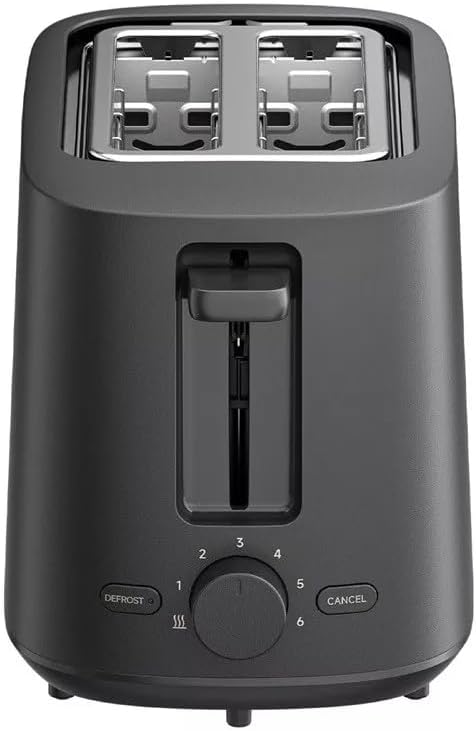
Şəkil 2: Üst view of the Xiaomi Toaster BHR8811EU. This image highlights the two wide bread slots designed to accommodate various bread types.

Şəkil 3: Yan view of the Xiaomi Toaster BHR8811EU. This image shows the side of the toaster, featuring the pull-out handle for the removable crumb tray at the bottom.
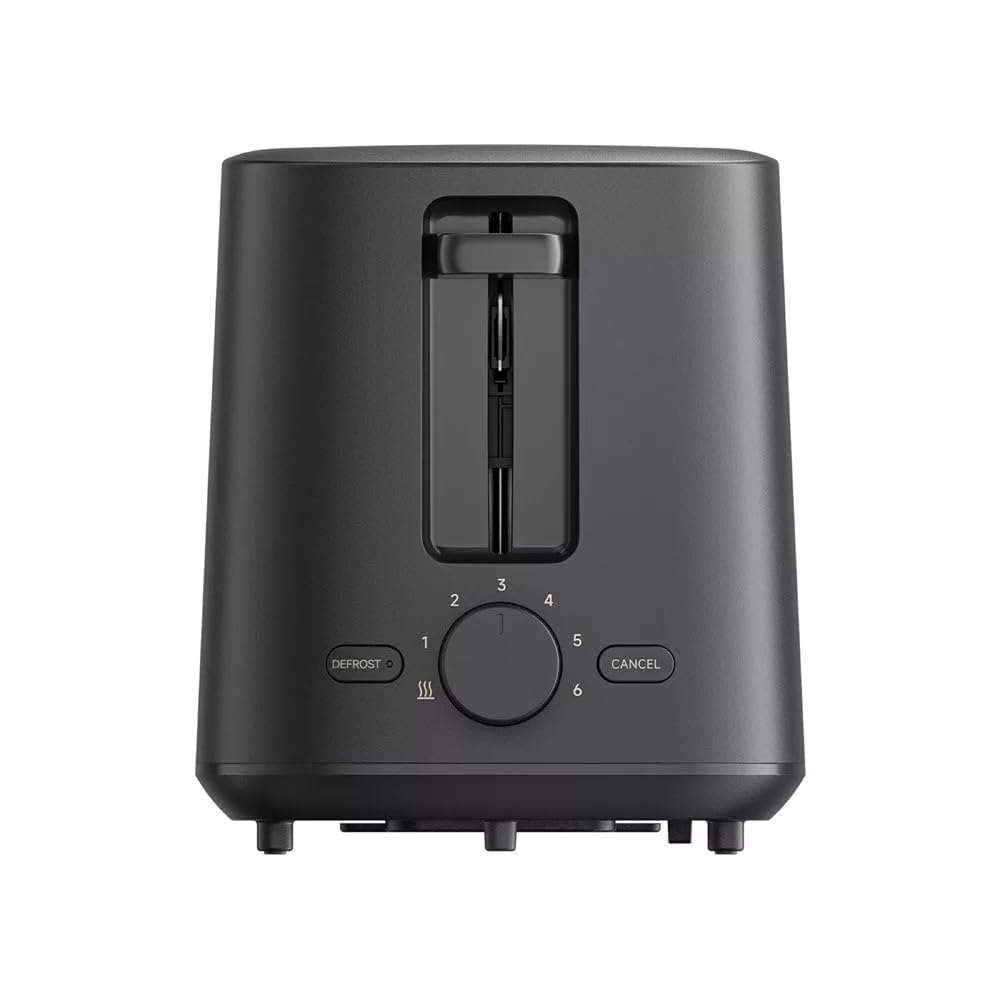
Şəkil 4: Arxa view of the Xiaomi Toaster BHR8811EU. This image displays the back of the appliance, featuring the Xiaomi brand logo.
- Çörək yuvaları: Two wide slots for bread slices.
- Toasting Lever: Lowers bread into the slots and initiates the toasting cycle.
- Browning İdarəetmə Düyməsi: Adjusts the desired level of browning from 1 (lightest) to 6 (darkest).
- Defrost düyməsi: Activates the defrost function for frozen bread.
- Ləğv düyməsi: İstənilən vaxt qızartma dövrəsini dayandırır.
- Çıxarılan qırıntı qabı: Asan təmizləmə üçün qırıntıları toplayır.
4. Quraşdırma
- Qablaşdırma: Tosteri və bütün qablaşdırma materiallarını diqqətlə çıxarın. Bütün komponentlərin mövcud və zədələnmədiyinə əmin olun.
- Yerləşdirmə: Place the toaster on a flat, stable, and heat-resistant surface. Ensure there is adequate space around the toaster for ventilation.
- İlk istifadə: Before toasting bread for the first time, operate the toaster without bread for a few cycles at the highest browning setting. This will burn off any manufacturing residues and eliminate initial odors. A slight smell or smoke is normal during this process. Ensure the area is well-ventilated.
5. Əməliyyat Təlimatları
- Güc bağlayın: Plug the power cord into a suitable 220-240V, 60Hz electrical outlet.
- Çörək daxil edin: Place one or two slices of bread into the bread slots. The toaster features automatic bread centering for even toasting.
- Browning səviyyəsini seçin: Turn the browning control knob to your desired setting, from 1 (lightest) to 6 (darkest).
- Qızartmağa başlayın: Press the toasting lever down until it locks into place. The indicator light will illuminate, and the toasting cycle will begin.
- Defrost Function (for frozen bread): If toasting frozen bread, insert the bread, select your desired browning level, press the toasting lever down, and then press the LƏĞV Ərimə indikatoru işığı yanacaq.
- Ləğv funksiyası: İstənilən vaxt qızartma dövrəsini dayandırmaq üçün düyməsini basın LƏĞV EDİN button. The bread will automatically pop up.
- Tamamlanma: Once the selected browning cycle is complete, the bread will automatically pop up, and the toaster will switch off.
6. Baxım və Təmizləmə
Daimi təmizləmə optimal performansı təmin edir və tosterinizin ömrünü uzadır.
- Həmişə ayırın: Before cleaning, always unplug the toaster from the power outlet and allow it to cool completely.
- Clean Crumb Tray: Pull out the removable crumb tray from the bottom of the toaster. Dispose of accumulated crumbs. Wipe the tray with a damp cloth and dry thoroughly before reinserting it. Ensure the crumb tray is fully inserted before using the toaster.
- Xarici Təmizlik: Tosterin xarici hissəsini yumşaq bir parça ilə silin, damp cloth. Do not use abrasive cleaners, metal scouring pads, or harsh chemicals, as these can damage the surface.
- Daxili Təmizlik: Do not attempt to clean the inside of the toaster with any tools or objects. If bread becomes jammed, unplug the toaster and carefully remove the bread after it has cooled.
7. Giderme
- Toster yandırılmır: Ensure the power cord is securely plugged into a working outlet. Check if the toasting lever is fully pressed down and locked.
- Bread is unevenly toasted: Ensure bread slices are not too thick or irregularly shaped. The automatic centering mechanism works best with standard bread slices.
- Smoke or burning smell: This can occur if crumbs accumulate in the toaster or if food is jammed. Immediately press the LƏĞV EDİN button, unplug the toaster, and allow it to cool. Clean the crumb tray and remove any jammed food.
- Çörək açılmır: düyməsini basın LƏĞV EDİN button. If the bread still does not pop up, unplug the toaster and carefully remove the bread once it has cooled.
8. Spesifikasiyalar
| Brend | Xiaomi |
| Model nömrəsi | BHR8811EU |
| Rəng | Qara |
| Güc / Vattage | 930 Vt |
| Cildtage | 220-240 volt |
| Tezlik | 60 Hz |
| Material | Metal, Alüminium |
| Slotların sayı | 2 |
| Xüsusi Xüsusiyyətlər | Defrost function, 6 browning settings, Removable crumb tray, Automatic bread centering |
| Məhsulun Ölçüləri (D x G x Y) | 15 sm x 28 sm x 26 sm (təxminən) |
| Maddə Çəkisi | 1.7 kiloqram |
9. Zəmanət və Dəstək
Your Xiaomi Toaster BHR8811EU is covered by a manufacturer's warranty. Please refer to the warranty card included with your purchase for specific terms and conditions, including warranty duration and coverage details. For technical support, service, or inquiries, please visit the official Xiaomi websaytına daxil olun və ya bölgənizdəki müştəri xidmətləri şöbəsi ilə əlaqə saxlayın. Zəmanət tələbləri üçün alış-veriş sənədinizi saxlayın.


