Giriş
Thank you for choosing the Haomuren K1 Mini Portable Bluetooth Karaoke Machine. This manual provides essential information for the safe and efficient operation of your new device. Please read it thoroughly before use and retain it for future reference.
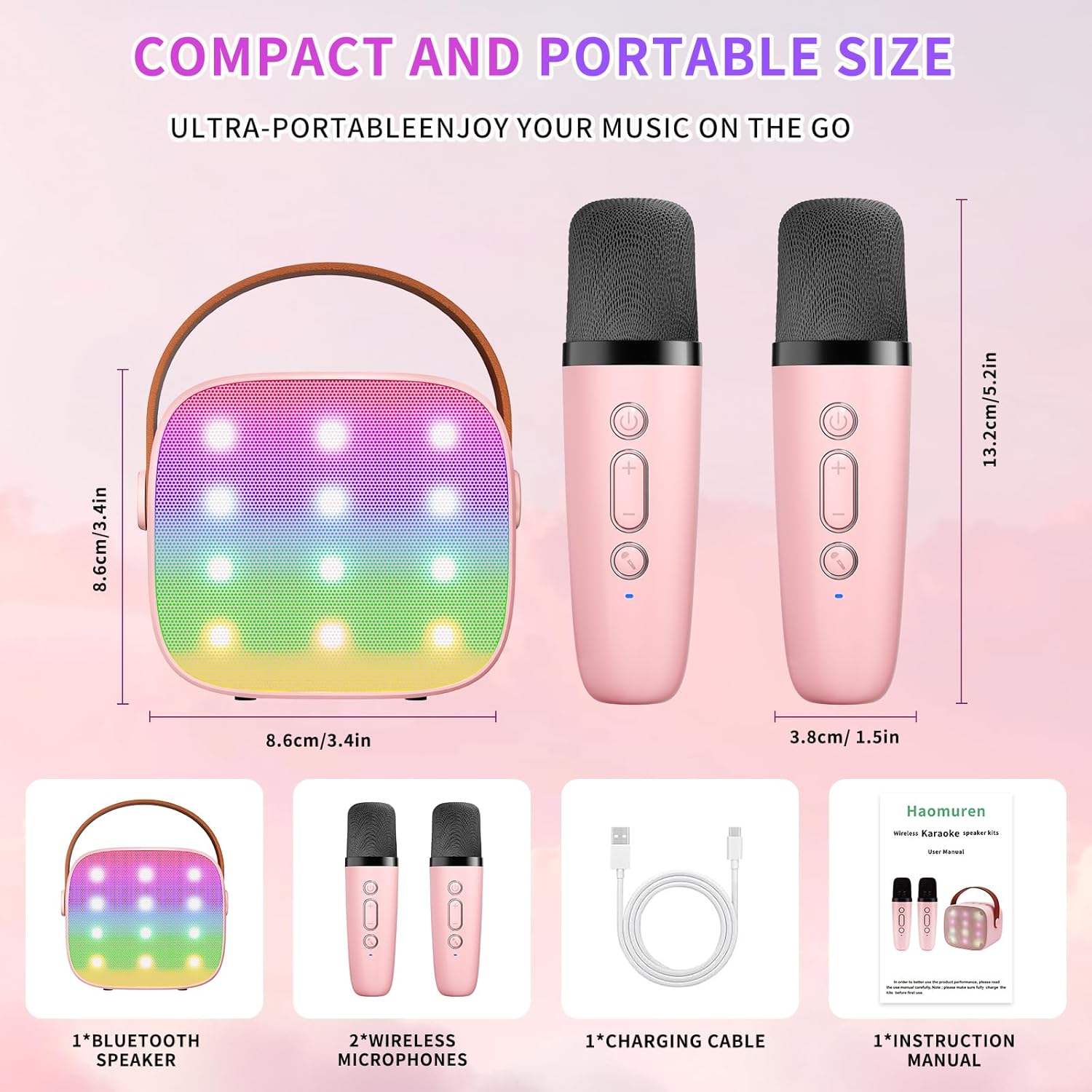
Qutuda nə var
- Karaoke Machine (Speaker) x 1
- Simsiz Mikrofon x 2
- Tip-C şarj kabeli x 1
- İstifadəçi təlimatı x 1
Quraşdırma
1. Cihazın doldurulması
Before initial use, fully charge the karaoke machine and both microphones. Use the provided Type-C charging cable.
- Natiq: Connect the Type-C cable to the speaker's charging port. The speaker has an 1800mAh battery and typically charges in 1-2 hours.
- Mikrofonlar: Connect the Type-C cable to the charging port at the bottom of each microphone. Each microphone has a 600mAh battery.

2. Gücü yandırın/söndürün
- Natiq: Press and hold the power button on the top panel of the speaker until the LED lights illuminate.
- Mikrofonlar: Press and hold the power button on each microphone until the blue indicator light turns on.
3. Bluetooth Cütləşdirmə
The speaker and microphones are designed for instant pairing. Once both are powered on, they should automatically connect. To connect the speaker to an external device (smartphone, tablet, PC):
- Ensure the karaoke machine speaker is powered on and in Bluetooth mode (indicated by a voice prompt).
- Xarici cihazınızda Bluetooth-u aktivləşdirin və mövcud cihazları axtarın.
- Select "K1" (or similar model name) from the list to pair. A confirmation sound will indicate successful pairing.

Əməliyyat Təlimatları
1. Dinamik İdarəetmələri
The speaker features intuitive buttons on its top panel:
- Səsi azaltma (-): Dinamikin səsini azaldır.
- Güc/Oynat/Pauza: Short press to play/pause music. Long press to power on/off the speaker.
- Səs artırma (+): Dinamik səsini artırır.
- Rejim (M): Switches between different input modes (Bluetooth, TF Card).
- LED işıq nəzarət: Short press to cycle through 6 different LED lighting modes.
- Original Vocal/Accompaniment: Press this button to remove or restore original vocals from a song, allowing you to sing along to the instrumental track.

2. Microphone Controls
Each wireless microphone has the following controls:
- Güc düyməsi: Press and hold to power on/off the microphone.
- Səs artırma (+): Increases microphone volume.
- Səsi azaltma (-): Decreases microphone volume.
- Səs dəyişdirici düyməsi: Short press to cycle through 5 different voice effects.

3. Voice Changing Modes
The microphones offer 5 unique voice effects to enhance your karaoke experience:
- Orijinal Səs
- Qadın Səsi
- Kişi Səsi
- Körpə səsi
- Canavar səsi
4. LED işıqları
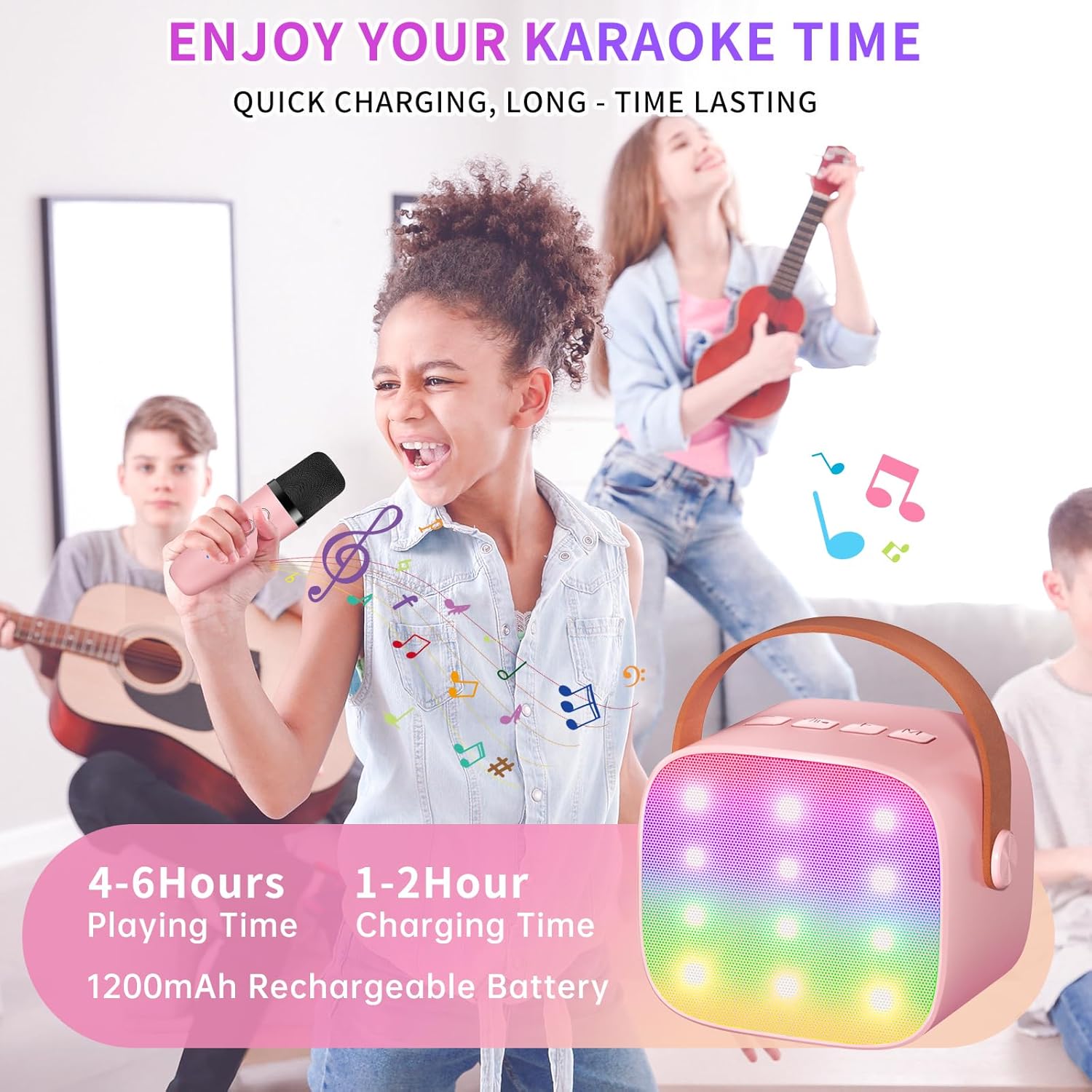
The speaker features built-in LED lights with 6 dynamic modes that synchronize with the music, creating an immersive atmosphere. Use the dedicated LED Light Control button on the speaker to cycle through these modes.

5. Music Playback Options
The Haomuren K1 supports various music playback methods:
- Bluetooth: Connect wirelessly to your smartphone, tablet, or PC.
- TF Kartı: Insert a TF (MicroSD) card into the designated slot on the back of the speaker to play stored music files.
- Qulaqlıq Çıxışı: Use the 3.5mm headphone jack for private listening.
Baxım
- Təmizləmə: Dinamiklərin və mikrofonların xarici hissəsini təmizləmək üçün yumşaq, quru bir parça istifadə edin. Maye təmizləyicilərdən və ya aşındırıcı materiallardan istifadə etməyin.
- Yaddaş: Cihazı birbaşa günəş işığından və həddindən artıq temperaturdan uzaq sərin, quru yerdə saxlayın.
- Batareyaya qulluq: Batareyanın ömrünü uzatmaq üçün cihazı tez-tez tam boşaltmaqdan çəkinin. Uzun müddət istifadə edilməsə belə, cihazı müntəzəm olaraq doldurun.
Problemlərin aradan qaldırılması
- Dinamikdən səs yoxdur:
- Dinamikin qoşulduğundan və doldurulduğundan əmin olun.
- Dinamikin səs səviyyəsini yoxlayın.
- Verify that the speaker is correctly paired via Bluetooth to your device.
- If using a TF card, ensure it is inserted correctly and contains compatible audio files.
- Mikrofon İşləmir:
- Mikrofonun qoşulduğundan və doldurulduğundan əmin olun.
- Mikrofonun səs səviyyəsini yoxlayın.
- Confirm the microphone is automatically paired with the speaker.
- Bluetooth bağlantısının kəsilməsi:
- Dinamikin və cihazınızın effektiv Bluetooth diapazonunda (adətən 10 metr) olduğundan əmin olun.
- Turn off and restart both the speaker and your device, then attempt to re-pair.
- Digər simsiz cihazlardan hər hansı müdaxilə olub olmadığını yoxlayın.
- Təhrif edilmiş səs:
- Həm dinamikdə, həm də qoşulmuş cihazınızda səs səviyyəsini azaldın.
- Ensure the microphones are not too close to the speaker to avoid feedback.
- Keyfiyyət problemləri üçün səs mənbəyini yoxlayın.
Spesifikasiyalar
| Xüsusiyyət | Spesifikasiya |
|---|---|
| Brend | Haomuren |
| Model nömrəsi | K1 |
| Montaj növü | Stolüstü |
| Güc mənbəyi | Batareya ilə işləyir |
| Bağlayıcı növü | 3.5mm headphone, Type-C Charging |
| Material | Akrilonitril Butadien Stirol (ABS) |
| Maddə Çəkisi | 14.9 unsiya |
| Kanalların sayı | 2 |
| Audio Giriş | Simsiz Mikrofonlar |
| Tezliyə cavab | 10 KHz |
| Məhsul Ölçüləri | 3.7 x 4.1 x 4.3 düym |
| Batareyalar | 1 AAA batareya tələb olunur (daxildir) |
| Bağlantı texnologiyası | Bluetooth, USB, Simsiz |
Zəmanət və Dəstək
Haomuren is committed to providing high-quality audio products. Your K1 Mini Portable Bluetooth Karaoke Machine comes with the following:
- Pulsuz dəyişdirmə: In case of product defects.
- 365 Gün Zəmanət: İstehsal qüsurlarını və nasazlıqlarını aradan qaldırmaq.
- Texniki Dəstək: Dedicated support is available for any operational questions or issues.
For further assistance, please contact Haomuren customer service through your purchase platform or visit the official Haomuren websayt.