1. Giriş
These SUPVAN KATASYMBOL T50M Pro Thermal Labels are designed for use with the SUPVAN T50M Pro label maker. They offer a reliable and efficient solution for various labeling needs in home, office, and school environments. This manual provides essential information for setting up, operating, maintaining, and troubleshooting your labels.
Key features include multi-layer synthetic material construction ensuring durability for over 5 years, resistance to water and oil, strong adhesion, and tolerance to high and low temperatures. The labels are also BPA-free and meet standards for baby products, making them suitable for food and cosmetic labeling.

Şəkil 1.1: Bitdiview of SUPVAN KATASYMBOL Label Tape features, including waterproof, oil-resistant, tear strength, BPA-free, strong adhesion, and no residue properties. Compatible with T50M Pro and T50M Plus label makers.
2. Məhsul bitdiview
The SUPVAN KATASYMBOL T50M Pro Thermal Labels come in a roll format, with each label measuring 40 mm by 30 mm. Each roll contains 250 individual labels, providing ample supply for various labeling tasks. The labels are designed for clear, black print on a yellow background, ensuring high visibility.

Image 2.1: A roll of SUPVAN KATASYMBOL T50M Pro Thermal Labels, highlighting the dimensions of 40mm x 30mm and a quantity of 250 labels per roll. Icons illustrate key features such as waterproof, oil-resistant, BPA-free, and scratch-resistant properties.
These thermal labels are specifically engineered for compatibility with the SUPVAN T50M Pro label maker, ensuring seamless operation and high-quality print results without the need for ink or toner.
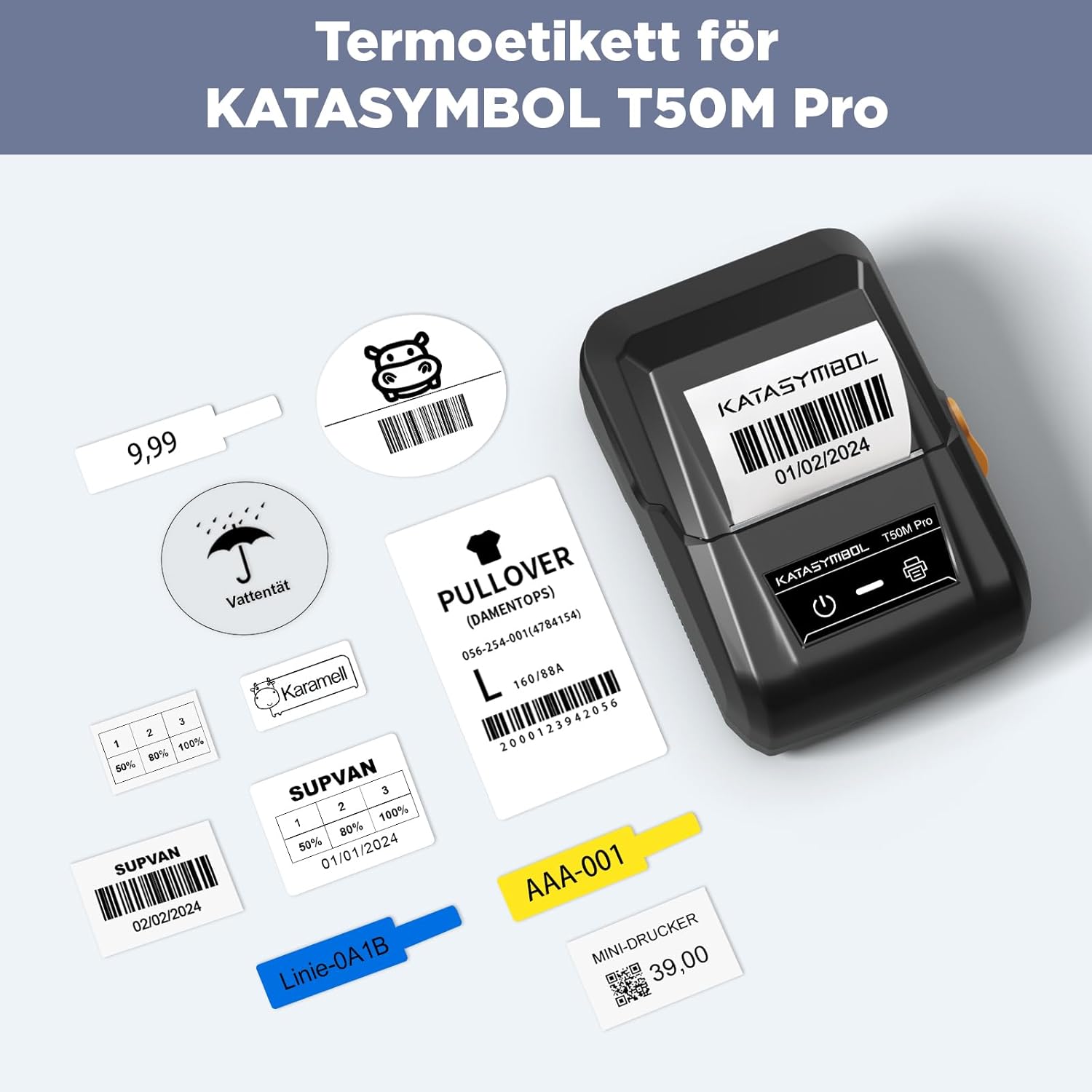
Image 2.2: The SUPVAN T50M Pro label printer in operation, showcasing a thermal label being printed. Various examples of printed labels, such as barcodes, prices, and descriptive text, are displayed around the printer.
3. Quraşdırma
To begin using your SUPVAN KATASYMBOL T50M Pro Thermal Labels, ensure your SUPVAN T50M Pro label maker is powered on and fully charged.
- Open the Label Compartment: Locate and open the label compartment of your T50M Pro label maker. Refer to your label maker's manual for specific instructions on opening the compartment.
- Insert the Label Roll: Place the SUPVAN KATASYMBOL T50M Pro Thermal Label roll into the compartment. Ensure the labels feed correctly through the printer mechanism, with the printable side facing the print head.
- Bölməni bağlayın: Securely close the label compartment.
- App Recognition: The 'Katasymbol' application, when connected to your label maker, is designed to automatically identify the label type and size upon proper installation.
Vacib Qeyd:
Do not remove the sticker from the back of the label roll. This sticker contains a smart chip that is necessary for the 'Katasymbol' application to correctly identify the label type and size, ensuring optimal printing performance.
4. Əməliyyat Təlimatları
Once the labels are loaded and your T50M Pro label maker is ready, follow these steps to create and print your labels:
- Yükləyin və qoşun: Download and install the 'Katasymbol' application on your smartphone or tablet. Enable Bluetooth on your device and connect to your T50M Pro label maker.
- Etiketinizi dizayn edin: Within the 'Katasymbol' app, you can access a wide range of customization options. Choose from over 150 templates, 40 fonts, and 700 icons to design your labels according to your needs. The app's automatic label identification feature simplifies the design process by adjusting to the loaded label size.
- Çap edin: Once your design is complete, send the print command from the app to your label maker. Ensure the label maker has sufficient battery and the label roll is correctly installed for uninterrupted printing.
These labels are highly versatile and suitable for a wide array of applications:
- Ev Təşkilat: Ideal for organizing spice jars, food containers, and other household items.
- Office & School: Perfect for labeling files, folders, cables, and creating personalized book labels.
- Small Business: Excellent for product branding, creating address labels, price tags, and barcode/QR code labels for retail or inventory management.

Şəkil 4.1: Məsamples of labels used for home and office organization, including spice jar labels, organized cables, book labels, and personalized items.
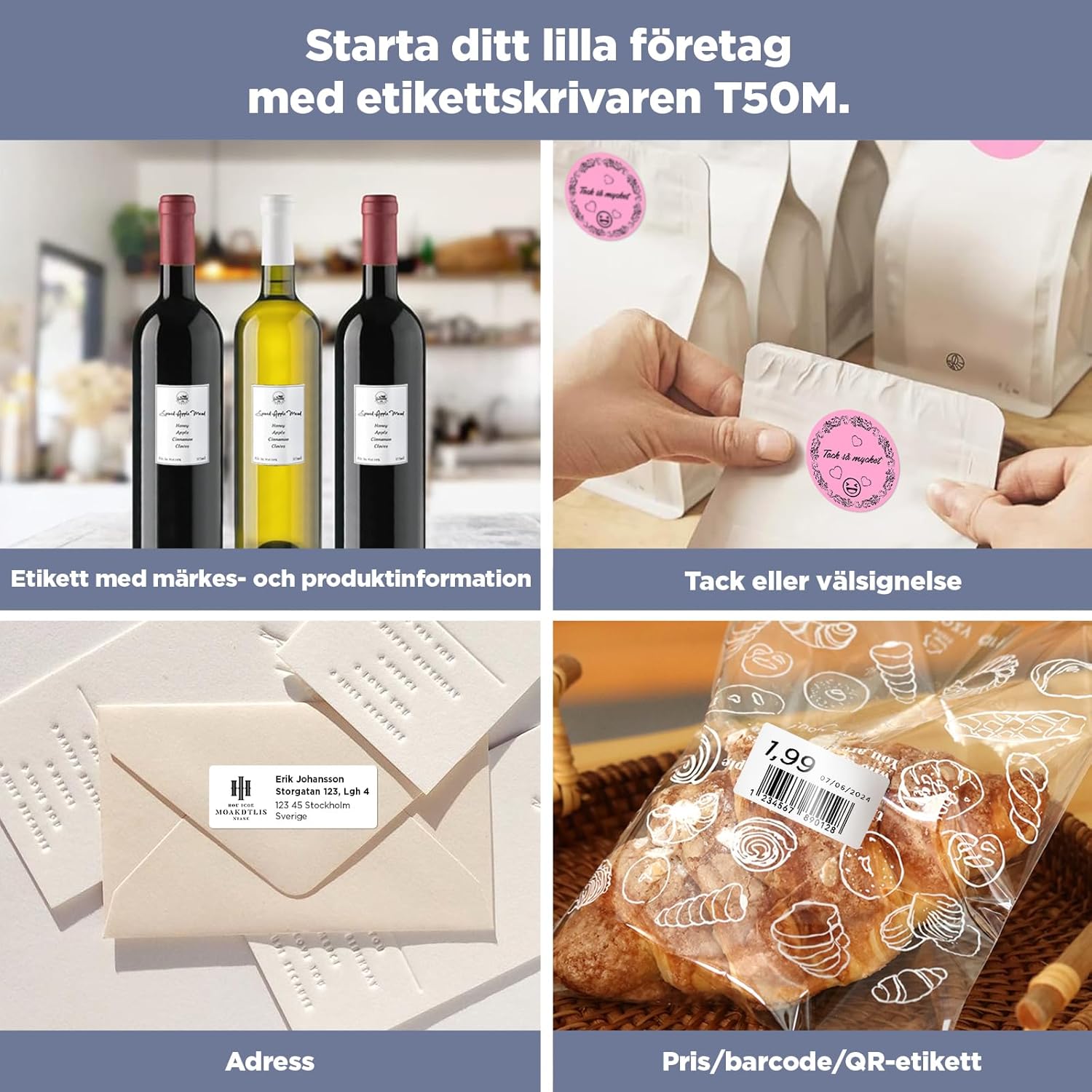
Image 4.2: Demonstrates various small business applications for the labels, such as branding for wine bottles, thank you stickers, address labels, and price/barcode/QR code labels.
Image 4.3: A thermal printer showcasing a variety of printed labels, including festive messages, gratitude notes, and color-coded organizational tags for electronics and books.
5. Baxım
The SUPVAN KATASYMBOL T50M Pro Thermal Labels are engineered for durability and longevity. Proper handling and storage will ensure their performance over time.
- Davamlılıq: The multi-layer synthetic material construction provides excellent resistance to water and oil, making them suitable for environments where exposure to moisture or spills is common. They are also designed to withstand high and low temperatures.
- Adhesion and Removal: These labels feature strong adhesion to ensure they stay firmly in place on various surfaces. When removal is necessary, they are designed to peel off easily without leaving sticky residue, preserving the integrity of your items.

Image 5.1: A demonstration of the labels' water resistance, showing a labeled glass being rinsed under water, highlighting its waterproof and oil-resistant qualities and strong adhesion.

Image 5.2: A hand gently peeling a label from a glass jar, demonstrating the ease of removal and the absence of sticky residue, ensuring surfaces remain clean.
Saxlama Tövsiyələri: Store unused label rolls in a cool, dry place, away from direct sunlight and extreme temperatures. This helps to preserve the adhesive properties and print quality of the labels for their intended lifespan of over 5 years.
6. Giderme
If you encounter issues while using your SUPVAN KATASYMBOL T50M Pro Thermal Labels, consider the following troubleshooting steps:
- Labels Not Recognized by App:
Ensure the label roll is correctly inserted into the T50M Pro label maker. Verify that the smart chip sticker on the back of the label roll has not been removed, as this chip is essential for the 'Katasymbol' app's automatic identification feature. - Zəif çap keyfiyyəti:
Check if the label maker's print head is clean. Dust or debris on the print head can affect print clarity. Refer to your T50M Pro label maker's manual for instructions on how to clean the print head. Also, ensure the label roll is not damaged or expired. - Bağlantı Problemləri:
If your device cannot connect to the label maker, ensure Bluetooth is enabled on both your smartphone/tablet and the T50M Pro label maker. Make sure the devices are within close range and that no other devices are interfering with the Bluetooth connection. Try restarting both the app and the label maker. - Düzgün qidalanmayan etiketlər:
Ensure the label roll is properly seated and aligned within the label compartment. Check for any obstructions or jams in the paper path.
For persistent issues, consult the SUPVAN T50M Pro label maker's comprehensive manual or contact SUPVAN customer support.
7. Spesifikasiyalar
| Xüsusiyyət | Detal |
|---|---|
| Brend | SUPVAN |
| Model Number (Labels) | T53115E |
| Product Dimensions (per roll) | 5 x 3 x 3 sm; 75 q |
| Etiket Ölçüləri | Rectangle 30 mm x 40 mm |
| Print Color on Label | Sarıya qara |
| Material növü | Thermal Paper (Synthetic Material) |
| Labels per Roll | 250 |
| Uyğunluq | SUPVAN T50M Pro Label Maker |
| Əsas Xüsusiyyətlər | Waterproof, Oil-resistant, Strong Adhesion, High/Low Temperature Resistant, BPA-free, No ink/toner required, Scratch-resistant |
8. Zəmanət və dəstək
For warranty information regarding your SUPVAN KATASYMBOL T50M Pro Thermal Labels, please refer to the official SUPVAN website or contact SUPVAN customer support directly. It is recommended to keep your purchase receipt as proof of purchase for any warranty claims.
For technical assistance, product inquiries, or further support, please visit the official SUPVAN websaytında SUPVAN Store or contact their customer service department through the channels provided on their websayt.


