1. Giriş
Aldığınız üçün təşəkkür edirikasing the Sharp KI-TX75-W Humidifying Air Purifier. This appliance is designed to improve your indoor air quality through advanced air purification and humidification technologies. It features Plasmacluster NEXT for high-density ion emission, AI AUTO mode for intelligent operation, Coanda flow for efficient dust collection, an AI monitor for real-time air quality feedback, and COCORO AIR for smart control via a smartphone app.
This manual provides essential information for the safe and efficient use, maintenance, and troubleshooting of your air purifier. Please read it thoroughly before use and keep it for future reference.
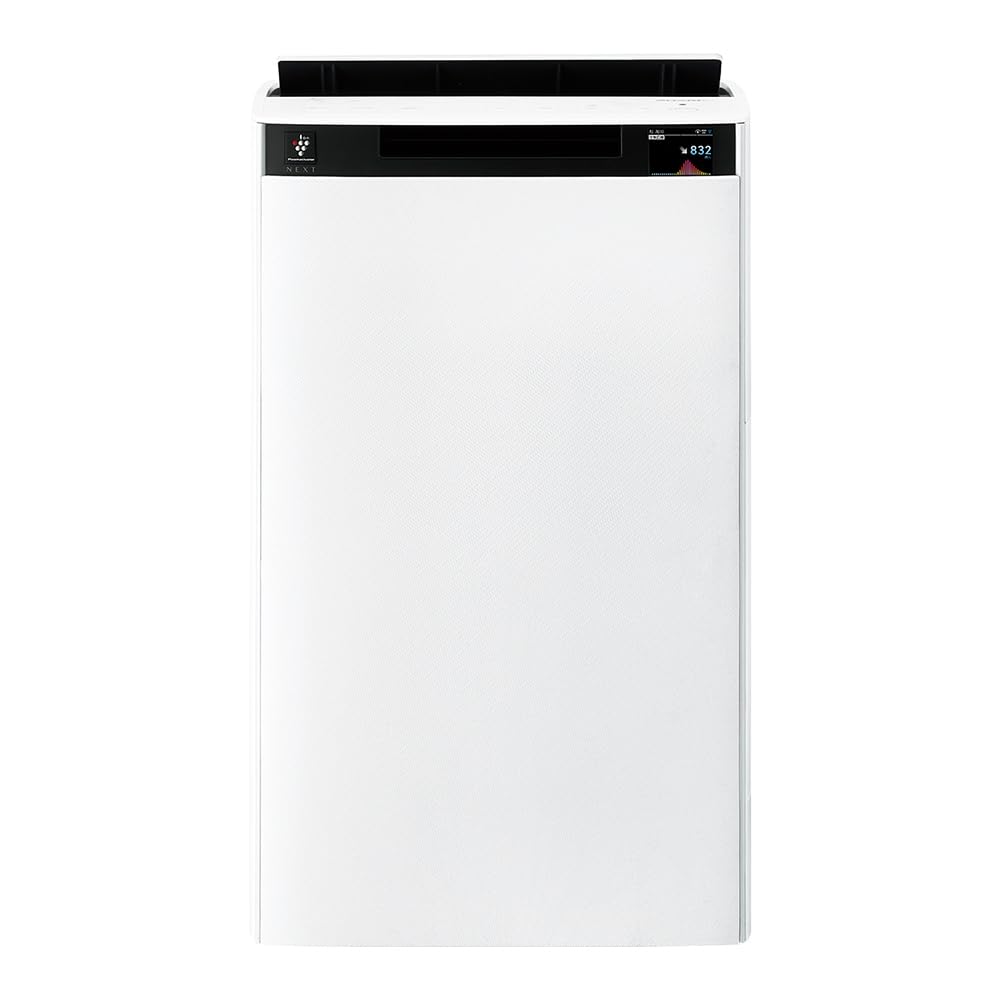
Ön view of the Sharp KI-TX75-W Humidifying Air Purifier.
2. Təhlükəsizlik Məlumatı
Təhlükəsiz işləməyi təmin etmək və zərərin qarşısını almaq üçün aşağıdakı təhlükəsizlik tədbirlərinə əməl edin:
- Always use the appliance with the correct voltage as specified on the rating label.
- Hava giriş və çıxış dəliklərini bağlamayın.
- Keep the appliance away from water and moisture. Do not operate with wet hands.
- Təmizləmədən və ya hər hansı texniki xidmət göstərmədən əvvəl elektrik kabelini ayırın.
- Uşaqların cihazı nəzarətsiz idarə etməsinə icazə verməyin.
- Elektrik kabeli zədələnibsə, təhlükənin qarşısını almaq üçün istehsalçı, onun xidmət agenti və ya oxşar ixtisaslı şəxslər tərəfindən dəyişdirilməlidir.
- Heç bir deşikə yad əşyalar daxil etməyin.
- Cihazı sabit, düz bir səthə qoyun.
3. Quraşdırma
3.1 Qabın açılması və yerləşdirilməsi
- Hava təmizləyicisini qablaşdırmasından ehtiyatla çıxarın.
- Choose a location with adequate space around the unit for optimal airflow. Avoid placing it directly against walls or furniture.
- Ensure the unit is placed on a flat, stable surface. The built-in casters with stoppers allow for easy movement and secure positioning.

The unit features casters with stoppers for convenient movement and secure placement.
3.2 Filtrin quraşdırılması
The unit comes with pre-installed filters. Verify they are correctly seated before first use.
- Open the back panel of the air purifier.
- Ensure the HEPA filter, deodorizing filter, and pre-filter are securely in place.
- Arxa paneli bağlayın.

The air purifier utilizes a three-layer filter system: pre-filter, deodorizing filter, and HEPA filter.
3.3 Su çəninin doldurulması
For humidification, fill the water tank with clean tap water.
- Remove the water tank from the side of the unit.
- Open the water tank cap and fill it with fresh tap water.
- Securely close the cap and reinsert the water tank into the unit.

Remove the water tank from the side of the unit to fill it with water.
3.4 İlkin Yandırma və Şəbəkə Bağlantısı
- Elektrik kabelini divar rozetkasına qoşun.
- İdarə panelindəki güc düyməsini basın.
- To utilize smart features, download the COCORO AIR app on your smartphone and follow the in-app instructions to connect the air purifier to your wireless LAN network.
4. Əməliyyat Təlimatları
4.1 İdarəetmə Paneli Bitdiview

The control panel allows selection of various modes and settings.
4.2 İş rejimləri
- AI AUTO Mode: This intelligent mode automatically adjusts operation based on detected air quality, aiming for a cleanroom Class 8 level environment. It optimizes airflow to effectively collect pollen, dust, and fine particles.
- Hava Təmizləmə Rejimi: Operates solely as an air purifier, removing airborne particles and odors.
- Humidification Mode: Adds moisture to the air while purifying. The unit can deliver up to 900 mL/h of humidification.
- Plasmacluster NEXT: This technology generates high-density Plasmacluster ions (50,000 ions/cm³) to suppress airborne and adhering viruses, allergens, and odors.

AI AUTO mode significantly reduces airborne particles to maintain a clean environment.
4.3 AI Monitor
The AI Monitor visualizes the number of particles in the room and provides feedback on air quality. It displays real-time particle counts and indicates when the air is clean or needs purification.

The AI Monitor provides a visual representation of airborne particle levels.
The AI Monitor also provides notifications for humidification status, maintenance timing, and estimated electricity costs.

Notifications include humidification status, maintenance alerts, and electricity usage.
4.4 COCORO AIR App
Connect your air purifier to the COCORO AIR app via Wi-Fi for enhanced control and monitoring. The app allows you to:
- Monitor air quality and operating status remotely.
- Customize operation schedules and settings.
- Receive notifications for filter replacement and maintenance.
- Access special operating modes, such as pet-specific modes.

The COCORO AIR app provides remote control and monitoring capabilities.
5. Baxım
Daimi texniki qulluq optimal performansı təmin edir və hava təmizləyicinizin ömrünü uzadır.
5.1 Filtrin Təmizlənməsi və Dəyişdirilməsi
- Əvvəlcədən filtr: Clean regularly (e.g., once a month) by vacuuming or washing with water.
- HEPA Filter & Deodorizing Filter: These filters are not washable. Replace them according to the recommended schedule (typically every 1-2 years, depending on usage and environment). The COCORO AIR app will notify you when replacement is due.
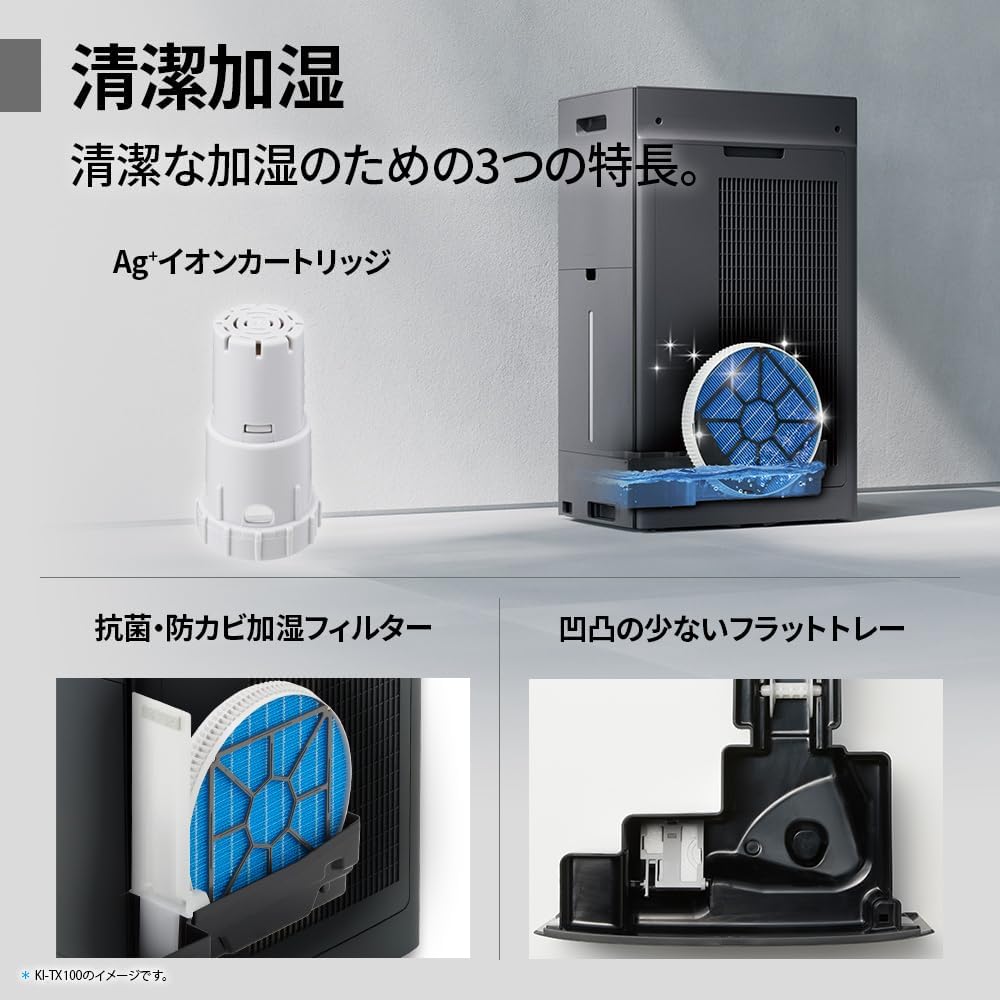
Regularly clean the pre-filter to maintain air purification efficiency.
5.2 Humidifying Filter Maintenance
The humidifying filter can be automatically cleaned using the unit's internal cleaning function. This helps prevent scale buildup.
- Remove the water tank and humidifying filter assembly.
- Add a small spoon of citric acid (commercially available) to the water tank and fill with water.
- Press the internal humidification cleaning button on the unit.
- After the cleaning cycle, rinse the tank and filter thoroughly.

The humidifying filter can be automatically cleaned using citric acid and water.
5.3 Ag+ Ion Cartridge Replacement
The Ag+ ion cartridge helps keep the water in the tank clean. Replace it approximately once a year.

Replace the Ag+ ion cartridge annually for optimal water tank hygiene.
6. Giderme
Hava təmizləyicinizlə bağlı problemlərlə qarşılaşsanız, aşağıdakı ümumi problemlərə və həllərə baxın:
| Problem | Mümkün Səbəb | Həll |
|---|---|---|
| Cihaz işə düşmür. | Elektrik kabeli düzgün qoşulmayıb. Çıxışdan elektrik yoxdur. | Elektrik kabeli bağlantısını yoxlayın. Rozeti başqa bir cihazla yoxlayın. |
| Weak airflow or poor purification. | Filters are dirty or clogged. Air intake/outlet blocked. | Clean or replace filters. Ensure vents are clear. |
| No humidification or low humidity output. | Water tank is empty. Humidifying filter is dirty. | Refill water tank. Clean the humidifying filter. |
| Əməliyyat zamanı qeyri-adi səs-küy. | Unit not on a level surface. Foreign object in fan. | Ensure unit is stable. Check for obstructions (unplug first). |
| AI Monitor shows high particle count despite operation. | Filters need cleaning/replacement. Room size exceeds recommended area. | Perform filter maintenance. Consider unit placement or additional units for larger spaces. |
Bu həlləri sınadıqdan sonra problem davam edərsə, müştəri dəstəyi ilə əlaqə saxlayın.
7. Spesifikasiyalar
| Xüsusiyyət | Spesifikasiya |
|---|---|
| Model nömrəsi | KI-TX75-W |
| Brend | Kəskin |
| Ölçülər (G x D x Y) | 39.5 sm x 26.5 sm x 65 sm |
| Çəki | 12 kq |
| Güc mənbəyi | Kabelli Elektrik |
| Səs-küy Səviyyəsi | 20-52 dB |
| Recommended Room Size (Plasmacluster) | Up to 18 tatami (~29.7 m²) |
| Recommended Room Size (Air Purification) | Up to 34 tatami (~56.1 m²) |
| Maximum Humidification Capacity | 900 ml/saat |
| Air Purification Time (8 tatami) | 9 dəqiqə |
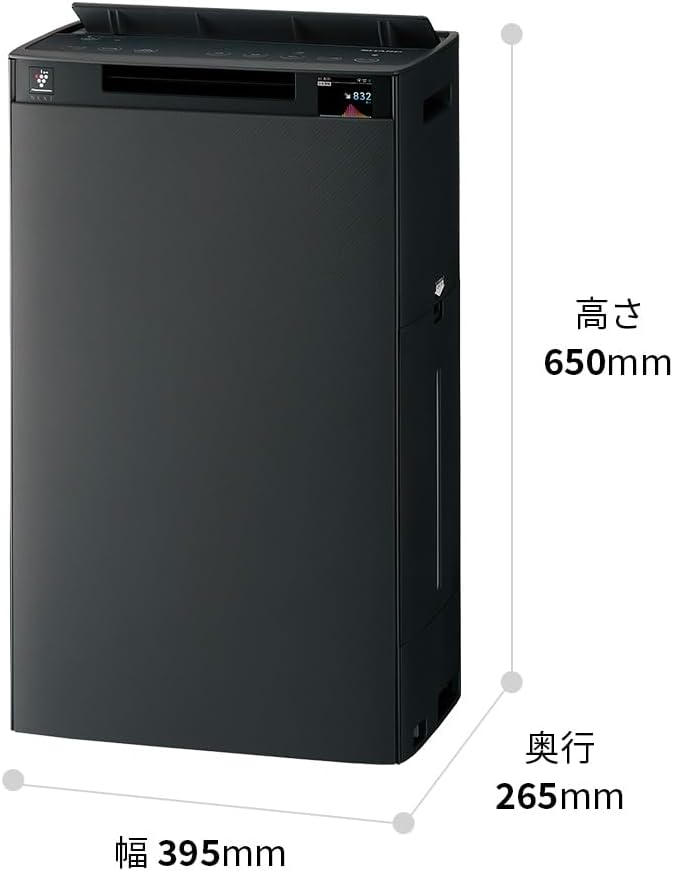
Detailed dimensions of the Sharp KI-TX75-W.
8. Zəmanət və Dəstək
8.1 İstehsalçı zəmanəti
This Sharp KI-TX75-W Humidifying Air Purifier comes with a 1 illik istehsalçı zəmanəti satın alındığı tarixdən. Bu zəmanət normal istifadə zamanı material və işlənmə qüsurlarını əhatə edir. Zəmanət iddiaları üçün satınalma sübutunuzu özündə saxlayın.
Zəmanət, sui-istifadə, qəza, icazəsiz modifikasiya və ya bu təlimat kitabçasındakı təlimatlara əməl edilməməsi nəticəsində yaranan zərərləri əhatə etmir.
8.2 Müştəri dəstəyi
For technical assistance, warranty service, or inquiries about replacement parts, please contact Sharp customer support.
You can find additional support resources and FAQs on the official Sharp websayt: