3. Paketin məzmunu
Bütün əşyaların paketdə olduğunu yoxlayın:
- JONSBO ZA-240B PC Case Fan Unit (with 2x120mm ARGB Fans)
- Montaj vintləri
- Sənədlər (bu təlimat)

Image: JONSBO ZA-240B fan unit with its integrated cables for power and ARGB connection.
Model: ZA-240B
This manual provides detailed instructions for the installation, operation, and maintenance of your JONSBO ZA-240B PC Case Fan. Please read this manual thoroughly before installation and use to ensure proper function and longevity of the product. The JONSBO ZA-240B is an all-in-one unit featuring two 120mm ARGB fans, designed for efficient cooling and customizable lighting within a PC chassis.
Bütün əşyaların paketdə olduğunu yoxlayın:
Image: JONSBO ZA-240B fan unit with its integrated cables for power and ARGB connection.

Şəkil: Ön view of the JONSBO ZA-240B PC Case Fan showcasing its ARGB lighting and infinity mirror effect.
Follow these steps to install the JONSBO ZA-240B PC Case Fan into your computer chassis:

Image: JONSBO ZA-240B fan unit installed at the top of a PC case, demonstrating typical mounting.
The JONSBO ZA-240B fan unit utilizes Pulse Width Modulation (PWM) technology, allowing your motherboard to dynamically adjust fan speeds based on system temperature. This ensures optimal cooling performance while minimizing noise levels. You can configure fan curves through your motherboard's BIOS/UEFI settings or using compatible software provided by your motherboard manufacturer.
The Addressable RGB (ARGB) lighting of the ZA-240B can be controlled via your motherboard's ARGB software (e.g., ASUS Aura Sync, MSI Mystic Light Sync, GIGABYTE RGB Fusion, ASRock Polychrome Sync). Ensure your motherboard supports 3-pin 5V ARGB headers. This software allows you to customize lighting effects, colors, and synchronization with other ARGB components in your system.
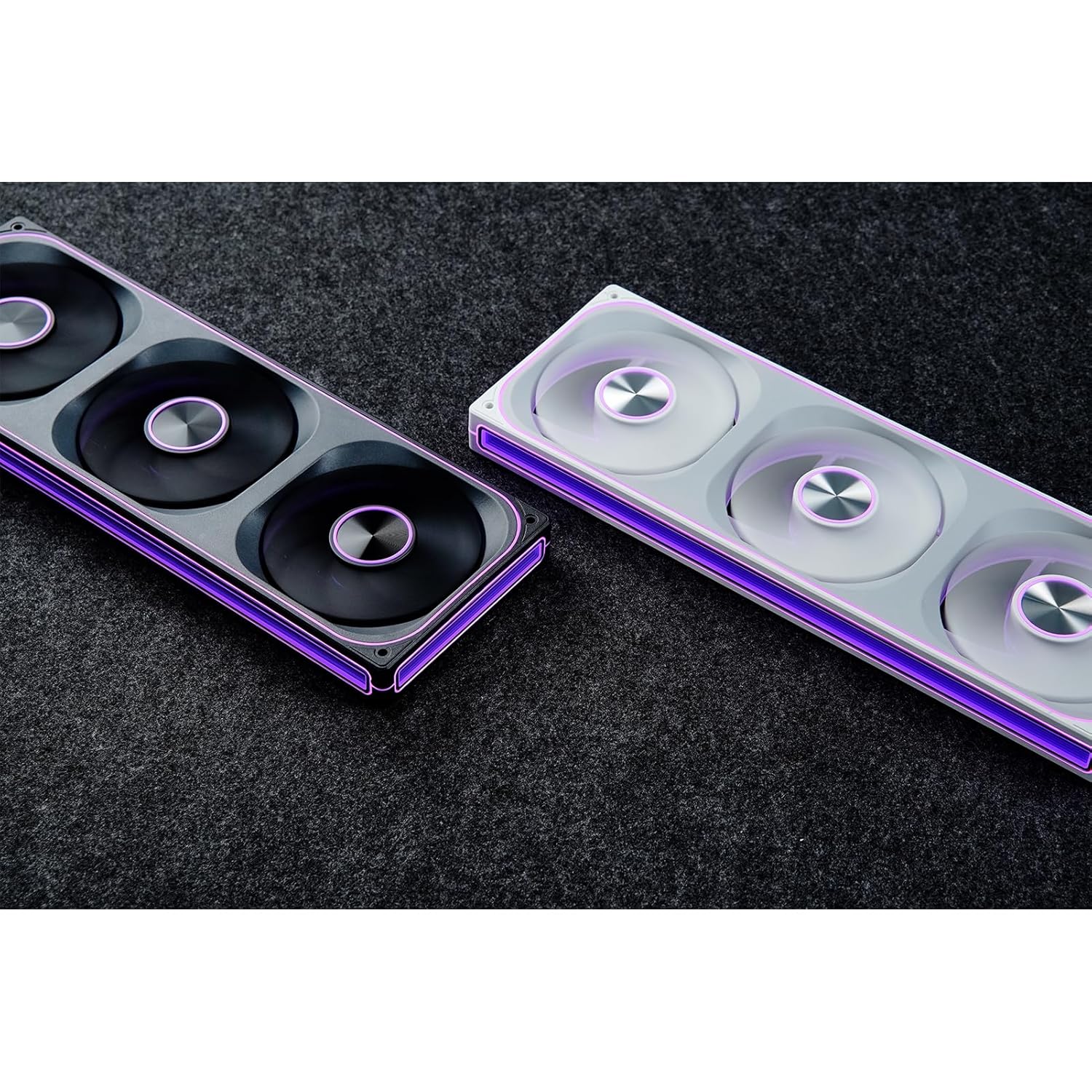
Image: The JONSBO ZA-240B fan unit displaying its customizable ARGB lighting within a computer system.
Regular maintenance helps ensure optimal performance and extends the lifespan of your fan unit.
| Məsələ | Mümkün Səbəb | Həll |
|---|---|---|
| Fan fırlanmır | Loose or incorrect PWM cable connection. Insufficient power. | Check the 4-pin PWM cable connection to the motherboard. Ensure the motherboard is supplying power to the fan header. |
| ARGB lighting not working | Loose or incorrect ARGB cable connection. Connected to 12V RGB header. Motherboard ARGB software not configured. | Verify the 3-pin ARGB cable is securely connected to a 5V ARGB header. Ensure it is not connected to a 12V RGB header. Check motherboard ARGB software settings. |
| Fan is too loud | Fan speed set too high. Obstruction. | Adjust fan speed settings in your motherboard's BIOS/UEFI or software. Ensure no cables or objects are obstructing the fan blades. |
| Zəif soyutma performansı | Insufficient airflow. Dust buildup. Incorrect fan orientation. | Ensure proper airflow within the case. Clean dust from fans. Verify fan is oriented to push or pull air in the desired direction. |
| Xüsusiyyət | Detal |
|---|---|
| Model nömrəsi | ZA-240B |
| Fan ölçüsü | 2 x 120mm (integrated unit) |
| Fan Thickness | 28 mm |
| Fırlanma sürəti | 700-2400 RPM (±10%) |
| Səs-küy Səviyyəsi | 21.3-37.3 dB(A) |
| Güc birləşdiricisi | 4-Pin PWM |
| ARGB Bağlayıcı | 3-Pin 5V ARGB |
| Cildtage | DC 12 Volts (Fan), 5 Volts (LED) |
| Wattage | 5.16 watts (Fan), 5.80 watts (LED) |
| Uyğun Cihazlar | PC qutusu |
| Dimensions (Parcel) | 29.97 x 15.75 x 4.19 sm |
| Weight (Parcel) | 707.6 q |
For warranty information and technical support, please refer to the official JONSBO websayta daxil olun və ya satıcınızla əlaqə saxlayın. Zəmanət iddiaları üçün satınalma sübutunuzu saxlayın.
 |
Jonsbo Fan Təhlükəsizliyi Təlimatları və Xəbərdarlıqları Bu sənəd mexaniki təhlükəsizlik, elektrik təhlükəsizliyi, havalandırma və texniki xidməti əhatə edən Jonsbo Fan üçün əsas təhlükəsizlik təlimatları və xəbərdarlıqları təqdim edir. O, məhsulun təhlükəsiz idarə edilməsi və düzgün istifadəsi üçün nəzərdə tutulub. |
 |
JONSBO SL-120 Silent Series 120mm Fan Product Manual Product manual for the JONSBO SL-120 Silent Series 120mm PC cooling fan. Details features, technical specifications, installation guide, and troubleshooting for this low-noise, customizable RGB fan. |
 |
Jonsbo D31 Kompüter Kassası Quraşdırma Bələdçisi və Xüsusiyyətləri Jonsbo D31 kompüter korpusu üçün hissələrin siyahısını, şassi xüsusiyyətlərini, PSU və qrafik kartı quraşdırılmasını, soyutma seçimlərini və uyğunluğu əhatə edən hərtərəfli bələdçi. Kompüterinizi qurmaq üçün ətraflı addımları ehtiva edir. |
 |
JONSBO C6 PC Case: İstifadəçi Təlimatı və Quraşdırma Təlimatı JONSBO C6 PC korpusu üçün hərtərəfli istifadəçi təlimatı və quraşdırma təlimatı. Bu sənəd paketin məzmunu, komponentin identifikasiyası və kompüterinizi qurmaq üçün addım-addım montaj təlimatlarını təfərrüatlandırır. |
 |
JONSBO NV10 PC Case Quraşdırma Bələdçisi JONSBO NV10 PC korpusu üçün hərtərəfli quraşdırma təlimatı, paketin məzmunu, hissələri, birləşdiriciləri və kompüterinizi qurmaq üçün addım-addım montaj təlimatları. |
 |
JONSBO N5 NAS Case İstifadəçi Təlimatı JONSBO N5 NAS qutusu üçün ətraflı istifadəçi təlimatı, məhsulun xüsusiyyətlərini, hissələrin siyahısını və enerji təchizatı, anakart, yaddaş diskləri və soyutma kimi komponentlər üçün addım-addım quraşdırma təlimatlarını əhatə edir. |