Giriş
This manual provides detailed instructions for setting up, operating, and maintaining your Avantree HT4186-Q Wireless Earbuds and Transmitter. This system is designed to provide a high-quality audio experience for TV watching, featuring aptX Adaptive technology for minimal audio delay and boosted volume capabilities. Please read this manual thoroughly before use to ensure optimal performance and longevity of your device.
Qutuda nə var
Bütün komponentləri diqqətlə çıxarın və aşağıdakı əşyaları aldığınızdan əmin olun:
- Audikast-3 Transmitter
- NB16-Q Earbuds
- 2 Type C Power & Charging Cables for Transmitter & Earbuds
- Optik səs kabeli
- 3.5 mm AUX Audio Kabel
Məhsul Bitdiview & Əsas Xüsusiyyətlər
The Avantree HT4186-Q system offers several features designed to enhance your TV audio experience:
- Dodaq Sinxronizasiyası Gecikmələri Yoxdur: Enjoy perfectly synchronized audio and visuals with aptX Adaptive technology, ensuring latency of less than 50ms.
- Geniş Uyğunluq: The transmitter works with TVs featuring Optical (TOSLINK), AUX (3.5mm), or RCA audio outputs. For Smart TVs with built-in Bluetooth, the earbuds can connect directly.
- Qualcomm Powered: An advanced Qualcomm chipset provides clearer sound, stable connections, and reliable performance.
- Boosted Volumes: Addresses low volume issues often associated with optical connections by providing a built-in 6dB optical volume boost.
- Genişləndirilmiş Aralıq: Maintain a stable connection up to 100ft / 30m from the transmitter.
- Secure Neckband Design: The earbuds feature a comfortable and secure neckband for extended wear.
- Uzun oyun vaxtı: Up to 20 hours of battery life on a single charge.

The Avantree HT4186-Q Wireless Earbuds and Transmitter system.
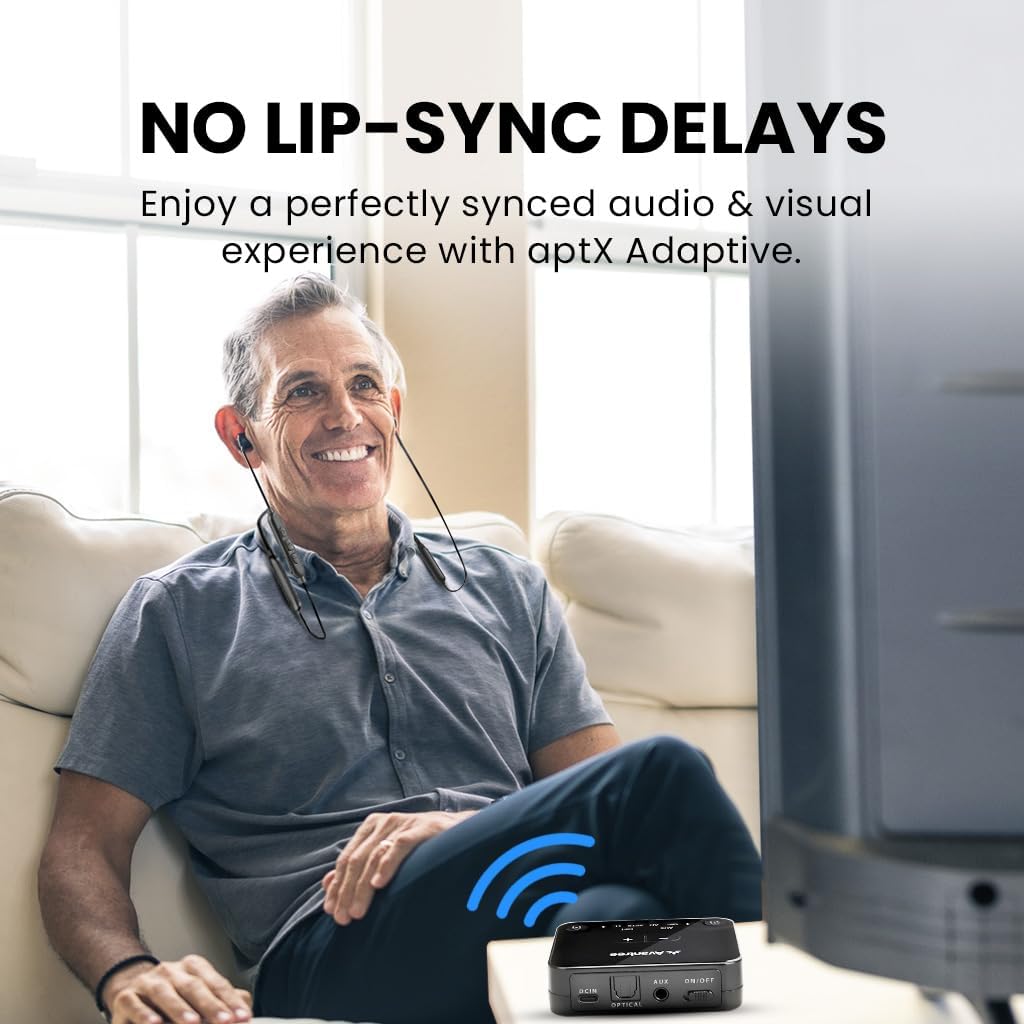
Experience perfectly synchronized audio and visuals with aptX Adaptive technology.

The transmitter supports Optical (TOSLINK), AUX (3.5mm), and Smart TV built-in Bluetooth. It does not support HDMI-only TVs or simultaneous soundbar passthrough.

Benefit from boosted volumes, providing up to +6dB to overcome fixed output volumes when using optical connections.

Maintain a strong and stable connection with an extended range of up to 100ft (30m).
Quraşdırma Bələdçisi
For the easiest and most interactive setup experience, scan the QR code provided on your product packaging or the transmitter itself. This will guide you through the process step-by-step. Alternatively, follow the general steps below:
Watch this interactive user guide video for a simplified setup process for your Avantree HT4186-Q Earbuds for TV.
1. Ötürücüyə enerji təchizatı
- Connect one end of the provided USB Type-C power cable to the DCIN port on the Audikast-3 Transmitter.
- Connect the other end of the USB cable to a USB port on your TV (if available) or a 5V/500mA-2A rated USB wall adapter (not included). This allows the transmitter to power on/off with your TV.

Step 1: Plug the power cable into the transmitter's DCIN port.
2. Connecting to your TV's Audio Output
The HT4186-Q transmitter supports Optical (TOSLINK), AUX (3.5mm), and RCA audio outputs. Choose the appropriate cable based on your TV's available ports:
- Optik (tövsiyə olunur): Connect the Optical Audio Cable from your TV's "Optical Out" port to the "OPTICAL" port on the transmitter.
- AUX (3.5 mm): Connect the 3.5mm AUX Audio Cable from your TV's "Audio Out" (headphone jack) to the "AUX" port on the transmitter.
- RCA: Use an RCA to 3.5mm adapter (not included) to connect to your TV's red and white RCA audio output ports, then connect the 3.5mm end to the "AUX" port on the transmitter.

Connect the transmitter to your TV's audio output port using the appropriate cable.
3. TV Audio Parametrləri
After connecting the transmitter, you may need to adjust your TV's audio output settings. Navigate to your TV's sound settings menu and select the correct output:
- For Optical connection, select "Optical Out" or "External Speaker" and ensure the digital audio format is set to PCM (not Dolby/DTS).
- For AUX connection, select "Headphone Out" or "Audio Out".

Adjust your TV's sound output settings to match your connection type.
4. Pairing Earbuds with Transmitter
The NB16-Q earbuds and Audikast-3 transmitter are pre-paired from the factory. Simply power on both devices, and they should connect automatically. The LED indicators on both devices will turn solid blue once connected.
- Ensure the earbuds are charged before first use.
- If they do not connect automatically, place both the earbuds and transmitter into pairing mode (refer to the Operating Instructions section for details).

The earbuds and transmitter should automatically connect when powered on.
5. Enjoy Your Audio
Once connected, you can enjoy your TV audio privately through the earbuds. Adjust the volume using the controls on the earbuds.

Enjoy clear, synchronized TV audio without disturbing others.
Əməliyyat Təlimatları
Earbuds (NB16-Q)
- Yandırma/Söndürmə: Çox funksiyalı düyməni 3 saniyə basıb saxlayın.
- Səs səviyyəsinə nəzarət: Use the '+' and '-' buttons on the neckband to adjust volume.
- Cütləşdirmə rejimi: From OFF status, press and hold the multi-function button for 7 seconds until the LED indicator flashes red and blue alternately.
- Doldurulur: Connect the Type-C charging cable to the earbuds' charging port. The LED will indicate charging status.
Transmitter (Audikast-3)
- Yandırma/Söndürmə: Use the ON/OFF switch. If connected to TV USB, it will power on/off with the TV.
- Audio Giriş Seçimi: The transmitter automatically detects the active audio input (Optical or AUX).
- Cütləşdirmə rejimi: Press and hold the pairing button (usually marked with a headphone icon) for 3 seconds until the LED flashes blue rapidly.
- Adding a Second Pair of Earbuds: To connect a second pair of Avantree Bluetooth headphones, put the second headphones into pairing mode, then briefly press the pairing button on the transmitter.
Baxım
To ensure the longevity and optimal performance of your Avantree HT4186-Q system, follow these maintenance guidelines:
- Təmizləmə: Use a soft, dry cloth to clean the earbuds and transmitter. Avoid using harsh chemicals or abrasive materials.
- Yaddaş: Cihazları sərin, quru yerdə, birbaşa günəş işığından və həddindən artıq temperaturdan uzaq saxlayın.
- Doldurulur: Charge the earbuds regularly, even if not in frequent use, to maintain battery health. Avoid overcharging.
- Suya məruz qalma: The devices are not waterproof. Avoid exposure to water or excessive moisture.
Problemlərin aradan qaldırılması
Hər hansı bir problemlə qarşılaşsanız, aşağıdakı ümumi həllərə baxın:
Səs yoxdur
- Bağlantıları yoxlayın: Ensure all cables (power, audio) are securely connected to both the TV and the transmitter.
- TV Audio Output: Verify your TV's audio output settings are correctly configured for the connected port (e.g., Optical Out, PCM format).
- Earbud/Transmitter Pairing: Confirm that the earbuds and transmitter are successfully paired (solid blue LED). If not, re-pair them.
- Səs Səviyyələri: Adjust the volume on both the earbuds and your TV.
Səs Gecikməsi (Dodaq Sinxronizasiyası Problemi)
- Ensure both the earbuds and transmitter support aptX Adaptive for the lowest latency.
- Check if your TV has any audio delay settings that can be adjusted.
Qulaqcıqlar Doldurulmur
- Verify the charging cable is properly connected to both the earbuds and a working USB power source.
- Fərqli USB portu və ya güc adapterini sınayın.

Əlavə yardım üçün Avantree müştəri dəstəyi ilə əlaqə saxlayın.
Spesifikasiyalar
| Xüsusiyyət | Spesifikasiya |
|---|---|
| Model Adı | HT4186 |
| Bağlantı texnologiyası | Bluetooth |
| Simsiz Rabitə Texnologiyası | Bluetooth |
| Bluetooth versiyası | 5.3 |
| Bluetooth diapazonu | 10 Metr (33 fut) |
| Səs gecikməsi | 50 Milliseconds (with aptX Adaptive) |
| Batareya Ömrü (Qulaqcıqlar) | 20 saat |
| Doldurma vaxtı | 2 saat |
| Qulaqlıq yuvası | 3.5 mm Jack (on transmitter for AUX input) |
| Qulaqların Yerləşdirilməsi | Qulaqda |
| Forma faktoru | Qulaqda |
| Maddə Çəkisi | 196 qram (6.9 unsiya) |
| Məhsul Ölçüləri | 16.14 x 4.72 x 0.39 düym |
| Uyğun Cihazlar | TVs with optical (TOSLINK), AUX (3.5mm), or built-in Bluetooth audio outputs |
Zəmanət və Dəstək
Avantree products come with a standard warranty. For the HT4186-Q, you can register for a FREE 24-month coverage. Please refer to the QR code provided with your product or visit the Avantree website for details on how to register and claim your extended warranty.
If you require technical assistance, troubleshooting, or have any questions regarding your product, please contact Avantree customer support:
- E-poçt: support@avantree.com
- Onlayn dəstək: Visit the Avantree website and navigate to the support section for FAQs, guides, and contact options.
Please have your product model number (BTHT-4186-Q) and purchase details ready when contacting support.


