1. Giriş
Aldığınız üçün təşəkkür edirikasing the ELECOM LBT-ECOWS01MBK Open-Ear Bluetooth 5.4 Wireless Headphones. These headphones are designed to allow you to enjoy audio content while remaining aware of your surroundings. This manual provides essential information for the safe and effective use of your new device.

Image: The ELECOM LBT-ECOWS01MBK open-ear wireless headphones and their transparent charging case.
2. Paketin məzmunu
- ELECOM LBT-ECOWS01MBK Open-Ear Wireless Headphones (Left and Right)
- Doldurma qutusu
- USB Charging Cable (USB-A to USB Type-C™)
- Tez Başlanğıc Bələdçisi
3. Məhsulun xüsusiyyətləri
- Açıq Qulaq Dizaynı: Listen to music or videos while simultaneously hearing ambient sounds, ensuring awareness of your surroundings.
- Yüngül Rahatlıq: Each earbud weighs approximately 9.8g, providing a comfortable fit for extended wear without pressure or stuffiness.
- Yüksək keyfiyyətli audio: Equipped with a large 16mm diameter driver for clear sound and supports AAC codec for high-quality audio on compatible devices like iPhones.
- Səs rejimi: Optimizes audio frequencies to make human voices clearer, ideal for radio, audiobooks, and conversations.
- Aşağı gecikmə rejimi: Reduces audio-visual delay, enhancing the experience for videos and games.
- Genişləndirilmiş Oynatma: Up to 10 hours of continuous playback on a single charge, and up to 25 hours with the charging case.
- Toxunma Sensorunun Nəzarətləri: Conveniently manage music playback, volume, and calls directly from the earbuds.
- Səsli köməkçi dəstəyi: Əlsiz idarəetmə üçün Siri və Google Assistant ilə uyğun gəlir.
- Tək Qulaqlıq İstifadəsi: İstənilən qulaqlıq müstəqil olaraq istifadə edilə bilər.
- USB Type-C™ Charging: The charging case features a USB Type-C™ port for convenient charging.

Image: A man wearing the open-ear headphones, demonstrating the ability to hear ambient sounds while enjoying media.
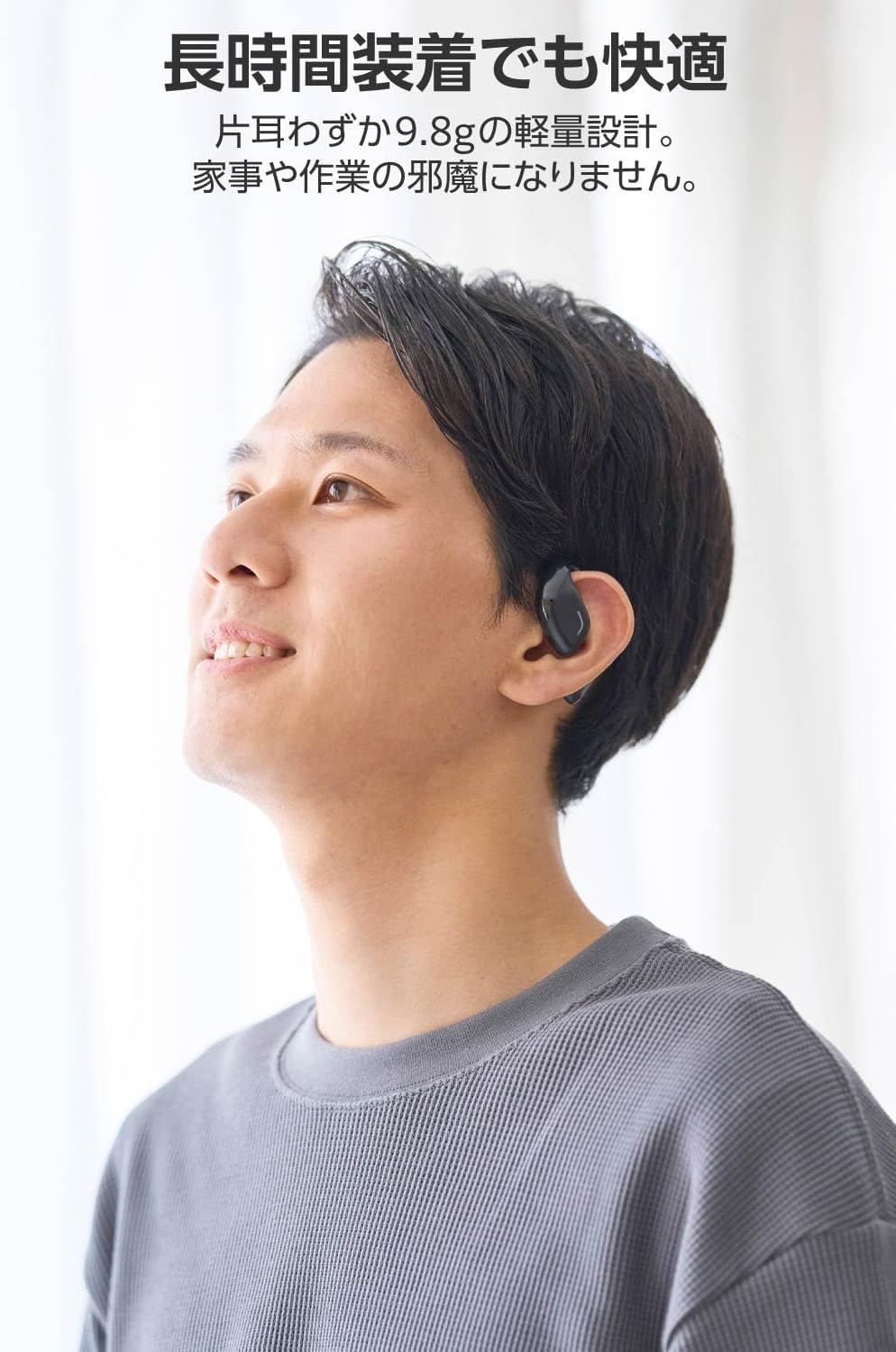
Image: A man wearing the lightweight open-ear headphones, highlighting their comfortable design for long-term use.
4. Quraşdırma
4.1. Qulaqlıq və qutunun doldurulması
İlk istifadə etməzdən əvvəl qulaqlıqları və şarj qutusunu tam doldurun.
- Hər iki qulaqlığı şarj qutusuna yerləşdirin.
- Connect the supplied USB Type-C™ cable to the charging port on the case and a USB power adapter (not included).
- Şarj qutusundakı LED göstəricisi şarj vəziyyətini göstərəcək.
Doldurma vaxtı:
- Headphones: Approximately 1.5 hours
- Charging Case: Approximately 1.5 hours

Image: Illustration of the charging process for the headphones and case, showing the USB-C port and LED indicators.
4.2. Bluetooth Cihazı ilə qoşalaşma
- Qulaqlıqların doldurulduğundan əmin olun.
- Open the charging case. The headphones will automatically enter pairing mode. The LED indicator on the earbuds will flash.
- On your device (smartphone, PC, tablet), enable Bluetooth and search for available devices.
- Select "LBT-ECOWS01MBK" from the list of found devices.
- Qoşulduqdan sonra qulaqcıqlardakı LED göstəricisi yanıb-sönməyi dayandıracaq.
- After initial pairing, the headphones will automatically connect to the last paired device when removed from the case.
4.3. Qulaqcıqların taxılması
The headphones are designed to hook over your ears.
- Sol (L) və Sağ (R) qulaqlıqları müəyyənləşdirin.
- With the LED facing outwards, hook the earbud over the top of your ear.
- Adjust the earbud for a comfortable and secure fit.

Image: Step-by-step guide on correctly wearing the open-ear headphones.
5. Əməliyyat Təlimatları
5.1. Touch Sensor Controls
The headphones feature touch sensors on each earbud for various functions.
| Funksiya | Fəaliyyət | Qulaqlıq |
|---|---|---|
| Oynat/Pause | Tək toxunma | L və ya R |
| Növbəti Track | İki dəfə vurun | R |
| Əvvəlki Track | İki dəfə vurun | L |
| Səs artır | Uzun basma (təxminən 2 saniyə) | R |
| Səsi azaldın | Uzun basma (təxminən 2 saniyə) | L |
| Zəngə Cavab Vermək/Bitirmək | Tək toxunma | L və ya R |
| Zəngi rədd et | Uzun basın | L və ya R |
| Səsli köməkçini aktivləşdirin | Üç dəfə vurun | L və ya R |

Image: Visual representation of the touch sensor areas and corresponding music and volume controls.
5.2. Switching Audio Modes
The headphones offer three distinct audio modes:
- Normal rejim: Standard audio playback.
- Aşağı gecikmə rejimi: Reduces audio-visual delay, suitable for watching videos or playing games.
- Səs rejimi: Enhances human voice frequencies for clearer dialogue, ideal for audiobooks, podcasts, or calls.
To switch between modes, refer to the quick start guide or the official product page for specific touch gestures, as these can sometimes be customized.

Şəkil: Artıqview of the three available audio modes and their recommended uses.
5.3. Tək Qulaqlıq İstifadəsi
You can use either the left or right earbud independently. When using only one earbud, ensure the other earbud is powered off or stored in the charging case.
6. Baxım
Qulaqlıqlarınızın uzunömürlülüyünü və optimal işləməsini təmin etmək üçün:
- Qulaqcıqları və şarj qutusunu mütəmadi olaraq yumşaq, quru bir parça ilə təmizləyin.
- Aşındırıcı təmizləyicilərdən və ya həlledicilərdən istifadə etməyin.
- Qulaqlıqları həddindən artıq temperatura, rütubətə və ya birbaşa günəş işığına məruz qoymaqdan çəkinin.
- Qulaqlıqlardakı və qutunun içərisindəki şarj kontaktlarını təmiz və zibilsiz saxlayın.
- Qulaqlıqları qorumaq və doldurulmuş vəziyyətdə saxlamaq üçün istifadə edilmədikdə onları doldurma qutusunda saxlayın.
7. Giderme
Qulaqlıqlarınızla bağlı problemlərlə qarşılaşsanız, aşağıdakı ümumi həll yollarına müraciət edin:
- Səs yoxdur:
- Qulaqlıqların doldurulduğundan əmin olun.
- Qulaqlıqların düzgün şəkildə qoşulduğunu və cihazınıza qoşulduğunu yoxlayın.
- Həm qulaqlıqlarda, həm də qoşulmuş cihazınızda səs səviyyəsini tənzimləyin.
- Cütləşdirmək mümkün deyil:
- Ensure the headphones are in pairing mode (LED flashing).
- Daha əvvəl qoşulmuş ola biləcək digər yaxınlıqdakı cihazlarda Bluetooth-u söndürün.
- Cihazınızı yenidən başladın və yenidən cütləşdirməyə cəhd edin.
- Fasiləli Bağlantı:
- Qulaqlıqlar və cihazınız arasında heç bir maneə olmadığından əmin olun.
- Move closer to your device (maximum communication distance is approximately 10m).
- Güclü elektromaqnit müdaxiləsi olan mühitlərdən çəkinin.
- Toxunma İdarəetmələri Cavab Vermir:
- Barmaqlarınızın təmiz və quru olduğundan əmin olun.
- Try restarting the headphones by placing them in the case and then taking them out again.
- Low Battery Voice Prompt: If you hear a repeated "Low Battery, please charge" prompt, place the earbuds in the charging case immediately.
If the issue persists, please refer to the official ELECOM support webəlavə yardım üçün sayt.
8. Spesifikasiyalar
| Xüsusiyyət | Spesifikasiya |
|---|---|
| Model Adı | LBT-ECOWS01MBK |
| Bağlantı texnologiyası | Wireless (Bluetooth® Version 5.4) |
| Bluetooth Profiles | A2DP, AVRCP, HFP |
| Dəstəklənən Kodeklər | AAC, SBC |
| Maksimum Rabitə Məsafəsi | Approx. 10m (without obstacles) |
| Frequency Response (A2DP) | 20-20,000Hz |
| Davamlı Oynatma vaxtı | Approx. 10 hours (Approx. 25 hours with charging case) |
| Doldurma vaxtı (Qulaqlıq) | təqribən. 1.5 saat |
| Doldurma Müddəti (Kütlə) | təqribən. 1.5 saat |
| Mikrofon növü | MEMS növü |
| Sürücü vahidi | φ16mm Full Range |
| Çəki (bir qulaqlıq üçün) | təqribən. 9.8q |
| Çəki (Şarj qutusu) | təqribən. 59.0q |
| Rəng | Mat Qara |
| Suya davamlılıq | Su keçirməyən |
| İşləmə temperaturu | 5 ℃ ilə 35 ℃ arasında |
| Əməliyyat Rütubəti | 20% - 80% (kondensasiya olunmayan) |
9. Zəmanət və Dəstək
9.1. Zəmanət Məlumatı
Bu məhsul a ilə gəlir 1 il zəmanət from the date of purchase. Please retain your proof of purchase for warranty claims. The warranty covers manufacturing defects but does not cover damage caused by misuse, accidents, unauthorized modifications, or normal wear and tear.
9.2. Müştəri dəstəyi
For further assistance, technical support, or detailed product information, please visit the official ELECOM websayt:
You may also find additional FAQs and troubleshooting tips on the product support pages.