1. Giriş
The MCHOSE G75 Pro is a versatile 75% layout wireless mechanical keyboard designed for optimal performance and user experience. It features a gasket-mounted structure with 5 layers of sound and shock-absorbing dampening, vibrant RGB backlighting, and tri-mode connectivity (2.4GHz wireless, Bluetooth, and wired USB-C). The keyboard also supports hot-swappable switches, allowing for easy customization and maintenance.
2. Paketin məzmunu
Zəhmət olmasa, paketinizdə bütün əşyaların olduğunu yoxlayın:
- MCHOSE G75 Pro Wireless Mechanical Keyboard
- USB-C-dən USB-A kabelinə
- 2.4GHz Simsiz Alıcı
- Düymə qapağı çəkicisi
- İstifadəçi Təlimatı (bu sənəd)
3. Məhsul bitdiview
The MCHOSE G75 Pro features a compact 75% layout, which includes function keys, arrow keys, and a navigation cluster, while minimizing desk space. Its robust construction incorporates a gasket-mounted design for a flexible and comfortable typing feel.

Image: The MCHOSE G75 Pro keyboard showcasing its compact 75% layout.
Internally, the keyboard utilizes a 5-layer dampening system, including Poron foam, IXPE foam, and a PET film, to enhance typing acoustics and reduce vibrations, providing a satisfying sound profile.

Image: Diagram illustrating the 5-layer gasket-mounted dampening structure of the keyboard.
The keyboard offers flexible connectivity options through a mode switch located on the side, allowing seamless transitions between wired, 2.4GHz wireless, and Bluetooth modes.
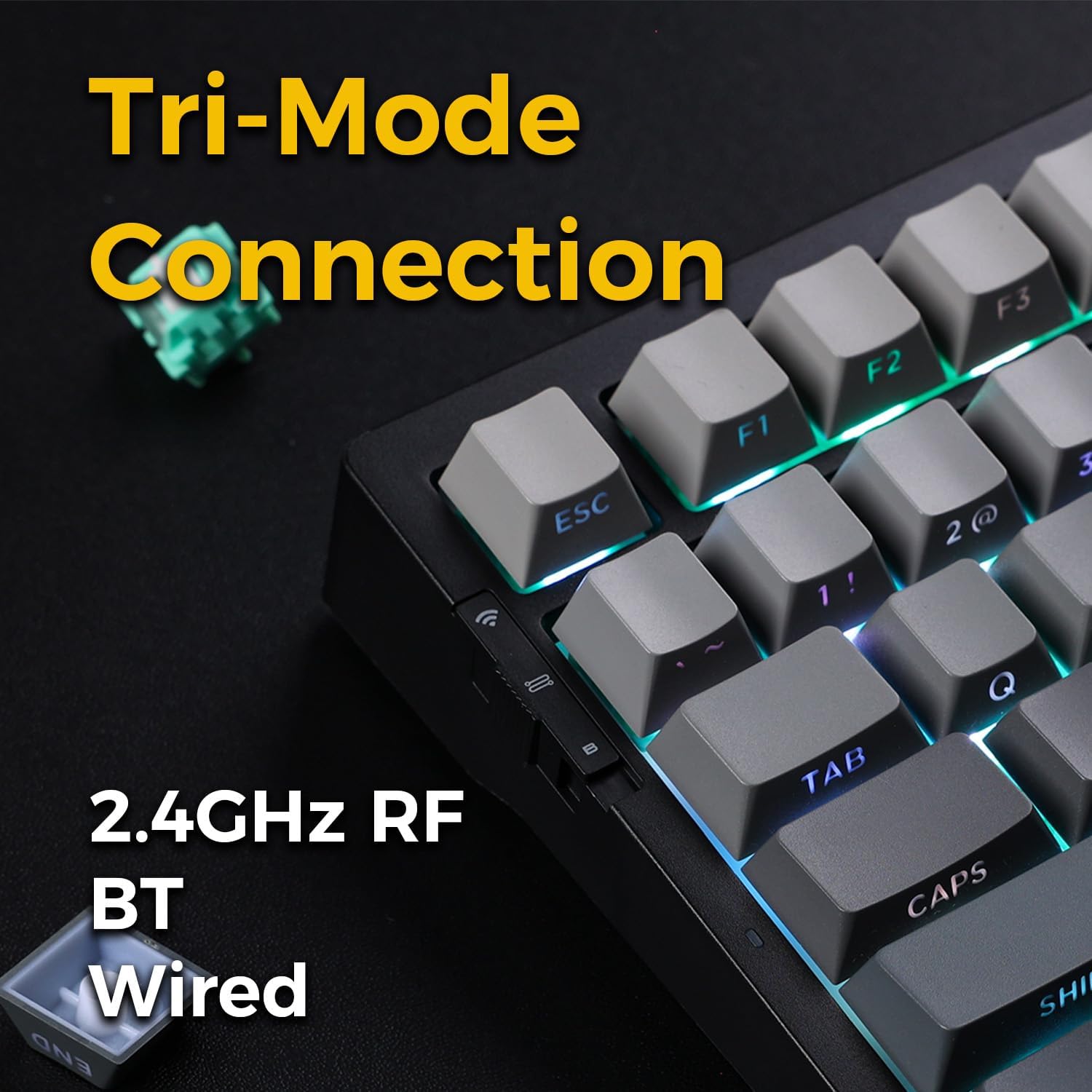
Image: Close-up of the tri-mode connection switch and USB-C port on the keyboard's side.
4. Quraşdırma
4.1 İlkin Doldurma
Before first use, connect the keyboard to a USB power source using the provided USB-C cable. The keyboard is equipped with 2 Lithium Polymer batteries. A full charge ensures optimal wireless performance.
4.2 Qoşulma Rejimləri
The MCHOSE G75 Pro supports three connection modes: Wired, 2.4GHz Wireless, and Bluetooth. Use the switch on the side of the keyboard to select your desired mode.
4.2.1 Simli əlaqə
- Set the mode switch on the keyboard to the 'Wired' position.
- Kabelin USB-C ucunu klaviaturaya, USB-A ucunu isə kompüterinizə qoşun.
- Klaviatura əməliyyat sisteminiz tərəfindən avtomatik olaraq tanınacaq.
4.2.2 2.4GHz Simsiz Bağlantı
- Set the mode switch on the keyboard to the '2.4G' position.
- Insert the 2.4GHz wireless receiver into an available USB port on your computer.
- The keyboard should connect automatically. If not, press and hold the Fn key + the 2.4G key (usually indicated by a wireless icon) for 3 seconds to initiate pairing.
4.2.3 Bluetooth bağlantısı
- Set the mode switch on the keyboard to the 'BT' position.
- Kompüterinizdə və ya cihazınızda Bluetooth-u aktivləşdirin və yeni cihazlar axtarın.
- Klaviaturada basıb saxlayın fn+1, fn+2, və ya fn+3 for 3 seconds to enter pairing mode for one of the three available Bluetooth channels. The indicator light will flash rapidly.
- Select 'MCHOSE G75 Pro' from the list of available devices on your computer.
- Qoşalaşdırıldıqdan sonra göstərici işığı yanıb-sönməyi dayandıracaq. Düyməsini basaraq qoşalaşmış Bluetooth cihazları arasında keçid edə bilərsiniz fn+1, fn+2, və ya fn+3 qısaca.
5. Əməliyyat Təlimatları
5.1 Əsas funksiyalar
The MCHOSE G75 Pro utilizes an Fn (Function) key for accessing secondary key functions, including multimedia controls, lighting adjustments, and system shortcuts. Refer to the keycap legends for specific Fn combinations.
Ümumi Fn Açar Kombinasiyaları:
- Fn+F1-F12: Access multimedia controls or system functions (e.g., volume, play/pause, brightness).
- Fn + Arrow Keys: Adjust RGB lighting effects (e.g., brightness, speed, direction).
- Fn + Backspace: Delete.
- Fn+Win: Windows-u Kilidlə/Kilidi Aç düyməsi.
5.2 RGB Arka İşıqlandırma
The keyboard features customizable RGB backlighting with south-facing LEDs for enhanced visibility and compatibility with various keycap profiles. You can adjust lighting modes, colors, and brightness.
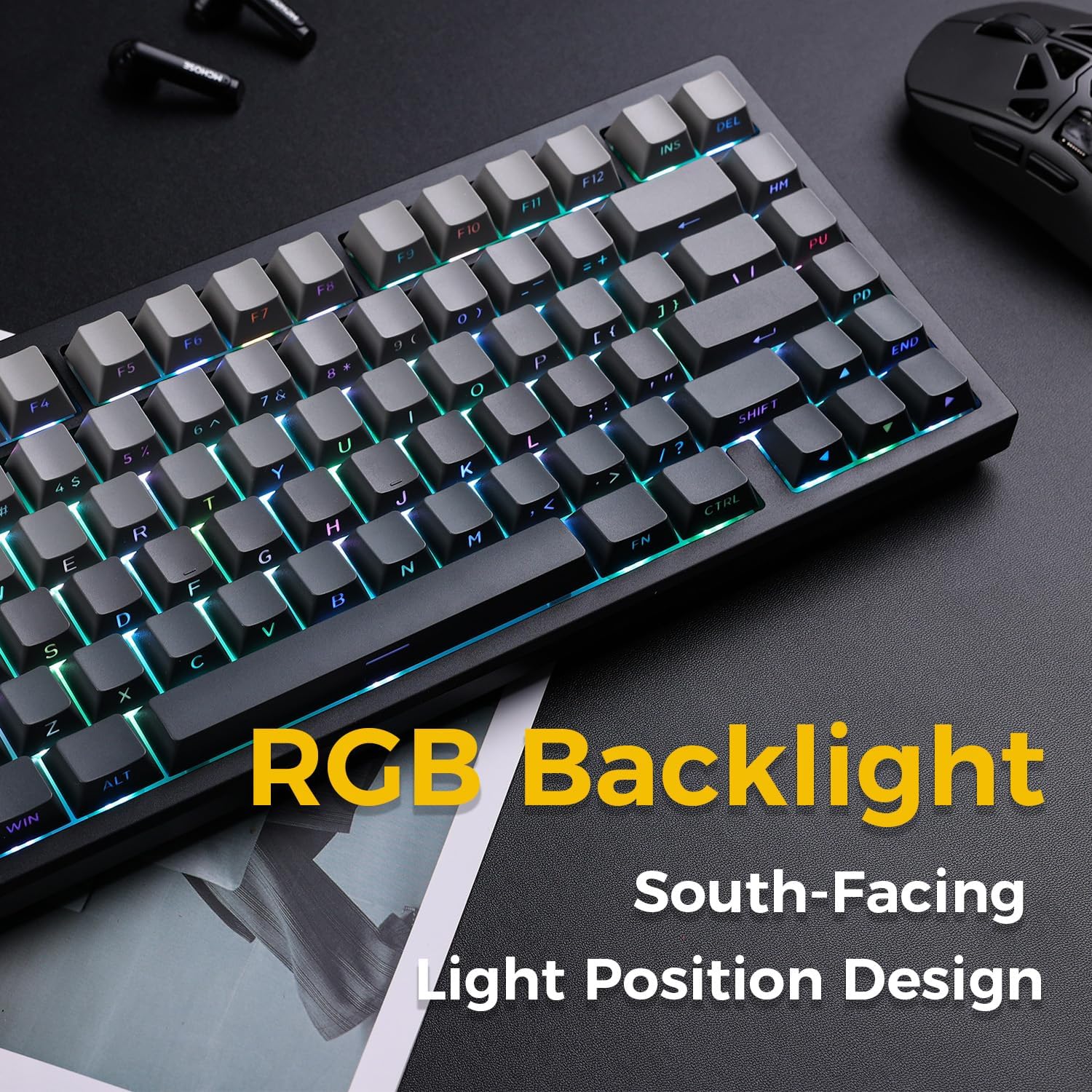
Image: The MCHOSE G75 Pro keyboard displaying its vibrant RGB backlighting.
Adjusting RGB Effects:
- Fn + \|: Cycle through different lighting effects.
- Fn +: Decrease lighting speed.
- Fn + >: Increase lighting speed.
- Fn + Yuxarı Ok: Parlaqlığı artırın.
- Fn + Aşağı Ok: Parlaqlığı azaldın.
5.3 İsti dəyişdirilə bilən açarlar
The MCHOSE G75 Pro is equipped with hot-swappable sockets, allowing you to easily change mechanical switches without soldering. This feature enables customization of typing feel and sound.
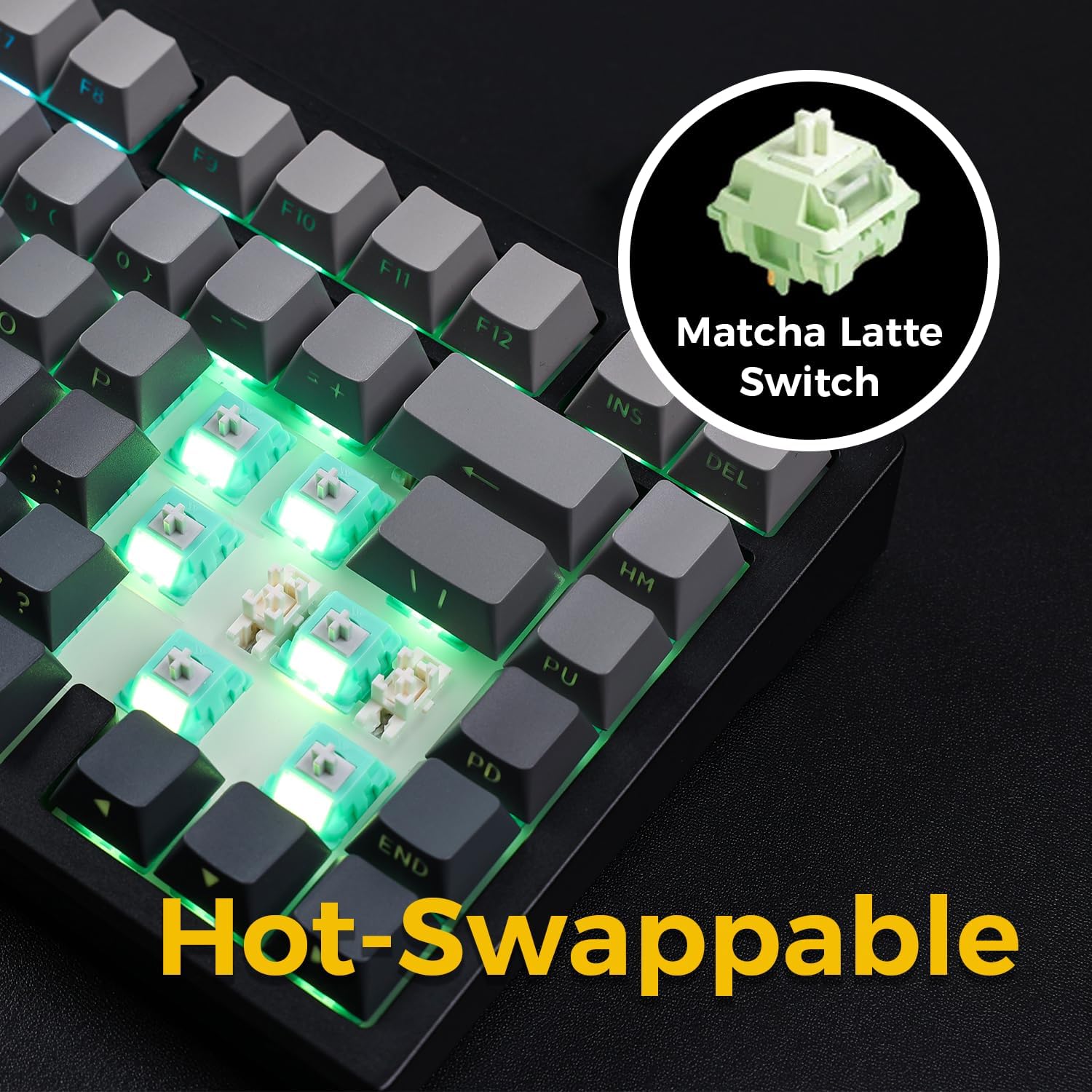
Image: The keyboard with several keycaps and switches removed, demonstrating the hot-swappable feature.
Switch Spesifikasiyaları:
The keyboard may come with Matcha Latte Switch V2 or Cabbage Tofu Switch V2, depending on the variant.
- Matcha Latte Switch V2:
Operating Force: 45±8gf
Pre Travel: 2.0±0.4mm
Ümumi Səyahət: 3.6±0.2mm - Cabbage Tofu Switch V2:
Operating Force: 45±5gf
Səyahətdən əvvəl: 1.9±0.3mm
Səyahət məsafəsi: 4.0±0.5mm
6. Baxım
6.1 Təmizləmə
Klaviaturanın görünüşünü və funksionallığını qorumaq üçün:
- Təmizləməzdən əvvəl klaviaturanı kompüterdən ayırın.
- Bir az yumşaq, tüysüz parça istifadə edin dampened with water or a mild cleaning solution to wipe the keycaps and casing.
- For dust and debris between keycaps, use compressed air or the provided keycap puller to remove keycaps and clean thoroughly.
- Sərt kimyəvi maddələrdən və ya aşındırıcı materiallardan istifadə etməyin.
6.2 Klaviatura və açarın dəyişdirilməsi
The included keycap puller can be used to carefully remove keycaps. For switch replacement, use a switch puller (not included unless specified) to gently remove the existing switch. Align the new 3-pin or 5-pin mechanical switch with the hot-swap socket and press firmly until it clicks into place. Ensure pins are not bent during installation.
7. Giderme
7.1 Klaviatura cavab vermir
- Klaviaturanın kifayət qədər doldurulduğundan əmin olun.
- Check the mode switch to confirm it is set to the correct connection type (Wired, 2.4G, or BT).
- Simli bağlantı üçün fərqli bir USB portu və ya kabeli sınayın.
- For 2.4GHz wireless, ensure the receiver is securely plugged in and try re-pairing (Fn + 2.4G key).
- For Bluetooth, ensure Bluetooth is enabled on your device and try re-pairing (Fn + 1/2/3).
- Kompüterinizi yenidən başladın.
7.2 RGB Backlighting Not Working/Incorrect
- Klaviaturanın işə salındığından əmin olun.
- Use Fn key combinations (e.g., Fn + Up/Down Arrow) to adjust brightness.
- Cycle through lighting effects using Fn + \|.
- If specific keys are not lighting up, check if the switch is properly seated or if the LED is damaged.
7.3 Software Compatibility (Windows/macOS)
While the keyboard functions plug-and-play, some advanced customization may require dedicated software. Please note that official software might have limited language support or compatibility issues, particularly with macOS. For optimal functionality, ensure you have the latest drivers or software from the MCHOSE official webvarsa sayt.
8. Spesifikasiyalar
| Xüsusiyyət | Detal |
|---|---|
| Model nömrəsi | MC-G75 |
| Layout | 75% |
| Bağlantı | 2.4GHz Simsiz, Bluetooth, Simli (USB-C) |
| Klaviatura növü | Mexanik |
| Montaj tərzi | Conta quraşdırılmışdır |
| Dampqatların yenilənməsi | 5 Layers (Poron Foam, IXPE Foam, PET Film) |
| Arxa işıqlandırma | RGB, Cənuba baxan LEDlər |
| Düymələr | İkiqat vuruşlu PBT |
| Keçidlər | Hot-Swappable (3-pin/5-pin compatible) |
| Batareya | 2 Litium Polimer batareyalar (daxildir) |
| Uyğun Cihazlar | PC |
| Maddə Çəkisi | 3.05 funt (təqribən 1.38 kq) |
| Paket Ölçüləri | 14.96 x 7.17 x 2.17 düym (təxminən 38 x 18.2 x 5.5 sm) |
9. Zəmanət və Dəstək
For warranty information and technical support, please refer to the official MCHOSE websayta daxil olun və ya satıcınızla əlaqə saxlayın. Zəmanət iddiaları üçün alış qəbzini saxlayın.


