1. Giriş
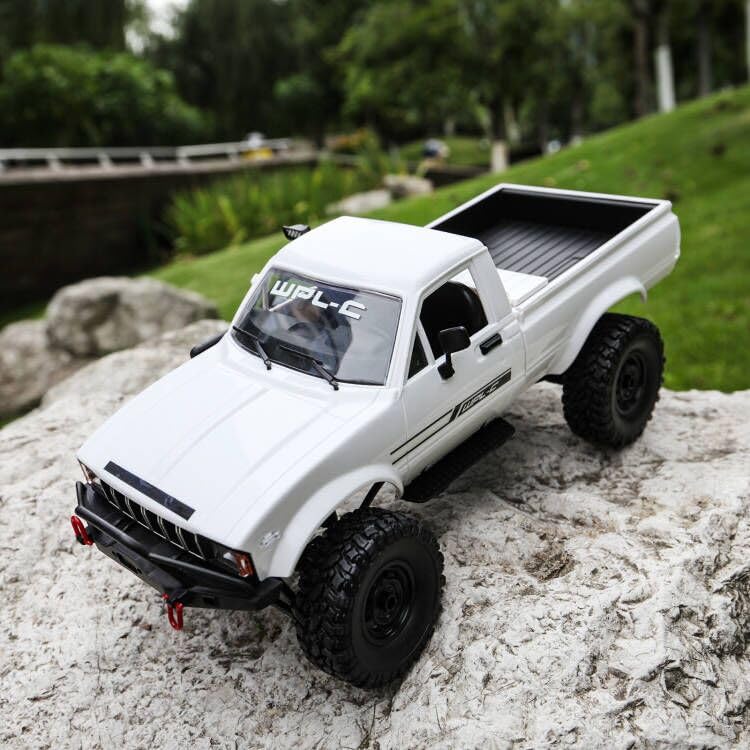
This manual provides essential instructions for the safe operation, setup, maintenance, and troubleshooting of your ARRIS WPL C24-1 RC Rock Crawler. Please read this manual thoroughly before using the product to ensure proper function and longevity.

Image: The ARRIS WPL C24-1 RC Rock Crawler, showcasing its detailed design and robust tires.
2. Təhlükəsizlik Məlumatı
Always operate the RC vehicle in a safe and responsible manner. Failure to follow these safety guidelines may result in injury or damage to the product or property.
- Əlləri, saçları və boş paltarları hərəkət edən hissələrdən uzaq tutun.
- İnsanların, ev heyvanlarının və ya maneələrin yaxınlığında işləməyin.
- Avoid operating in wet conditions or near water unless the product is specifically designed for it.
- Batareyaların düzgün doldurulduğundan və ehtiyatla istifadə olunduğundan əmin olun.
- 15 yaşdan kiçik istifadəçilər üçün böyüklərin nəzarəti tövsiyə olunur.
3. Paketin məzmunu
Aşağıda sadalanan bütün elementlərin paketinizə daxil olduğunu yoxlayın:
- ARRIS WPL C24-1 RC Rock Crawler (1 unit)
- Remote Control Transmitter (1 unit)
- Rechargeable Battery (1 unit, 7.4V 500mAh)
- Şarj Kabeli (1 ədəd)
- Təlimat kitabçası (bu sənəd)
4. Quraşdırma Bələdçisi
4.1. Avtomobilin akkumulyatorunun doldurulması
The vehicle battery (7.4V 500mAh) requires charging before first use. A full charge takes approximately 2 hours and provides about 30 minutes of operation.
- Locate the battery compartment on the underside of the RC crawler.
- Connect the rechargeable battery to the provided charging cable.
- Plug the charging cable into a suitable USB power source (e.g., computer USB port, USB wall adapter).
- The indicator light on the charging cable will show the charging status (refer to charger instructions for specific light patterns).
- Once fully charged, disconnect the battery from the charger and install it into the vehicle's battery compartment.
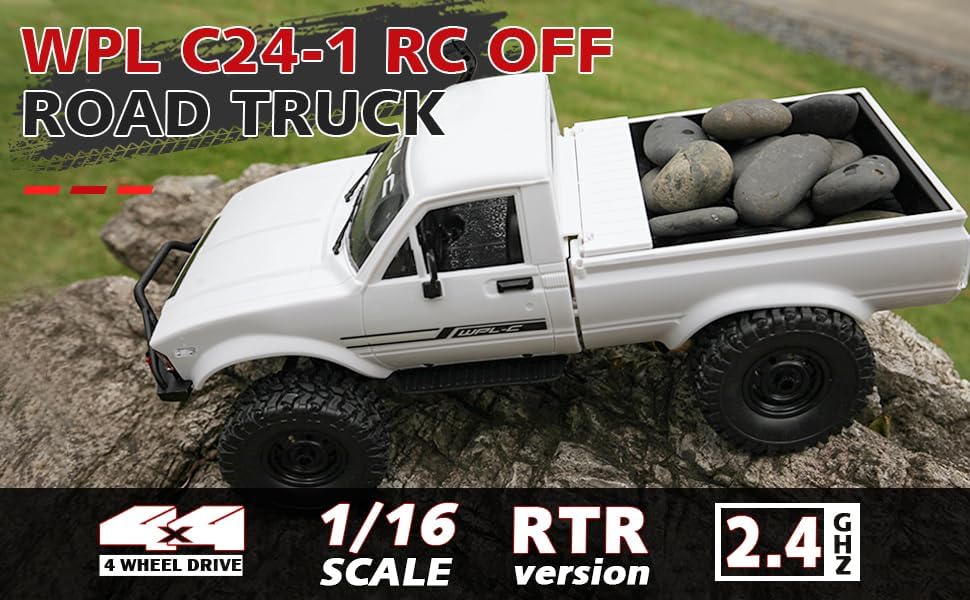
Image: Underside of the RC crawler, highlighting the battery and chassis components.
4.2. Uzaqdan İdarəetmə Batareyalarının Quraşdırılması
The remote control requires 1 C battery (included). Ensure correct polarity when installing.
- Pultun arxasındakı batareya qapağını açın.
- Insert the C battery according to the polarity markings (+/-).
- Batareyanın qapağını etibarlı şəkildə bağlayın.
4.3. Uzaqdan idarəetmənin qoşalaşdırılması
The RC crawler and remote control are typically pre-paired. If re-pairing is necessary:
- Turn on the RC crawler using the switch located on the chassis.
- Pultu yandırın.
- The indicator light on the remote control should stop flashing and remain solid, indicating a successful connection.
- If the connection fails, turn both devices off and repeat the process.
5. Əməliyyat Təlimatları
5.1. Əsas Nəzarətlər
- Qaz tənzimləyicisi: İrəli hərəkət etmək üçün çəkin, əyləc/geri hərəkət etmək üçün itələyin.
- Sükan: Sola getmək üçün sola, sağa getmək üçün sağa dönün.
- Kəsmə Düzəlişləri: Use the trim dials on the remote to fine-tune steering and throttle if the vehicle pulls to one side or moves without input.
5.2. Sürücülük Məsləhətləri
The ARRIS WPL C24-1 is designed for off-road crawling. Its 4WD system and independent suspension allow it to navigate various terrains.
- For optimal crawling, use slow and controlled throttle inputs.
- Experiment with steering angles to overcome obstacles.
- The vehicle features highlight LED lights for improved visibility in low-light conditions.

Image: The RC crawler navigating a challenging rocky path, demonstrating its off-road capabilities.

Image: The RC crawler traversing sandy terrain, showcasing its 4WD design.
6. Baxım
6.1. Təmizləmə
After each use, especially in dusty or dirty conditions:
- Use a soft brush or compressed air to remove dirt and debris from the chassis, wheels, and suspension.
- Bədəni reklamla silinamp parça. Güclü kimyəvi maddələrdən istifadə etməyin.
- Ensure no moisture enters electronic components.
6.2. Batareyaya Qulluq və Saxlama
- İstifadə edilmədikdə həmişə batareyanı nəqliyyat vasitəsindən ayırın.
- Batareyaları sərin, quru yerdə, birbaşa günəş işığından və həddindən artıq temperaturdan uzaqda saxlayın.
- Batareyaları həddindən artıq doldurmayın və ya çox boşalmayın.
6.3. Komponentlərin yoxlanılması
Aşağıdakı komponentləri müntəzəm olaraq aşınma və ya zədələnmə üçün yoxlayın:
- Wheels and tires for damage or excessive wear.
- Suspension components (shocks, springs, linkages).
- Steering mechanism for smooth operation.
- All screws and fasteners for tightness.
7. Giderme
| Problem | Mümkün Səbəb | Həll |
|---|---|---|
| Nəqliyyat vasitəsi cavab vermir. | Low vehicle battery; Low remote control battery; Not paired. | Charge vehicle battery; Replace remote control battery; Re-pair remote control. |
| Nəqliyyat vasitəsi yavaş və ya qeyri-sabit hərəkət edir. | Low vehicle battery; Obstruction in drivetrain; Motor issue. | Charge vehicle battery; Clear obstructions; Contact support if motor issue persists. |
| Steering is erratic or unresponsive. | Steering trim incorrect; Damaged servo; Obstruction. | Adjust steering trim; Inspect servo for damage; Clear obstructions. |
| Qısa əməliyyat diapazonu. | Interference; Low remote control battery. | Move to an area with less interference; Replace remote control battery. |
8. Məhsulun Spesifikasiyası
| Xüsusiyyət | Detal |
|---|---|
| Model nömrəsi | WPL C24-1 |
| Brend | ARRIS |
| Ölçək | 1:16 |
| Məhsul Ölçüləri | 12.2 x 5.78 x 4.44 düym |
| Maddə Çəkisi | 2.4 funt sterlinq |
| Material | ABS + Metal |
| Motor | 180 Fırçalı Motor |
| Akkumulyator (Maşın) | 7.4V 500mAh (included) |
| Doldurma vaxtı | təqribən. 2 saat |
| Əməliyyat vaxtı | təqribən. 30 dəqiqə |
| Uzaqdan İdarəetmə Tezliyi | 2.4 GHz |
| Nəzarət məsafəsi | 35 metrdən yuxarı |
| Maksimum Sürət | 20 km/saat |
| Tövsiyə olunan Yaş | 15 yaş və yuxarı |
Şəkil: Yan view of the RC crawler with key dimensions indicated.

Şəkil: Ətraflı view of the RC crawler's chassis, showing components like the motor, suspension, and drive shafts.
9. Zəmanət və Dəstək
ARRIS products are manufactured to high-quality standards. For warranty information or technical support, please refer to the official ARRIS website or contact customer service through your purchase platform.
Satınalma qəbzinizi hər hansı zəmanət iddiaları üçün satınalmanın sübutu kimi saxlayın.
Əlavə yardım üçün müraciət edin ARRIS Store on Amazon.