1. Giriş
The GHome Smart KD30B Deadbolt Lock offers advanced security and convenience for your home, rental property, or apartment. This smart lock provides multiple unlocking methods and smart features designed to enhance your security and simplify access management.

Şəkil 1: bitdiview of the 4-in-1 Smart Access methods.
2. Məhsulun xüsusiyyətləri
- Multi-function Smart Lock: Offers 6-in-1 unlocking options including up to 50 fingerprints, 50 PIN codes, temporary passwords, one-time passwords, app control, and 2 physical keys.
- Sürətli Barmaq İzi Tanıma: Utilizes advanced third-generation fingerprint technology for identification in less than 0.2 seconds. The anti-counterfeiting algorithm ensures only authorized users can unlock the device.
- Temporary Password Generation: Generate temporary access codes for guests or service staff via the app, ideal for short-term rentals and property management.
- Avtomatik Kilidləmə və Bir Toxunuşlu Kilidləmə: Configure the deadbolt to auto-lock within 1-1800 seconds. Alternatively, use the one-touch lock feature by pressing the lock button from the outside or turning the knob from the inside.
- Enhanced Security & Durability: Triggers an alarm upon abnormal opening behavior. Operates within a temperature range of -4°F to 122°F (-20°C to 50°C) and is IP54 waterproof rated.
- Proqrama Nəzarət: Manage your lock settings, users, and access logs directly from your smartphone.
3. Quraşdırmadan əvvəl
Quraşdırmaya başlamazdan əvvəl, qapınız aşağıdakı tələblərə cavab verdiyinə əmin olun:
- Cross Bore Diameter: 1½" or 2⅛" (38mm or 54mm)
- Qapı Qalınlığı: 1⅜" or 1⁵⁄₁₆" (35mm-33mm)
- Dəst: 2⅜" or 2¾" (60mm or 70mm)
- Qapı deşik diametri: 1" (25 mm)
- Minimum Məsafə: 2³⁄₁₆" (55mm)

Figure 2: Door compatibility measurements.
4. Quraşdırma təlimatı
The GHome Smart KD30B Deadbolt Lock is designed for quick and easy installation, typically within 15 minutes. Follow these general steps:
- Qapını hazırlayın: Ensure your door meets the specifications outlined in Section 3.
- Təhvil verilməsini təyin edin: Identify if your door is left-handed or right-handed. The lock can be adjusted accordingly.
- Kilidi quraşdırın: Kilidi qapının kənarına daxil edin.
- Xarici montajı quraşdırın: Place the exterior keypad assembly onto the door.
- Daxili montajı quraşdırın: Attach the interior assembly, ensuring proper cable connection.
- Kilidi bərkidin: Fasten all screws to secure both assemblies.
- Batareyalar daxil edin: Daxili hissəyə 4 AA batareya (daxil deyil) quraşdırın.
- Sıfırlayın və Test edin: Press the reset button (usually located on the interior assembly) and follow the voice prompts to set the lock direction and test functionality.

Figure 3: Installation steps for left and right-hand doors.

Figure 4: Simple installation process.
5. Əməliyyat Təlimatları
5.1 Kilidi açma üsulları
The KD30B offers multiple ways to unlock your door:
- Barmaq izi ilə kiliddən çıxarma: Place your registered fingerprint on the sensor. The lock will unlock in less than 0.2 seconds.
- Parolun kilidini açmaq: Enter your 6-10 digit PIN code on the keypad.
- Proqrama Nəzarət: Use the GHome app on your smartphone to unlock the door via Bluetooth within 15 meters.
- Mexanik açar: Use the provided physical keys as an emergency backup.
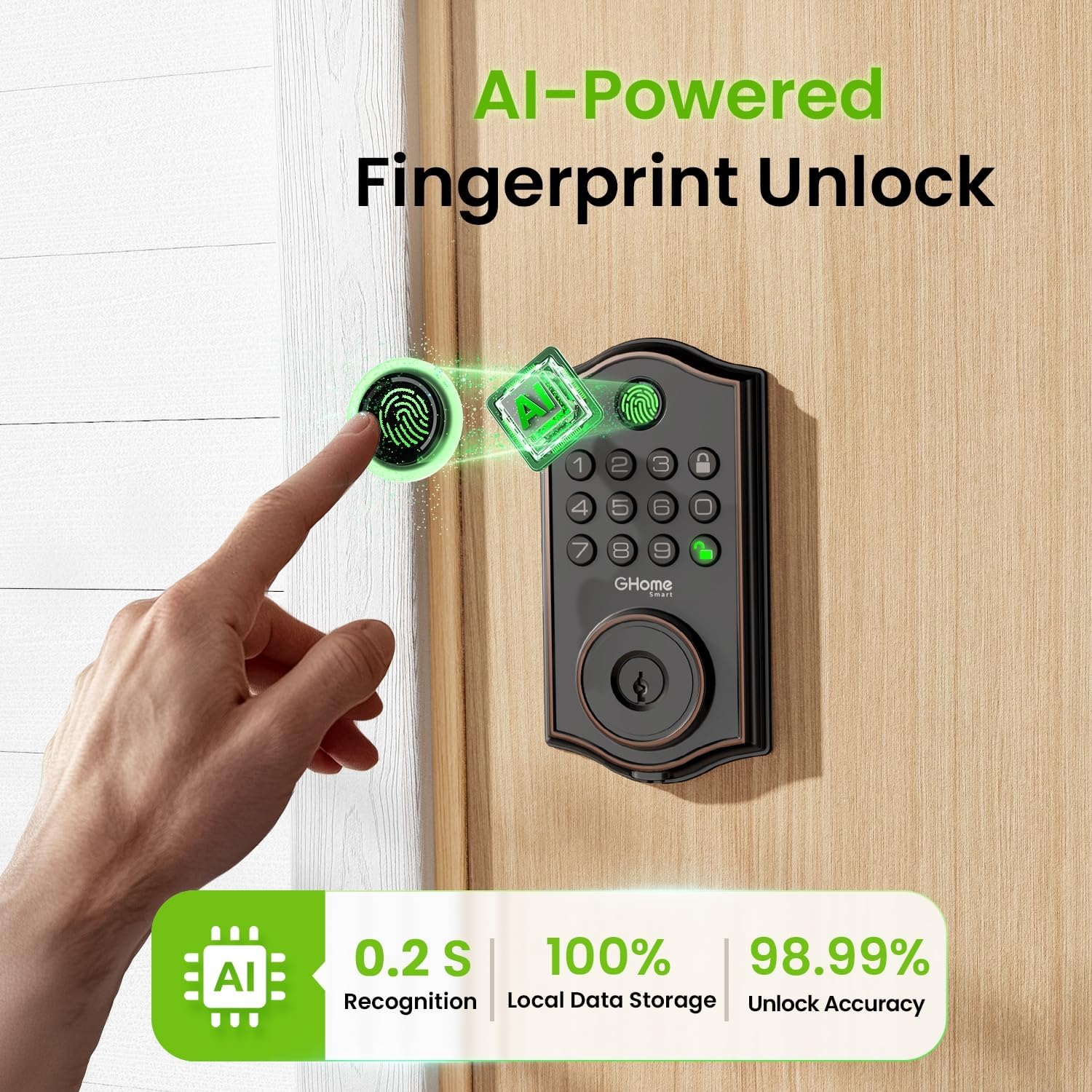
Figure 5: AI-Powered Fingerprint Unlock.

Figure 6: Smarter Fingerprint Unlocks Over Time.

Figure 7: Reliable Passcode Access.
5.2 Tətbiq Nəzarəti və İdarəetməsi
Download the GHome app to manage your lock:
- Bluetooth kilidini açmaq: Connect your phone via Bluetooth for one-tap unlocking within 15 meters.
- Remote Control (with Gateway): For unlocking beyond Bluetooth range, a separate gateway (sold separately) is required to enable Wi-Fi remote control.
- İstifadəçi İdarəetmə: Easily add or remove users, customize access permissions, and assign administrator or regular user roles.
- Müvəqqəti Şifrələr: Generate time-limited, one-time, or dynamic passwords for visitors, deliveries, or services.
- Giriş qeydləri: Monitor who enters and exits your property with detailed access logs and alerts.
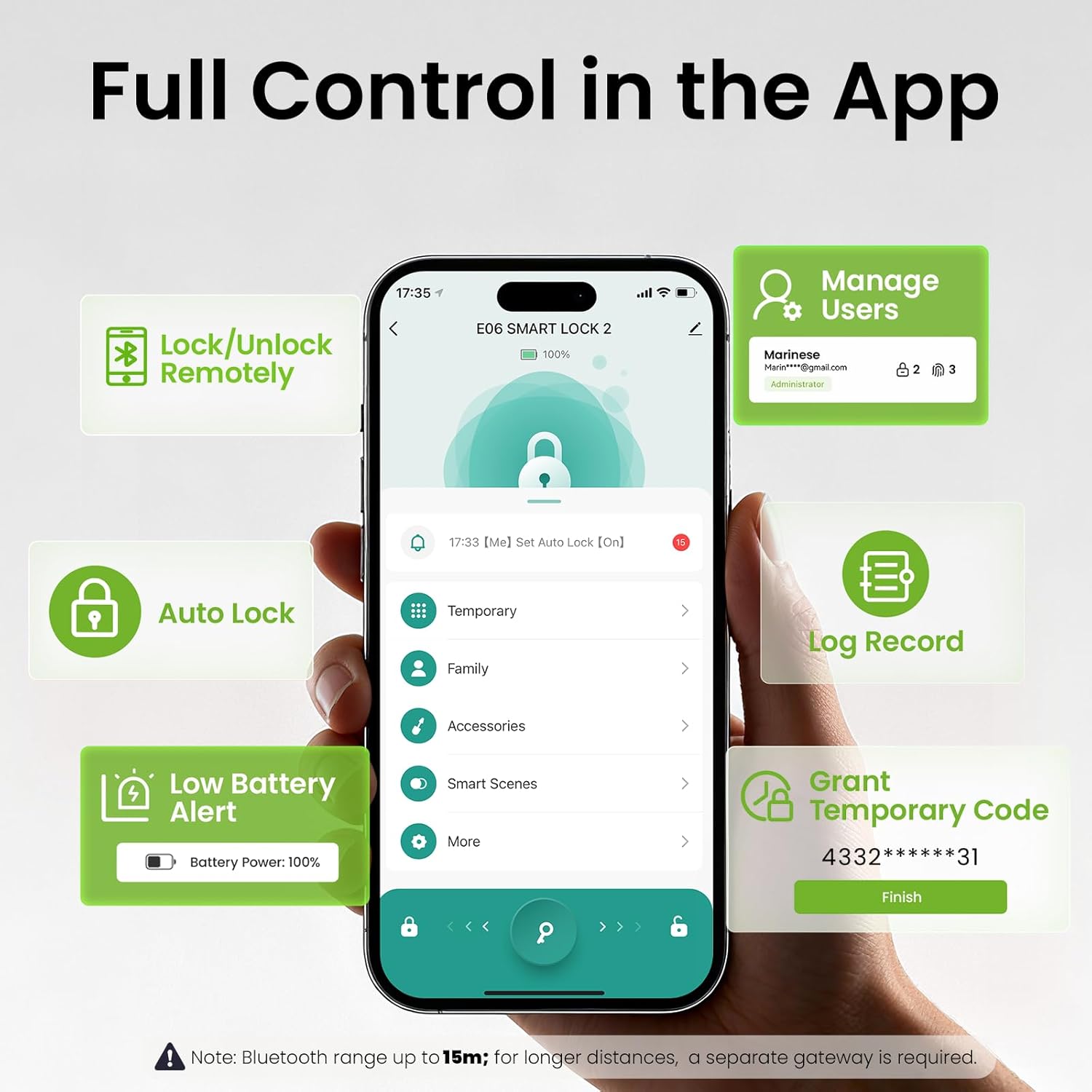
Figure 8: Full Control in the GHome App.
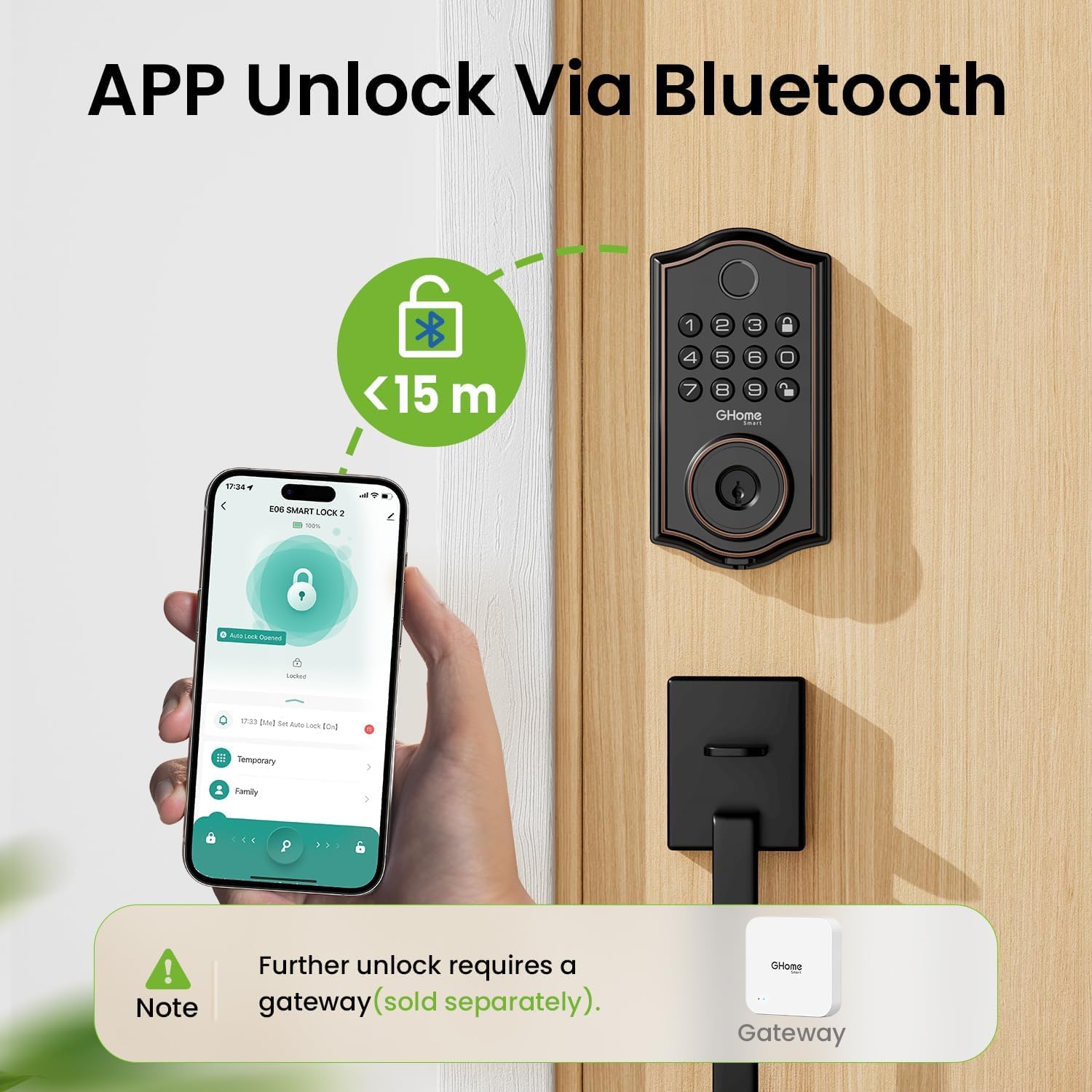
Figure 9: App Unlock via Bluetooth.

Figure 10: Remote Control via a Gateway (Sold Separately).

Figure 11: Flexible User Management.

Figure 12: Access Logs for Monitoring.
5.3 Auto-Lock and Security Features
- Avtomatik kilid: Set the lock to automatically engage after a specified time (1-1800 seconds).
- Bir toxunuşla kilid: Press the lock button on the keypad or turn the interior knob to instantly lock the door.
- Gözləmə əleyhinə parol: Add random digits before or after your actual passcode (up to 16 total digits) to prevent others from guessing your code.
- Built-In Lockout Alerts: The lock will trigger an alarm and lock for 60 seconds after 5 failed passcode attempts or 10 failed fingerprint attempts. Alerts are sent to your app.
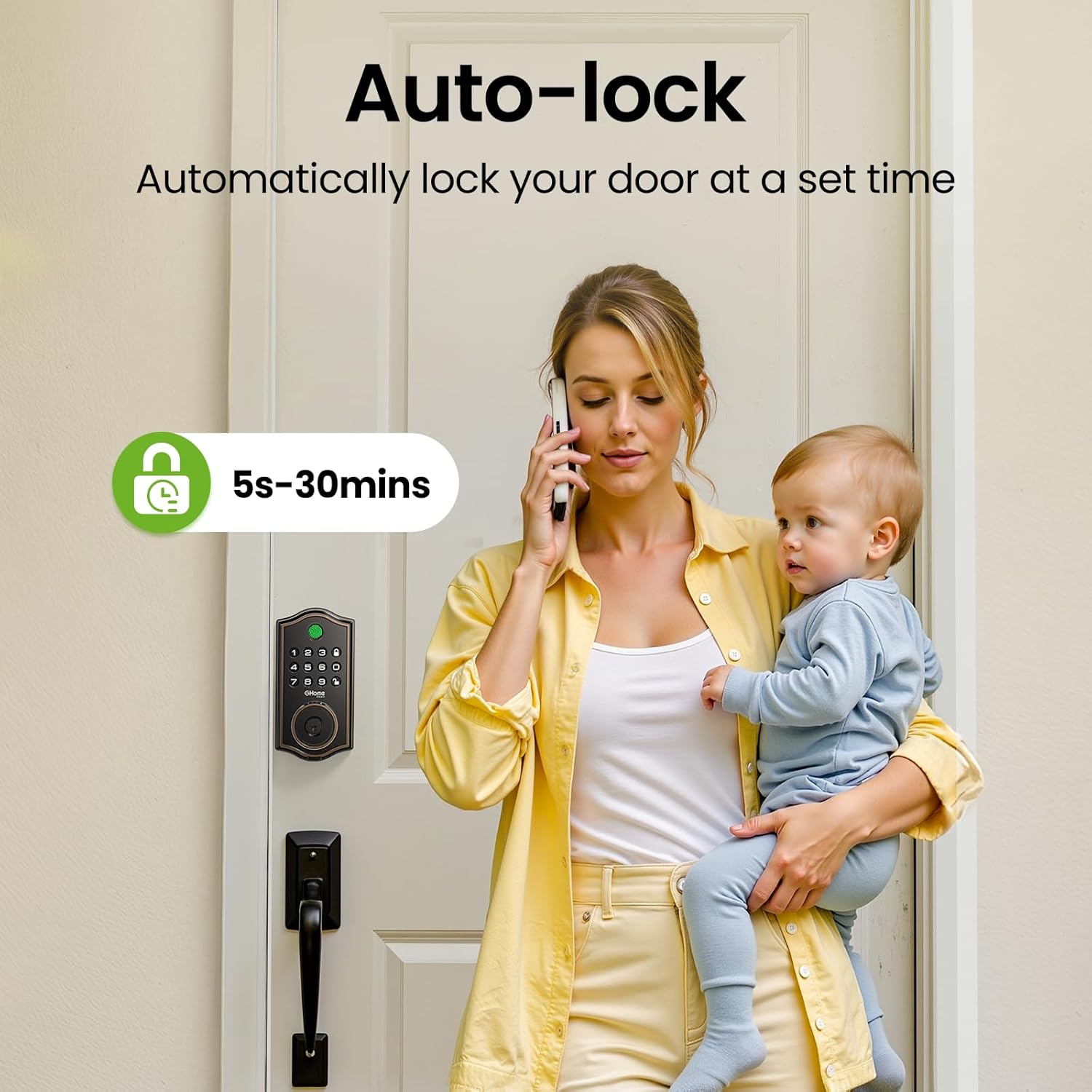
Figure 13: Auto-Lock feature for automatic security.

Figure 14: Anti-Peeping Password Protection.

Figure 15: Built-In Lockout Alerts.
6. Baxım
6.1 Batareyanın dəyişdirilməsi
The KD30B Deadbolt Lock operates on 4 AA batteries (not included). It is recommended to use AAA Alkaline Batteries for optimal performance. The lock provides a low battery alert (4-beep alert and flashing keypad light) and sends notifications to your app when battery levels are low. Replace batteries promptly to ensure continuous operation.

Figure 16: Battery compartment and emergency power port.

Figure 17: Battery power and alerts.
7. Spesifikasiyalar
| Xüsusiyyət | Spesifikasiya |
|---|---|
| Brend | GHome Smart |
| Model Adı | KD30B |
| Kilid növü | Biometrik sürgü |
| Material | Metal |
| Element Ölçüləri (U x G x Y) | 9 x 7 x 2.99 düym |
| Maddə Çəkisi | 2.33 funt (1.06 kiloqram) |
| Nəzarət metodu | Tətbiq |
| Xüsusi Xüsusiyyətlər | Gözləmə əleyhinə parol |
| İşləmə Temperatur Aralığı | -4°F - 122°F (-20°C - 50°C) |
| Rütubət aralığı | 0% - 95% |
| Suya davamlı reytinq | IP54 |
| Batareyalar Tələb olunur | Yes (4 AA, not included) |
| GTIN / UPC | 199874906782 |

Figure 18: Built to withstand various environmental conditions.
8. Giderme
- Kilid Cavab Vermir: Check battery levels. If low, replace the 4 AA batteries. Use the Type-C emergency power port if batteries are completely drained.
- Barmaq izi tanınmır: Ensure your finger is clean and dry. Re-register your fingerprint if issues persist. Note that calloused or cold fingers may affect recognition.
- Klaviatura İşləmir: Verify battery levels. If multiple incorrect attempts occur, the lock may enter a lockout state (60 seconds).
- Tətbiq Bağlantısı Problemləri: Ensure Bluetooth is enabled on your phone and you are within 15 meters of the lock. For remote access, confirm your gateway (if used) is properly connected to Wi-Fi and the lock.
- Abnormal Opening Behavior: The lock is designed to trigger an alarm. Check access logs in the app for details.
9. Dəstək
For technical assistance or further inquiries, please contact GHome Smart customer service:
- Onlayn Texniki Dəstək: Available Monday to Friday, 9am to 5pm (PST).
- Satışdan sonra e-poçt xidməti: 24/7 mövcuddur.
You can also download the GHome app for easy management and updates:

Figure 19: Download the GHome App.
10. Məhsul Videosu Bitdiview
Video 1: Hərtərəfli bir araşdırmaview of the GHome Smart KD30B Deadbolt Lock's features and functionality.


