1. Əhəmiyyətli Təhlükəsizlik Təlimatları
Bu qaçış trenajorundan istifadə etməzdən əvvəl bütün təlimatları diqqətlə oxuyun. Gələcəkdə istifadə üçün bu təlimatı saxlayın.
- Qaçış bandını həmişə düz, sabit bir səthə qoyun.
- Ensure adequate clearance around the treadmill (at least 2 meters behind and 0.6 meters on each side).
- Əməliyyat zamanı uşaqları və ev heyvanlarını qaçış bandından uzaq tutun.
- Uyğun idman ayaqqabıları və geyimləri geyin.
- Əgər qaçış yolu zədələnmiş şnur və ya tıxac varsa və ya düzgün işləmirsə, onu işə salmayın.
- Maximum user weight capacity: 130 kg.
- Always use the safety key. Attach it to your clothing before starting your workout.
2. Məhsul bitdiview
The TOPUTURE 2-in-1 Treadmill is designed for both walking and light running, offering a versatile fitness solution for home or office use. It features a powerful yet quiet motor, manual incline adjustment, and smart app connectivity.

Image: Two individuals demonstrating the TOPUTURE 2-in-1 Treadmill in use, highlighting its dual functionality for walking while working and running.
3. Quraşdırma və Quraşdırma
This TOPUTURE 2-in-1 Treadmill features a space-saving design that requires minimal assembly. It is ready for use almost immediately out of the box.
3.1 Qabın açılması
- Qaçış bandını qablaşdırmasından ehtiyatla çıxarın.
- Check all components against the packing list to ensure everything is present.
3.2 Yerləşdirmə
- Place the treadmill on a firm, level surface.
- Ensure the power cord is easily accessible and not obstructed.
3.3 Əl ilə əyilmə tənzimlənməsi
The treadmill offers manual incline settings to increase workout intensity. The original incline is 2°, and can be adjusted to 4.7° (9% incline rate).
- Locate the incline adjustment bolts at the rear of the treadmill.
- Pull out the bolt and turn the slope block to the desired position.
- Insert the bolt into the upper hole to secure the incline.

Image: A visual guide illustrating the two-step process for manually adjusting the treadmill's incline.
4. Əməliyyat Təlimatları
Your treadmill can be controlled via its LED display, remote control, or a smart application.
4.1 Yandırma/Söndürmə
- Elektrik kabelini uyğun bir rozetkaya qoşun.
- Flip the main power switch located on the treadmill base to the 'ON' position.
- To turn off, flip the main power switch to 'OFF' and unplug the unit.
4.2 Using the LED Display and Remote Control
The multi-functional LED display shows real-time data including speed, distance, time, and calories burned. The remote control allows for easy adjustment of speed and modes.

Image: The treadmill's clear LED display provides real-time workout metrics, complemented by a convenient remote control for adjustments.
- Start/Stop: Press the 'Start' button on the display or remote to begin. Press 'Stop' to pause or end your workout.
- Sürət tənzimlənməsi: Use the '+' and '-' buttons on the remote or display to increase or decrease speed (1-10 km/h).
- Proqramlar: Select from 12 preset programs for varied workout routines.
- Temporary Pause: Use the 'Pause' button to temporarily stop your workout without losing data.
4.3 Smart App Connectivity
Connect your treadmill to fitness apps like 'FITSHOW' via Bluetooth (Bluetooth name: TP3) for enhanced training courses and data tracking.
- Mobil cihazınızda Bluetooth-un aktiv olduğundan əmin olun.
- Open the 'FITSHOW' app (or compatible app) and search for 'TP3'.
- Pair your device with the treadmill.
- Follow the app's instructions to access various training courses and monitor your progress.

Image: The treadmill connects to fitness apps, allowing users to engage with virtual training courses and track their performance.
5. Baxım
Müntəzəm texniki qulluq treadmilinizin uzunömürlülüyünü və optimal performansını təmin edir.
5.1 Təmizləmə
- Unplug the treadmill before cleaning.
- Wipe down the display and exterior surfaces with a damp parça. Aşındırıcı təmizləyicilərdən çəkinin.
- Regularly vacuum under the treadmill to prevent dust buildup.
5.2 Kəmərin yağlanması
The running belt requires periodic lubrication to reduce friction and extend its lifespan. Use silicone-based treadmill lubricant.
- Lift the edge of the running belt.
- Apply a small amount of lubricant to the center of the deck, underneath the belt.
- Run the treadmill at a low speed for a few minutes to distribute the lubricant evenly.
- Refer to the lubricant manufacturer's instructions for frequency, typically every 3-6 months depending on usage.
5.3 Kəmərin Tənzimlənməsi
If the running belt shifts to one side or slips, it may need adjustment.
- Consult the detailed instructions in the full product manual for specific belt tension and alignment procedures.
6. Giderme
If you encounter issues with your treadmill, refer to the following common problems and solutions.
| Problem | Mümkün Səbəb | Həll |
|---|---|---|
| Treadmill işə düşmür. | Power cord not plugged in, main switch off, safety key not in place. | Check power connection, ensure main switch is ON, insert safety key. |
| Qaçış kəməri sürüşür. | Belt too loose, insufficient lubrication. | Adjust belt tension (refer to full manual), lubricate the belt. |
| Əməliyyat zamanı qeyri-adi səs-küy. | Boşalan hissələr, kəmər sürtünməsi, mühərrik problemi. | Check for loose bolts, lubricate belt, contact customer support if motor noise persists. |
| Tətbiq bağlantısı xətası. | Bluetooth off, app not updated, incorrect pairing. | Ensure Bluetooth is on, update app, re-pair with 'TP3'. |
If the problem persists after attempting these solutions, please contact TOPUTURE customer support.
7. Spesifikasiyalar
| Xüsusiyyət | Spesifikasiya |
|---|---|
| Brend | TOPUTURE |
| Motor Gücü | 2.5 HP (Peak 3.0 HP) |
| Sürət diapazonu | 1 - 10 km/saat |
| meyl | Manual (0%, 5%, 10% equivalent to 2° and 4.7°/9%) |
| Səth işləyir | 1000 x 400 mm (approx. 39.4 x 15.7 inches) |
| Maksimum İstifadəçi Çəkisi | 130 kq (təqribən 286 funt) |
| Səs-küy Səviyyəsi | < 45 dB |
| Məhsul Ölçüləri | 120.8 x 52.6 x 12.5 sm (təxminən 47.6 x 20.7 x 4.9 düym) |
| Məhsul Çəkisi | 21.69 kq (təqribən 47.8 funt) |
| Bağlantı | Bluetooth (TP3) for APP control |
| Proqramlar | 12 əvvəlcədən qurulmuş proqram |
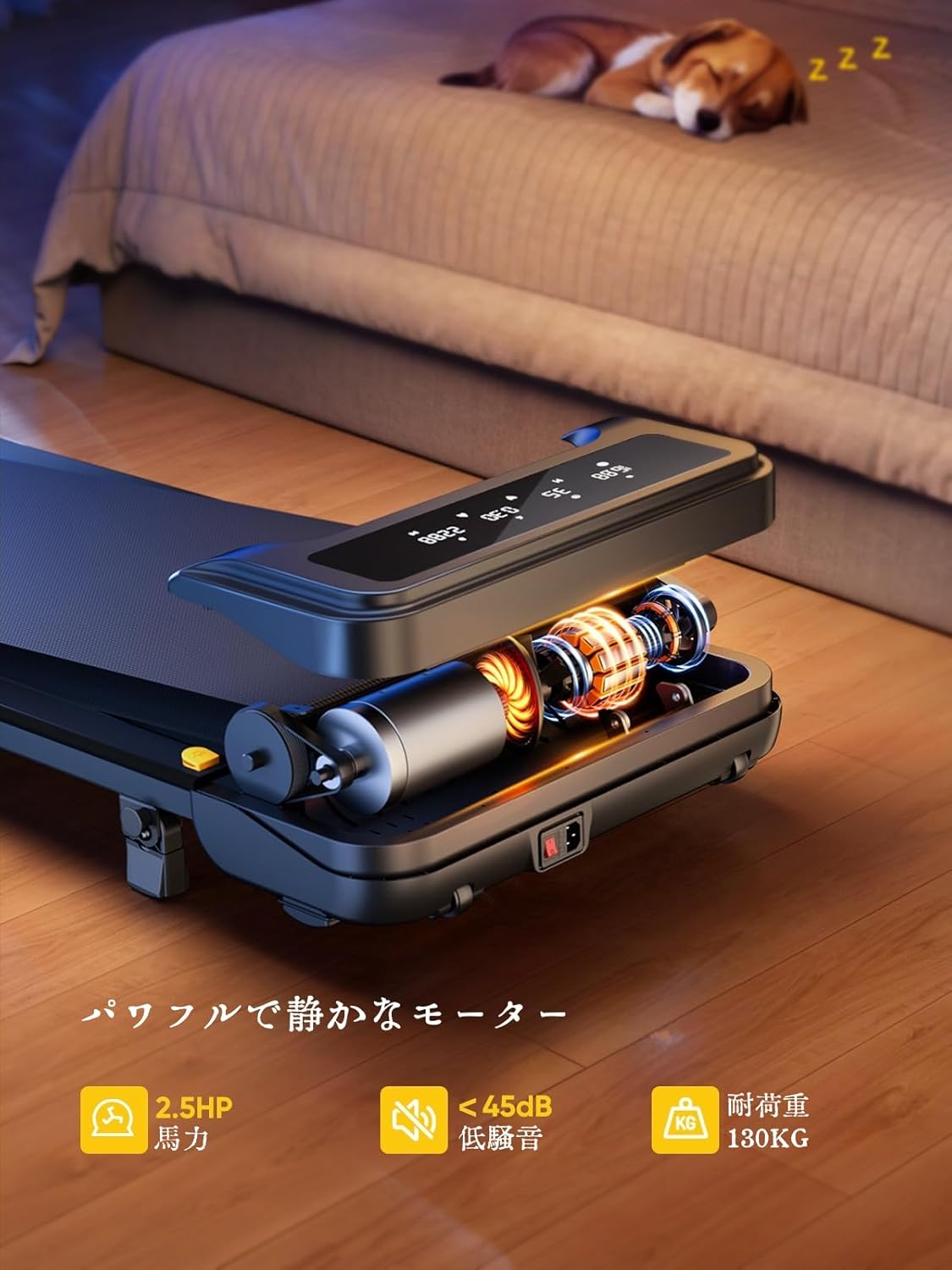
Image: The treadmill features a powerful 2.5 HP motor, operates quietly below 45dB, and supports users up to 130 kg.

Image: The compact design of the treadmill, highlighting its running surface dimensions for space efficiency.
8. Saxlama və Daşınma
The TOPUTURE 2-in-1 Treadmill is designed for easy storage and portability, making it ideal for small spaces.
- The treadmill is lightweight (18.5 kg / 40.7 lbs) and features built-in wheels for effortless movement.
- It can be stored upright or flat under a bed or sofa when not in use, saving valuable space.
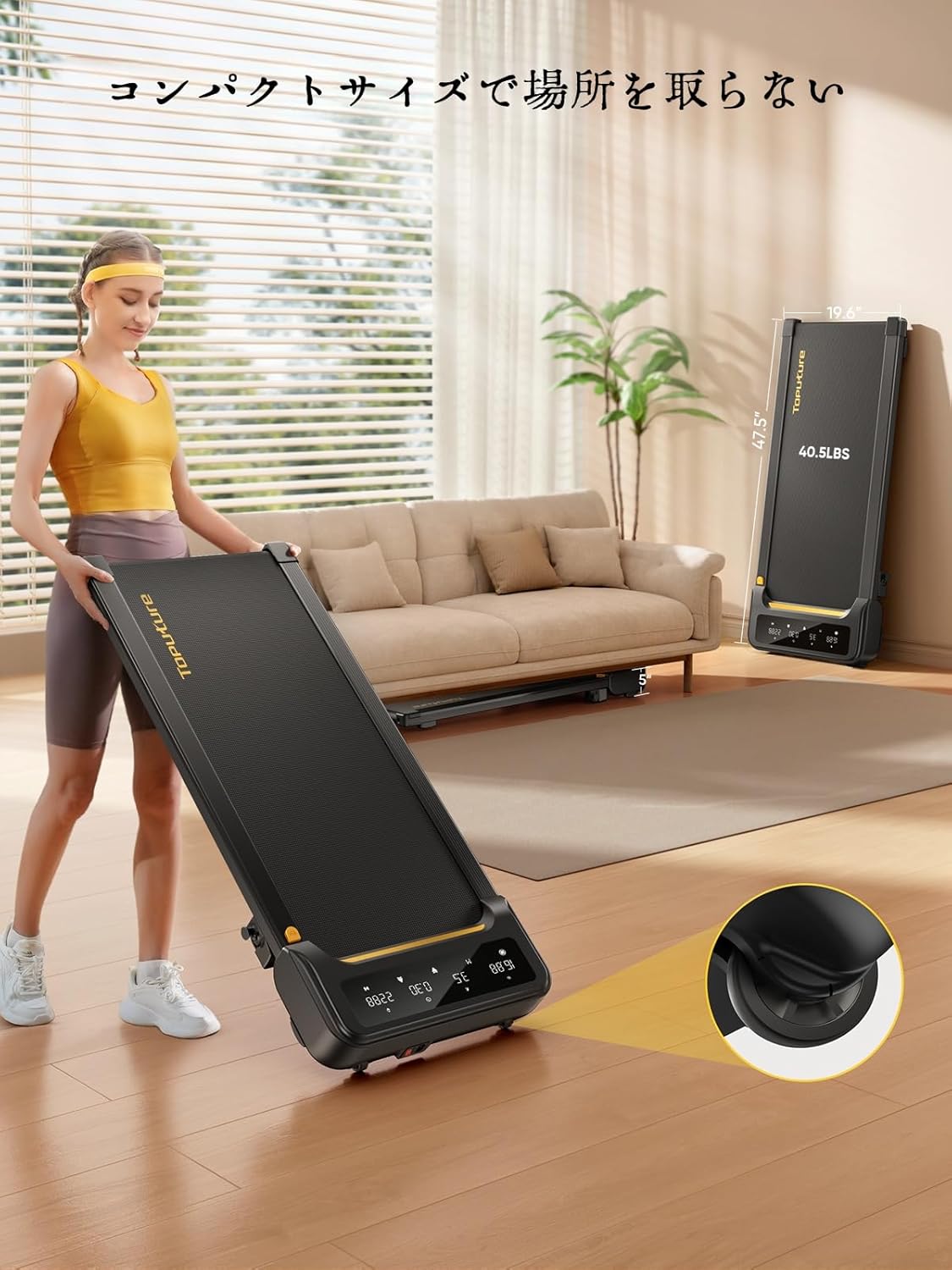
Image: A woman demonstrates the ease of moving the treadmill, highlighting its portability with integrated wheels.
9. Zəmanət və Dəstək
TOPUTURE provides a warranty for this product. Please refer to your purchase documentation for specific warranty terms and conditions.
9.1 Müştəri dəstəyi
For any questions, technical assistance, or warranty claims, please contact TOPUTURE customer support through the retailer where you purchased the product or visit the official TOPUTURE websayt.
- Onlayn dəstək: Visit the TOPUTURE brand store on Amazon or the official webTez-tez verilən suallar və əlaqə məlumatları üçün sayt.
- E-poçt Dəstəyi: Refer to your product packaging or warranty card for the customer service email address.


