1. Giriş
Aldığınız üçün təşəkkür edirikasing the Sofirn HS21 and D25S headlamps. These headlamps are designed for various outdoor activities, offering reliable illumination and convenient features. This manual provides detailed instructions for the safe and effective use, setup, operation, and maintenance of your new headlamps. Please read this manual thoroughly before use and retain it for future reference.
2. Təhlükəsizlik Təlimatları
- İşığı birbaşa gözlərə düşdürməyin. Güclü şüa müvəqqəti görmə pozğunluğuna və ya daimi göz zədələnməsinə səbəb ola bilər.
- Uşaqların əli çatmayan yerdə saxlayın.
- Başlığı sökməyinamp. This may damage the device and void the warranty.
- Use only the recommended battery types. Improper battery use can lead to fire, explosion, or leakage.
- Başlığı ifşa etməkdən çəkininamp həddindən artıq temperaturda və ya uzun müddət birbaşa günəş işığında.
- Ensure the USB-C charging port cover is securely closed when not charging to maintain water resistance.
3. Paketin məzmunu
- 1 x Sofirn HS21 Headlamp
- 1 x Sofirn D25S Headlamp
- 2 x Baş bandı
- 2 x USB-C şarj kabeli
- 2 x Rechargeable Batteries (pre-installed or separate)
- 1 x İstifadəçi Təlimatı
4. Məhsul bitdiview
4.1 Sofirn HS21 Headlamp
The Sofirn HS21 is a versatile headlamp featuring a combination of spotlight, floodlight, and red light. It is equipped with a convenient rotary switch for easy mode selection and offers a wide 130° rotation adjustment for optimal illumination angle.

Image 1: Sofirn HS21 Headlamp showing its various light modes including red light, spotlight, and floodlight.

Image 2: The Sofirn HS21 headlamp demonstrating its 130-degree rotation capability for adjustable light direction.
4.2 Sofirn D25S Headlamp
The Sofirn D25S is a compact and powerful headlamp utilizing an SST40 LED, offering multiple brightness levels. It features a hidden USB-C charging port for convenient recharging and a simple user interface with memory mode.

Image 3: Sofirn D25S Headlamp highlighting its comfortable switch and simple user interface.
5. Quraşdırma
5.1 Batareyanın quraşdırılması
Both HS21 and D25S headlamps typically come with batteries pre-installed. If not, or if replacing batteries:
- Unscrew the tail cap of the headlamp bədən.
- Insert the rechargeable battery with the positive (+) terminal facing towards the head of the lamp.
- Düzgün təmas və suya davamlılıq təmin etmək üçün quyruq qapağını möhkəm bağlayın.
5.2 Doldurma
Hər ikisi başamps feature a built-in USB-C charging port.
For HS21:
- USB-C şarj portunu başlığın yan tərəfində tapınamp bədən.
- Gently lift the protective rubber cover to expose the port.
- Verilən USB-C kabelini başlığa qoşunamp and to a USB power source (e.g., wall adapter, power bank, computer).
- The indicator light will show red during charging and turn green when fully charged.
- Once charging is complete, securely close the rubber cover to protect the port from dust and water.
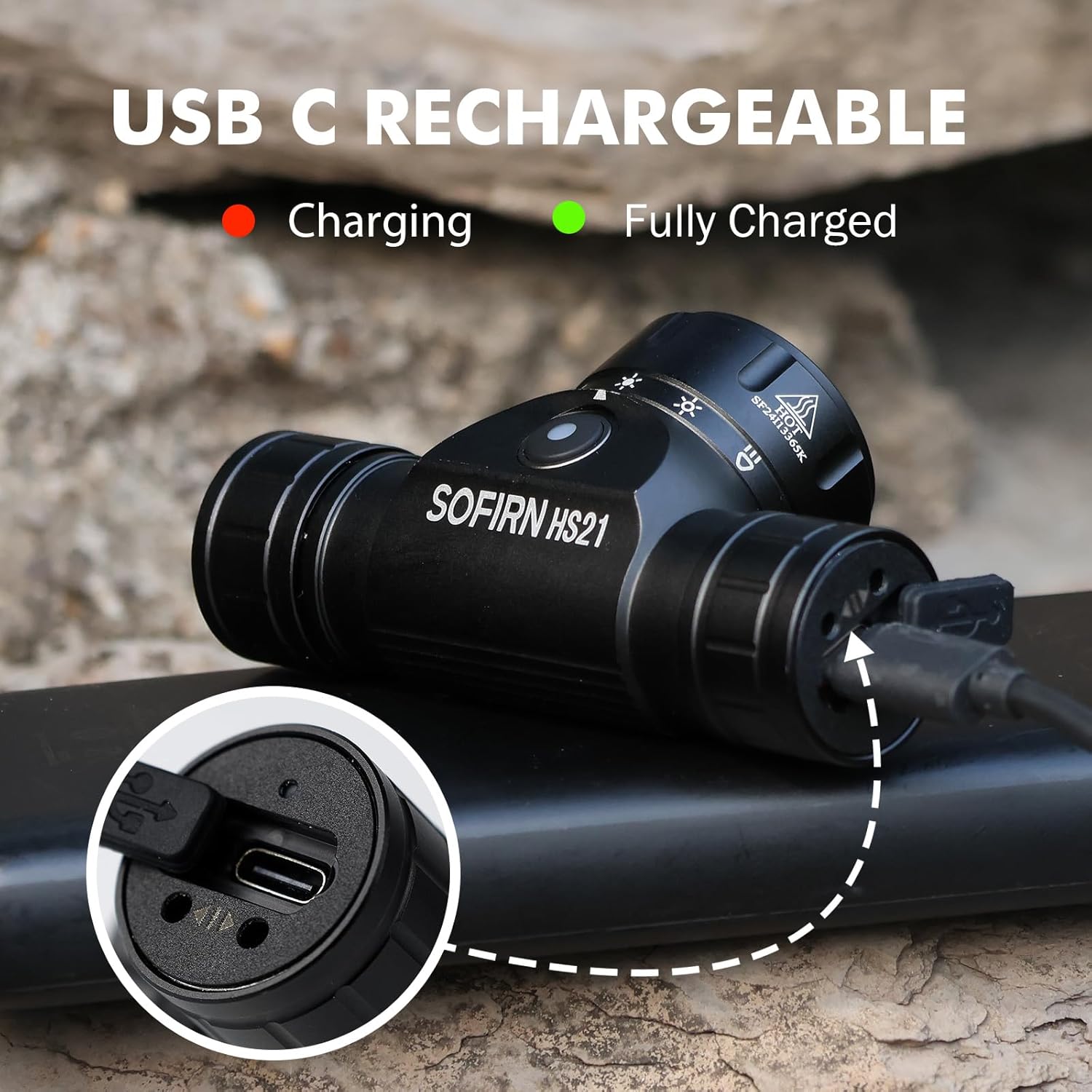
Image 4: Sofirn HS21 Headlamp connected to a USB-C charging cable, showing the charging indicator light.
For D25S:
- Unscrew the head of the D25S headlamp to reveal the hidden USB-C charging port.
- Verilən USB-C kabelini başlığa qoşunamp and to a USB power source.
- The indicator light will show red during charging and turn green when fully charged.
- After charging, screw the head back on tightly to ensure water resistance.

Image 5: Sofirn D25S Headlamp with its head unscrewed, revealing the built-in USB-C charging port.
6. Əməliyyat Təlimatları
6.1 Sofirn HS21 Headlamp Əməliyyat
The HS21 features a rotary switch for easy mode selection and a separate power button.
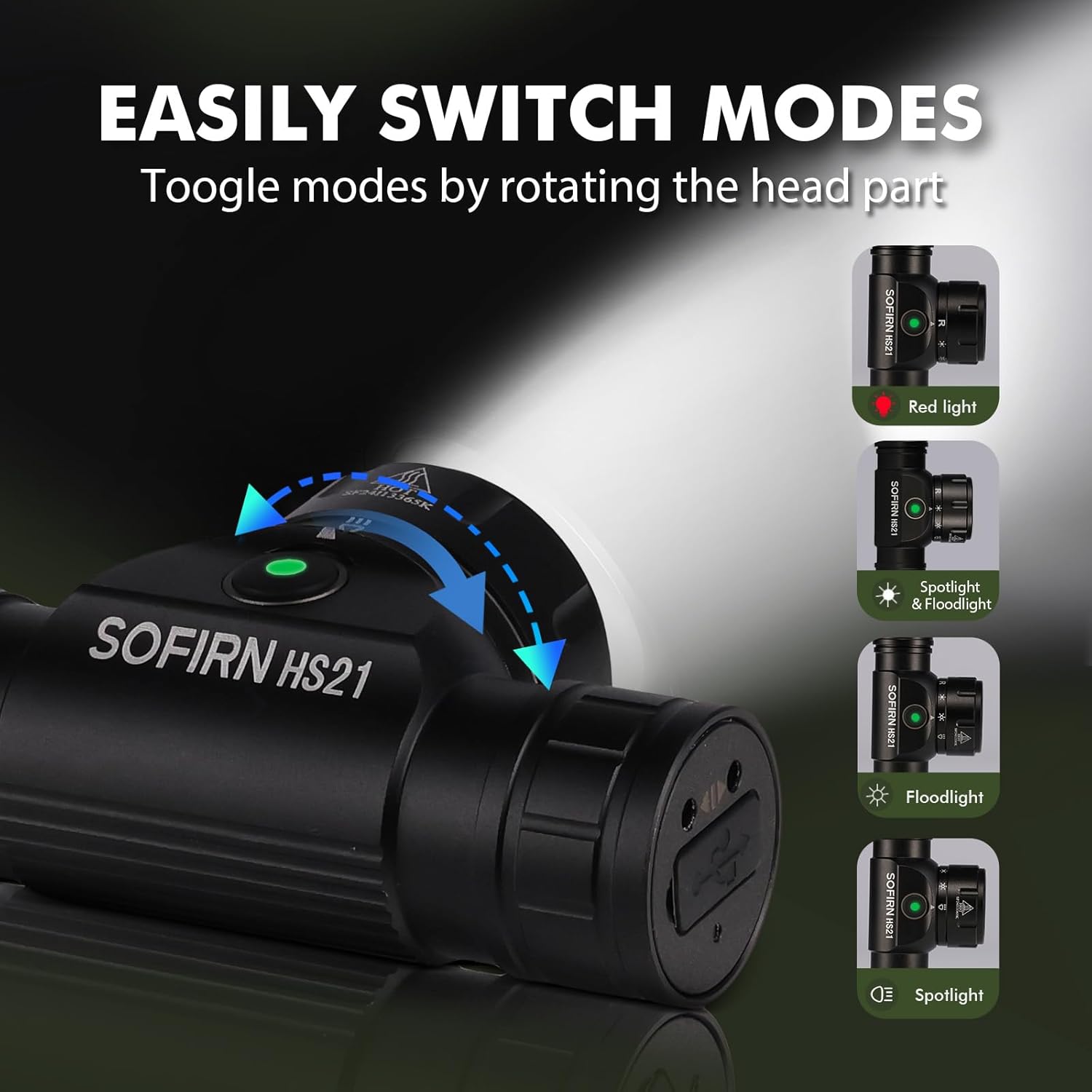
Image 6: Illustration of the Sofirn HS21's rotary switch mechanism for changing light modes.
- Yandırma/Söndürmə: Başlığı çevirmək üçün güc düyməsini bir dəfə basınamp yandırın və ya söndürün.
- Rejim seçimi: Rotate the head part of the headlamp to cycle through the main light modes: Red Light, Spotlight, Floodlight, and Spotlight + Floodlight (combined).
- Parlaqlığın tənzimlənməsi: While a mode is active, press and hold the power button to cycle through brightness levels (Low, Medium, High). Release the button at your desired brightness.
- Red Light Activation: Rotate to the red light setting. Press and hold the power button for additional red light modes (e.g., red strobe, red beacon).
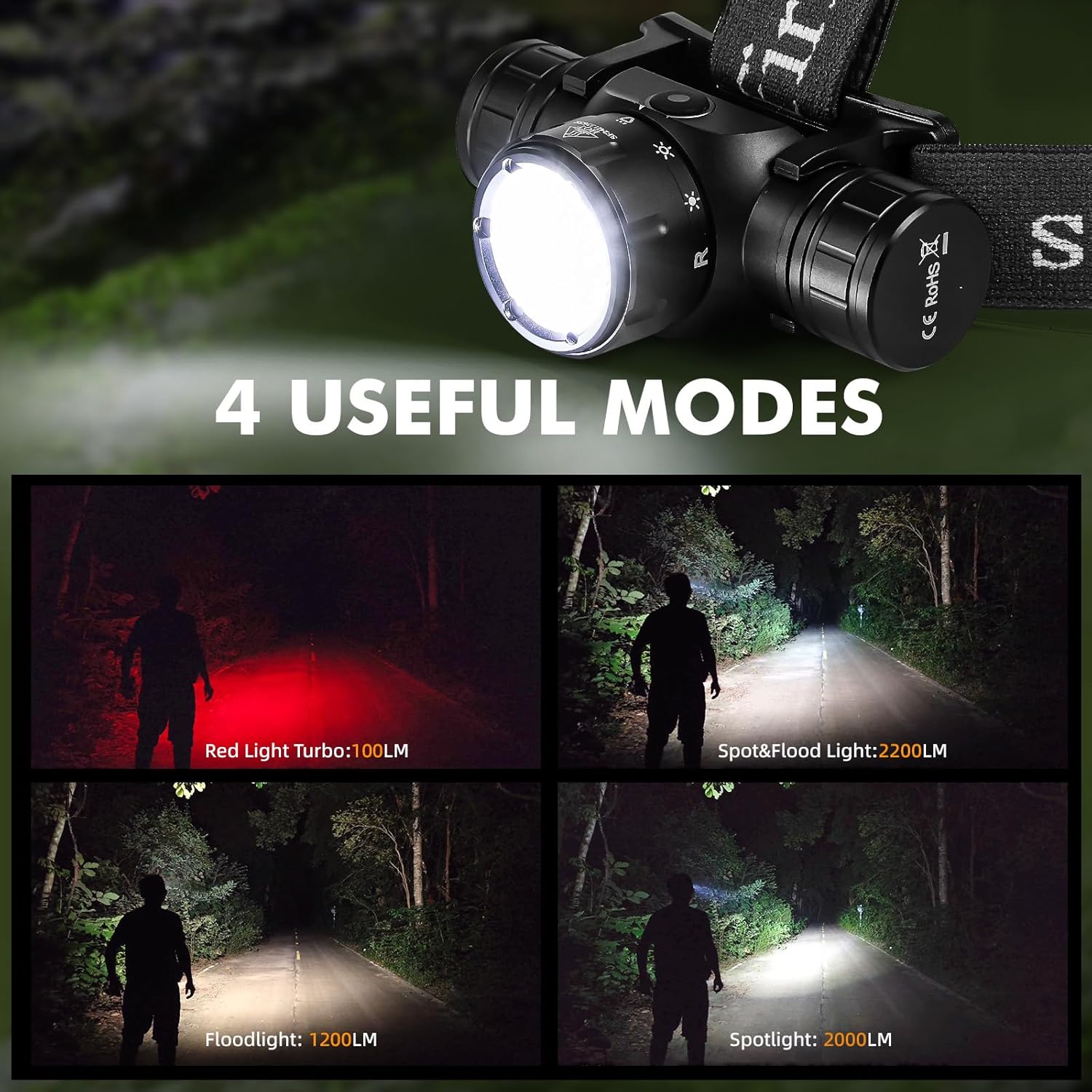
Image 7: The Sofirn HS21 headlamp displaying its four primary light modes: Red Light, Spot & Flood, Floodlight, and Spotlight.
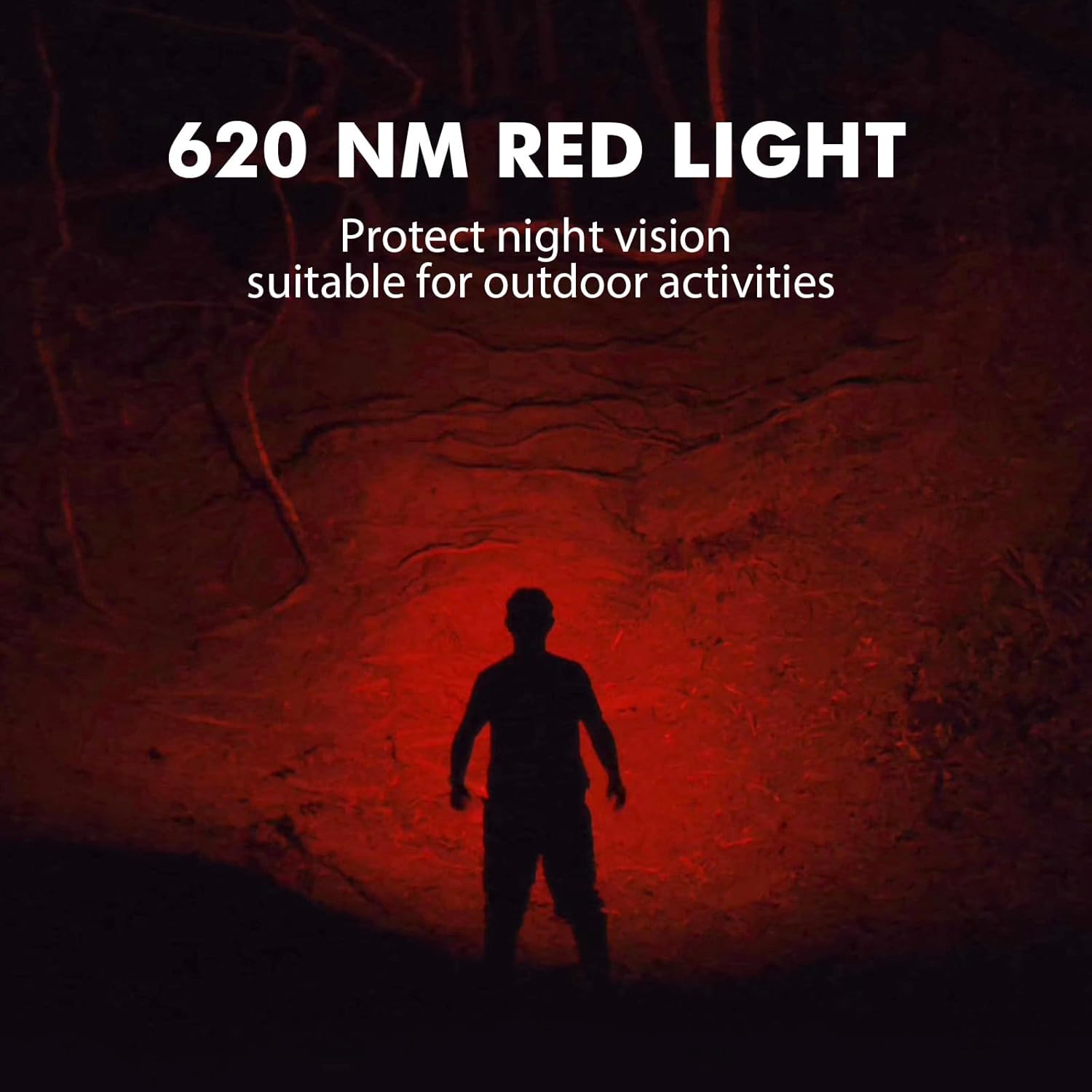
Image 8: The Sofirn HS21 headlamp emitting a 620 NM red light, suitable for preserving night vision.
6.2 Sofirn D25S Headlamp Əməliyyat
The D25S operates with a single button interface.
- Yandırma/Söndürmə: Press the button once to turn the headlamp yandırın və ya söndürün.
- Velosiped sürmə rejimi: Baş ikənamp is on, press and hold the button to cycle through brightness modes: Low → Medium 1 → Medium 2 → High. Release the button at your desired mode.
- Turbo rejimi: From any mode, double-click the button to activate Turbo mode. Double-click again to return to the previous mode.
- Yaddaş funksiyası: The D25S will remember the last used brightness level (excluding Turbo) and turn on in that mode.
7. Baxım
- Təmizləmə: Başlığı silinamp yumşaq, damp parça. Aşındırıcı təmizləyicilərdən və ya həlledicilərdən istifadə etməyin.
- O-üzüklər: Periodically check and lubricate the O-rings with silicone grease to maintain water resistance. Replace damaged O-rings.
- Batareyaya qulluq: Əgər başlıqamp will not be used for an extended period, remove the battery to prevent leakage. Recharge batteries regularly to prolong their lifespan.
- Yaddaş: Başlığı saxlayınamp birbaşa günəş işığından uzaq sərin, quru yerdə.
8. Giderme
| Problem | Mümkün Səbəb | Həll |
|---|---|---|
| Başlıqamp açılmır | Low battery; Battery incorrectly installed; Loose tail cap; Faulty battery. | Charge battery; Reinstall battery with correct polarity; Tighten tail cap; Replace battery. |
| İşıq çıxışı zəifdir | Low battery; Lens is dirty. | Charge battery; Clean the lens. |
| Doldurma işləmir | Cable not connected properly; Faulty cable or power source; Charging port obstructed. | Ensure secure connection; Try a different cable/power source; Clean charging port. |
| Su girdi | O-rings damaged or missing; Tail cap/charging port cover not sealed properly. | Check and replace O-rings; Ensure all caps are tightly sealed. |
9. Spesifikasiyalar
9.1 Sofirn HS21 Headlamp
| Xüsusiyyət | Detal |
|---|---|
| İşıq mənbəyi | LED (Spotlight, Floodlight, Red Light) |
| Maksimum Çıxış | 2200 Lumens (Spotlight + Floodlight) |
| Qırmızı İşıq Dalğa Uzunluğu | 620 NM |
| Keçid Tipi | Rotary Switch + Push Button |
| Doldurulur | USB-C təkrar doldurulan |
| Fırlanma | 130° Tənzimlənən |
| Ölçülər | 3.4 x 1.8 x 1.4 düym |
| Çəki | 0.3 funt (batareya daxil olmaqla) |
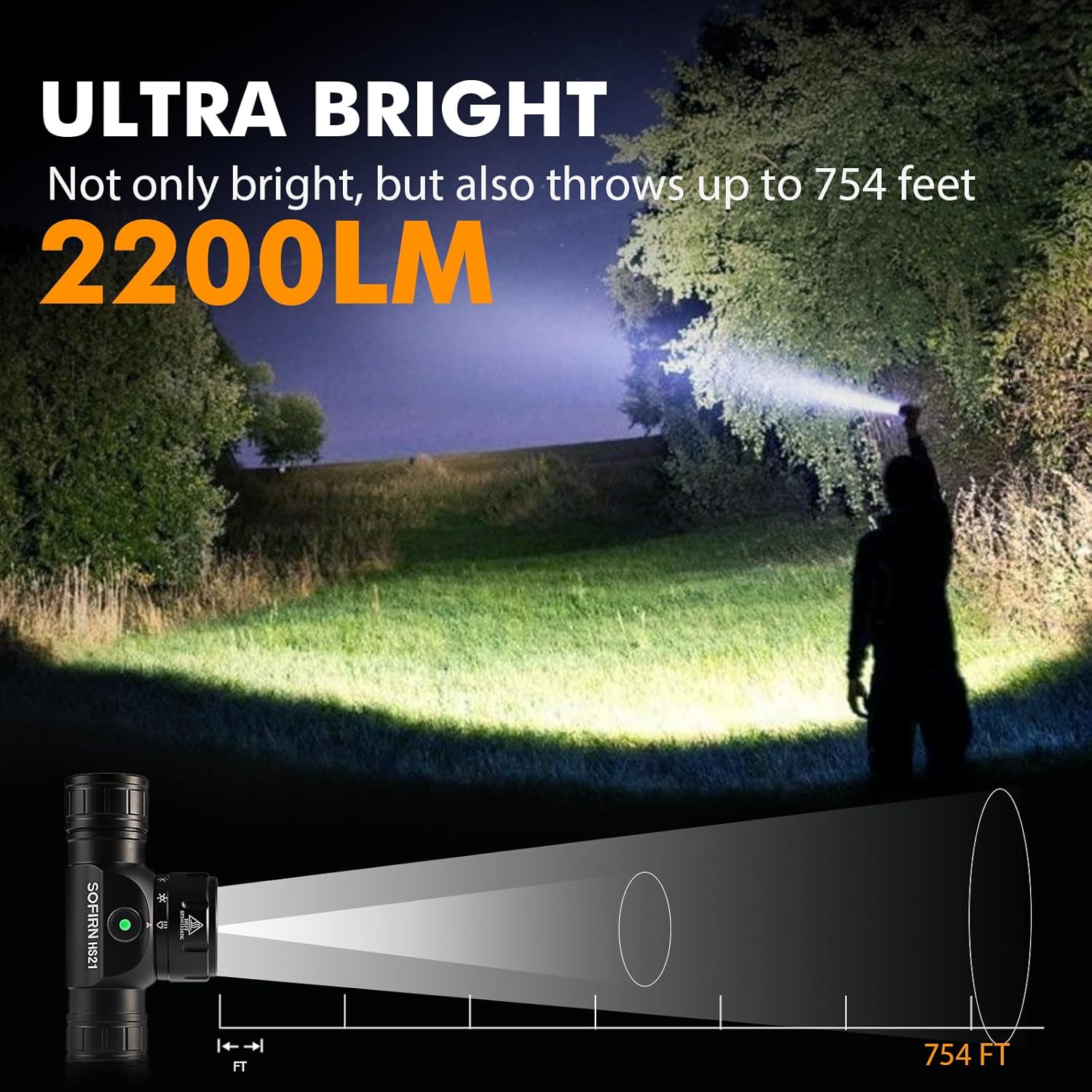
Image 9: The Sofirn HS21 headlamp demonstrating its ultra-bright output and beam distance of up to 754 feet.
9.2 Sofirn D25S Headlamp
| Xüsusiyyət | Detal |
|---|---|
| İşıq mənbəyi | SST40 LED |
| Maksimum Çıxış | 1200 lümen |
| Rejimlər | Low, Medium 1, Medium 2, High, Turbo |
| Doldurulur | Hidden USB-C Rechargeable |
| Xüsusi Xüsusiyyətlər | Yaddaş rejimi |
10. Zəmanət və Dəstək
Sofirn products are covered by a limited warranty. For specific warranty details, please refer to the warranty card included with your product or visit the official Sofirn website. For technical support, troubleshooting assistance, or warranty claims, please contact Sofirn customer service through the retailer where you purchased the product or via the contact information provided on the official Sofirn websayt.


