1. Giriş
This manual provides essential information for the safe and efficient use of your Philips B4000 Soundbar. Please read these instructions carefully before using the product and retain them for future reference. The Philips B4000 Soundbar is designed to enhance your television's audio experience with clear 2.0 channel sound and versatile connectivity options.

Image: The Philips B4000 Soundbar, its remote control, and a television displaying colorful content, illustrating the product in use.
2. Paketin məzmunu
Bütün əşyaların paketinizdə olduğunu yoxlayın:
- Philips B4000 Soundbar
- Uzaqdan İdarəetmə
- 2 x AAA Batareya (pult üçün)
- Duvara Dəstək Mötərizələri
- Tez Başlanğıc Bələdçisi
- Zəmanət kartı
3. Məhsul bitdiview
The Philips B4000 Soundbar features a compact design with integrated speakers and various input options for seamless integration with your home entertainment system.

Image: The Philips B4000 Soundbar positioned below a television in a living room, emphasizing its 2.0 channel audio, 60W maximum output power, and dual full-range speakers.
4. Quraşdırma və Quraşdırma
4.1 Yerləşdirmə Seçimləri
The soundbar offers flexible placement to suit your setup:
- TV stendinin yerləşdirilməsi: Place the soundbar on a flat surface directly in front of your TV. Ensure it does not obstruct the TV's remote sensor.
- Divar Dağı: Use the included wall mount brackets to attach the soundbar to the wall below your TV. Refer to the Quick Start Guide for detailed wall mounting instructions.
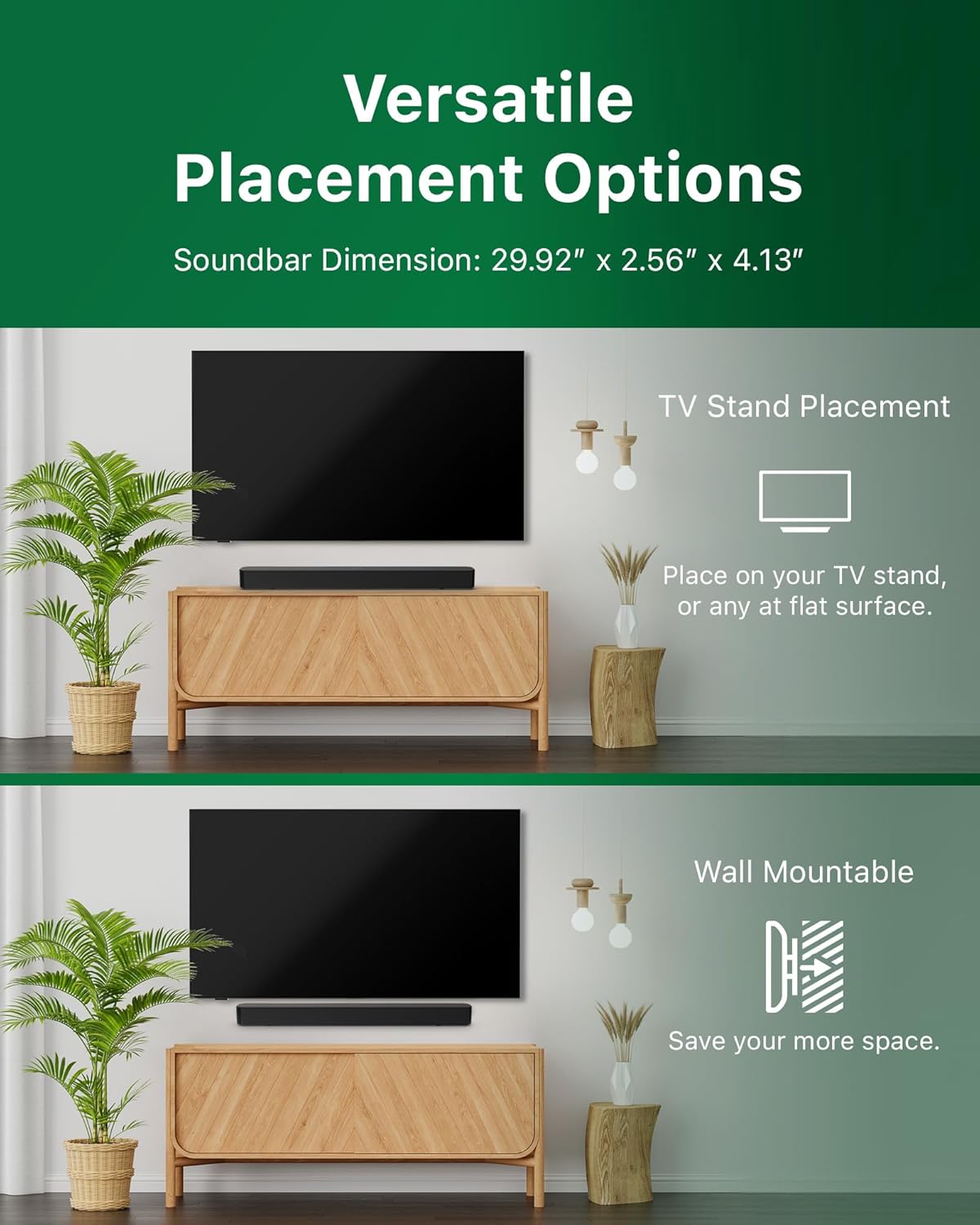
Image: Illustrations demonstrating the two primary placement methods for the soundbar: resting on a TV stand and securely mounted on a wall.
4.2 Televizorunuza qoşulma
Səs paneli bir neçə əlaqə növünü dəstəkləyir:
- HDMI ARC (Tövsiyə olunur): Connect an HDMI cable (not included) from the HDMI ARC port on your TV to the HDMI ARC port on the soundbar. This allows for audio return and control via your TV remote.
- Bluetooth: For wireless audio streaming, pair your soundbar with a Bluetooth-enabled device.
- USB: Connect a USB device for audio playback.
- DC Giriş: Connect the power adapter to the DC IN port.

Image: A visual representation of the soundbar's available audio input ports, including HDMI (ARC), USB, Bluetooth, and DC IN for power.
4.3 Roku TV Ready Setup
The Philips B4000 Soundbar is Roku TV Ready certified, simplifying setup and control when paired with a Roku TV.
- Connect the soundbar to your Roku TV via HDMI ARC.
- Your Roku TV should automatically detect and configure the soundbar.
- Use your Roku TV remote to control the soundbar's power and volume.

Image: The Philips B4000 Soundbar seamlessly integrated with a television, illustrating its 'Roku TV Ready' certification for simplified setup and control.
4.4 Uzaqdan İdarəetmə Quraşdırması
Insert the two included AAA batteries into the remote control, ensuring correct polarity.
5. Əməliyyat
5.1 Yandırma/Söndürmə
Cihazı yandırmaq və ya söndürmək üçün səs panelindəki və ya pultdakı güc düyməsini basın.
5.2 Daxiletmə seçimi
Press the 'Source' button on the remote control to cycle through available input sources (HDMI ARC, Bluetooth, USB).
5.3 Səs səviyyəsinə nəzarət
Use the 'Volume Up' and 'Volume Down' buttons on the remote control to adjust the audio level. If connected via HDMI ARC to a Roku TV, your TV remote may also control the volume.
5.4 Bluetooth Qoşulması
- Press the 'Bluetooth' button on the remote control to enter Bluetooth pairing mode. The indicator light on the soundbar will flash.
- On your mobile device, search for Bluetooth devices and select 'Philips B4000'.
- Qoşulduqdan sonra göstərici işığı möhkəm olacaq və siz səsi simsiz yayımlaya bilərsiniz.
5.5 Sound Modes and Equalizer
The soundbar may offer various sound modes or equalizer settings to optimize audio for different content types (e.g., Movie, Music, News). Use the remote control to access and adjust these settings. While specific equalizer details are not extensively documented, experimentation with available settings is encouraged to find your preferred audio profile.

Image: The Philips soundbar remote control in the foreground, with a television screen in the background displaying the EasyLink 2.0 menu for adjusting sound styles, including Bass, Treble, and Custom Equalize options.
6. Baxım
Soundbarınızın uzunömürlülüyünü və optimal performansını təmin etmək üçün bu texniki xidmət təlimatlarına əməl edin:
- Təmizləmə: Use a soft, dry cloth to clean the surface of the soundbar. Do not use liquid cleaners or abrasive materials, as they may damage the finish.
- Havalandırma: Ensure the soundbar's ventilation openings are not blocked. Proper airflow prevents overheating.
- Yaddaş: Soundbar uzun müddət saxlanılırsa, onu elektrik enerjisindən ayırın və sərin, quru yerdə saxlayın.
7. Giderme
If you encounter issues with your Philips B4000 Soundbar, refer to the following common problems and solutions:
| Problem | Mümkün Səbəb | Həll |
|---|---|---|
| Soundbardan səs gəlmir |
|
|
| Statik və ya təhrif olunmuş səs |
|
|
| Bluetooth cütləşdirmə problemləri |
|
|
| Pult işləmir |
|
|
8. Spesifikasiyalar
| Xüsusiyyət | Detal |
|---|---|
| Model Adı | TAB4000/37 |
| Dinamik növü | Soundbar |
| Ətraf Səs Kanalının Konfiqurasiyası | 2.0 |
| Dinamikin Maksimum Çıxış Gücü | 60 Vt |
| Bağlantı texnologiyası | Bluetooth (5.4), HDMI ARC, USB |
| Xüsusi Xüsusiyyətlər | Advanced Bluetooth 5.4 Connectivity, Bass Boost, Roku TV Ready™ Certification, Wall mountable |
| Məhsul Ölçüləri | 4.1"D x 30"W x 2.56"H |
| Maddə Çəkisi | 4.89 funt (2.22 kiloqram) |
| Güc mənbəyi | Battery Powered (for remote), AC Power (for soundbar) |
| Giriş həcmitage | 120 volt |
| Daxil olan komponentlər | Battery, Quick Start Guide, Remote, Wall Mount Bracket, Warranty Card |
9. Zəmanət və Dəstək
9.1 Zəmanət Məlumatı
The Philips B4000 Soundbar comes with a Limited Warranty. Please refer to the included Warranty Card for specific terms, conditions, and duration of coverage. Retain your proof of purchase for warranty claims.
9.2 Müştəri dəstəyi
Əlavə yardım, texniki dəstək və ya xidmət sorğuları üçün xahiş edirik rəsmi Philips dəstək xidmətinə müraciət edin. websaytına daxil olun və ya müştəri xidmətləri ilə əlaqə saxlayın. Əlaqə məlumatları adətən Philips saytında tapıla bilər. websaytında və ya Tez Başlanğıc Təlimatında.


