1. Giriş
This manual provides essential information for the proper use and maintenance of your Picun F5 Active Noise Cancelling Headphones. Please read it thoroughly before operating the device.
2. Paketin məzmunu
Bütün əşyaların paketinizdə olduğunu yoxlayın:
- 1 x Picun F5 Headphone
- 1 x 3.5 mm Audio Kabel
- 1 x USB şarj kabeli
- 1 x İstifadəçi Təlimatı

3. Məhsulun xüsusiyyətləri
- Aktiv səs-küyün ləğvi (ANC): Advanced technology to reduce ambient noise for an immersive audio experience.
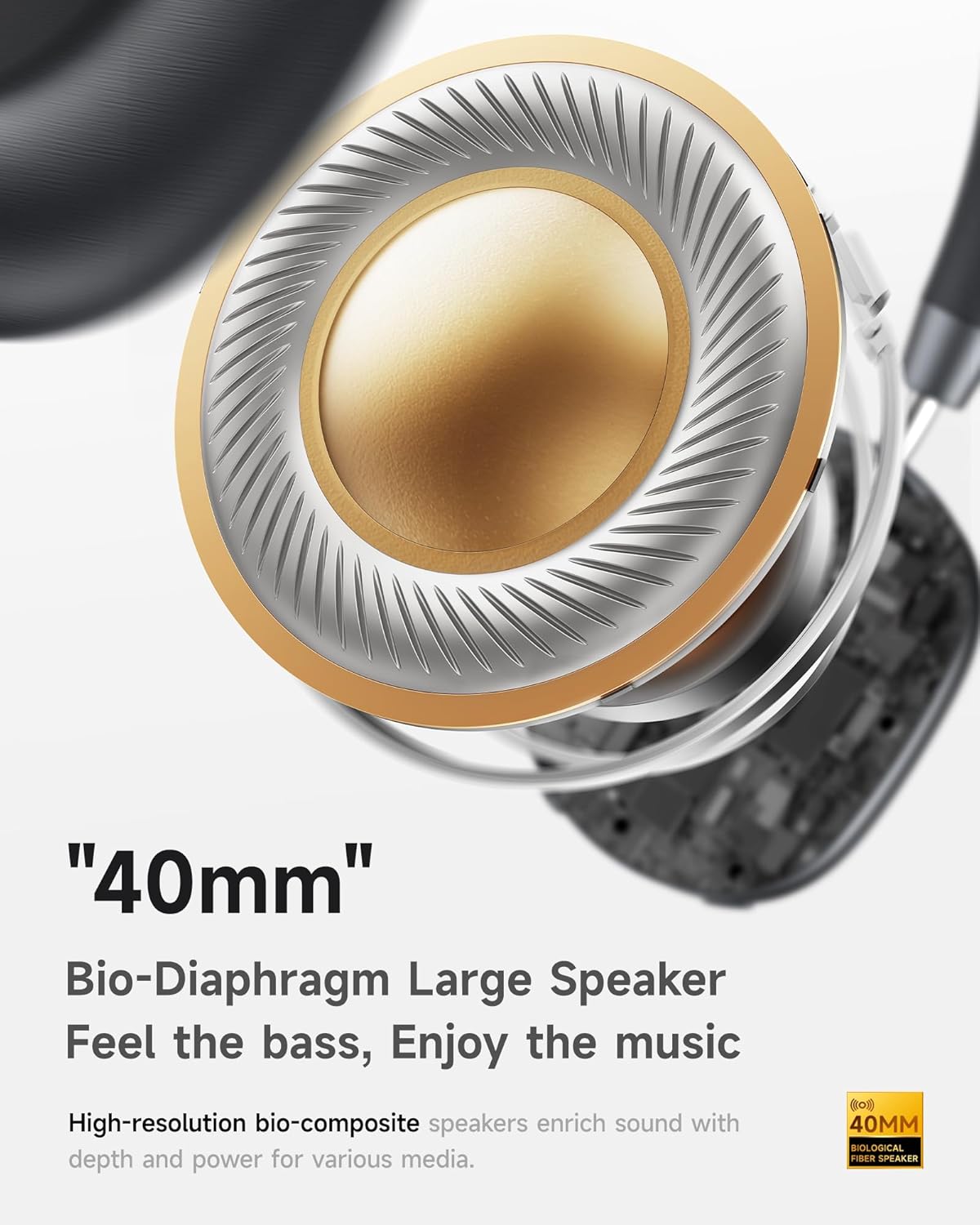
- Hi-Fi Audio with Deep Bass: Təkmilləşdirilmiş bas ilə aydın səs təmin edir.
- App-Controlled EQ: Customize audio settings via a dedicated companion application.
- Quraşdırılmış Mikrofon: Ensures clear voice calls.
- Çox nöqtəli əlaqə: Allows seamless switching between two connected Bluetooth devices.
- Erqonomik Dizayn: Lightweight build with soft memory-foam earcups for extended comfort.
- Long Playtime & Fast Charging: Up to 30 hours of playback on a single charge, with quick recharge capabilities.



4. Quraşdırma
4.1 Qulaqlıqların doldurulması
Before first use, fully charge your Picun F5 headphones. Connect the provided USB charging cable to the headphone's charging port and a compatible USB power source. The charging indicator light will show the charging status.
4.2 Bluetooth Qoşulması
- Qulaqlıqların söndürüldüyünə əmin olun.
- Press and hold the Power button until the indicator light flashes, indicating pairing mode.
- Cihazınızda (smartfon, planşet, kompüter) Bluetooth-u aktivləşdirin və mövcud cihazları axtarın.
- Select "Picun F5" from the list of devices to connect.
- Once connected, the indicator light will change to a steady blue or turn off, depending on the model.
4.3 Çox nöqtəli əlaqə
The Picun F5 supports connecting to two Bluetooth devices simultaneously. After pairing with the first device, disable Bluetooth on that device. Pair the headphones with the second device. Then, re-enable Bluetooth on the first device. The headphones should now be connected to both devices, allowing seamless audio switching.

5. Əməliyyat
5.1 Əsas idarəetmə vasitələri
The headphones feature intuitive controls for managing audio and calls:
- Yandırma/Söndürmə: Güc düyməsini basıb saxlayın.
- Səs səviyyəsinin tənzimlənməsi: Use the dedicated volume knob/buttons on the earcup.
- Oynat/Pauza: Çoxfunksiyalı düyməni tək basın.
- Növbəti trek: Çoxfunksiyalı düyməni iki dəfə basın.
- Əvvəlki Track: Çoxfunksiyalı düyməni üç dəfə basın.
- Zəngə Cavab Vermək/Bitirmək: Single press the Multi-function button during an incoming call.
- Zəngi rədd edin: Daxil olan zəng zamanı Çoxfunksiyalı düyməni basıb saxlayın.
5.2 Active Noise Cancelling (ANC) Modes
The ANC feature can be toggled or adjusted using a dedicated button on the headphones. Refer to the specific button layout on your device for exact functionality. Some models may offer different ANC levels or transparency modes.
5.3 App Control and Custom EQ
Download the companion app for your Picun F5 headphones to unlock personalized features. The app allows you to:
- Customize Equalizer (EQ) settings to match your audio preferences.
- Adjust ANC levels or switch between different noise control modes.
- Access additional smart features and settings.


6. Baxım
To ensure the longevity and optimal performance of your Picun F5 headphones, follow these maintenance guidelines:
- Təmizləmə: Qulaqcıqları və baş bandı təmizləmək üçün yumşaq, quru bir parça istifadə edin. Sərt kimyəvi maddələrdən və ya aşındırıcı materiallardan istifadə etməkdən çəkinin.
- Yaddaş: Store the headphones in a cool, dry place, away from direct sunlight and extreme temperatures. When not in use, consider storing them in a protective case.
- Nəmdən qaçın: Qulaqlıqları suya və ya həddindən artıq nəmə məruz qoymayın.
- Diqqətlə idarə edin: Qulaqlıqları yerə atmaqdan və ya güclü təsirlərə məruz qoymaqdan çəkinin.

7. Giderme
If you encounter issues with your Picun F5 headphones, refer to the following common solutions:
- Güc yoxdur: Qulaqlıqların tam doldurulduğundan əmin olun. Onları enerji mənbəyinə qoşun və doldurma indikatorunu yoxlayın.
- Cütləşdirmək mümkün deyil: Make sure the headphones are in pairing mode (indicator flashing). Disable and re-enable Bluetooth on your device, then try pairing again. Ensure the headphones are not already connected to another device.
- Səs yoxdur: Check the volume levels on both the headphones and your connected device. Ensure the headphones are properly paired. If using a wired connection, ensure the 3.5mm audio cable is securely plugged in.
- Zəif səs keyfiyyəti: Move closer to your connected device to avoid interference. Check for any obstructions between the headphones and the device. Ensure the audio source is of good quality.
- ANC İşləmir: Ensure the ANC feature is activated. Check for any physical obstructions around the microphones.
If the issue persists, try resetting the headphones (refer to the full user manual for specific reset instructions) or contact customer support.
8. Spesifikasiyalar
| Brend | Pikun |
| Model Adı | F5 |
| Bağlantı texnologiyası | Simsiz (Bluetooth 4.0) |
| Səs-küyə Nəzarət | Sound Isolation (Active Noise Cancelling) |
| Tezliyə cavab | 20 KHz |
| Həssaslıq | 42 dB |
| Qulaqlıq yuvası | 3.5 mm Jack |
| Batareya Ömrü | 30 saat |
| Audio sürücü növü | Dinamik sürücü |
| Qulaqlıq forması | Dəyirmi |
| Empedans | 32 Ohm |
| Maddə Çəkisi | 14 unsiya (0.4 Kiloqram) |
| Material | Akrilonitril Butadien Stirol (ABS) |
9. Zəmanət və Dəstək
Picun products are designed for reliability and performance. For warranty information, product support, or technical assistance, please refer to the warranty card included in your package or visit the official Picun webSayt. Zəmanət iddiaları üçün alış qəbzini saxlayın.


