Giriş
This manual provides detailed instructions for the installation, programming, operation, and maintenance of your Comfort Direct RH787T / TR29 Fan Remote Control. Please read this manual thoroughly before use to ensure proper function and safety.
Paketin məzmunu
- RH787T / TR29 Remote Control
- Divar montaj mötərizəsi
- One 23A/12V Battery
- Mounting Screws (if applicable)
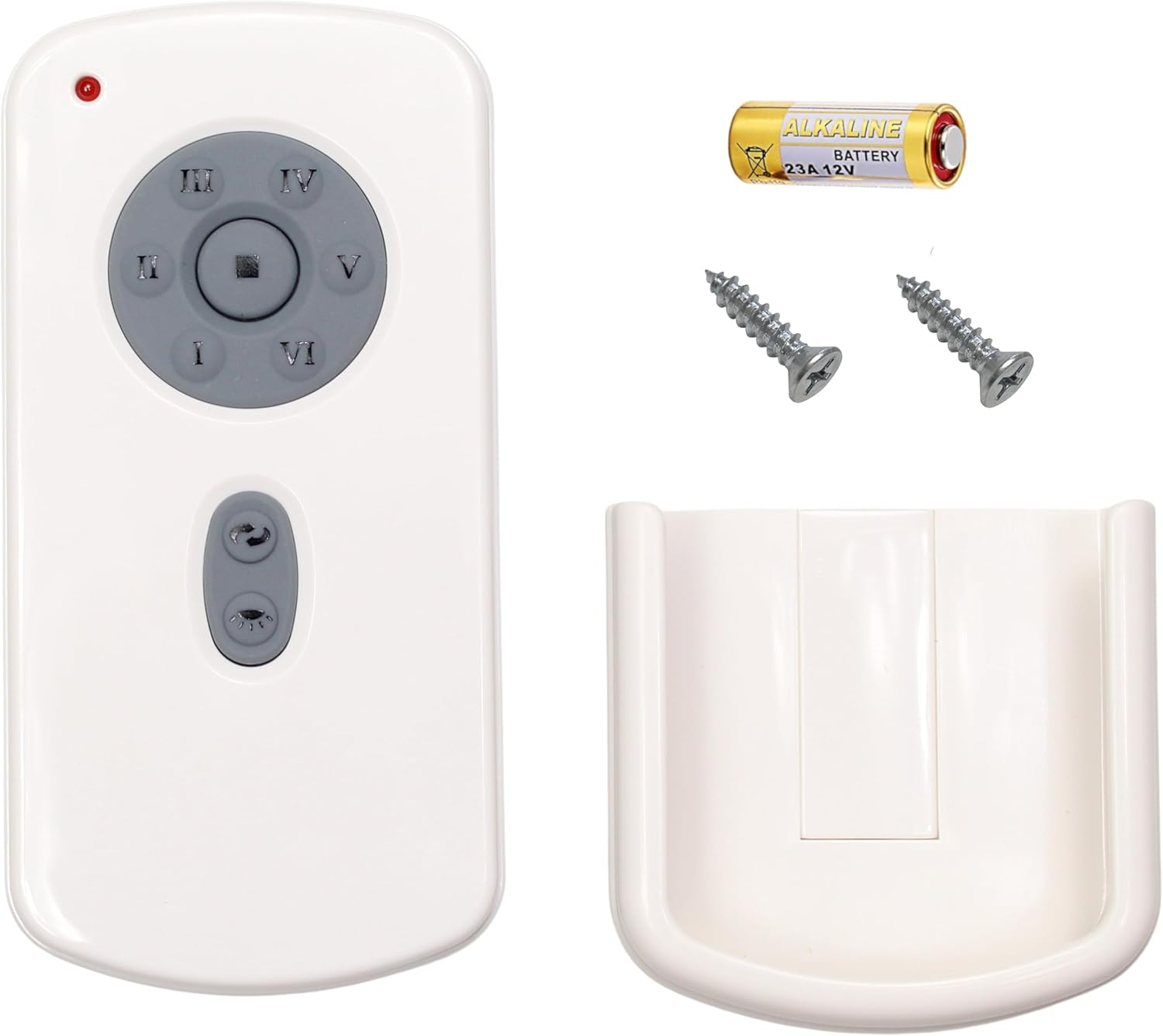
Image: Package contents including the remote, battery, screws, and wall mount.
Quraşdırma və Proqramlaşdırma
Batareyanın quraşdırılması
- Uzaqdan idarəetmənin arxasındakı batareya bölməsinin qapağını açın.
- Insert the included 23A/12V battery, ensuring correct polarity (+/-).
- Batareya bölməsinin qapağını bağlayın.
Pultunuzun Proqramlaşdırılması
Follow these steps to program your remote control to your DC ceiling fan:
- Turn off power to the fan, either using an on/off switch on the wall or at the circuit breaker.
- Set the dip switches located in the battery compartment of your remote control to the desired setting. Ensure the 23A/12V battery is installed.
- Restore power to your fan. Within 1 minute of restoring power, press and hold the [SET] button in the battery compartment for approximately 5 seconds.
- The fan light will blink twice, indicating that your fan is now synced to your remote control.
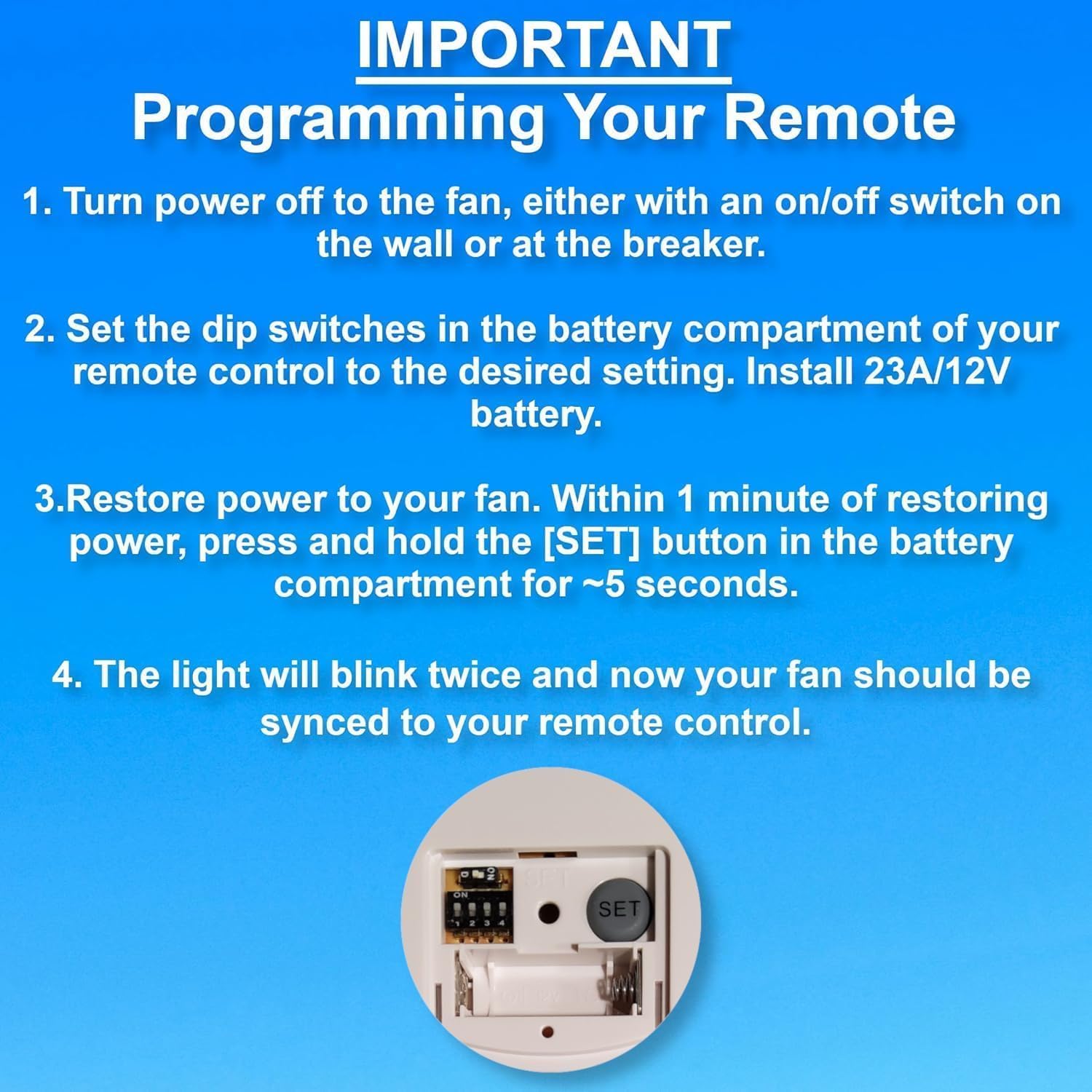
Image: Programming steps for the remote control, highlighting the dip switches and SET button.

Image: Back of the remote control with dip switches and SET button visible.
Əməliyyat Təlimatları
The remote control features buttons for fan speed, light control, and timer functions.
- Fan sürəti: Buttons labeled LOW, MED, HI control the fan speed. The STOP button turns the fan off.
- İşığa nəzarət: The LIGHT ON/OFF button toggles the light. Press and hold to dim or brighten the light.
- Taymer funksiyası: Buttons labeled 1H, 2H, 4H, 8H allow you to set the fan to turn off automatically after the selected duration.
Problemlərin aradan qaldırılması
If you experience issues with your remote control, refer to the following guide:

Image: Troubleshooting symptoms for the remote control's red indicator light.
Red Indicator Light Symptoms:
| Bad Remote Control Symptoms | Good Remote Control Symptoms |
|---|---|
| 1. Red indicator light does not illuminate when buttons are pressed. | 1. Red indicator light only illuminates when buttons are pressed. |
| 2. Red indicator light illuminates when no buttons are pressed. | |
| 3. Red indicator light stays illuminated at all times. | 2. Red indicator light stays illuminated when you PRESS and HOLD buttons. |
| Action: Replace remote control if you experience any of these symptoms. | Action: DO NOT replace remote control if you experience these symptoms. You have a different problem with your fan. |
Baxım
- Pultu yumşaq, quru parça ilə təmizləyin. Aşındırıcı təmizləyicilərdən və ya həlledicilərdən istifadə etməyin.
- Replace the 23A/12V battery when the remote's performance degrades or the indicator light behaves abnormally.
- Pultu quru yerdə, həddindən artıq temperaturdan və birbaşa günəş işığından uzaqda saxlayın.
Spesifikasiyalar
| Brend | Rahatlıq Direct |
| Model Adı | CD787T (RH787T / TR29 Compatible) |
| Rəng | Ağ |
| Güc mənbəyi | Battery Powered (1 x 23A/12V battery included) |
| Nəzarət metodu | Remote, Touch (buttons) |
| Xüsusi Xüsusiyyət | Radiofrequency |
| Güc Səviyyələrinin Sayı | 3 (Aşağı, Orta, Yüksək) |
| Daxili / Xarici İstifadə | Daxili |
| Maddə Çəkisi | 3.87 unsiya |
| Paket Ölçüləri | 5.59 x 3.19 x 1.69 düym |
Zəmanət və Dəstək
Bu məhsul a ilə gəlir 1 İl İstehsalçı Zəmanəti. For warranty claims or technical support, please contact Comfort Direct customer service.
For additional information or support, please visit the Amazon-da məhsul səhifəsi.


