1. Təhlükəsizlik Məlumatı
Please read all instructions carefully before using this monitor. Keep this manual for future reference.
- Do not expose the monitor to rain or moisture to prevent fire or electric shock.
- Monitoru açmayın casing. İçəridə istifadəçi tərəfindən xidmət edilə bilən hissələr yoxdur. Bütün xidmətlər üçün ixtisaslı işçilərə müraciət edin.
- Monitorun düşməsinin qarşısını almaq üçün onu sabit, düz bir səthə qoyun.
- Monitor ətrafında düzgün ventilyasiya olmasını təmin edin. Havalandırma deliklərini bağlamayın.
- Yalnız monitorla birlikdə verilən güc adapterindən istifadə edin.
- Monitor uzun müddət istifadə olunmayacaqsa, elektrik ştepselini rozetkadan ayırın.
2. Paketin məzmunu
Bütün əşyaların paketinizdə olduğunu yoxlayın:
- CRUA 34-inch Ultrawide Gaming Monitor
- Monitor Stend (Baza və Boyun)
- Enerji Adapteri və Kabel
- HDMI Kabel
- DisplayPort (DP) Kabel
- İstifadəçi təlimatı
- Stendin yığılması üçün vintlər
3. Quraşdırma
3.1 Stendin yığılması
- Monitoru yumşaq bir səthdə qoruyaraq qablaşdırmadan ehtiyatla çıxarın.
- Attach the stand neck to the monitor's rear panel using the provided screws.
- Connect the stand base to the stand neck and secure it with the designated screw.
- Yığılmış monitoru sabit bir masaya qoyun.
The monitor stand allows for tilt adjustment to find your optimal viewbucaq.
3.2 Divar montajı (İstəyə görə)
This monitor supports VESA wall mounting (75x75mm). To wall mount:
- Remove the stand from the monitor if it is already attached.
- Attach a compatible VESA 75x75mm wall mount bracket (not included) to the monitor's rear panel using appropriate screws.
- Follow the instructions provided with your wall mount for secure installation.

Şəkil: arxa view of the monitor highlighting the 75x75mm wall mount area and various input ports.
3.3 Cihaza qoşulma
Connect your computer or gaming console to the monitor using one of the available ports:
- DisplayPort (DP 1.4): For optimal performance, especially for high refresh rates and FreeSync.
- HDMI (HDMI 1.4 x2): Compatible with most devices.
Connect the power adapter to the monitor's DC input and then plug it into a power outlet.
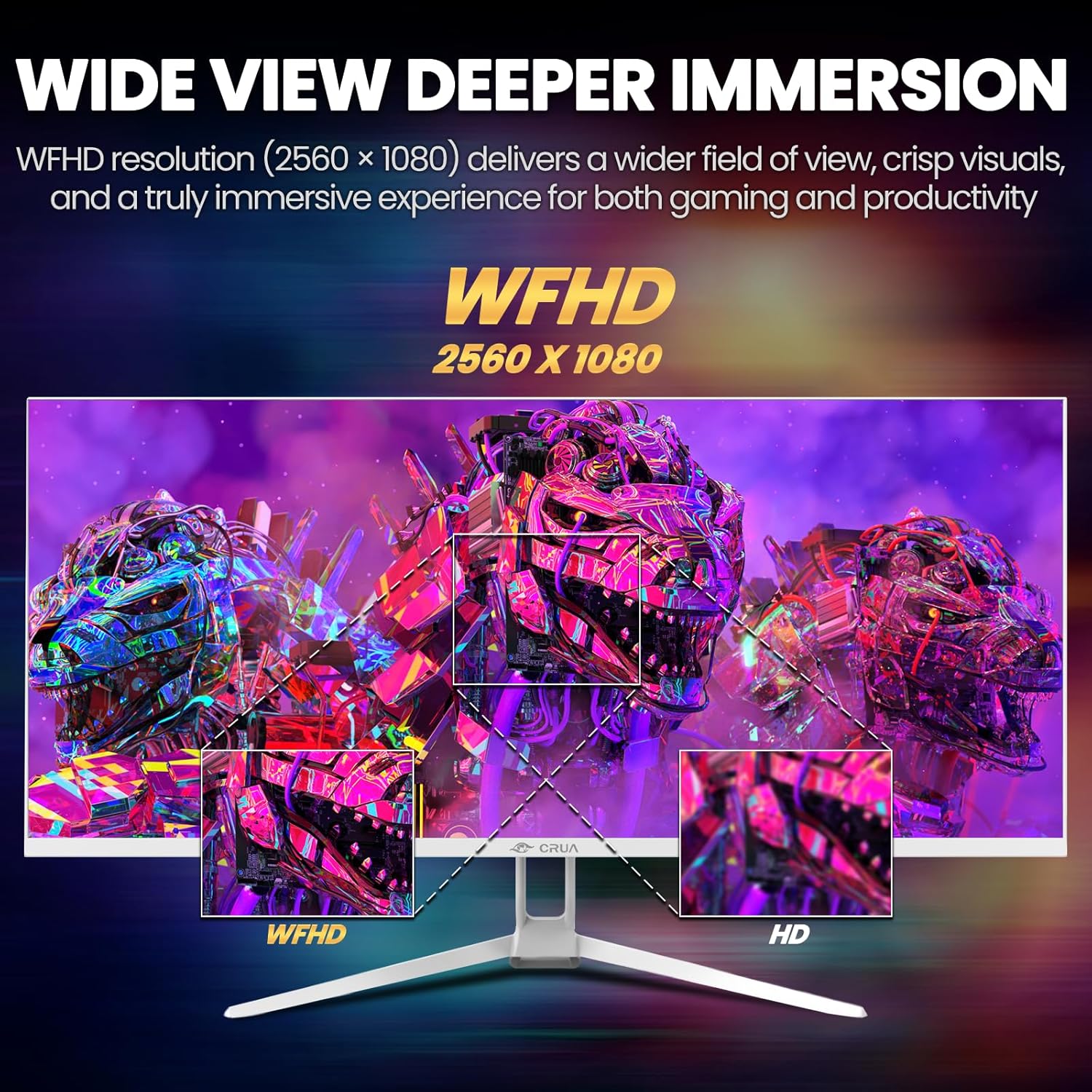
Image: A detailed diagram illustrating the monitor's connectivity options, including two HDMI 1.4 ports, one DisplayPort 1.4, an audio output, a USB charging port, and the DC power input.
4. Əməliyyat Təlimatları
4.1 Yandırma/Söndürmə
Press the power button, typically located on the bottom or rear of the monitor, to turn it on or off. The power indicator light will illuminate when the monitor is on.
4.2 Ekranda Ekran (OSD) Menyu
The OSD menu allows you to adjust various monitor settings. Access it by pressing the OSD menu button (often a joystick-like button or a set of dedicated buttons) on the monitor.
- Naviqasiya: Use the OSD buttons or joystick to navigate through the menu options.
- Seçim: Alt menyuya daxil olmaq və ya parametri təsdiqləmək üçün seçim düyməsini basın.
- Çıxış: Use the exit button to go back or close the OSD menu.
4.3 Şəkil Ayarları
Adjust visual parameters for optimal viewing:
- Parlaqlıq: Ekranın ümumi parlaqlığına nəzarət edir.
- Kontrast: İşıq və qaranlıq sahələr arasındakı fərqi tənzimləyir.
- Rəng temperaturu: Əvvəlcədən hazırlanmış rəng rejimlərini seçir (məsələn, İsti, Soyuq, İstifadəçi).
- Mavi İşıq Filtri: Reduces blue light emission to minimize eye strain during prolonged use.
- Aspekt nisbəti: Set to 21:9 for ultrawide content or other options as needed.

Image: The CRUA ultrawide monitor showcasing its 21:9 aspect ratio, demonstrating how it provides more horizontal screen space compared to a standard 16:9 display.
4.4 Audio Parametrlər
The monitor includes built-in speakers. Adjust volume through the OSD menu or your connected device. An external audio output port is also available for headphones or external speakers.
4.5 AMD FreeSync
To enable AMD FreeSync for tear-free gaming, ensure your graphics card supports FreeSync and that it is enabled in your graphics card's control panel. Then, activate FreeSync within the monitor's OSD menu.

Image: A visual comparison demonstrating the effect of AMD FreeSync, showing a torn image when FreeSync is off and a smooth image when FreeSync is on, highlighting the 120Hz refresh rate.
5. Baxım
5.1 Ekranın təmizlənməsi
- Monitoru söndürün və elektrik kabelini ayırın.
- Yumşaq, tüysüz parçadan yüngülcə istifadə edin dampsu və ya xüsusi ekran təmizləyicisi ilə tamamlanır.
- Wipe the screen gently. Do not press hard or use abrasive cleaners.
5.2 Ümumi qulluq
- Monitoru birbaşa günəş işığından, istilik mənbələrindən və həddindən artıq tozdan uzaq tutun.
- Monitorun və ya onun kabellərinin üzərinə ağır əşyalar qoymaqdan çəkinin.
- Do not spray cleaning liquids directly onto the monitor.
6. Giderme
Monitorunuzla bağlı problemlərlə qarşılaşsanız, aşağıdakı ümumi problemlərə və həll yollarına müraciət edin:
| Problem | Mümkün Həll |
|---|---|
| Ekranda şəkil yoxdur | Ensure power cable is securely connected and the monitor is turned on. Check video cable (HDMI/DP) connections to both monitor and computer. Select the correct input source via the OSD menu. |
| Şəkil titrəyir və ya qeyri-sabitdir | Check video cable connections. Ensure your graphics card drivers are up to date. If using FreeSync, try disabling it temporarily to see if the issue persists. Adjust refresh rate in your computer's display settings. |
| Daxili dinamiklərdən səs yoxdur | Increase volume via the OSD menu and your computer's sound settings. Ensure the correct audio output device is selected on your computer. Check if the audio cable (if used) is properly connected. |
| Rənglər səhv görünür | Reset picture settings to factory defaults via the OSD menu. Adjust color temperature and individual RGB values if available. |
If the problem persists after trying these solutions, please contact CRUA customer support.
7. Spesifikasiyalar
Key technical specifications for the CRUA 34-inch Ultrawide Gaming Monitor (Model CR340AU):
| Xüsusiyyət | Spesifikasiya |
|---|---|
| Ekran Ölçüsü | 34 düym |
| Panel növü | IPS |
| Qətnamə | 2560 x 1080 (WFHD) |
| Aspekt nisbəti | 21:9 |
| Yeniləmə dərəcəsi | 120Hz |
| Cavab vaxtı | (Not specified in provided data, typical for IPS is 1-5ms GTG) |
| Parlaqlıq | 350 cd/m² |
| Rəng Gamutu | 120% sRGB |
| Rəng Dərinliyi | 8-bit (16.7 Million Colors) |
| Viewaçılar | 178° (Üfüqi/Şaquli) |
| Adaptiv Sinxronizasiya | AMD FreeSync |
| Bağlantı | 2x HDMI 1.4, 1x DisplayPort 1.4, Audio Out, USB Charging, DC Power Input |
| Quraşdırılmış Dinamiklər | Bəli |
| Divar montajı | VESA 75x75mm |
| Məhsul Ölçüləri | 9.4 x 24.13 x 17.47 düym |
| Maddə Çəkisi | 14.92 funt sterlinq |
8. Zəmanət və Dəstək
CRUA provides high-quality computer monitors and customer service. For any questions or support needs regarding your CRUA 34-inch Ultrawide Gaming Monitor, please contact CRUA customer support.
Refer to your purchase documentation or the official CRUA webxüsusi zəmanət şərtləri və əlaqə məlumatları üçün sayt.


