1. Giriş
This manual provides essential information for the safe and efficient operation of your FOXX C10 10.1-inch Android Tablet. Please read this guide thoroughly before using your device to ensure proper functionality and to understand its features. Keep this manual for future reference.
2. Qutuda nə var
Bütün əşyaların paketdə olduğunu yoxlayın:
- FOXX C10 Tablet
- Type-C Kabel
- Şarj cihazı (10 Vt)
- İstifadəçi təlimatı
- Protective Cover (pre-applied)
- Screen Protector Film (pre-applied)
3. Məhsul bitdiview
The FOXX C10 tablet features a 10.1-inch HD display, dual 8MP cameras, and a robust 6000mAh battery, all powered by an Android 13 operating system.

Şəkil: Ön və arxa view of the FOXX C10 tablet, showcasing its sleek design and dual camera module on the rear.

Image: An infographic highlighting key features including the 10.1-inch display, Android 13, 6000mAh battery, 8MP cameras, MediaTek quad-core chipset, 4GB RAM + 64GB storage, 4G LTE bands, Wi-Fi, Bluetooth 5.0, Nano SIM, Type-C, and 3.5mm AUX port.
3.1 Ekran
The tablet is equipped with a 10.1-inch HD TFT V-notch display, offering a resolution of 800x1280 pixels for clear visuals.

Image: Close-up of the tablet's 10.1-inch HD TFT V-notch display, showing vibrant colors and detail.
3.2 Kameralar
The FOXX C10 features dual 8-megapixel cameras, both on the front and rear, enabling high-quality photos and video calls.
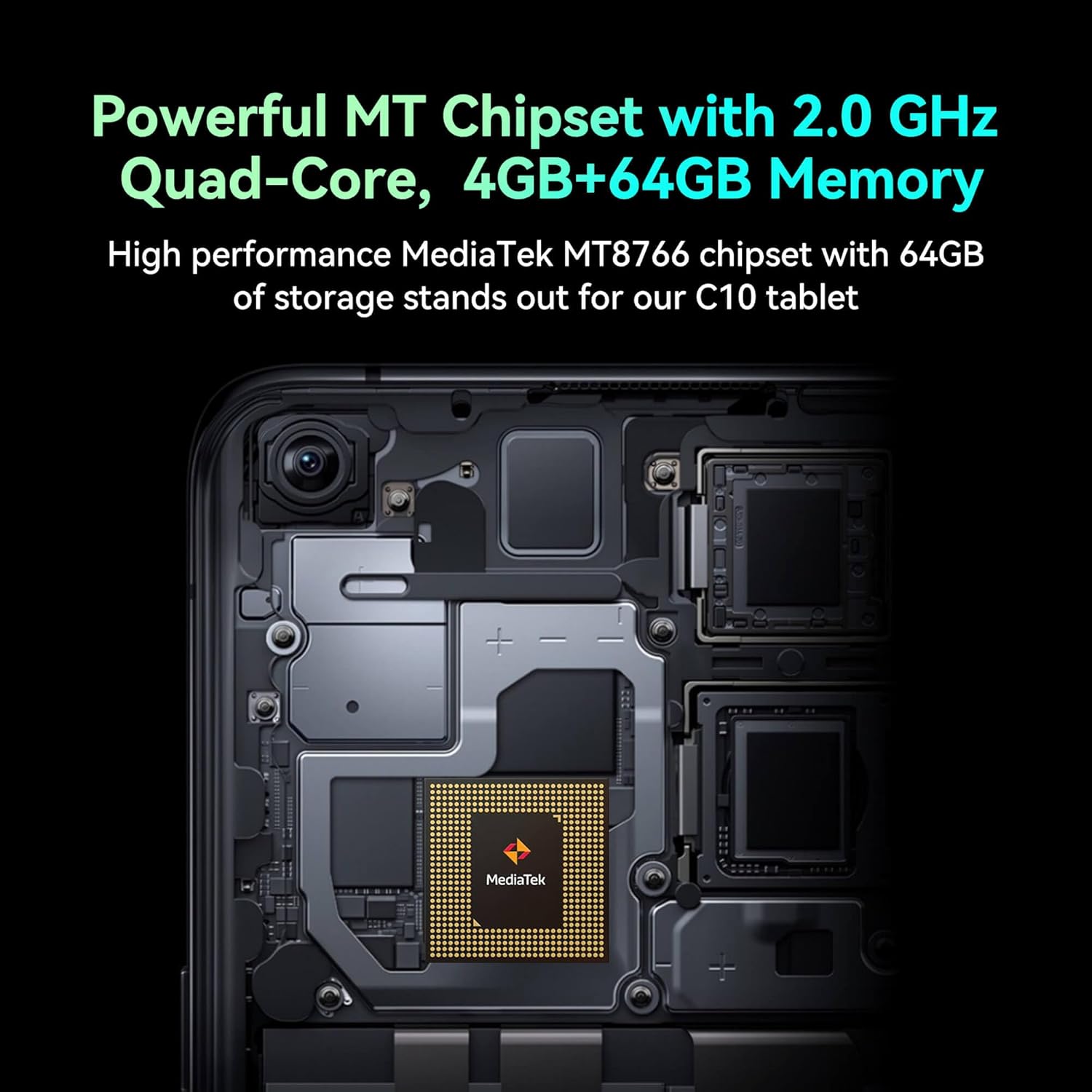
Image: Detail of the tablet's rear camera module, highlighting the 8-megapixel main camera with autofocus capabilities.
3.3 Prosessor və Yaddaş
It runs on a 2.0 GHz quad-core MediaTek MT8766 chipset, paired with 4GB of RAM and 64GB of internal storage for smooth performance and ampboşluq.

Şəkil: Daxili view of the tablet's motherboard, showcasing the MediaTek MT8766 quad-core chipset.
3.4 Batareya
A 6000mAh battery provides extended usage time, ensuring the device stays powered throughout the day.
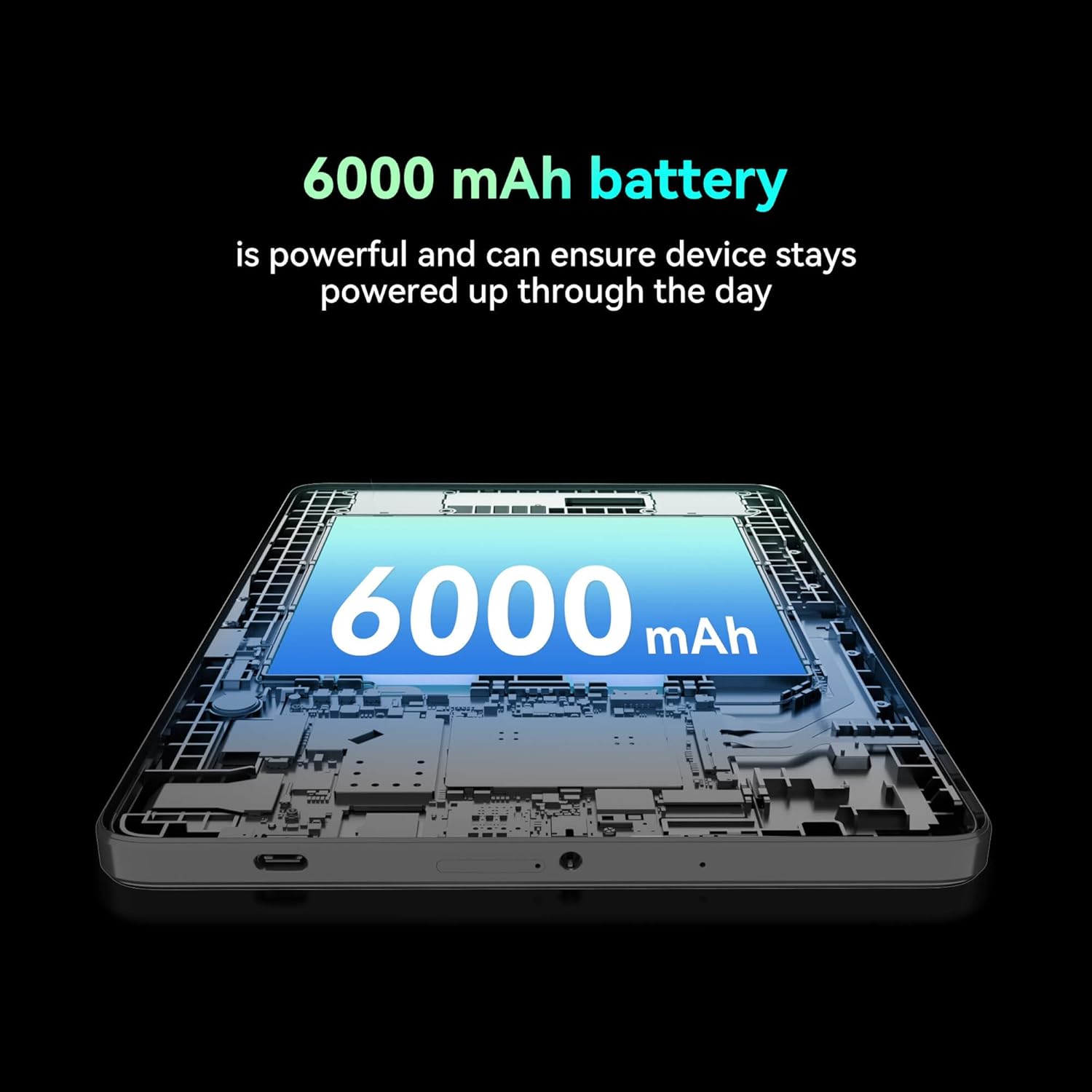
Şəkil: bir kəsik view of the tablet highlighting the large 6000 mAh battery component.
4. Quraşdırma
4.1 İlkin Doldurma
Before first use, fully charge your tablet using the provided Type-C cable and 10W charger. The battery indicator on the screen will show charging status.
4.2 Yandırma/Söndürmə
- Yandırmaq üçün: Ekran işıqlanana qədər Güc düyməsini basıb saxlayın.
- Söndürmək üçün: Güc düyməsini basıb saxlayın, sonra ekrandakı seçimlərdən "Söndür" seçin.
- Yenidən Başlamaq üçün: Güc düyməsini basıb saxlayın, sonra ekrandakı seçimlərdən 'Yenidən başladın' seçin.
4.3 SİM kartın quraşdırılması
The FOXX C10 supports Nano SIM cards for cellular connectivity. Locate the SIM card tray on the side of the tablet. Use the provided SIM ejector tool to open the tray. Insert the Nano SIM card into the designated slot with the gold contacts facing down. Close the tray securely.
4.4 MicroSD Kartın Quraşdırılması (İstəyə görə)
If your tablet supports expandable storage, locate the MicroSD card slot, often combined with the SIM tray. Insert a MicroSD card (up to 128GB, sold separately) into the slot with the gold contacts facing down. Close the tray securely.
5. Əməliyyat Təlimatları
5.1 Əsas naviqasiya
Your tablet runs on Android 13. Use touch gestures for navigation:
- Klikləyin: Element seçin və ya proqram açın.
- Çalmak: Ekranlar və ya siyahılar arasında sürüşdürün.
- Çimdik: Şəkilləri böyütmək və ya kiçiltmək və web səhifələr.
- Uzun Mətbuat: Kontekst menyularına daxil olun və ya nişanları köçürün.
5.2 Wi-Fi şəbəkəsinə qoşulma
- gedin Parametrlər > Şəbəkə və internet > Wi-Fi.
- Wi-Fi-ı dəyişin On.
- Siyahıdan istədiyiniz Wi-Fi şəbəkəsini seçin.
- Tələb olunduqda parolu daxil edin, sonra vurun Qoşun.
5.3 Making Calls (4G LTE)
With a properly installed and activated Nano SIM card, your tablet can make and receive calls.
- açın Telefon proqram.
- Dial the desired number or select a contact.
- vurun Zəng edin düyməsi.
5.4 Kameradan istifadə
The tablet features dual 8MP cameras for photography and video recording.
- açın Kamera proqram.
- vurun Çekim şəkil çəkmək üçün düymə.
- vurun Video icon to switch to video recording mode.
- Ön və arxa kameralar arasında keçid etmək üçün kamera açarı işarəsindən istifadə edin.
5.5 Bluetooth Qoşulması
- gedin Parametrlər > Qoşulmuş cihazlar > Bluetooth.
- Bluetooth-u dəyişin On.
- Ensure the device you want to pair with is in pairing mode.
- Cihazı siyahıdan seçin və cütləşməni tamamlamaq üçün ekrandakı bütün təlimatları izləyin.
6. Baxım
6.1 Batareya Baxımı
- Batareyanın ömrünü azalda biləcək həddindən artıq temperaturdan çəkinin.
- Planşeti tam doldurduqdan sonra uzun müddət doldurulma vəziyyətində saxlamayın.
- Use only the provided charger and cable.
6.2 Təmizləmə
Planşetin ekranını və gövdəsini təmizləmək üçün yumşaq, tüksüz bir parça istifadə edin. Sərt kimyəvi maddələrdən və ya aşındırıcı materiallardan istifadə etməkdən çəkinin. İnadkar ləkələr üçün bir az təmizləyin.ampsu və ya elektronika üçün nəzərdə tutulmuş ekran təmizləyicisi ilə parça.
6.3 Proqram Yeniləmələri
Planşetinizin ən son xüsusiyyətlərə, təhlükəsizlik yamalarına və performans təkmilləşdirmələrinə malik olduğundan əmin olmaq üçün proqram yeniləmələrini mütəmadi olaraq yoxlayın və quraşdırın. gedin Parametrlər > Sistem > Sistem yeniləməsi.
7. Giderme
| Problem | Həll |
|---|---|
| Planşet açılmır | Batareyanın doldurulduğundan əmin olun. Şarj cihazını qoşun və yenidən yandırmağa cəhd etməzdən əvvəl bir neçə dəqiqə gözləyin. |
| Wi-Fi-a qoşulmaq mümkün deyil | Check if Wi-Fi is enabled in settings. Restart your router and the tablet. Verify the Wi-Fi password. |
| Tətbiqlər yavaş və ya sıradan çıxır | Close unused apps. Clear app cache (Settings > Apps > [App Name] > Storage > Clear cache). Restart the tablet. Ensure sufficient storage space. |
| Mobil xidmət yoxdur | Ensure the Nano SIM card is correctly inserted and activated. Check your network settings and contact your service provider if necessary. |
| Ekran cavab vermir | Restart the tablet. If the issue persists, perform a factory reset (data will be lost). |
8. Spesifikasiyalar
| Xüsusiyyət | Detal |
|---|---|
| Model Adı | FOXX C10 |
| Əməliyyat sistemi | Android 13 |
| Ekran Ölçüsü | 10.1 düym |
| Maksimum Ekran Çözünürlüğü | 800x1280 piksel |
| Prosessor | 2 GHz Quad-Core MediaTek |
| RAM | 4 GB |
| Daxili yaddaş | 64 GB |
| Flash Yaddaş Ölçüsü | 8 GB (likely referring to system partition or eMMC base) |
| Kameralar | Dual 8MP (Front & Rear) |
| Batareya Tutumu | 6000 mAh |
| Bağlantı | 4G LTE, Wi-Fi (802.11 b/g/n/ac), Bluetooth 5.0, USB-C, 3.5mm AUX |
| Maddə Çəkisi | 1.26 funt sterlinq |
| Məhsul Ölçüləri | 9.64 x 6.39 x 0.42 düym |
| Rəng | Qara |
9. Zəmanət və Dəstək
Zəmanət məlumatı və texniki dəstək üçün, xahiş edirik, alış-verişiniz ilə birlikdə təqdim edilən sənədlərə baxın və ya satıcı ilə əlaqə saxlayın. Zəmanət tələbləri üçün alış-veriş sənədinizi saxlayın.


