1. Giriş
This manual provides detailed instructions for the Bikevee GPS Bike Computer. This device is designed to track various cycling data, including speed, distance, time, and altitude, with features like auto start/stop, auto backlight, and IPX7 waterproofing. Please read this manual thoroughly before using the product to ensure proper operation and maintenance.
2. Nə daxildir
Paketinizdə bütün komponentlərin mövcud olduğunu yoxlayın:
- Bike Computer (Main Unit)
- Doldurma kabeli (USB-C)
- Out Front Extended Mount
- Altıbucaqlı Soket Vidası
- Altıbucaqlı açar
- Süngər
- İstifadəçi təlimatı

Image: All components included in the Bikevee GPS Bike Computer package.
3. Quraşdırma və Quraşdırma
3.1 Velosiped kompüterinin quraşdırılması
The Bikevee GPS Bike Computer uses a wireless design for easy installation. Follow these steps to mount the device:
- Attach the Out Front Extended Mount to your bicycle's handlebar. Use the provided Hexagon Socket Screw and Hexagon Wrench to secure it firmly.
- Slide the Bike Computer onto the mount until it clicks securely into place.

Image: Simple installation of the wireless GPS bike computer on the handlebar mount.
3.2 İlkin Yandırma və GPS Alma
After mounting, press the power button to turn on the device. The computer will automatically search for GPS signals. It utilizes a 5-satellite system (GPS, BDS, Glonass, Galileo, QZSS) for accurate and stable positioning. The initial connection time may be longer, but subsequent connections will be faster.

Image: The bike computer's 5-satellite positioning system for enhanced accuracy.
3.3 Dil Parametrləri
The device supports 9 languages. Refer to the user manual for specific instructions on how to navigate to the language settings and select your preferred language.

Image: The bike computer displaying data in multiple languages.
4. Əməliyyat Təlimatları
4.1 Display Pages and Data Types
The Bikevee GPS Bike Computer features a 2.4" LCD screen that displays various cycling data across 6 functional pages. You can cycle through these pages using the device's buttons. The data types include:
- GPS hündürlüyü
- Saat
- Speed (MPH and KM/H)
- Səyahət vaxtı
- Səyahət məsafəsi
- Ümumi vaxt
- Ümumi Məsafə
- Orta Sürət
- Maksimum Sürət
- Arxa işıq vəziyyəti

Şəkil: Məsamples of the 6 functional data display pages.
4.2 Auto Start/Stop Function
The device automatically starts recording data when you begin cycling and pauses when you stop, conserving battery life and ensuring accurate trip data.
4.3 Avtomatik arxa işıqlandırma
To turn the backlight on or off, press both the left and right buttons simultaneously. Once activated, the backlight remains on throughout your ride. You can turn off the backlight during the day to save battery power, or keep it on for clear visibility at night.
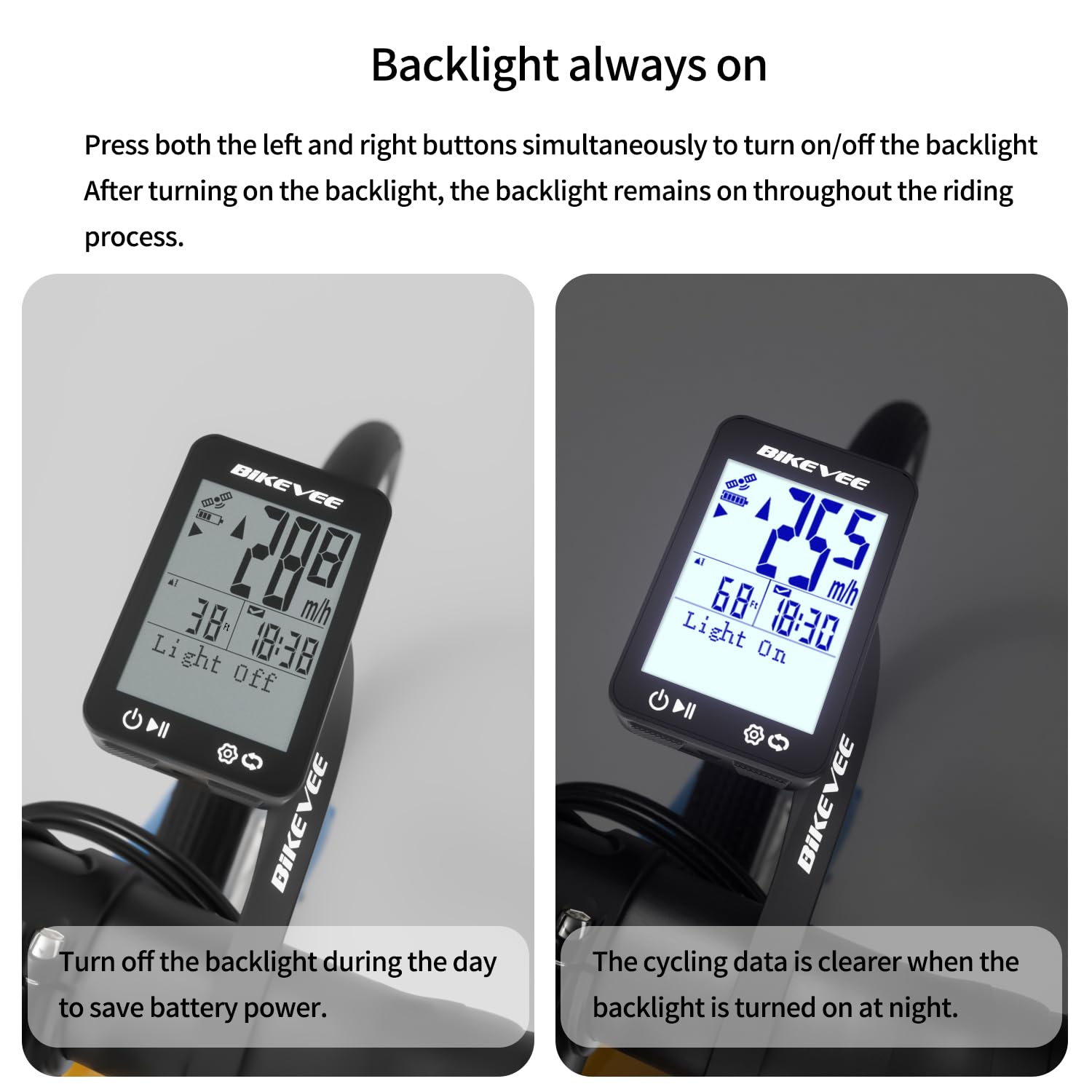
Image: Backlight functionality, showing display with backlight off and on.
5. Baxım və qulluq
5.1 Təmizləmə
Cihazı yumşaq bir parça ilə silin, damp cloth. Do not use abrasive cleaners or solvents, as they may damage the screen or casing.
5.2 Su izolyasiyası
The Bikevee GPS Bike Computer has an IPX7 waterproof rating, meaning it can withstand immersion in water up to 1 meter for 30 minutes. This protects it from rain and splashes during your rides. However, avoid prolonged submersion or high-pressure water jets.
5.3 Batareyanın doldurulması
The device is equipped with a 650mAh Lithium Ion battery, providing up to 28 hours of continuous use. Charge the device using the provided USB-C charging cable when the battery indicator is low.
6. Giderme
If you encounter issues with your Bikevee GPS Bike Computer, consider the following:
- Cihaz açılmır: Ensure the battery is charged. Connect the device to the charging cable and allow it to charge for at least 30 minutes before attempting to power it on again.
- GPS siqnalı əldə edilməyib: Açıq bir ərazidə olduğunuzdan əmin olun view of the sky. Initial GPS acquisition can take longer. If indoors or under heavy tree cover, signal acquisition may be difficult.
- Qeyri-dəqiq məlumatlar: Ensure the device is securely mounted and has a clear GPS signal. Verify that the correct units (MPH/KM/H) are selected in the settings.
- Screen not visible: Check the backlight setting. If the backlight is off, press both left and right buttons simultaneously to activate it.
Əlavə yardım üçün Zəmanət və Dəstək bölməsindəki əlaqə məlumatlarına baxın.
7. Spesifikasiyalar
| Xüsusiyyət | Spesifikasiya |
|---|---|
| Brend | Bikevee |
| Model nömrəsi | SF20250929B0FN818NDK |
| Rəng | Qara |
| Məhsul Ölçüləri | 45L x 16W x 70H Millimeters |
| Maddə Çəkisi | 50 qram |
| Ekran Ölçüsü | 2.4 düym |
| Ekran növü | LCD |
| Batareya Ömrü | 28 saat |
| Batareya Hüceyrəsinin Tərkibi | Litium ion |
| Beynəlxalq Qoruma Reytinqi | IPX7 |
| Montaj növü | Sükan montajı |
| İnsan İnterfeysi Girişi | Düymələr |
| Mənşə ölkəsi | Çin |

Image: Summary of key product features and specifications.
8. Zəmanət və Dəstək
8.1 Keyfiyyət Təminatı
Bikevee is committed to providing dependable products. This GPS Bike Computer is designed for lasting satisfaction.
8.2 Müştəri dəstəyi
For any questions, technical support, or warranty claims, please contact Bikevee customer service through the retailer where you purchased the product or visit the official Bikevee webəlaqə məlumatı üçün sayt.


