1. Giriş
This manual provides essential information for the setup, operation, maintenance, and troubleshooting of your NIMO N159 15.6-inch IPS FHD Gaming Laptop. This device is equipped with an AMD Ryzen 7 7735HS processor, 32GB DDR5 RAM, and a 1TB PCIe SSD, designed for balanced performance in productivity and light gaming tasks. Please read this manual thoroughly to ensure proper usage and to maximize the lifespan of your laptop.
2. Qutuda nə var
Bütün əşyaların qablaşdırmada olduğunu yoxlayın:
- 1 x NIMO N159 Laptop
- 1 x Type-C 100W PD Fast Charger
- 1 x İstifadəçi Təlimatı (bu sənəd)
- Windows 11 Home (pre-installed)
3. Məhsul bitdiview
Familiarize yourself with the components and features of your NIMO N159 laptop.

Şəkil 3.1: Ön view of the NIMO N159 laptop, showcasing its 15.6-inch display and overall design.
3.1 Əsas Xüsusiyyətlər
- Prosessor: AMD Ryzen 7 7735HS with 8 Cores and 16 Threads, up to 4.75GHz.
- Qrafik: Integrated AMD Radeon 680M GPU.
- Yaddaş: 32GB DDR5 RAM for efficient multitasking.
- Yaddaş: 1TB PCIe 4.0 SSD for fast boot times and data access.
- Ekran: 15.6-inch Full HD (1920x1080) IPS Anti-Glare Display.
- Doldurulur: 100W Type-C PD Fast Charger.
- Təhlükəsizlik: Fingerprint Unlock integrated into the touchpad.
- Giriş: Backlit Keyboard with Numeric Keypad.

Şəkil 3.2: bitdiview of the AMD Ryzen 7 7735HS processor and its integrated Radeon 680M graphics.
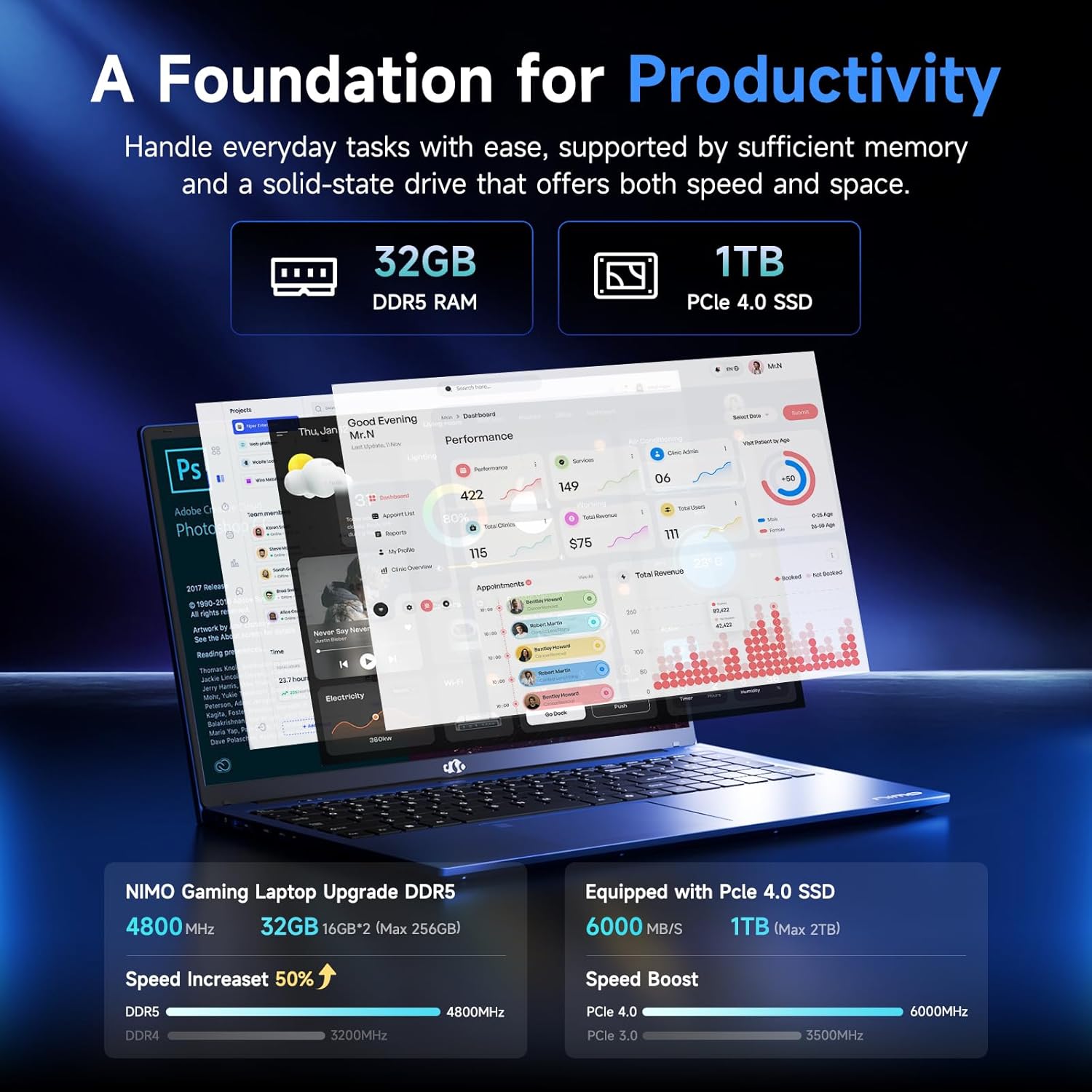
Figure 3.3: Illustration of the 32GB DDR5 RAM and 1TB PCIe 4.0 SSD, highlighting their speed and capacity.
3.2 Portlar və Bağlayıcılar
The NIMO N159 laptop provides a variety of ports for connectivity:

Şəkil 3.4: Ətraflı view of the laptop's ports and their functions.
- Sol tərəf: Kensington Lock, Audio Jack, USB 3.2 Gen 1, USB 2.0, Micro SD Reader.
- Sağ tərəf: Type-C Gen2 (Multifunction), USB 3.2 Gen 1, HDMI 2.0, Type-C Gen2 (Multifunction).
3.3 Güc və Batareya

Figure 3.5: Battery and charging capabilities of the NIMO N159 laptop.
The laptop is equipped with a 54Wh smart battery. It supports fast charging via the included 100W Type-C PD charger, providing approximately 5 hours of usage from a 1-hour charge.
3.4 Keyboard and Fingerprint Unlock
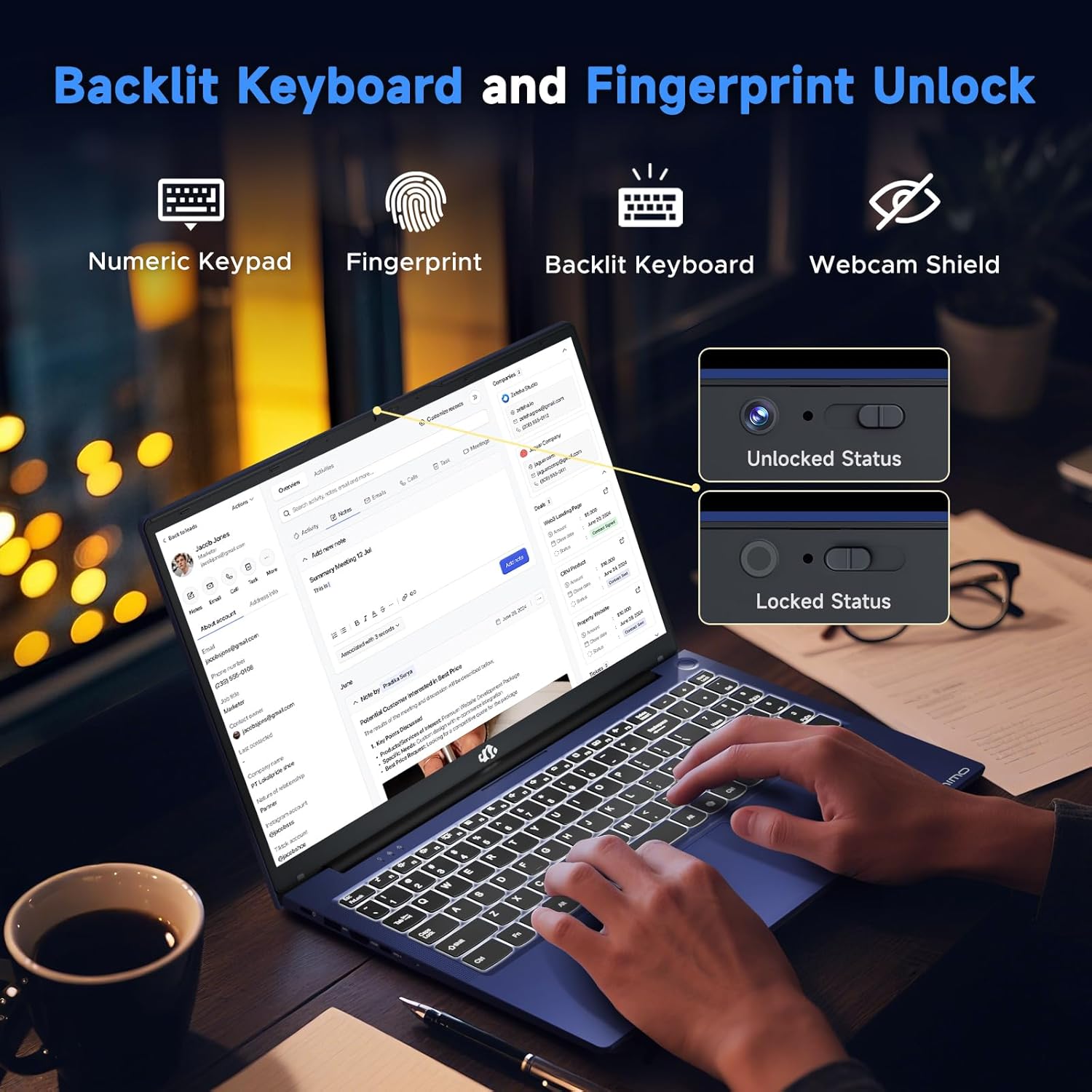
Figure 3.6: Features of the backlit keyboard, numeric keypad, fingerprint unlock, and webcam shield.
The keyboard features backlighting for use in low-light conditions and includes a numeric keypad. The fingerprint reader is integrated into the touchpad for secure and quick access.
3.5 Ekran
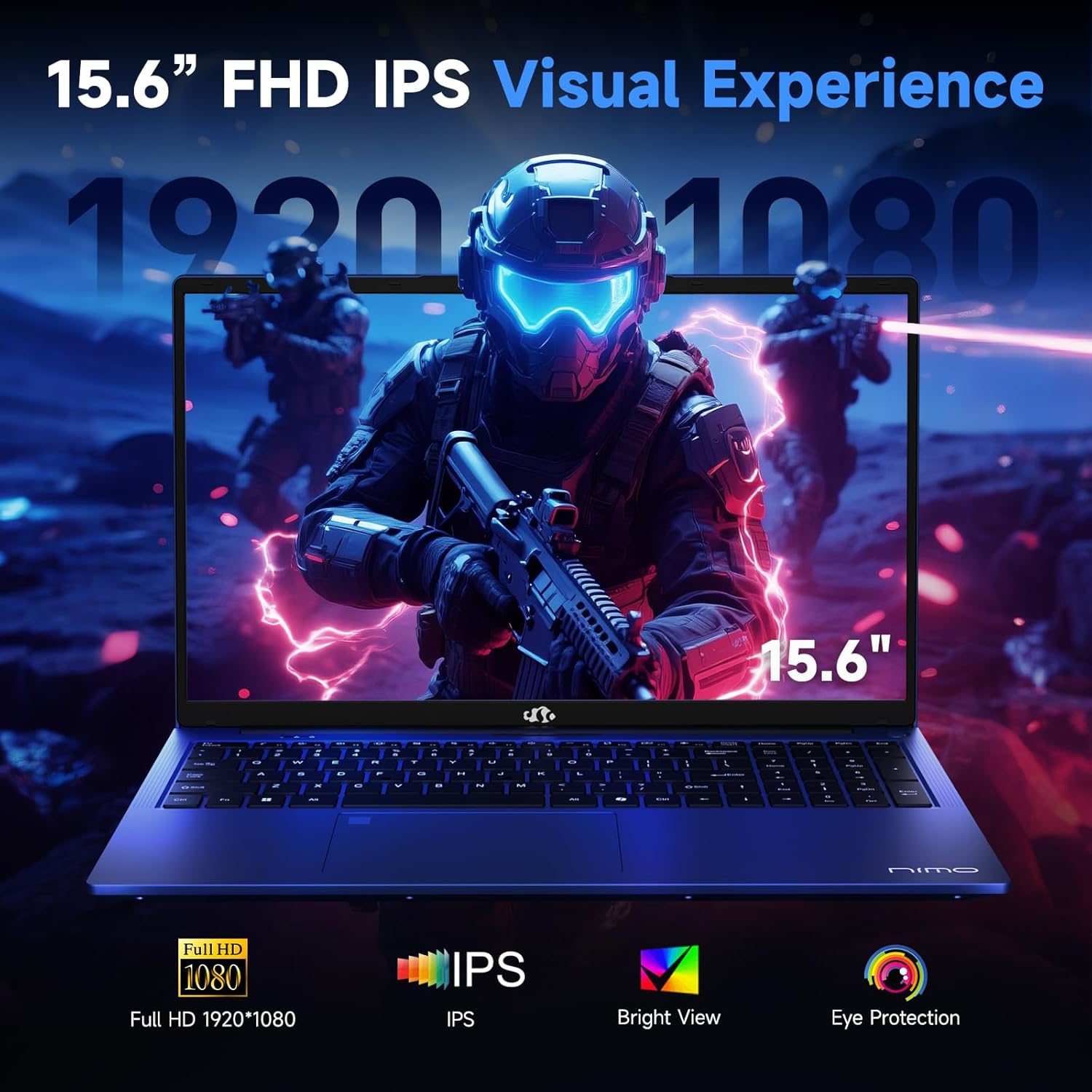
Figure 3.7: Visual representation of the 15.6-inch FHD IPS display quality.
The 15.6-inch Full HD (1920x1080) IPS Anti-Glare Display offers vibrant visuals and a wide viewing angle, suitable for various tasks from work to entertainment.
4. Quraşdırma
4.1 İlkin işə salınma
- Paketdən çıxarın: Laptopu və bütün aksesuarları qablaşdırmadan diqqətlə çıxarın.
- Güc bağlayın: Plug the Type-C 100W PD Fast Charger into a power outlet and connect the Type-C connector to one of the multifunction Type-C ports on the laptop.
- İlk Yükləmə: Open the laptop lid and press the power button, typically located on the top-right of the keyboard or side.
- Windows Quraşdırma: Dil, region, şəbəkə bağlantısı və istifadəçi hesabı yaradılması da daxil olmaqla, Windows 11 Home quraşdırmasını tamamlamaq üçün ekrandakı təlimatları izləyin.
4.2 Şəbəkəyə qoşulma
- Wi-Fi: During Windows setup or later, select your Wi-Fi network from the available list and enter the password.
- Wired (Optional): If an Ethernet adapter (not included) is used with a USB port, connect an Ethernet cable to the adapter and then to your router/modem.
5. Əməliyyat Təlimatları
5.1 Yandırma/Söndürmə
- Güc Aktivdir: Güc düyməsini basın.
- Bağlayın: Click the Start button in Windows, then Power > Shut down.
- Yuxu: Qapağı bağlayın və ya Başlat düyməsini, sonra isə Güc > Yuxu rejimini seçin.
5.2 Klaviaturadan istifadə
- Arxa İşığa Nəzarət: Press the designated function key (e.g., F9) to cycle through backlight brightness levels (off, low, medium, high).
- Funksiya düymələri: Use the Fn key in combination with F1-F12 for various shortcuts (e.g., volume, brightness, Wi-Fi toggle).
5.3 Using the Touchpad and Fingerprint Sensor
- Sensor paneli: Naviqasiya üçün çoxtoxunuşlu jestləri dəstəkləyir. Fərdiləşdirmə üçün Windows parametrlərinə baxın.
- Barmaq izi ilə kiliddən çıxarma: Enroll your fingerprint through Windows Hello settings for secure login. Place your registered finger on the sensor located on the touchpad to unlock the device.
5.4 Xarici Cihazların Birləşdirilməsi
Use the available USB-A, USB-C, and HDMI ports to connect peripherals such as external monitors, USB drives, mice, and keyboards. The Type-C Gen2 ports support multifunctionality, including data transfer and video output.
6. Baxım
6.1 Təmizləmə
- Ekran: Yumşaq, tüysüz parçadan yüngülcə istifadə edin dampsu və ya ekran təmizləyicisi ilə təmizləyin. Mayeni birbaşa ekrana püskürtməyin.
- Klaviatura və şassi: Yumşaq, quru parça istifadə edin. İnadkar çirk üçün bir az təmizləyin.amp parça istifadə edilə bilər, mayenin dəliklərə girməməsini təmin edin.
- Limanlar: Limanlardakı tozu yumşaq bir şəkildə təmizləmək üçün sıxılmış havadan istifadə edin.
6.2 Batareya Baxımı
- Tez-tez batareyanı tam boşaltmaqdan çəkinin.
- Store the laptop in a cool, dry place if not used for extended periods, with the battery charged to around 50-60%.
- Use only the provided NIMO charger or a compatible 100W Type-C PD charger.
6.3 Proqram Yeniləmələri
Regularly check for and install Windows updates and driver updates to ensure optimal performance and security. These can typically be found in Windows Settings > Windows Update.
7. Giderme
This section addresses common issues you might encounter with your NIMO N159 laptop.
| Problem | Mümkün Səbəb | Həll |
|---|---|---|
| Noutbuk açılmır. | Low battery, power adapter issue, or hardware fault. | Ensure the charger is properly connected and the outlet is working. Try charging for at least 30 minutes. If the issue persists, contact support. |
| Ekran boş və ya qara rəngdədir. | Display settings, external monitor conflict, or driver issue. | Press Fn + F7 (or relevant display toggle key) to cycle display modes. Disconnect any external monitors. Restart the laptop. |
| Wi-Fi bağlantısı problemləri. | Incorrect password, router issue, or Wi-Fi adapter disabled. | Verify Wi-Fi password. Restart your router. Check Windows settings to ensure Wi-Fi is enabled. |
| Noutbuk yavaş işləyir. | Too many applications open, low storage, or outdated drivers. | Close unnecessary applications. Check available storage. Update Windows and drivers. Run a malware scan. |
| Barmaq izi sensoru işləmir. | Finger not clean, sensor dirty, or software issue. | Ensure your finger and the sensor are clean and dry. Re-enroll your fingerprint in Windows Hello settings. |
8. Spesifikasiyalar
Detailed technical specifications for the NIMO N159 laptop:
| Xüsusiyyət | Detal |
|---|---|
| Brend | NIMO |
| Model Adı | NIMO N159B |
| Ekran Ölçüsü | 15.6 düym |
| Ekran həlli | 1920 x 1080 piksel (FHD IPS) |
| Prosessor | AMD Ryzen 7 7735HS (8 Cores, up to 4.75 GHz) |
| RAM | 32 GB DDR5 (4800 MHz) |
| Sərt Disk | 1024 GB SSD (PCIe 4.0) |
| Qrafik koprosessor | AMD Radeon 680M (İnteqrasiya olunmuş) |
| Əməliyyat sistemi | Windows 11 Home |
| Simsiz Tip | 802.11a/b/g/n/ac |
| USB 2.0 Portları | 1 |
| USB 3.0 Portları | 4 |
| Type-C Portları | 2 (Gen2, Multifunction) |
| HDMI portu | 1 (HDMI 2.0) |
| Orta Batareya Ömrü | 5 Saat (54Wh) |
| Maddə Çəkisi | 3.8 funt sterlinq |
| Məhsul Ölçüləri | 14.07 x 8.98 x 0.76 düym |
| Rəng | Mavi |
| Xüsusi Xüsusiyyətlər | Arxa işıqlı klaviatura, barmaq izi oxuyucusu, HD audio, rəqəmsal klaviatura |
9. Zəmanət və Dəstək
NIMO is committed to providing quality products and customer satisfaction.
- İstehsalçı Zəmanəti: Your NIMO N159 laptop is covered by a 2-Year Manufacturer's Warranty from Nimo Direct Inc. This warranty covers defects in materials and workmanship under normal use.
- Qaytarma Siyasəti: A 90-Day Hassle-Free Return Policy is offered by Nimo Direct Inc. from the date of purchase.
9.1 Dəstəklə əlaqə saxlayın
For technical assistance, warranty claims, or product-related inquiries, please contact NIMO customer support:
- E-poçt: service@nimopc.com
- Onlayn: Visit the official NIMO website for further support options and FAQs.
Our dedicated support team is available to assist you with any issues or replacements.


