1. Giriş
This manual provides essential instructions for the safe and effective use of your Jueion T4913 Walkie Talkies. Please read this manual thoroughly before operating the devices and retain it for future reference.

Image 1.1: Jueion T4913 Walkie Talkies (4-pack) with accessories.
2. Təhlükəsizlik Məlumatı
- Do not expose the walkie talkies to water or excessive moisture. These devices are not water-resistant.
- Batareyaları kiçik uşaqlardan uzaq tutun. Udulduqda dərhal tibbi yardım alın.
- Use only recommended AAA rechargeable batteries. Non-rechargeable batteries should not be charged.
- Avoid extreme temperatures. Do not leave devices in direct sunlight or very cold environments.
- Do not attempt to disassemble or modify the walkie talkies. This may void the warranty and cause damage.
- Supervise children during use to ensure safe operation.
3. Paketin məzmunu
The Jueion T4913 Walkie Talkie set includes:
- 4 x Jueion T4913 Walkie Talkies (Blue, Pink, Yellow, Green)
- 4 x lentlər
Note: AAA rechargeable batteries, USB-C charging cables, and a charger are NOT included and must be purchased separately.
4. Məhsulun xüsusiyyətləri
- Uzunmüddətli rabitə: Up to 3 miles in open areas.
- Çoxlu Kanallar: 10 available channels for private communication.
- İnteqrasiya edilmiş Fənər: For use in low-light conditions.
- Yenidən doldurulan dizayn: Compatible with USB-C charging (requires 3xAAA rechargeable batteries per unit).
- Batareyaya qənaət rejimi: Gözləmə rejimində batareyanın ömrünü uzadır.
- Yüngül və Davamlı: Child-friendly construction.
- Klaviatura Kilidi: Prevents accidental setting changes.
- Təmiz səs: Designed for clear audio transmission.

Image 4.1: Communication range capabilities.
5. Quraşdırma
5.1 Batareyanın quraşdırılması
- Rasiyanın arxasındakı batareya bölməsinin qapağını tapın.
- Gently slide the cover downwards to open.
- Insert 3 AAA rechargeable batteries into the compartment, ensuring correct polarity (+/-).
- Replace the battery compartment cover and slide it upwards until it clicks securely into place.

Image 5.1: Battery compartment for AAA batteries.
5.2 Batareyaların doldurulması
The walkie talkies are designed to be used with rechargeable AAA batteries. While the devices have a USB-C port, charging cables and a power adapter are not included.
- Ensure rechargeable AAA batteries are installed in the walkie talkie.
- Connect a USB-C charging cable (not included) to the USB-C port on the side of the walkie talkie.
- Connect the other end of the USB-C cable to a compatible USB power adapter (not included).
- Ekrandakı batareya göstəricisi doldurulma vəziyyətini göstərəcək.
- Tam doldurulduqdan sonra şarj kabelini ayırın.
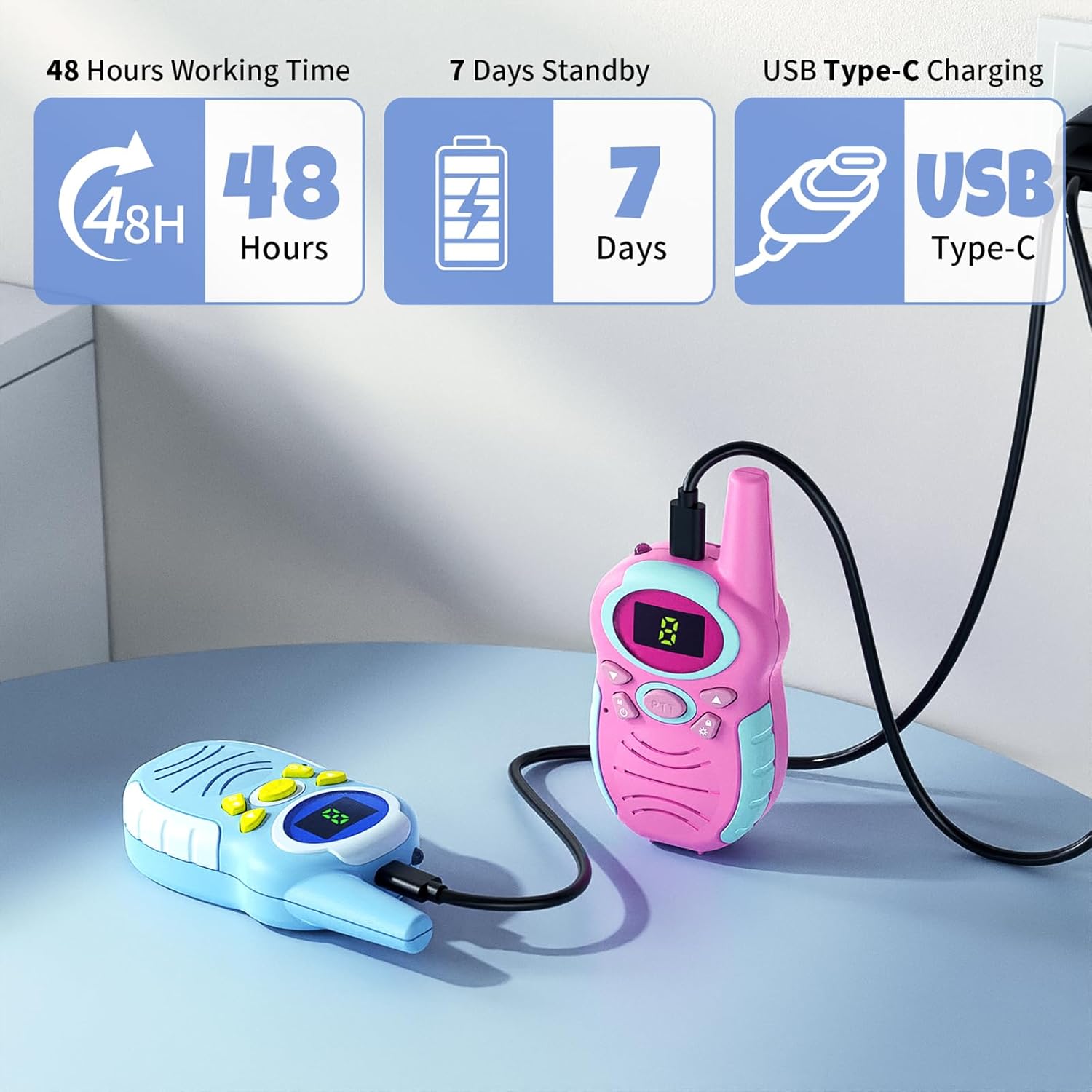
Image 5.2: Walkie talkies connected for USB-C charging.
5.3 Attaching Lanyards
Attach the provided lanyards to the designated loop on the top of each walkie talkie for convenient carrying and to prevent loss.
6. Əməliyyat Təlimatları

Image 6.1: Walkie Talkie Components and Controls.
6.1 Yandırma/Söndürmə
- Yandırmaq üçün düyməsini basıb saxlayın Menu/Power button ekran işıqlanana qədər.
- Söndürmək üçün düyməsini basıb saxlayın Menu/Power button ekran sönənə qədər.
6.2 Səs səviyyəsinin tənzimlənməsi
- düyməsini basın Yuxarı düymə həcmi artırmaq üçün.
- düyməsini basın Aşağı düymə həcmi azaltmaq üçün.
6.3 Kanal seçimi
- düyməsini basın Menu/Power button once to enter channel selection mode. The channel number on the display will flash.
- istifadə edin Up or Aşağı düymələr to select your desired channel (1-10).
- düyməsini basın Menu/Power button again to confirm your selection and exit channel selection mode. Ensure all walkie talkies intended for communication are set to the same channel.
6.4 Transmitting (Push-to-Talk)
- To speak, press and hold the PTT (Push-to-Talk) düyməsi located on the side of the walkie talkie.
- Speak clearly into the MIC (microphone) at a normal speaking volume.
- buraxın PTT düyməsini basın when you are finished speaking to allow others to respond.
6.5 Fənər funksiyası
- To turn on the flashlight, press the dedicated Fənər düyməsi (often marked with a light icon).
- düyməsini basın Fənər düyməsi söndürmək üçün yenidən.
6.6 Klaviatura kilidi
- To activate the keypad lock, press and hold the Açar Kilidi düyməsi (often marked with a lock icon). A lock icon will appear on the display.
- To deactivate the keypad lock, press and hold the Açar Kilidi düyməsi again. The lock icon will disappear.
Video 6.1: Demonstration of Jueion Walkie Talkies in use, highlighting features and ease of operation.
7. Baxım
- Təmizləmə: Wipe the walkie talkies with a soft, dry cloth. Do not use abrasive cleaners or solvents.
- Yaddaş: Store the devices in a cool, dry place when not in use. If storing for extended periods, remove the batteries to prevent leakage.
- Batareyaya qulluq: Always use rechargeable AAA batteries. If the devices are not used frequently, charge the batteries periodically to maintain their lifespan.
8. Giderme
| Problem | Mümkün Səbəb | Həll |
|---|---|---|
| Walkie talkie does not power on. | Batareyalar bitib və ya səhv quraşdırılıb. | Check battery polarity. Replace or recharge batteries. |
| Cannot communicate with other walkie talkies. | Different channels selected. Out of range. Low battery. | Ensure all devices are on the same channel. Move closer to the other device. Recharge batteries. |
| Zəif səs keyfiyyəti və ya statik. | Interference. Out of range. Obstructions. | Move to an open area. Reduce distance between devices. Avoid large metal objects or buildings. |
| Keypad buttons are unresponsive. | Klaviatura kilidi aktivdir. | Deactivate keypad lock by pressing and holding the Key Lock button. |
9. Spesifikasiyalar
- Model: T4913
- Brend: Jueion
- Maddə çəkisi: 10.8 unsiya (4 ədədlik paket üçün)
- Məhsul Ölçüləri: 1.4 x 2.2 x 4.7 düym (vahid üçün)
- Kanalların sayı: 10
- Maksimum danışıq diapazonu: 3 Miles (in optimal conditions)
- Cildtage: 3.7 Volts (per unit, with rechargeable AAA batteries)
- Suya davamlılıq səviyyəsi: Suya davamlı deyil
- Güc mənbəyi: 3 x AAA rechargeable batteries (not included)
- Doldurma Portu: USB-C
10. Zəmanət və Dəstək
Specific warranty information is not provided in the product details. For any product inquiries, technical support, or warranty claims, please contact the seller directly through your purchase platform or visit the official Jueion store on Amazon: