1. Giriş
This manual provides essential information for the setup, operation, maintenance, and troubleshooting of your Razer Blade 14 (2025) Gaming Laptop. This device is engineered for high performance in a portable form factor, suitable for gaming, creative tasks, and professional use.
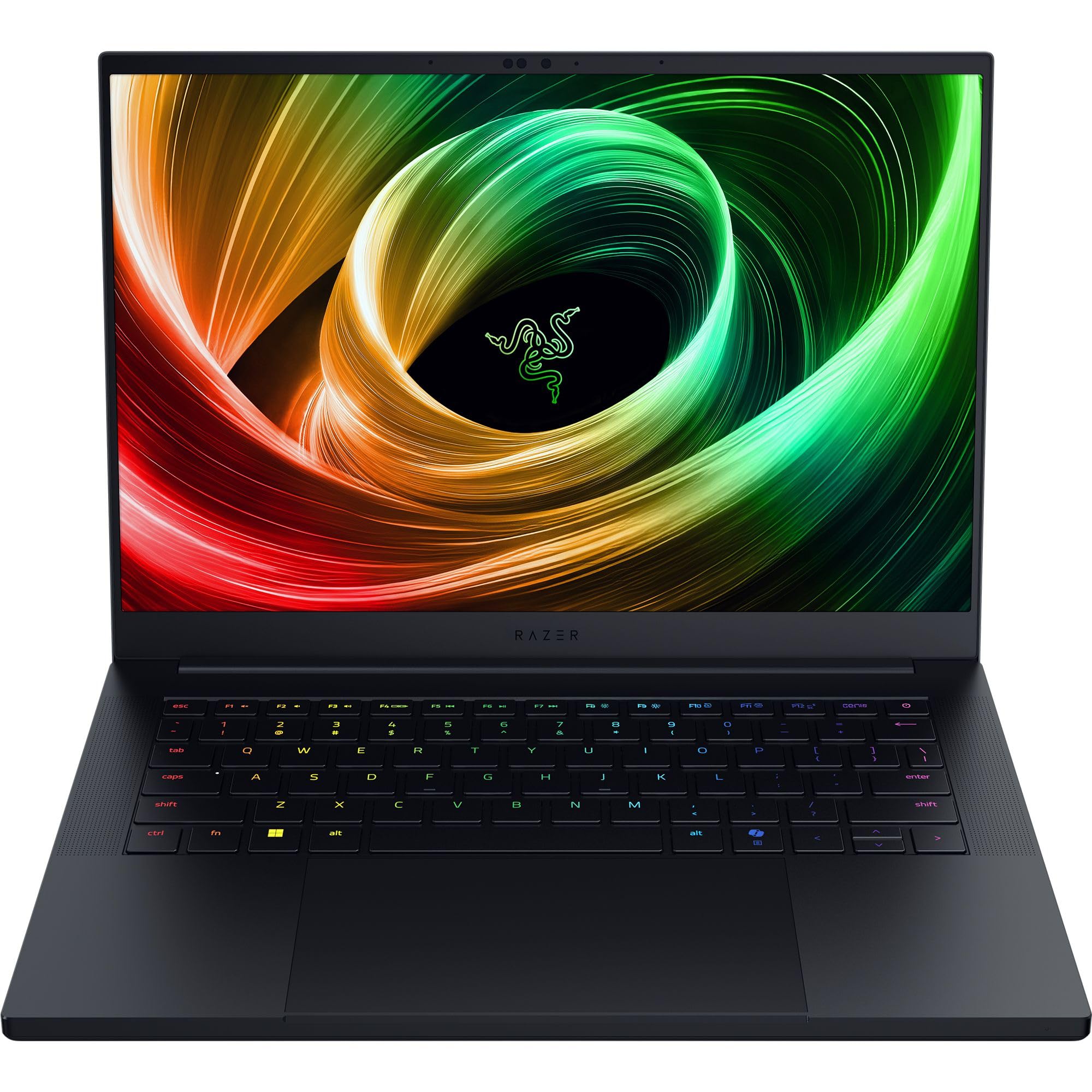
Figure 1: Razer Blade 14 (2025) Gaming Laptop.
2. Qutuda nə var
Bütün əşyaların qablaşdırmada olduğunu yoxlayın:
- Razer Blade 14 Oyun Noutbuku
- Güc adapteri + regional güc kabeli
- Mikro lifli təmizləyici parça
- Vacib Məhsul Məlumatı Bələdçisi
Video 1: Qutunun açılması və başlanğıcın üzərindən yazılmasıview of the Razer Blade 14. This video provides a visual guide to the contents of the box and the laptop's initial appearance.
3. Quraşdırma
3.1 İlkin işə salınma
- Unpack the Razer Blade 14 and its power adapter from the box.
- Güc adapterini laptopun şarj portuna, sonra isə elektrik rozetkasına qoşun.
- Open the laptop lid. The system may power on automatically or require you to press the power button located on the top-right of the keyboard.
- Follow the on-screen instructions to complete the Windows 11 Home setup process. This includes selecting your region, connecting to a network, and creating a user account.
3.2 Periferik qurğuların birləşdirilməsi
Razer Blade 14 xarici cihazları birləşdirmək üçün müxtəlif portlar təklif edir:
- USB-A Portları: Connect USB accessories such as mice, keyboards, or external storage.
- USB4 Type-C Ports: Use for data transfer, video output, or charging compatible devices.
- HDMI portu: Connect to external displays or TVs for extended screen real estate.
- 3.5 mm audio giriş: Qulaqlıqları və ya xarici dinamikləri qoşun.

Figure 2: The thin and lightweight design of the Razer Blade 14, highlighting its portability.
4. Noutbukun idarə edilməsi
4.1 Ekran Xüsusiyyətləri
The Razer Blade 14 features a 14-inch 3K (2880x1800) OLED display with a 120Hz refresh rate and an ultra-fast 0.2ms response time. This display is Calman Verified, ensuring professional-grade color accuracy with support for Rec. 709, DCI-P3, sRGB, and Adobe RGB color profiles.

Figure 3: The vibrant 3K 120Hz OLED display of the Razer Blade 14, showcasing its color accuracy and smooth visuals.
4.2 Performans Üstünlükview
Your Razer Blade 14 is equipped with:
- Prosessor: AMD Ryzen AI 9 365 CPU with up to 50 TOPS of AI processing power.
- Qrafik: NVIDIA GeForce RTX 5060 Laptop GPU (up to 115W TGP) for immersive graphics and AI-enhanced performance with DLSS 4.
- Yaddaş: 16GB LPDDR5X RAM running at 8000 MHz for ultra-fast and efficient multitasking.
- Yaddaş: 1TB SSD for ample and fast storage.
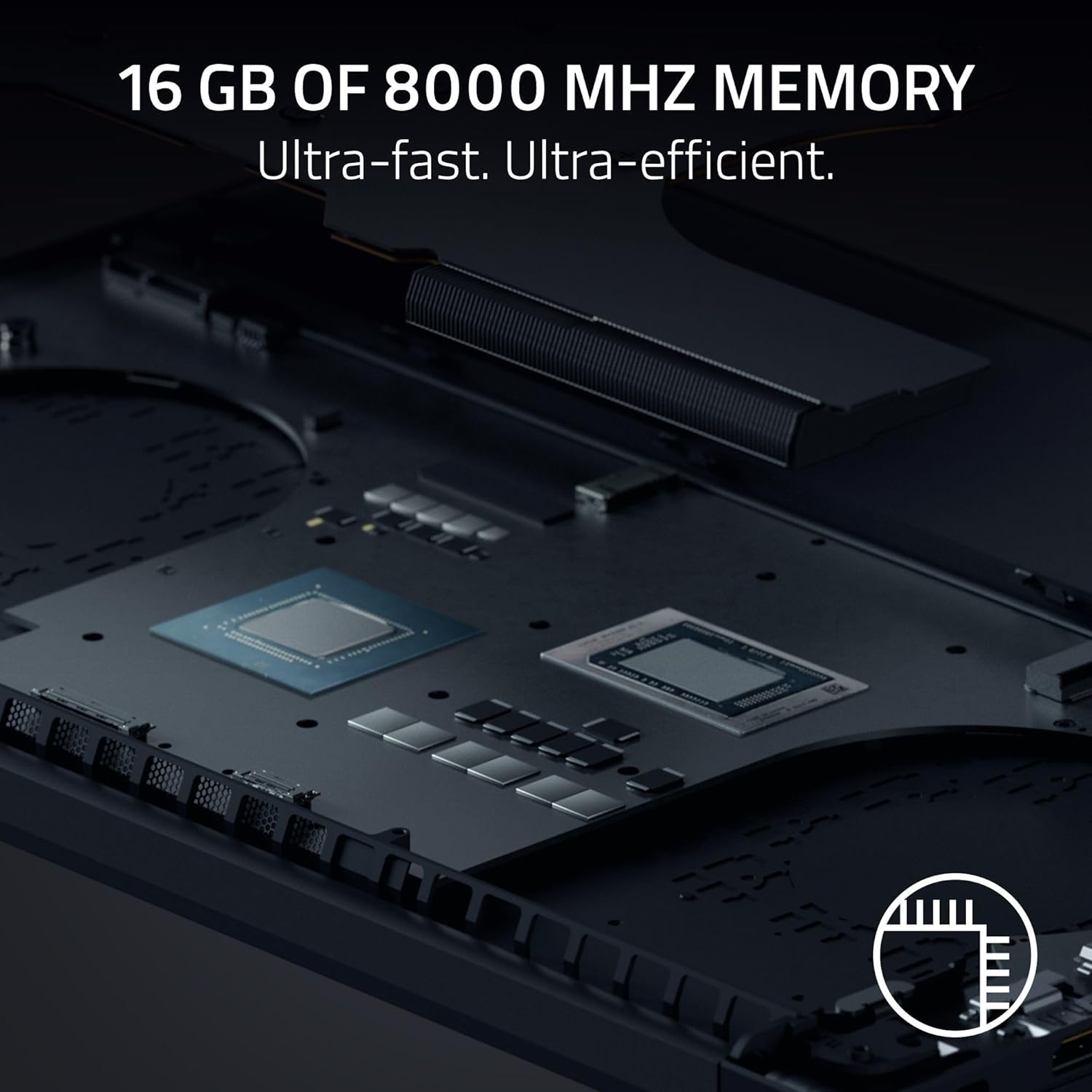
Şəkil 4: Daxili view of the Razer Blade 14, showing the high-performance CPU and RAM modules.
4.3 Audio and Keyboard
Experience rich, immersive sound with the new six-speaker array featuring THX Spatial Audio. The keyboard includes Razer Chroma RGB lighting, which can be customized through Razer Synapse software.

Şəkil 5: Yuxarıdan aşağıya view of the Razer Blade 14 keyboard, showcasing the customizable Chroma RGB lighting.
4.4 Batareyanın ömrü və doldurulması
The laptop offers up to 11 hours of battery life. For quick charging, the compact 200W adapter can charge the battery up to 50% in just 30 minutes.

Figure 6: A user operating the Razer Blade 14 on a laptop stand, illustrating its portability and extended battery life.
5. Baxım
5.1 Ümumi qulluq
- Keep the laptop clean using the provided micro-fiber cloth. Avoid abrasive cleaners.
- Handle the laptop with care to prevent physical damage to the aluminum unibody.
- Noutbukun üzərinə ağır əşyalar qoymaqdan və ya həddindən artıq temperaturlara məruz qoymaqdan çəkinin.
5.2 Proqram Yeniləmələri
Regularly update your Windows 11 Home operating system and NVIDIA graphics drivers to ensure optimal performance and security. Utilize Razer Synapse for managing Chroma RGB lighting and accessing performance profiles, including overclocking options.
5.3 Soyutma sistemi
The Razer Blade 14 features an advanced cooling design with a vapor chamber and thermal hood. To maintain optimal cooling performance, ensure that the air vents are not obstructed during use.
Video 2: Official Razer Blade 14 Accolade Trailer. This video highlights key features and design aspects of the laptop, including its cooling system.
6. Giderme
6.1 Ümumi məsələlər və həll yolları
- System Unresponsiveness: If the system becomes unresponsive, perform a hard reset by holding down the power button until the laptop shuts off, then restart.
- Ekran Problemləri: Ensure graphics drivers are up to date. If using an external monitor, check cable connections.
- Batareya doldurulmur: Verify the power adapter is securely connected to both the laptop and the power outlet. Try a different outlet if necessary.
- Performansın azalması: Check for background applications consuming resources. Ensure the cooling vents are clear and the laptop is on a hard, flat surface. Update drivers and operating system.
6.2 Dəstəklə əlaqə saxlamaq
If you encounter persistent issues that cannot be resolved with the above steps, please refer to the Important Product Information Guide included in your box or visit the official Razer support webəlavə yardım üçün sayt.
7. Spesifikasiyalar
| Xüsusiyyət | Spesifikasiya |
|---|---|
| Model Adı | Bıçaq 14 |
| Element Model nömrəsi | RZ09-05305ES3-R3U1 |
| Ekran Ölçüsü | 14 düym |
| Ekran həlli | 2880 x 1800 piksel (3K) |
| Maksimum Ekran Çözünürlüğü | 2880x1800 piksel |
| Yeniləmə dərəcəsi | 120 Hz |
| Prosessor | AMD Ryzen AI 9 365 (2 GHz ryzen_ai) |
| RAM | 16 GB LPDDR5X (8000 MHz) |
| Sərt Disk | 1 TB SSD |
| Qrafik Kart | NVIDIA GeForce RTX 5060 (8 GB GDDR7) |
| Əməliyyat sistemi | Windows 11 Home |
| Simsiz Tip | 802.11a/g/n/ac (Wi-Fi 7 capable) |
| USB Portları | 2x USB 3.0, Dual USB4 Type-C |
| Orta Batareya Ömrü | 11 saat |
| Maddə Çəkisi | 7.79 funt (təqribən 3.53 kq) |
| Məhsul Ölçüləri | 12.24 x 0.64 x 8.83 düym |
| Xüsusi Xüsusiyyətlər | AI-driven productivity tools, Advanced cooling system, Calman Verified display, THX Spatial Audio |
8. Zəmanət və Dəstək
Your Razer Blade 14 (2025) Gaming Laptop comes with a manufacturer's warranty. Please refer to the 'Important Product Information Guide' included in your product packaging for detailed warranty terms and conditions.
For technical support, driver downloads, and FAQs, visit the official Razer Support websayt: www.razer.com/support. Siz həmçinin orada əlavə resurslar və icma forumları tapa bilərsiniz.


