1. Giriş
This manual provides essential information for setting up, operating, maintaining, and troubleshooting your NIMO N158 15.6-inch laptop. Please read this manual thoroughly before using your device to ensure optimal performance and longevity.
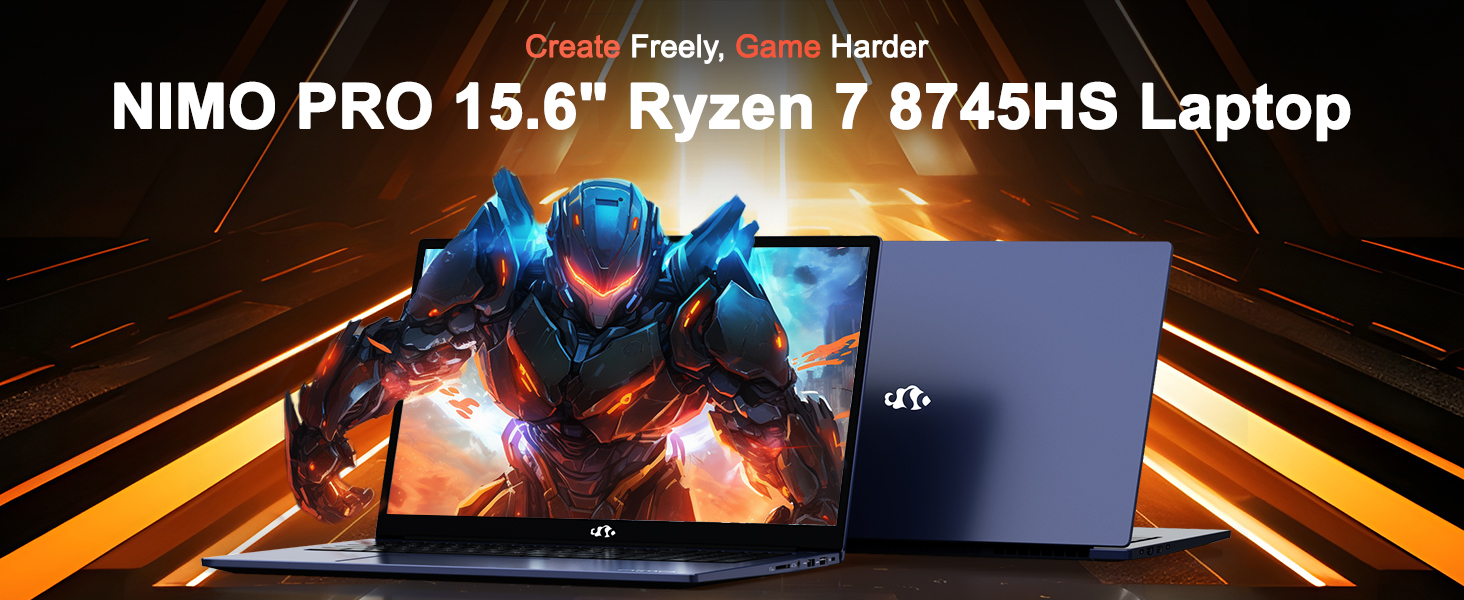
Image: The NIMO N158 15.6-inch laptop, showcasindizaynı və əsas xüsusiyyətləri.
2. Məhsul bitdiview
The NIMO N158 is a high-performance laptop designed for productivity and entertainment. It features an AMD Ryzen 7 8745HS processor, 64GB DDR5 RAM, and a 1TB PCIe 4.0 SSD.
2.1 Əsas komponentlər
- Prosessor: AMD Ryzen 7 8745HS (8 Cores, 16 Threads, up to 4.9GHz)
- Qrafik: AMD Radeon 780M Integrated Graphics
- Yaddaş: 64GB DDR5 RAM (4800 MHz)
- Yaddaş: 1TB PCIe 4.0 SSD
- Ekran: 15.6-inch Full HD (1920x1080) IPS Anti-Glare
- Əməliyyat sistemi: Windows 11 Home
- Batareya: 75Wh Litium Polimer
2.2 Portlar və İnterfeyslər
The NIMO N158 laptop offers a variety of ports for connectivity:

Image: Diagram illustrating the various ports and interfaces on the NIMO N158 laptop.
- 1 x USB 2.0 portu
- 3 x USB 3.0 Portu
- 1 x USB 4.0 Type-C Port (with 100W PD fast charging support)
- 1 x HDMI portu
- 1 x Qulaqlıq girişi
- 1 x SD kart oxuyucusu
- 1 x Kensington Kilidi Yuvası
3. Quraşdırma
3.1 İlkin Yandırma və Şarj
- Unpack the laptop and the included 100W Type-C PD Fast Charger.
- Connect the charger to the USB Type-C port on the laptop and to a power outlet. The Charger LED will illuminate.
- Allow the laptop to charge for at least 30 minutes before initial use, or until the battery indicator shows sufficient charge.
- Laptopu yandırmaq üçün güc düyməsini basın.

Image: The NIMO N158 laptop connected to its 100W Type-C fast charger, illustrating the charging process.
3.2 Əməliyyat sisteminin qurulması
Upon first boot, you will be guided through the Windows 11 Home setup process. Follow the on-screen instructions to configure your language, region, network connection, and user account.
3.3 Barmaq İzi Oxuyucusunun Qurulması
For enhanced security, set up the integrated fingerprint reader during the Windows 11 setup or later via Windows Settings > Accounts > Sign-in options. This allows for quick and secure login.
4. Əməliyyat Təlimatları
4.1 Klaviatura və toxunma paneli
- Arxa işıqlı klaviatura: The keyboard features backlighting for comfortable typing in low-light conditions. Use the designated function key (Fn + F key combination, typically) to adjust brightness or toggle the backlight.
- Rəqəmsal Klaviatura: A dedicated numeric keypad is included for efficient data entry.
- Precision Gesture Touchpad: The touchpad supports multi-touch gestures for navigation. Refer to Windows settings for customizing touchpad gestures.

Image: A user interacting with the NIMO N158 laptop, highlighting the backlit keyboard and fingerprint reader on the touchpad.
4.2 Ekran
The 15.6-inch Full HD IPS anti-glare display provides clear and vibrant visuals. Adjust display settings (resolution, brightness, color) through Windows Display Settings.

Image: The NIMO N158 laptop displaying a vibrant image on its 15.6-inch Full HD IPS screen, emphasizing visual quality.
4.3 Webcam
The laptop includes a 2MP webcam. For privacy, a physical webcam shield or switch is integrated. Ensure the webcam is open when in use and closed when not needed.

Image: A visual representation of the NIMO N158 laptop's privacy-focused camera, showing the open and closed states of the webcam switch.
4.4 Performans və Multitasking
The AMD Ryzen 7 8745HS processor and 64GB DDR5 RAM provide robust performance for demanding tasks, content creation, and gaming. The 1TB PCIe 4.0 SSD ensures fast boot times and application loading.

Image: A close-up of the AMD Ryzen 7 8745HS processor chip, highlighting its core specifications.
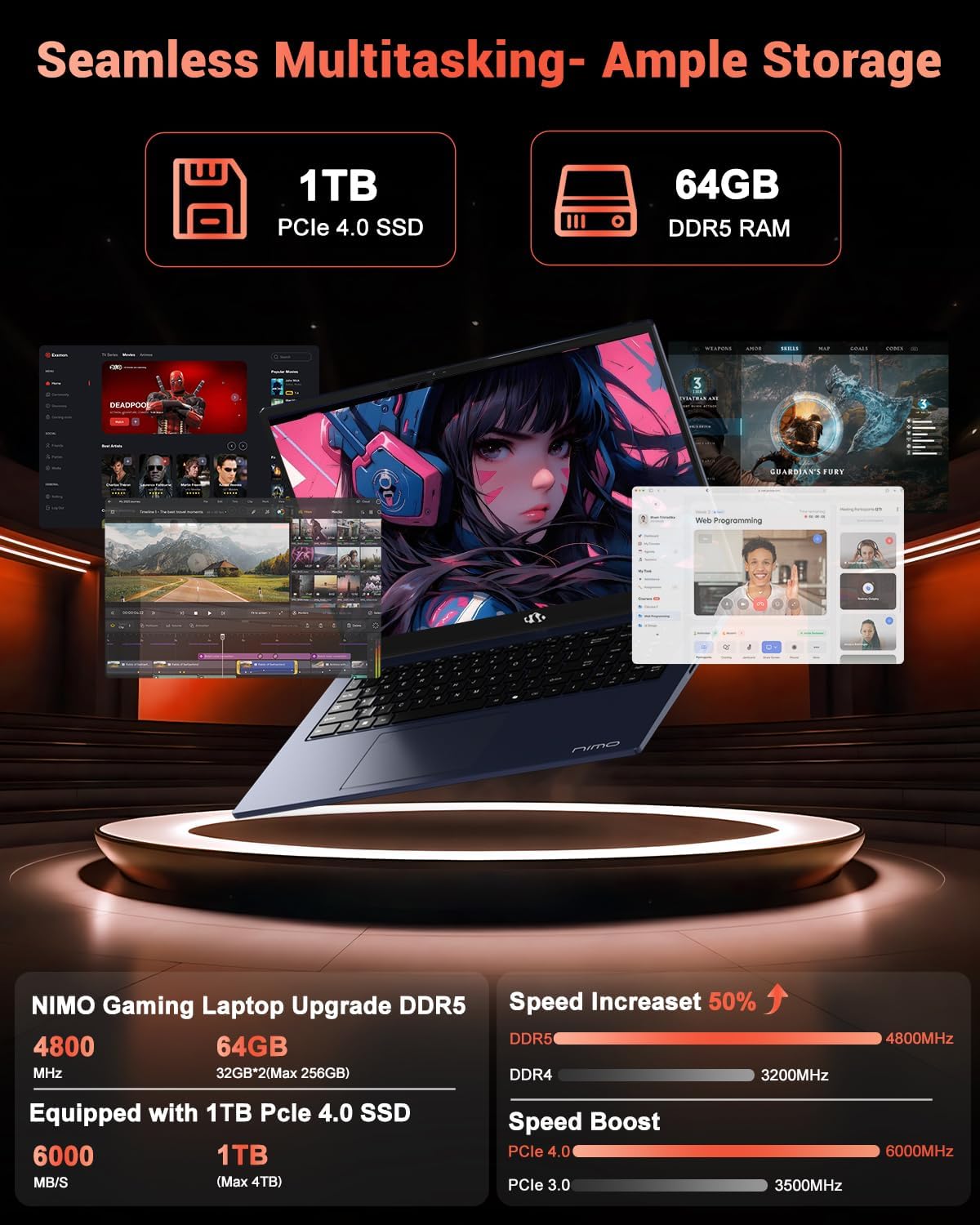
Image: The NIMO N158 laptop displaying multiple applications open, demonstrating its multitasking capabilities with 64GB RAM and 1TB SSD.
5. Baxım
5.1 Ümumi qulluq
- Keep the laptop clean by wiping surfaces with a soft, dry cloth.
- Noutbuku həddindən artıq temperatura, birbaşa günəş işığına və ya nəmə məruz qoymaqdan çəkinin.
- Noutbukun üzərinə ağır əşyalar qoymayın.
- Havalandırma deliklərini bağlamayaraq düzgün ventilyasiyanı təmin edin.
5.2 Yeniləmə imkanı
The NIMO N158 features an upgradable design, allowing for expansion of memory (RAM) and storage (SSD). Consult a qualified technician or refer to official NIMO support resources before attempting any internal upgrades to avoid voiding your warranty.
6. Giderme
If you encounter issues with your NIMO N158 laptop, consider the following basic troubleshooting steps:
- Güc yoxdur: Ensure the charger is securely connected and the power outlet is functional. Try a different outlet.
- Ekran Problemləri: Check external display connections if using one. Adjust screen brightness. Restart the laptop.
- Yavaş Performans: Close unnecessary applications. Check for background updates. Ensure sufficient free storage space.
- Bağlantı Problemləri: Restart your Wi-Fi router. Reconnect to the Wi-Fi network. Update network drivers.
- Sistem Donur: Söndürməyə məcbur etmək üçün güc düyməsini 10-15 saniyə basıb saxlayın, sonra yenidən başladın.
For persistent issues, refer to the NIMO support websayt və ya müştəri xidməti ilə əlaqə saxlayın.
7. Spesifikasiyalar
| Xüsusiyyət | Spesifikasiya |
|---|---|
| Brend | NIMO |
| Model Adı | NIMO N158B |
| Ekran Ölçüsü | 15.6 düym |
| Ekran həlli | 1920 x 1080 Pixels (FHD IPS) |
| Prosessor | AMD Ryzen 7 8745HS (4.9 GHz-ə qədər) |
| RAM | 64 GB DDR5 (4800 MHz) |
| Sərt Disk | 1024 GB SSD (PCIe 4.0) |
| Qrafik koprosessor | AMD Radeon 780M |
| Əməliyyat sistemi | Windows 11 Home |
| Simsiz Tip | 802.11a/b/g/n/ac (Wi-Fi 6E) |
| USB 2.0 Portları | 1 |
| USB 3.0 Portları | 3 |
| USB 4.0 Type-C Portları | 1 |
| Orta Batareya Ömrü | 15.5 saat |
| Maddə Çəkisi | 3.8 funt sterlinq |
| Məhsul Ölçüləri | 14.07 x 8.98 x 0.76 düym |
| Xüsusi Xüsusiyyətlər | Arxa işıqlı klaviatura, barmaq izi oxuyucusu, HD audio, rəqəmsal klaviatura |
8. Zəmanət və Dəstək
NIMO is committed to providing excellent customer service and product support.
8.1 Zəmanət Məlumatı
Your NIMO N158 laptop comes with a 2 il zəmanət from the date of purchase. This warranty covers manufacturing defects and hardware malfunctions under normal use. Please retain your proof of purchase for warranty claims.

Image: A technician performing maintenance on a laptop, representing the 2-year support provided by NIMO.
8.2 Qaytarma Siyasəti
NIMO offers a 90 günlük problemsiz qaytarma siyasəti. If you are not satisfied with your purchase, you may return the product within 90 days from the date of purchase. Please refer to the official NIMO return policy for detailed terms and conditions.

Image: A delivery person handing a package to a customer, illustrating the 90-day return policy.
8.3 Müştəri dəstəyi
Our dedicated support team is available to assist you with any questions or issues. You can reach us via:
- E-poçt: service@nimopc.com
- Onlayn: Visit the official NIMO webTez-tez verilən suallar və dəstək resursları üçün sayt.
We strive to provide quick solutions and a worry-free experience.

Image: Customer service representatives wearing headsets, representing professional customer assistance.


