1. Giriş
This manual provides detailed instructions for the assembly, installation, and use of your KDD Wall Organizer Peg Board. This multi-functional storage solution is designed to help organize various items, including gaming accessories, office supplies, and personal belongings.

Image 1: KDD Wall Organizer Peg Board fully assembled with accessories and RGB lighting.
2. Təhlükəsizlik Məlumatı
- Always follow the installation instructions provided in this manual.
- Do not overload the pegboard or its accessories. The shelf is designed to hold up to 10 kg (22 lbs) when evenly distributed.
- Ensure the installation surface is clean, dry, and suitable for adhesive mounting.
3. Paketin məzmunu
Your KDD Wall Organizer Peg Board package includes the following components:
- Modular Pegboard Panels
- Telefon Sahibi
- 5 Headphone & Controller Hangers
- 2 Storage Boxes (different sizes)
- 5 qarmaqlar
- RGB USB LED Light Strip
- Connection Buckles and Small Fill-in Pieces
- Wall Mount Stickers
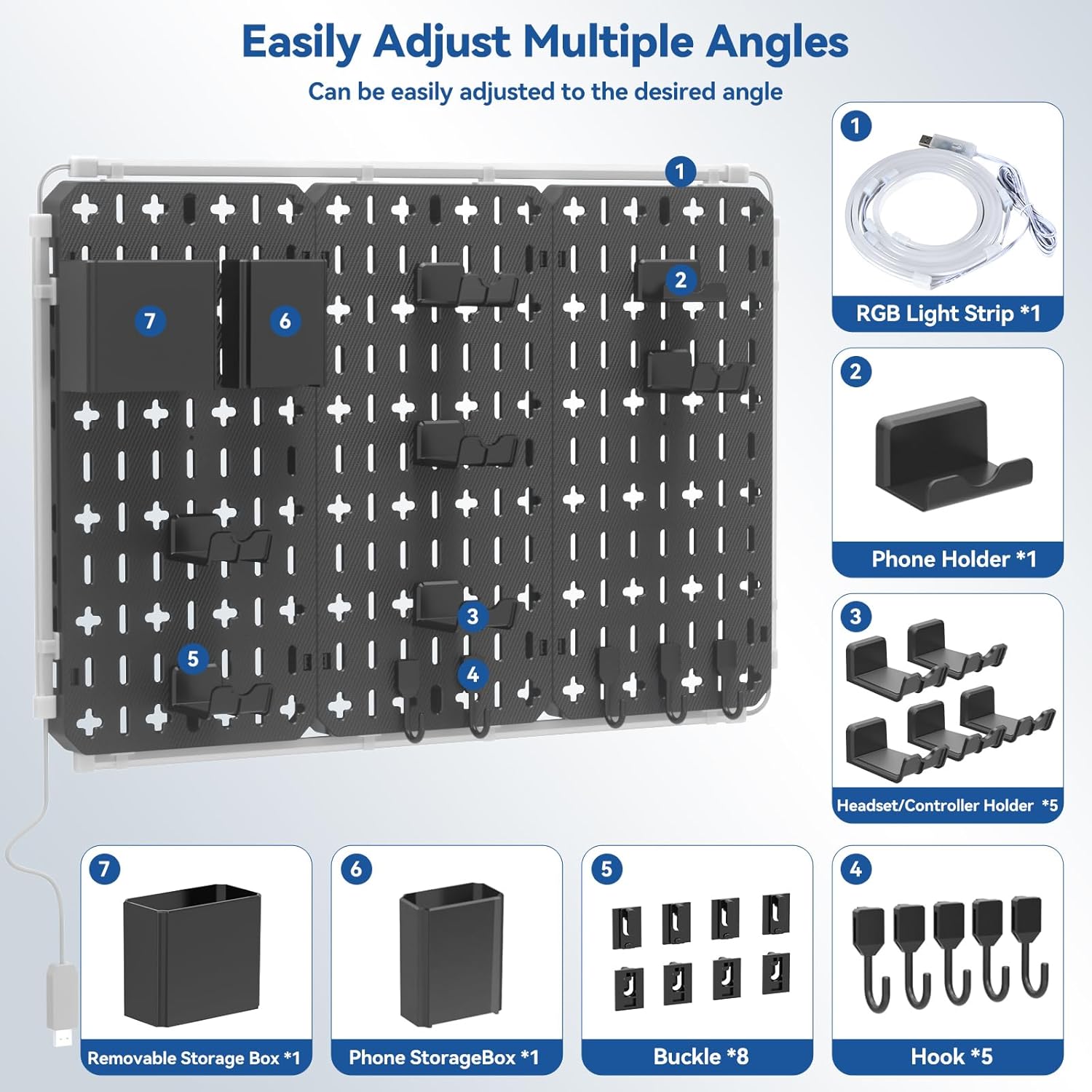
Şəkil 2: Ətraflı view of the KDD Wall Organizer Peg Board components and accessories.
4. Quraşdırma və Quraşdırma
4.1. Assembling the Pegboard Panels
The pegboard features a detachable design, allowing you to customize its layout. Use the larger connection buckles to join the main pegboard panels where you intend them to connect. For any unused holes or gaps, insert the smaller fill-in pieces to achieve a neat appearance.
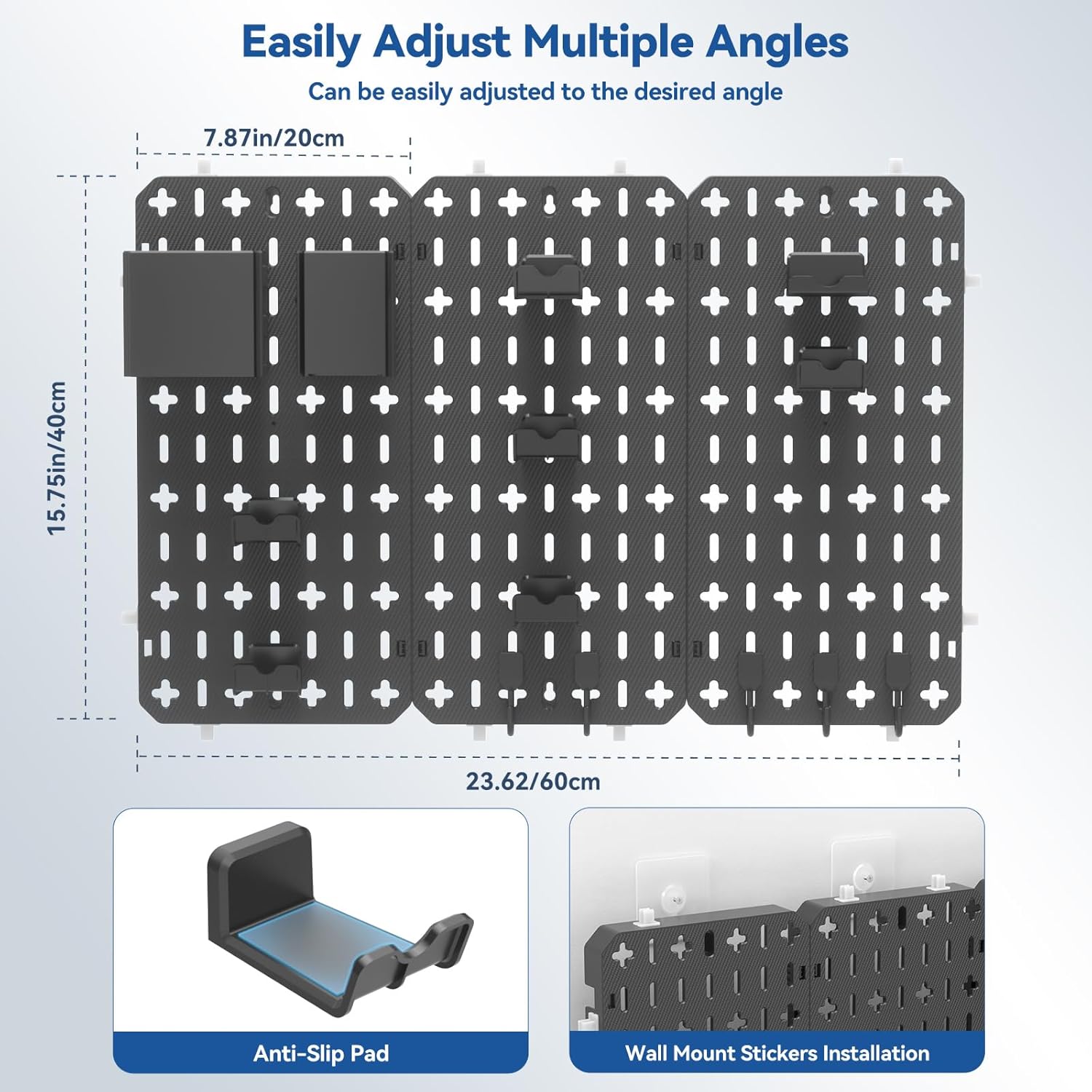
Image 3: Pegboard dimensions and illustration of the wall mount sticker installation.
4.2. No-Drilling Wall Installation
The KDD gaming pegboard is designed for easy, no-drilling installation using wall mount stickers. Ensure the wall surface is clean and dry before application.
- Clean and dry the desired wall area thoroughly.
- Peel off the protective film from the adhesive side of the wall mount stickers. Ensure the side with the upward-pointing arrow is oriented correctly.
- Press the adhesive stickers firmly onto the wall for at least one minute to ensure strong adhesion.
- Remove the pegboard from the installation frame (if applicable) and smooth out any air bubbles in the adhesive stickers by pressing down on the frame.
- Align the edge of the pegboard with the adhesive strip and press it closed and locked.
- For optimal adhesion, allow 24 hours before hanging items on the pegboard.
Quraşdırma prosesi ilə bağlı vizual təlimat üçün aşağıdakı videoya baxın:
Video 1: Peg Board Installation Guide (Seller: MULSAME). This video demonstrates the nail-free installation steps for the pegboard.
Video 2: How to install the Keepo pegboard set system (Seller: KreativeXYZ). This video provides a step-by-step guide on assembling and mounting the pegboard system.
5. Using the Pegboard & Accessories
The 7-in-1 design allows for versatile organization of various items. Utilize the included accessories to customize your storage space.
- Telefon dayanacağı: Securely hold your smartphone for easy access.
- Headset & Controller Hangers: Keep your gaming peripherals neatly stored and within reach.
- Saxlama Qutuları: Use the two different sized boxes for pens, keys, cables, or other small items.
- Qarmaqlar: Hang additional items such as scissors, keychains, or other small tools.

Şəkil 4: Məsamples of the pegboard in use in a game room, study, and office.

Image 5: Before and after comparison illustrating desk organization with the pegboard.
5.1. Kabel idarəetməsi
To further enhance organization and maintain a tidy setup, consider utilizing cable management solutions. The pegboard can help route and secure cables, preventing clutter.
Video 3: Cable Management Kit (Seller: Lekke). This video demonstrates various cable management techniques and accessories that can complement your pegboard setup.
6. RGB LED Strip Lights Operation
The integrated RGB LED strip lights allow for customization of your environment. The lights feature three popular modes that can be switched with a single click:
- Tək Rəng İşıq Rejimi
- 7-Color Fast Flashing Mode
- 7-Color Breathing Light Mode
Customize the color and speed to match your preference and enhance the aesthetic of your space.
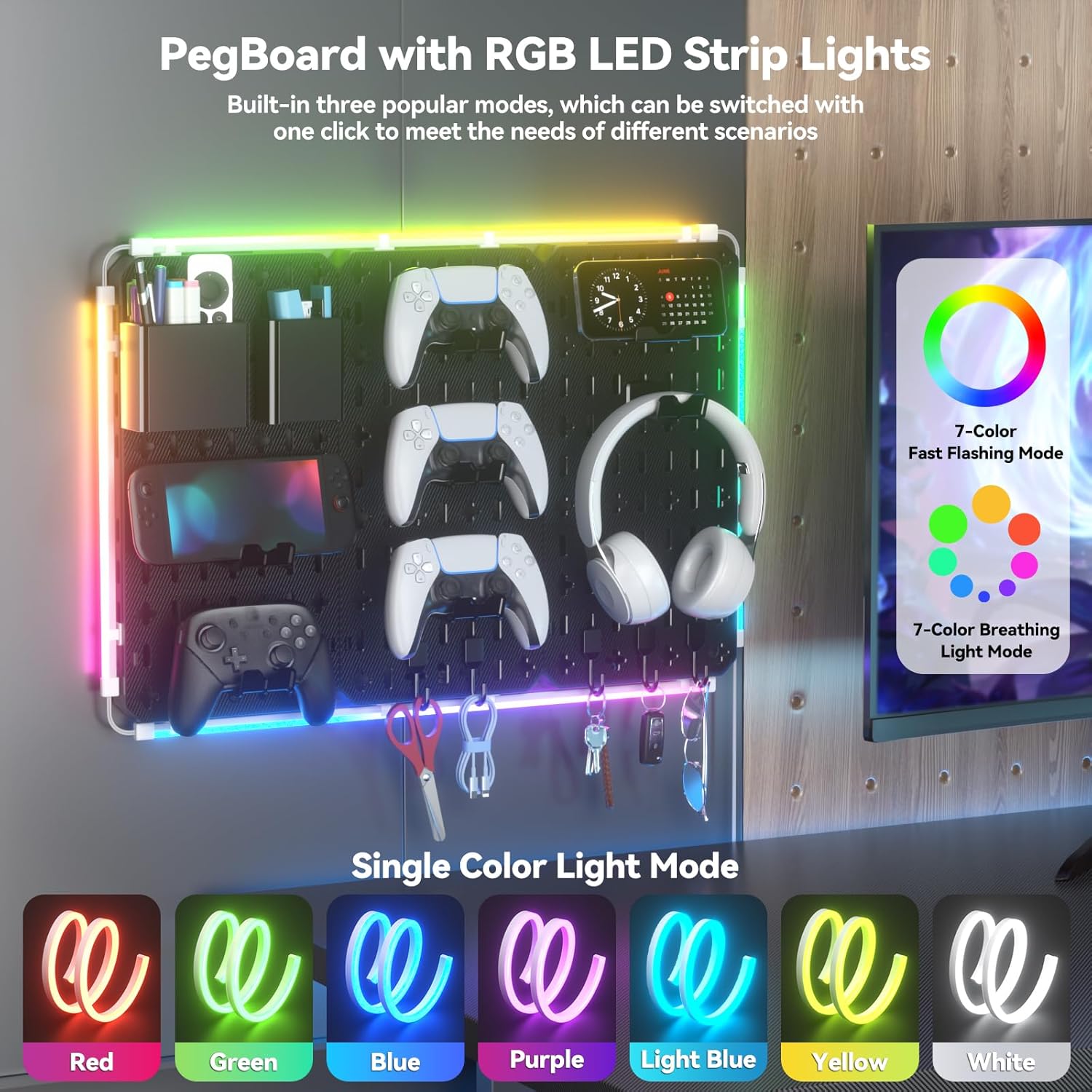
Image 6: Illustration of the RGB LED strip lights and their various modes.
7. Qulluq və Baxım
- To clean the pegboard and accessories, wipe with a soft, damp parça. Aşındırıcı təmizləyicilərdən və ya həlledicilərdən çəkinin.
- Regularly check the wall mount stickers for secure adhesion.
- Ensure all accessories are properly seated in the pegboard holes to prevent items from falling.
8. Giderme
- Pegboard not adhering securely: Ensure the wall surface was thoroughly cleaned and dried before applying the adhesive stickers. Press firmly for the recommended time and allow 24 hours for maximum adhesion before loading.
- Uyğun olmayan aksesuarlar: Ensure you are using the correct type of accessories for the pegboard's slot design. Some accessories may require a specific orientation.
- RGB işıqları işləmir: Check the USB connection to ensure it is properly plugged into a power source. Verify that the light strip is not damaged.
9. Spesifikasiyalar
| Xüsusiyyət | Detal |
|---|---|
| Brend | KDD |
| Model nömrəsi | KDD-815 |
| Rəng | Qara |
| Məhsul Ölçüləri | 3 x 60 x 40 sm |
| Material | Akrilonitril Butadien stirolu |
| Maddə Çəkisi | 1.75 kq |
| Montaj növü | Divar montajı |
| Rəflərin sayı | 7 (referring to the 7-in-1 accessory types) |
| Xüsusi Xüsusiyyət | Durable, RGB LED Lights |
10. Zəmanət və Dəstək
For warranty information or technical support, please refer to the contact details provided with your product packaging or visit the official KDD webSayt. Zəmanət iddiaları üçün alış qəbzini saxlayın.


