1. Giriş
Thank you for choosing the SOVMIKU 4K NVR 5MP PoE Camera System. This system provides advanced surveillance capabilities with 4K NVR recording, 5MP PoE cameras featuring human detection, 300° pan and 90° tilt functionality, auto-tracking, and two-way audio. Designed for home and business security, this manual will guide you through the installation, operation, and maintenance of your new security system.
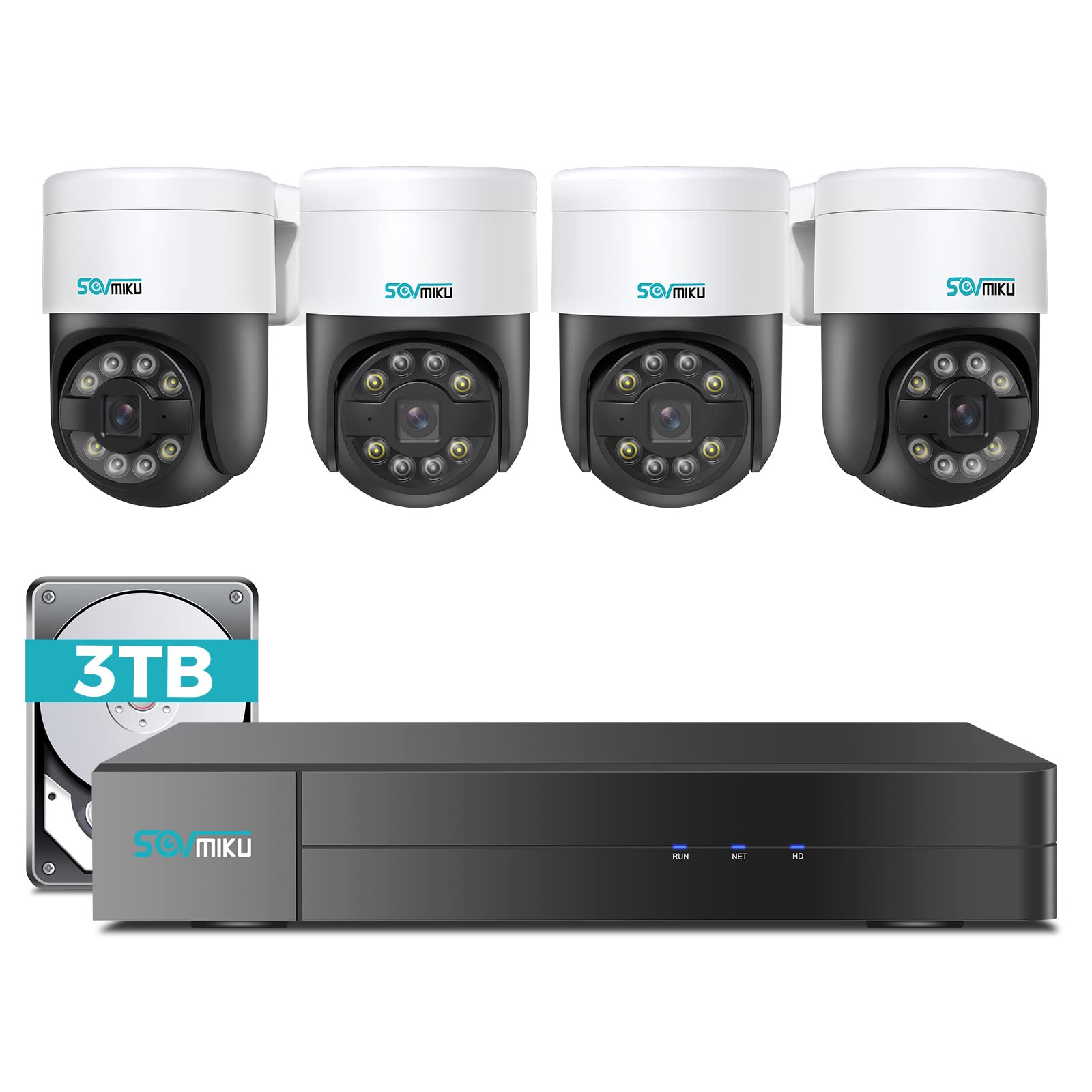
Şəkil 1.1: Bitdiview of the SOVMIKU 4K NVR 5MP PoE Camera System components.
2. Paketin məzmunu
Please check the package contents carefully upon opening. If any items are missing or damaged, contact SOVMIKU customer support.
- 1x 4K Network Video Recorder (NVR) with 3TB HDD
- 4x 5MP PoE Outdoor Security Cameras (PTZ, IP66 rated)
- 1x NVR Güc Adapteri
- 1x USB siçan
- 1x HDMI kabeli
- 4x Ethernet Cables (for cameras)
- 4x Montaj vintləri dəstləri
- 1x Tez Başlanğıc Bələdçisi
- 1x Warning Sticker Set

Image 2.1: Illustration of typical package contents for the SOVMIKU PoE Camera System.
3. Quraşdırma
3.1 NVR Initial Setup
- Monitoru qoşun: NVR-i verilən HDMI kabelindən istifadə edərək monitora və ya televizora qoşun.
- Siçanı birləşdirin: Plug the USB mouse into a USB port on the NVR.
- Şəbəkəyə qoşulun: Connect the NVR to your router using an Ethernet cable for internet access and remote viewing.
- Güc bağlayın: Plug the NVR power adapter into the NVR and then into a power outlet. The NVR will power on automatically.
- Initial Wizard: Follow the on-screen setup wizard to configure language, date/time, password, and network settings.

Image 3.1: Diagram showing NVR connections to monitor, mouse, network, and power.
3.2 Kamera Quraşdırılması
- Quraşdırma yeri: Choose a suitable location for each camera, ensuring good coverage and a stable mounting surface. Consider the camera's IP66 rating for outdoor use.
- Qazma delikləri: Use the provided mounting template to mark and drill holes for the camera base. Insert wall anchors if necessary.
- Təhlükəsiz Kamera: Verilən vintlərdən istifadə edərək kameranın əsasını montaj səthinə bərkidin.
- Connect PoE Cable: Connect one end of an Ethernet cable to the camera's PoE port and the other end to an available PoE port on the NVR. The camera will power on and connect automatically.
- Bucağı tənzimləyin: Loosen the adjustment screws on the camera to set the desired pan, tilt, and rotation angle. Tighten the screws once positioned.

Image 3.2: Step-by-step guide for mounting a PoE camera.
3.3 Mobil Tətbiqin Qurulması
- Tətbiqi yükləyin: axtarın the official SOVMIKU security app in your device's app store (iOS or Android).
- Qeydiyyat Hesabı: Proqramı açın və yeni istifadəçi hesabı qeydiyyatdan keçirin.
- Cihaz əlavə edin: Follow the in-app instructions to add your NVR system. This typically involves scanning a QR code on the NVR or manually entering its device ID.
- Canlı View: Bir dəfə əlavə edə bilərsiniz view live feeds from your cameras, access playback, and control PTZ functions remotely.
4. Sistemin işlədilməsi
4.1 Canlı View və oxutma
- Canlı View: On the NVR monitor or mobile app, select the 'Live View' option to see real-time footagbütün qoşulmuş kameralardan e.
- Oynatma: Access the 'Playback' menu to review foo qeyd etditage. You can search by date, time, and event type (e.g., motion detection, human detection).

Şəkil 4.1: Məsample of the mobile app's live view interfeys.
4.2 PTZ Control and Two-Way Audio
- PTZ Nəzarət: For PTZ cameras, use the on-screen controls (NVR interface or mobile app) to pan (300°), tilt (90°), and zoom the camera lens.
- İki yollu səs: Select a camera with two-way audio support in live view. Use the microphone icon to speak through the camera and the speaker icon to listen to audio from the camera's location.
4.3 İnsan aşkarlanması və avtomatik izləmə
- İnsan Algılama: The system is configured to detect human shapes, reducing false alarms from pets or inanimate objects. Configure alert settings in the NVR or app.
- Avtomatik İzləmə: When human detection is triggered, the PTZ camera can automatically track the detected person's movement within its field of view. Enable this feature in the camera settings.
5. Baxım
- Kamera Təmizləmə: Kamera linzalarını vaxtaşırı yumşaq, damp Təsvirin aydın keyfiyyətini təmin etmək üçün parça istifadə edin. Sərt kimyəvi maddələrdən istifadə etməyin.
- Firmware Güncellemeleri: Check the SOVMIKU official website or the mobile app for available firmware updates for your NVR and cameras. Keeping firmware updated ensures optimal performance and security.
- Sərt Disk İdarəetmə: The 3TB HDD will automatically overwrite the oldest footage when full. You can configure recording schedules and retention policies in the NVR settings. Regularly back up important footage.
6. Giderme
| Problem | Mümkün Səbəb | Həll |
|---|---|---|
| Monitorda video görüntüsü yoxdur | Loose HDMI cable, NVR not powered on, incorrect monitor input. | Check HDMI connection, ensure NVR power, select correct monitor input. |
| Kamera video göstərmir | Loose Ethernet cable, camera not powered, faulty cable. | Check PoE Ethernet connection, try a different NVR PoE port or cable. |
| Proqram vasitəsilə uzaqdan giriş yoxdur | NVR not connected to internet, incorrect network settings, app not configured. | Ensure NVR is connected to router, verify network settings, re-add device in app. |
| PTZ nəzarəti işləmir | Camera not a PTZ model, PTZ function disabled, network issue. | Confirm camera model, enable PTZ in settings, check network stability. |
7. Spesifikasiyalar
- NVR Channels: 8 kanallı (8-a qədər kameranı dəstəkləyir)
- Video Çözünürlük: Up to 4K (NVR), 5MP (Cameras)
- Yaddaş: 3TB HDD (pre-installed)
- Kamera növü: PoE PTZ (Pan 300°, Tilt 90°)
- Kamera Xüsusiyyətləri: Human Detection, Auto Tracking, 2-Way Audio
- Hava keçirməyən Reytinq: IP66 (Kameralar)
- Bağlantı: Ethernet (PoE), HDMI, USB
- Paket Ölçüləri: 16.5 x 14.5 x 12.5 düym
- Maddə çəkisi: 18.96 funt sterlinq
8. Zəmanət və Dəstək
SOVMIKU products typically come with a standard manufacturer's warranty. Please refer to the warranty card included in your package or visit the official SOVMIKU webətraflı zəmanət şərtləri üçün sayt.
For technical support, troubleshooting assistance, or warranty claims, please contact SOVMIKU customer service through their official websayt və ya məhsul sənədlərinizdə göstərilən əlaqə məlumatı.
Websayt: www.sovmiku.com (Example URL, please refer to actual product documentation)
E-poçt: support@sovmiku.com (Example Email, please refer to actual product documentation)


