1. Giriş
The ASRock PRO-650G Power Supply is designed to provide stable and efficient power for your personal computer system. This 650W unit features 80 PLUS Gold certification, ensuring high energy efficiency and reduced heat output. It is compliant with the latest ATX 3.1 standard, making it compatible with modern and next-generation components. This manual provides essential information for the safe installation, operation, and maintenance of your power supply.
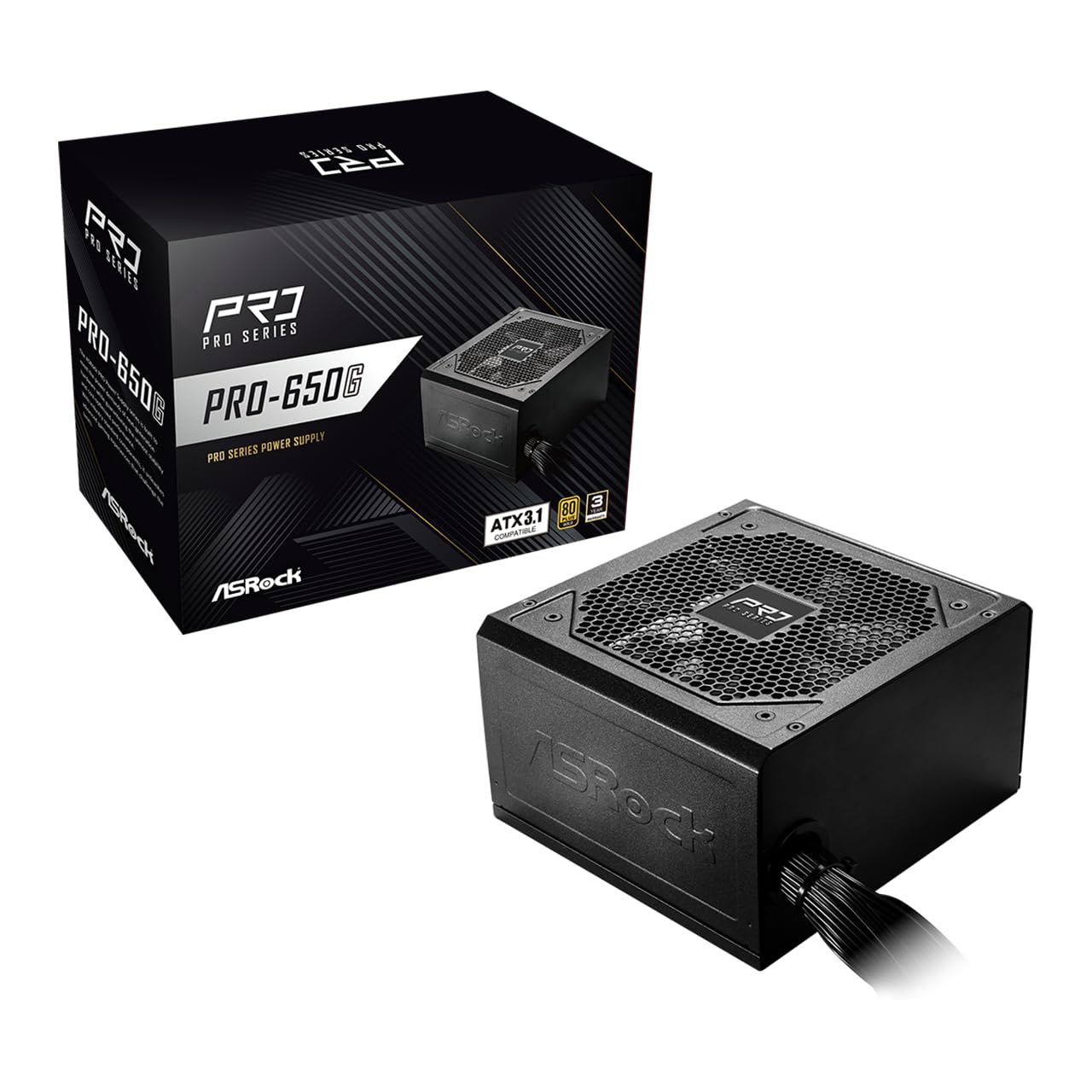
Figure 1: ASRock PRO-650G Power Supply, front view.
2. Təhlükəsizlik Məlumatı
Please read and follow all safety instructions carefully before installing or using the power supply. Failure to do so may result in personal injury or damage to your equipment.
- Quraşdırma və ya texniki xidmətdən əvvəl enerji təchizatının əsas elektrik rozetkasından ayrıldığından əmin olun.
- Enerji təchizatını açmayın casing. Yüksək həcmtages are present inside, even when disconnected.
- Həddindən artıq istiləşmənin qarşısını almaq üçün enerji təchizatını yaxşı havalandırılan bir yerə quraşdırın.
- Yalnız enerji təchizatı ilə birlikdə verilən kabellərdən istifadə edin.
- Enerji təchizatını nəmə və ya həddindən artıq temperatura məruz qoymaqdan çəkinin.
- This product is designed for use in personal computer systems only.
3. Paketin məzmunu
Bütün əşyaların paketdə olduğunu yoxlayın:
- ASRock PRO-650G Power Supply Unit
- AC elektrik kabeli
- Modular Cable Set (as detailed below)
- Montaj vintləri
- İstifadəçi təlimatı

Figure 2: Included modular cables and their quantities.
4. Məhsul bitdiview və Xüsusiyyətlər
The ASRock PRO-650G Power Supply is engineered for performance and reliability. Key features include:
- 80 PLUS Gold Efficiency: Delivers up to 90% energy efficiency, reducing power consumption and heat output.
- ATX 3.1 Uyğundur: Meets the latest ATX 3.1 standard, ensuring compatibility with modern and next-generation components.
- Stable 12V Output: Provides 54.1A on the +12V rail for reliable power delivery to CPU and graphics cards.
- Hərtərəfli qorunmalar: Includes Over Current Protection (OCP), Over Voltage Mühafizəsi (OVP), Voltage Protection (UVP), Over Power Protection (OPP), Over Temperature Protection (OTP), and Short Circuit Protection (SCP) for enhanced system safety.
- Quiet 120mm Fan: Features a balanced cooling solution that maintains low noise levels during operation.
- All-Taiwanese Capacitors: Uses high-quality capacitors for improved durability and longevity.
- Flat Cable Design: Enables easier cable management and improved airflow within the case.
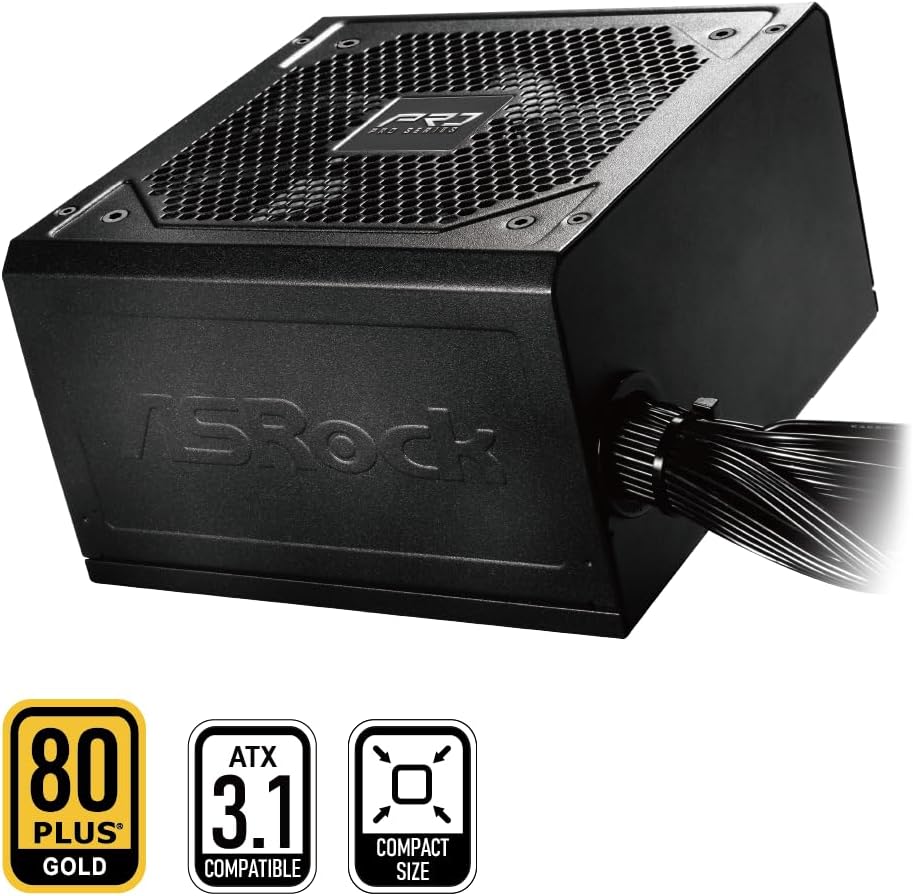
Figure 3: ASRock PRO-650G Power Supply highlighting key certifications.
5. Quraşdırma və Quraşdırma
Follow these general steps to install your ASRock PRO-650G Power Supply:
- Sisteminizi Hazırlayın: Ensure your computer is powered off and unplugged from the wall outlet. Open your PC case.
- Köhnə PSU-nu çıxarın (əgər varsa): Köhnə enerji təchizatınızdakı bütün kabelləri ayırın və qutudan çıxarın.
- Yeni PSU-nu quraşdırın: Insert the ASRock PRO-650G into the power supply bay of your PC case. Secure it with the provided mounting screws.
- Connect Motherboard Cables: Connect the 24-pin ATX motherboard cable and the 4+4-pin CPU power cable to their respective ports on your motherboard.
- Connect Component Cables: Connect the necessary PCIe 6+2-pin cables to your graphics card(s), and SATA/PATA cables to your storage drives and other peripherals. The flat cable design aids in easier routing and improved airflow.
- Kabel İdarəetmə: Organize cables to ensure proper airflow and a tidy build.
- Qutunu bağlayın və yandırın: Close your PC case, plug in the AC power cord to the power supply and a wall outlet, then flip the power switch on the PSU to the 'ON' position.

Şəkil 4: Arxa view of the power supply with power switch and AC input.
Installation Video Overview
Vizual bir görüntü üçün bu videoya baxınview of the ASRock Pro Gold Series power supplies, including details on cable connections and features relevant to installation.
Video 1: ASRock Power Supplies Pro Gold Series Overview. This video demonstrates the features and cable connections of the Pro Gold Series, which includes the PRO-650G model.
6. Əməliyyat Təlimatları
Once installed, operating the ASRock PRO-650G Power Supply is straightforward:
- Güc Aktivdir: Ensure the power supply's main switch (located at the rear) is in the 'ON' position. Press the power button on your computer case to start the system.
- Söndürmək: Shut down your computer through the operating system. Once the system is off, you may optionally switch the power supply's main switch to the 'OFF' position for complete power disconnection.
- The 120mm cooling fan operates automatically to maintain optimal temperatures and minimize noise.
7. Baxım
Düzgün texniki xidmət enerji təchizatınızın uzunömürlülüyünü və optimal işləməsini təmin edir:
- Toz Təmizləmə: Periodically clean the exterior of the power supply and its fan grille to prevent dust buildup, which can impede airflow and cooling. Use compressed air or a soft brush. Always disconnect the power supply from the wall outlet before cleaning.
- Kabel yoxlaması: Bütün qoşulmuş kabellərin etibarlı şəkildə yerləşdiyinə və zədələnmədiyinə əmin olmaq üçün vaxtaşırı yoxlayın.
- Ətraf mühit: Operate the power supply in a clean, dry, and well-ventilated environment.
8. Giderme
If you encounter issues with your power supply, consider the following troubleshooting steps:
- Güc yoxdur:
- Ensure the AC power cord is securely connected to both the power supply and the wall outlet.
- Check that the power supply's main switch is in the 'ON' position.
- Başqa bir cihazı qoşaraq divar rozetkasının işlək olduğundan əmin olun.
- Confirm all internal power cables (24-pin, CPU, PCIe) are correctly and firmly connected.
- Sistem qeyri-sabitliyi/qəzaları:
- Sisteminizin güc tələblərinin PSU-nun 650 Vt gücünü keçmədiyinə əmin olun.
- Elektrik təchizatı da daxil olmaqla, komponentlərin həddindən artıq istiləşməsinin qarşısını almaq üçün kompüter korpusunun düzgün havalandırılmasını yoxlayın.
- Verify that all power connections to components are secure.
- Qeyri-adi səs-küy:
- A slight fan noise is normal during operation. If the noise is excessive or unusual, ensure no cables are obstructing the fan.
- If coil whine is present, it may be due to specific load conditions. While often harmless, if persistent and bothersome, contact support.
If these steps do not resolve the issue, please contact ASRock customer support.
9. Spesifikasiyalar
| Xüsusiyyət | Spesifikasiya |
|---|---|
| Model Adı | PRO-650G |
| Çıxış Wattage | 650 Vt |
| 80 PLUS sertifikatı | Qızıl |
| ATX Standartı | ATX 3.1 uyğun gəlir |
| +12V Rail Output | 54.1A |
| Soyutma üsulu | Air (120mm Fan) |
| Kondansatörler | All-Taiwanese Capacitors |
| Forma faktoru | ATX (140x150x86mm) |
| Məhsulun Ölçüləri (U x G x Y) | 5.51 x 5.91 x 3.39 düym |
| Maddə Çəkisi | 4.33 funt sterlinq |
| İstehsalçı | ASRock |
| Element Model nömrəsi | 90-UXR065-GNUAA2 |
10. Zəmanət və Dəstək
The ASRock PRO-650G Power Supply is backed by a 3 il Zəmanət, providing peace of mind regarding its quality and durability.
For any product inquiries, technical assistance, or warranty claims, please contact ASRock USA customer support through Amazon or visit the official ASRock website for further support options.
Onlayn Resurslar:
- ASRock Store on Amazon: Visit ASRock Store


