1. Giriş
This manual provides detailed instructions for the safe and efficient operation of your Bigme B6 Color Ebook Reader. Please read this manual thoroughly before using the device and retain it for future reference.
Paketin məzmunu
- Bigme B6 elektron kitab oxuyucusu
- Qoruyucu qutu
- İstifadəçi Təlimatı (bu sənəd)
- Doldurma kabeli

Image 1.1: Bigme B6 Color Ebook Reader and included protective case.
2. Məhsul bitdiview
Familiarize yourself with the components and features of your Bigme B6 device.
Əsas Xüsusiyyətlər
- Ekran: 6-inch Color E-paper display, 300 PPI resolution.
- Prosessor: Octa-core CPU for responsive performance.
- Yaddaş və Saxlama: 4GB RAM and 64GB internal storage, expandable via Micro-SD card (up to 1TB).
- Əməliyyat sistemi: Android 14, providing access to various applications.
- Bağlantı: Bluetooth and Wi-Fi for wireless communication.
- Audio: Integrated Hi-Fi Speakers.
- Dizayn: Ultra nazik profile at 6.98mm.
- Göz Rahatlığı: Features Zero Blue Light and Flicker-Free technology, TUV Rheinland certified for reduced eye strain.

Şəkil 2.1: Bitdiview of the Bigme B6 Ebook Reader's main features.
3. Quraşdırma
3.1 İlkin Doldurma
Before first use, fully charge your Bigme B6. Connect the device to a power source using the provided charging cable. The charging indicator will show the charging status.
3.2 Yandırma/Söndürmə
- To power on: Press and hold the power button until the screen illuminates.
- To power off: Press and hold the power button, then select "Power Off" from the options.
- To sleep/wake: Briefly press the power button.
3.3 Şəbəkə bağlantısı (Wi-Fi)
- Əsas ekrandan, gedin Parametrlər.
- seçin Şəbəkə və İnternet.
- Dəyişdirin Wi-Fi ON.
- Siyahıdan istədiyiniz Wi-Fi şəbəkəsini seçin.
- Tələb olunduqda parolu daxil edin və vurun Qoşun.
3.4 Initial System Configuration
Upon first power-on or after a factory reset, follow the on-screen prompts to select your language, connect to Wi-Fi, and set up your Google account (optional, for app store access).
4. Əməliyyat Təlimatları
4.1 Əsas naviqasiya
- Toxunma Ekranı: Tap to select items, swipe to scroll, pinch to zoom.
- Əsas Ekran: Displays installed applications and widgets.
- Bildiriş Paneli: Sürətli parametrlərə və bildirişlərə daxil olmaq üçün ekranın yuxarısından aşağı sürüşdürün.
- İdarəetmə Mərkəzi: Access system settings like Wi-Fi, Bluetooth, brightness, and refresh modes.
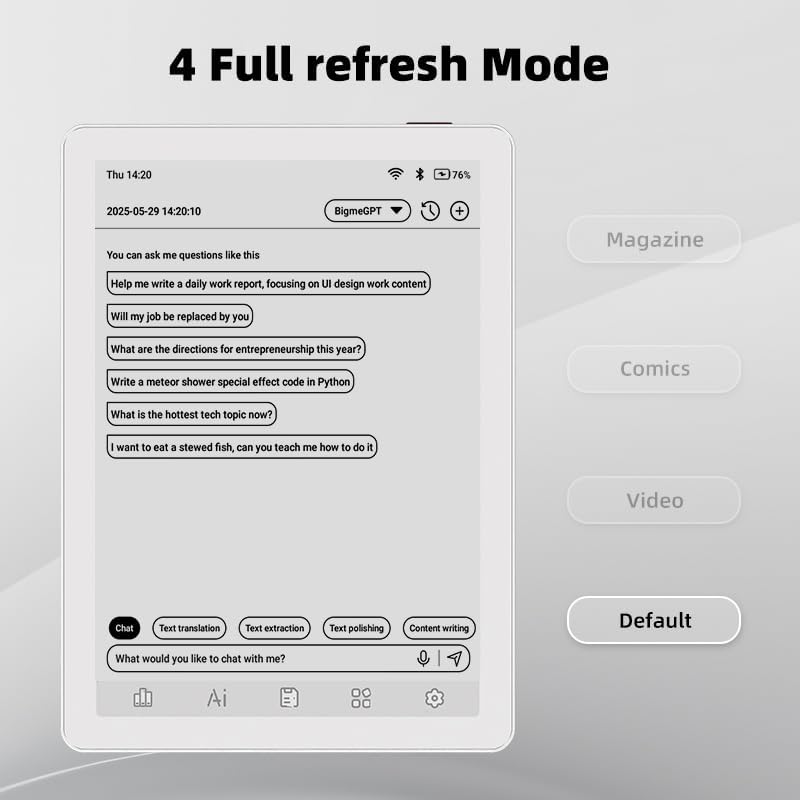
Image 4.1: The Bigme B6 home screen displaying various application icons.

Image 4.2: Accessing the Control Center for quick adjustments to device settings.
4.2 Reading eBooks
The Bigme B6 supports over 19 eBook formats, including PDF, TXT, EPUB, MOBI, and more. You can load books via USB or download them directly through reading applications.
- Open a reading application (e.g., the default reader or a downloaded app like Kindle or Libby).
- Select the book you wish to read from your library.
- Tap the left or right side of the screen to turn pages.
- Tap the center of the screen to access reading options (font size, line spacing, contrast, etc.).
- To highlight text: Press and hold on a word, then drag the selection handles to cover the desired text. Options for highlighting or notes will appear.

Image 4.3: Reading an eBook and highlighting text with color on the Bigme B6.
4.3 Proqram İdarəetmə
As an Android 14 device, you can install applications from the Google Play Store or other compatible sources.
- Proqramların quraşdırılması: açın Tətbiq Mağazası icon (Google Play Store) on your home screen, search for the desired app, and follow the installation prompts.
- Tətbiqlərin silinməsi: gedin Parametrlər > Proqramlar, proqramı seçin və vurun Silin.
4.4 Audiobooks and Media Playback
The device supports audiobook playback through its built-in Hi-Fi speakers or connected Bluetooth headphones.
- Playing Audiobooks: Use a compatible audiobook application.
- Connecting Bluetooth Headphones: gedin Parametrlər > Qoşulmuş cihazlar > Bluetooth, enable Bluetooth, and pair with your headphones.

Image 4.4: The Bigme B6 supports audiobooks, allowing for hands-free listening.
4.5 Display Refresh Modes
The Bigme B6 offers multiple refresh modes to optimize display performance for different content types.
- Access refresh modes from the Control Center or Display Settings.
- Ümumi rejimlərə aşağıdakılar daxildir:
- Defolt: Standard reading mode.
- Jurnal: Optimized for images and text in magazines.
- Comics: Enhanced for comic book viewing.
- Video: Provides a smoother refresh rate for video content (note: e-paper displays have limitations for video).

Image 4.5: Selecting from various refresh modes to suit different content types.
5. Baxım
5.1 Cihazın təmizlənməsi
- Cihazın ekranını və gövdəsini yumşaq, tüksüz bir parça ilə yumşaq bir şəkildə silin.
- İnadkar ləkələr üçün, bir az dampsu və ya elektronika üçün xüsusi olaraq hazırlanmış ekran təmizləyicisi ilə parça.
- Sərt kimyəvi maddələrdən, aşındırıcı materiallardan və ya həddindən artıq nəmdən istifadə etməkdən çəkinin.
5.2 Batareya Baxımı
- Cihazı müntəzəm olaraq doldurun, lakin uzun müddət tam boşaldılmış vəziyyətdə qoymayın.
- Do not expose the device to extreme temperatures, as this can affect battery life.
- Use only the provided or a certified charging cable and adapter.
5.3 Saxlama
When not in use for extended periods, store the device in a cool, dry place, away from direct sunlight and extreme temperatures. It is recommended to charge the device to about 50% before long-term storage.
6. Giderme
| Problem | Mümkün Səbəb | Həll |
|---|---|---|
| Cihaz işə düşmür. | Aşağı batareya; cihaz donub. | Charge the device for at least 30 minutes. Perform a forced restart by holding the power button for 10-15 seconds. |
| Ekran cavab vermir və ya yavaş işləyir. | Müvəqqəti proqram təminatı nasazlığı; çoxlu sayda tətbiq işləyir. | Restart the device. Close unnecessary background applications. Check for system updates. |
| Wi-Fi-a qoşulmaq mümkün deyil. | Incorrect password; router issue; Wi-Fi disabled. | Ensure Wi-Fi is enabled and the password is correct. Restart your Wi-Fi router. Try connecting to a different network. |
| Batareya tez tükənir. | High screen brightness; many background apps; frequent Wi-Fi/Bluetooth use. | Reduce screen brightness. Close unused applications. Disable Wi-Fi and Bluetooth when not needed. Adjust refresh mode settings. |
| Applications crash or freeze. | App incompatibility; insufficient memory. | Update the application. Clear the app's cache (Settings > Apps > [App Name] > Storage & cache). If issues persist, uninstall and reinstall the app. |
7. Spesifikasiyalar
| Model Adı | US-B6 |
| Ekran | 6-inch Color E-paper, Electronic Ink, 300 PPI |
| Əməliyyat sistemi | Android 14 |
| RAM | 4 GB |
| Daxili yaddaş | 64 GB |
| Genişləndirilə bilən yaddaş | Micro-SD card (up to 1TB support) |
| Bağlantı | Bluetooth, WiFi |
| Batareya | 1 Qeyri-standart Batareya (daxildir) |
| Ölçülər (U x G x Th) | 5.88" x 4.25" x 0.28" (14.94 sm x 10.8 sm x 0.71 sm) |
| Maddə Çəkisi | 6.2 unsiya (175.77 qram) |
| Dəstəklənən e-kitab formatları | PDF, TXT, EPUB, EPUB3, HTML, HTM, AZW3, FB2, DOC, DOCX, MOBI, OEB, CBR, RPC, RTF, DJVU, ZIP |
8. Zəmanət və Dəstək
8.1 Zəmanət Məlumatı
Please refer to the warranty card included with your product for specific warranty terms and conditions. The warranty typically covers manufacturing defects for a specified period from the date of purchase.
8.2 Müştəri dəstəyi
For technical assistance, troubleshooting not covered in this manual, or warranty claims, please contact Bigme customer support. Contact details can usually be found on the Bigme official websaytda və ya məhsulun qablaşdırmasında.
Siz də ziyarət edə bilərsiniz Bigme Store on Amazon əlavə məhsul məlumatı və dəstək resursları üçün.


