1. Giriş
Thank you for choosing the KTC H25T7-3 24.5 Inch 240Hz FHD Gaming Monitor. This manual provides essential information for setting up, operating, and maintaining your monitor. Please read it thoroughly before use to ensure optimal performance and safety.
Təhlükəsizlik Məlumatı
- Do not expose the monitor to rain or moisture to prevent fire or electric shock.
- Monitoru açmayın casing. İçəridə istifadəçi tərəfindən xidmət edilə bilən hissələr yoxdur. Bütün xidmətlər üçün ixtisaslı işçilərə müraciət edin.
- Monitorun düşməsinin qarşısını almaq üçün onu sabit, düz bir səthə qoyun.
- Həddindən artıq istiləşmənin qarşısını almaq üçün monitorun ətrafında düzgün havalandırma təmin edin.
- Use only the power adapter and cables provided by KTC.
2. Qutuda nə var
Verify that all the following items are present in your package:
- KTC H25T7-3 24.5" FHD 240Hz Monitor (x1)
- Monitor Stand (x1)
- Sürətli Başlanğıc Bələdçisi (QSG) (x1)
- DisplayPort (DP) Kabeli (x1)
- Güc Adaptoru (x1)
- Elektrik kabeli (x1)
3. Məhsul bitdiview
The KTC H25T7-3 is a 24.5-inch Full HD (1920x1080) gaming monitor featuring a Fast IPS panel, 240Hz refresh rate, and 1ms MPRT response time for smooth visuals. It supports HDR400 and Adaptive-Sync technology to enhance your viewing və oyun təcrübəsi.
Əsas Xüsusiyyətlər
- 24.5" FHD Fast IPS Panel: Delivers crisp 1080p resolution with wide 178° viewbucaqlar.
- 240Hz Yeniləmə Sürəti və 1ms MPRT: Ensures ultra-smooth motion and minimal ghosting.
- Adaptiv-Sinxronizasiya Texnologiyası: Synchronizes the monitor's refresh rate with your GPU for tear-free gameplay.
- HDR400 dəstəyi: Provides enhanced contrast and color depth for a more immersive visual experience.
- Erqonomik stend: Offers tilt, pivot, and height adjustments for personalized viewrahatlıq.
- Göz Baxımı Xüsusiyyətləri: Low blue light and flicker-free technology reduce eye strain during extended use.
- Çoxsaylı Bağlantı Seçimləri: Includes 2x HDMI 2.0, 1x DisplayPort 1.4, and 1x USB 2.0.

Şəkil 3.1: bitdiview of KTC H25T7-3 monitor features including Fast IPS, 240Hz, HDR400, and adjustable stand.
4. Quraşdırma
4.1 Stendin yığılması
- Monitor və dayaq komponentlərini qablaşdırmadan ehtiyatla çıxarın.
- Verilmiş vintlərdən istifadə edərək dayaq əsasını dayaq boynuna bərkidin.
- Yığılmış stendi monitorun arxasındakı montaj yuvası ilə uyğunlaşdırın və möhkəm bağlayın.

Şəkil 4.1: Ön view of the KTC H25T7-3 monitor with its stand assembled.
4.2 VESA Wall Mounting (Optional)
The monitor supports a 100x100mm VESA mount. To wall mount the monitor:
- Remove the stand from the monitor if it is already attached.
- Attach your VESA-compatible wall mount bracket to the four screw holes on the back of the monitor. Ensure the screws are appropriate for the VESA standard and do not overtighten.
- Follow the instructions provided with your VESA mount for secure installation.

Şəkil 4.2: Arxa view of the KTC H25T7-3 monitor, highlighting the input ports and VESA mounting area.
4.3 Qoşulma Kabelləri
Connect the necessary cables to the corresponding ports on the monitor and your computer/device:
- Güc: Connect the power adapter to the monitor's DC input and then plug the power cord into a power outlet.
- DisplayPort (DP): For optimal performance (240Hz, Adaptive-Sync), connect the provided DisplayPort cable from your graphics card to the monitor's DP 1.4 port.
- HDMI: Alternatively, connect an HDMI cable from your device to one of the monitor's HDMI 2.0 ports.
- USB: The USB 2.0 port can be used for firmware upgrades or connecting peripherals.
5. Əməliyyat Təlimatları
5.1 Yandırma/Söndürmə
Press the power button (usually located on the back or bottom of the monitor) to turn the monitor on or off. The power indicator light will illuminate when the monitor is on.
5.2 Ekran Menyusunun Naviqasiyası
The On-Screen Display (OSD) menu is controlled by a joystick button, typically located on the back of the monitor. Use the joystick to navigate through the menu options and adjust settings.
- Daxil edin: Seçimi daxil edin/Təsdiqləyin.
- Yuxarı aşağı: Menyu seçimləri arasında gedin.
- Sol/Sağ: Dəyərləri tənzimləyin və ya alt menyular arasında hərəkət edin.
5.3 Ekran Parametrlərinin Tənzimlənməsi
Access the OSD menu to configure various display settings:
- Parlaqlıq/Kontrast: Ümumi parlaqlıq və kontrast səviyyələrini tənzimləyin.
- Rəng Parametrləri: Rəng temperaturu, qamma və fərdi RGB dəyərlərini incə tənzimləyin.
- Şəkil rejimi: Select from preset modes (e.g., Standard, Game, Movie, sRGB) or customize your own.
- Yeniləmə dərəcəsi: Ensure your graphics card output is set to 240Hz for optimal performance.
- Adaptiv-Sinxronizasiya: Enable this feature in the OSD menu and your graphics card control panel to eliminate screen tearing.
- HDR: Activate HDR400 for compatible content to experience enhanced dynamic range.
- Aşağı Mavi İşıq: Adjust the blue light filter to reduce eye strain.

Figure 5.1: Visual representation of the 240Hz refresh rate for smooth motion.
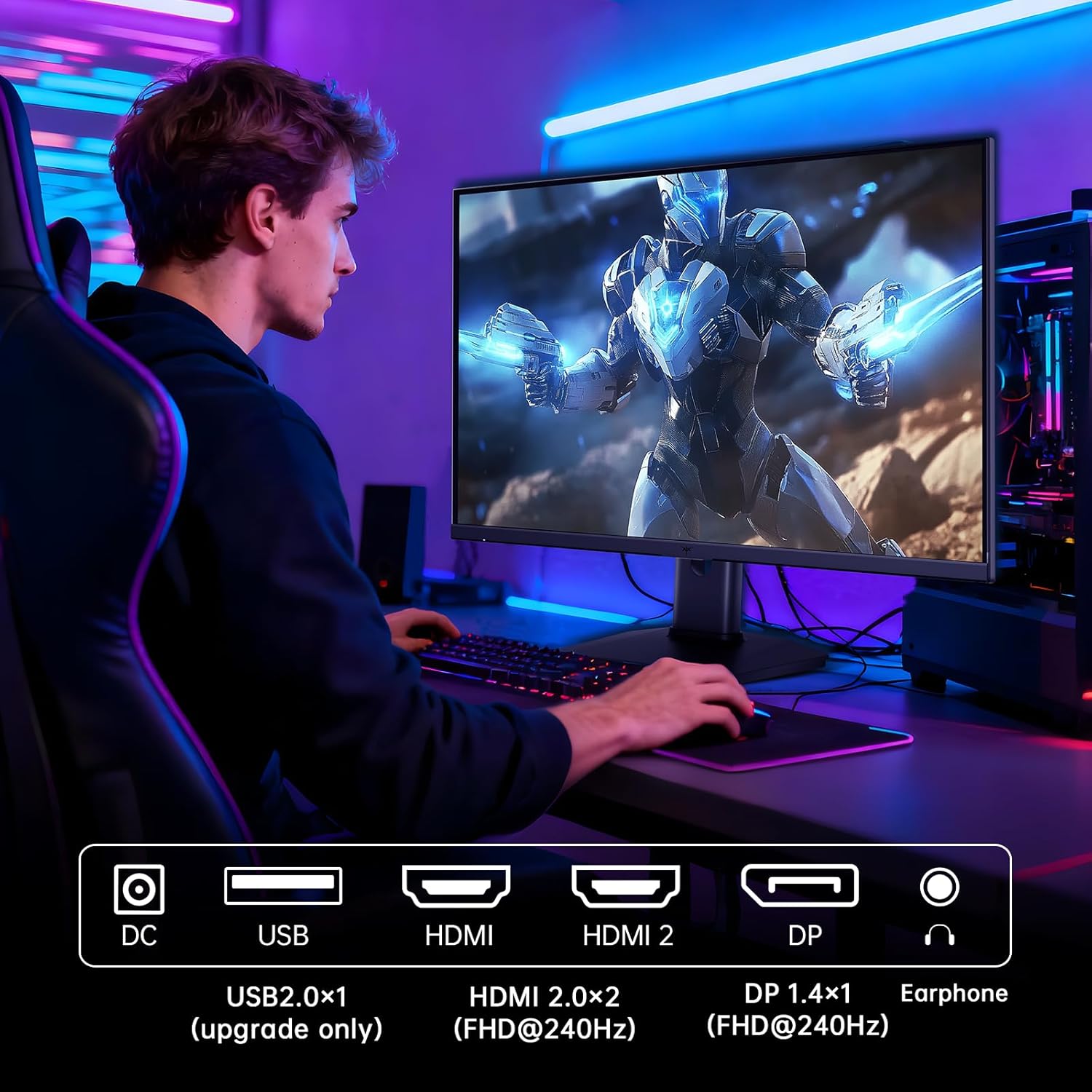
Figure 5.2: Comparison showing the effect of Adaptive-Sync on reducing stuttering and screen tearing.

Figure 5.3: Illustration of HDR400 technology delivering clear details in dark areas compared to HDR10.

Figure 5.4: Diagram illustrating hardware blue light reduction technology to filter harmful blue light bands.
5.4 Erqonomik Tənzimləmələr
Monitor stendi optimallaşdırmaq üçün müxtəlif düzəlişlər etməyə imkan verir viewmövqe:
- Əymək: Ekranın bucağını irəli və ya geri tənzimləyin (-5° ilə 20° arasında).
- Pivot: Rotate the screen 90° for portrait mode.
- Hündürlük tənzimlənməsi: Ekranı 110 mm-ə qədər qaldırın və ya endirin.
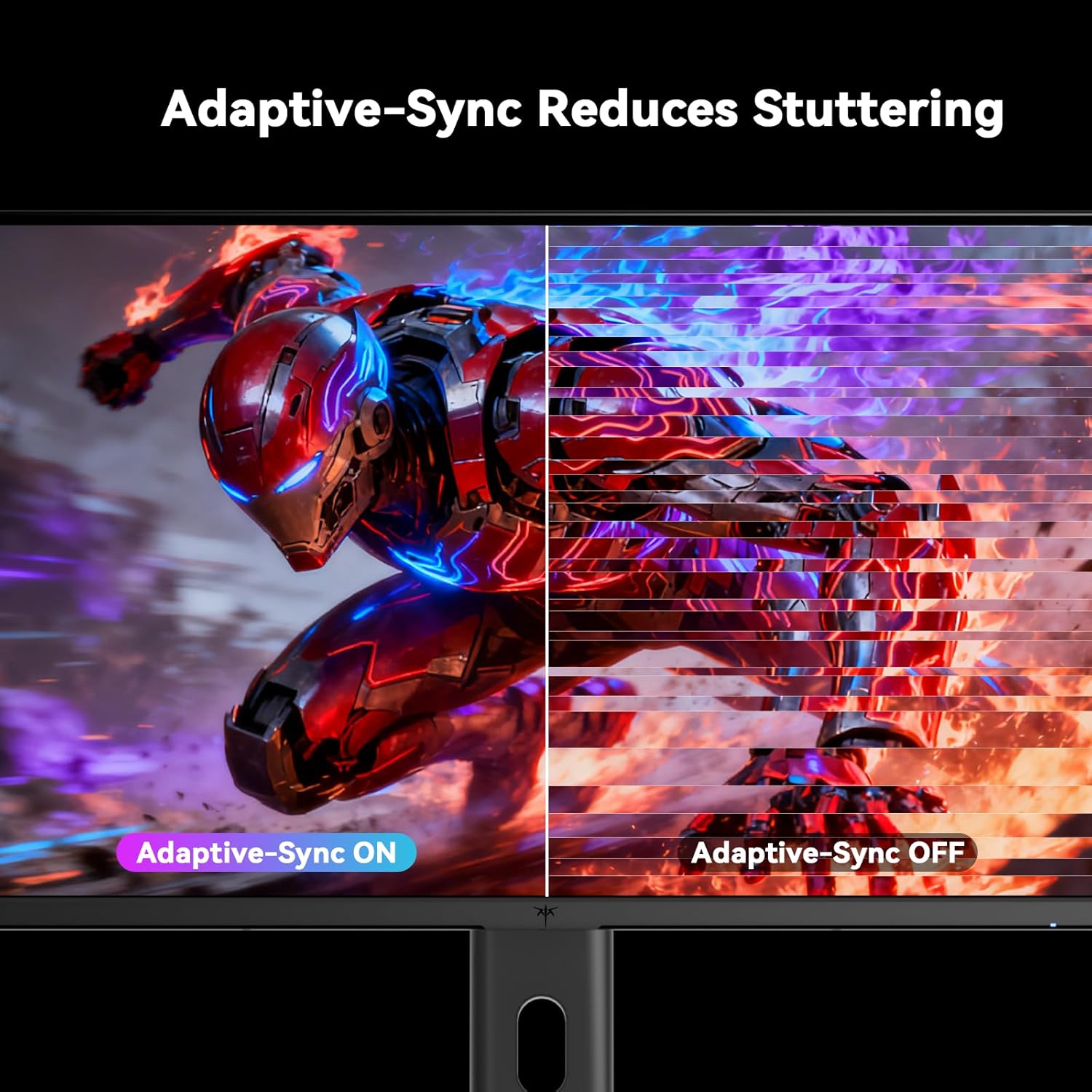
Figure 5.5: Diagram showing the tilt, pivot, and height adjustment capabilities of the monitor stand.
5.5 Rəsmi Məhsul Videosu
Video 5.1: An official product video from KTC-Official showcasing the 24.5 Inch FHD 240Hz Gaming Monitor, demonstrating its features and performance.
6. Baxım
6.1 Monitorun təmizlənməsi
Monitor ekranını təmizləmək və casing:
- Təmizləməzdən əvvəl həmişə monitoru elektrik rozetkasından ayırın.
- Yumşaq, tüysüz parçadan yüngülcə istifadə edin dampsu və ya aşındırıcı olmayan ekran təmizləyicisi ilə təmizləyin.
- Təmizləyicini birbaşa ekrana səpməyin.
- Avoid using benzene, thinner, ammonia-based cleaners, or abrasive materials.
6.2 Ümumi qulluq
- Monitoru birbaşa günəş işığından, həddindən artıq istidən və ya soyuqdan uzaq tutun.
- Monitorun və ya onun kabellərinin üzərinə ağır əşyalar qoymaqdan çəkinin.
- Monitorun havalandırma deliklərini bağlamayın.
7. Giderme
Monitorunuzla bağlı problemlərlə qarşılaşsanız, aşağıdakı ümumi problemlərə və həll yollarına müraciət edin:
| Problem | Mümkün Səbəb | Həll |
|---|---|---|
| Güc yoxdur | Elektrik kabeli qoşulmayıb; Elektrik rozetkası işləmir | Ensure power cable is securely connected. Test the power outlet with another device. |
| Siqnal yoxdur | Video cable not connected; Incorrect input source selected; Computer/device not powered on | Check video cable connections. Select the correct input source via the OSD menu. Ensure your computer/device is on. |
| Parıldayan ekran | Incorrect refresh rate; Cable issue; Adaptive-Sync not enabled | Set refresh rate to 240Hz. Try a different video cable. Enable Adaptive-Sync in OSD and GPU settings. |
| Image distortion/poor quality | Incorrect resolution; Graphics driver issue; Monitor settings | Set resolution to 1920x1080. Update graphics drivers. Adjust OSD settings (brightness, contrast, color). |
7.1 Zavod parametrlərinə sıfırlama
If problems persist, you may perform a factory reset through the OSD menu. This will revert all monitor settings to their default values.
8. Spesifikasiyalar
Detailed technical specifications for the KTC H25T7-3 monitor:
| Xüsusiyyət | Spesifikasiya |
|---|---|
| Model nömrəsi | H25T7-3 |
| Ekran Ölçüsü | 24.5 düym |
| Panel növü | Sürətli IPS |
| Qətnamə | FHD 1080p (1920 x 1080 Pixels) |
| Aspekt nisbəti | 16:9 |
| Yeniləmə dərəcəsi | 240Hz |
| Cavab vaxtı | 1 ms (MPRT) |
| Adaptiv Sinxronizasiya | Bəli |
| HDR dəstəyi | HDR400 |
| Rəng Gamutu | 114% sRGB |
| Kontrast nisbəti | 1000:1 |
| Ekran Rəngləri | 16.7 milyon |
| Parlaqlıq | 350 cd/m² |
| Viewaçı | 178° (H/V) |
| Bağlantı | 2x HDMI 2.0, 1x DisplayPort 1.4, 1x USB 2.0 |
| VESA montaj uyğunluğu | 100x100 mm |
| Erqonomik Tənzimləmələr | Tilt, Pivot, Height |
| Məhsulun ölçüləri (stendlə) | 7.6 x 21.97 x 18.23 düym |
| Məhsulun çəkisi (stendlə) | 11.58 funt sterlinq |
| Cildtage | 12 Volt (DC) |
9. Zəmanət və Dəstək
9.1 Zəmanət Məlumatı
KTC monitors are designed and manufactured to the highest quality standards. For specific warranty terms and conditions, please refer to the warranty card included with your product or visit the official KTC websayt. Satınalma qəbzinizi zəmanət iddiaları üçün satınalmanın sübutu kimi saxlayın.
9.2 Müştəri dəstəyi
If you have any questions, require technical assistance, or experience issues not covered in this manual, please contact KTC customer support. Contact details can typically be found on the official KTC websaytında və ya Tez Başlanğıc Təlimatında.


