1. Giriş
This manual provides detailed instructions for the setup, operation, maintenance, and troubleshooting of your SOLAKAKA A99 Pro Mechanical Keyboard. Please read this manual thoroughly to ensure proper use and to maximize your keyboard's features.
2. Paketin məzmunu
- SOLAKAKA A99 Pro Mechanical Keyboard
- Düymə qapağı çəkicisi
- USB Kabel (USB-C-dən USB-A-ya)
- İstifadəçi təlimatı
3. Məhsul bitdiview
The SOLAKAKA A99 Pro is a 96% layout mechanical keyboard featuring 97 keys, an LCD screen, and a multifunctional metal knob. It supports tri-mode connectivity (Bluetooth 5.0, 2.4GHz wireless, and USB-C wired) and is compatible with Windows, iOS, Mac, and Android systems. The keyboard includes RGB backlighting, hot-swappable switches, and PBT keycaps.
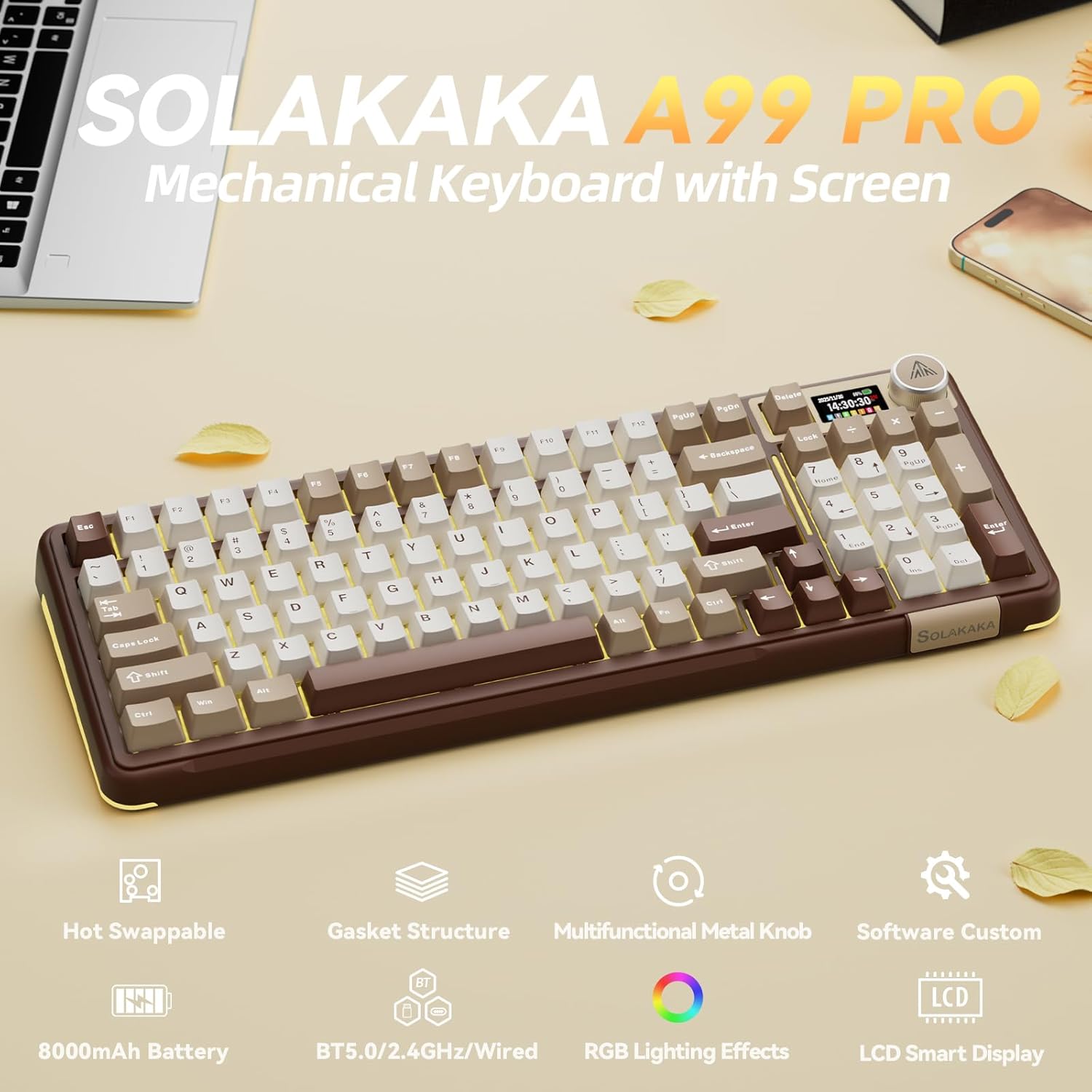
Image: SOLAKAKA A99 Pro Mechanical Keyboard, showcasing its layout, LCD screen, and metal knob.
4. Quraşdırma və Bağlantı
4.1. Açma / Söndürmə
Locate the power switch on the side or back of the keyboard to turn it on or off.
4.2. Tri-Mode Connectivity
The keyboard supports three connection modes: USB-C wired, 2.4GHz wireless, and Bluetooth 5.0. A switch on the keyboard allows selection between these modes.
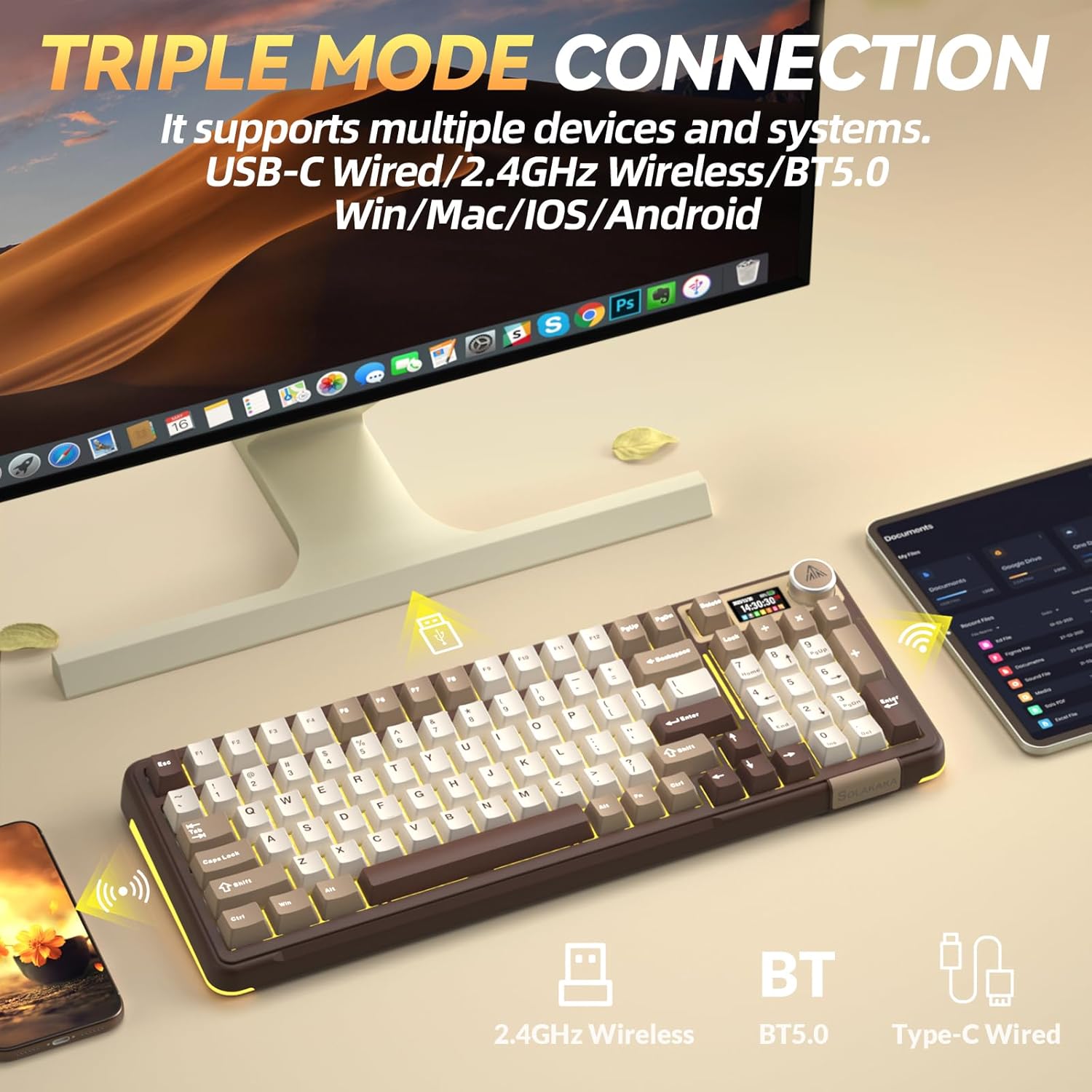
Image: The SOLAKAKA A99 Pro keyboard connected to a desktop and a tablet, illustrating its triple-mode connectivity.
4.2.1. 2.4GHz Simsiz Bağlantı
- Locate the 2.4GHz USB receiver, typically stored in a slot on the keyboard.
- USB qəbuledicisini kompüterinizdə və ya cihazınızda mövcud USB portuna qoşun.
- Switch the keyboard to 2.4GHz mode using the selector switch. The keyboard should automatically connect.
Video: Demonstrates the various connection modes and features of the SOLAKAKA A99 Pro Mechanical Keyboard, including the 2.4GHz wireless connection.
4.2.2. Bluetooth 5.0 bağlantısı
- Seçici açardan istifadə edərək klaviaturanı Bluetooth rejiminə keçirin.
- Cihazınızda (kompüter, planşet, telefon) Bluetooth-u aktivləşdirin və yeni cihazları axtarın.
- Select "SOLAKAKA A99 Pro" (or similar) from the list of available devices to pair.
- The keyboard can save up to 5 devices. Refer to the LCD screen for pairing indicators (B1, B2, A1, etc.).
4.2.3. USB-C Simli Bağlantı
- Təqdim olunan USB-C kabelini klaviaturanın USB-C portuna qoşun.
- Connect the other end of the cable (USB-A) to your computer or device.
- The keyboard will automatically switch to wired mode and begin charging if necessary.
4.3. Klaviaturanın doldurulması
Connect the keyboard via the USB-C cable to a powered USB port. The LCD screen will display the battery level. The keyboard features an 8000mAh rechargeable battery.

Image: The SOLAKAKA A99 Pro keyboard highlighting its 8000mAh battery capacity and estimated usage times.
5. Əməliyyat Təlimatları
5.1. LCD Smart Display and Multifunctional Knob
The LCD screen displays essential information such as date, time, battery level, connected system, and connection mode. The metal knob allows for quick adjustments.
- Fırlanma: Adjusts volume, lighting brightness, or navigates menu options.
- Qısa mətbuat: Confirms selection or switches between modes/settings.
- Uzun Mətbuat: Accesses advanced settings or specific functions.

Şəkil: Ətraflı view of the LCD screen and multifunctional knob, showing various display options like home screen, system connection, lighting modes, colors, brightness, speed, volume, language, time, and GIF display.
Video: Demonstrates how to switch between different operating systems (Windows/Mac) and adjust lighting effects using the keyboard's knob and function keys.
Video: Shows the process of setting up custom GIF images on the keyboard's LCD screen using the driver software.
5.2. System Switching
The keyboard is compatible with Windows, iOS, Mac, and Android systems. You can switch between Windows and Mac modes using the LCD screen or shortcut keys.
- Via LCD Screen: Rotate the knob to navigate to "System" settings, then short press to confirm and select "WIN" or "MAC".
- Kısayol Tuşları:
- basın Fn + W to switch to Windows mode.
- basın fn+m to switch to Mac mode.
5.3. RGB arxa işıqlandırma
The keyboard features 16 RGB lighting modes for the main keys and 5 modes for the side lights. South-facing LEDs enhance light transmission.
- Arxa İşıq Rejimini Dəyişdirin: basın Fn + \
- Arxa işığın parlaqlığını tənzimləyin: basın Fn + F5 / F6
- Arxa işıq rəngini dəyişdirin: basın Fn + D
- Change Side Backlight Lighting Effects: basın Fn + P
- Adjust Side Backlight Brightness: basın Fn + ↑ / ↓
- Change Side Backlight Color: basın Fn + Tab

Image: The RGB backlit keyboard showing various function key combinations for controlling backlight modes, brightness, and colors for both main keys and side lights.
5.4. Proqramlaşdırıla bilən proqram təminatı
Customize your keyboard functions using the dedicated driver software. This software is compatible with Windows systems only and requires a wired connection for operation.
- Set sleep time, key mapping, and sensitivity.
- Optimize key bounce.
- Add GIF images to the LCD screen.
- Switch lighting modes and colors.
- Add music rhythm backlighting.
- Makronu qeyd edin files.
Proqram təminatını buradan endirin: solakakadriver.com

Image: Screenshot of the SOLAKAKA A99 Pro's programmable software, showing options for adjusting lighting effects, setting shortcut keys, recording macros, and managing GIF images.
6. Baxım
Klaviaturanızın uzunömürlülüyünü və optimal işləməsini təmin etmək üçün bu texniki xidmət qaydalarına əməl edin:
- Təmizləmə: Use a soft, dry cloth to wipe the keyboard surface. For deeper cleaning, use a keycap puller to remove keycaps and clean underneath with compressed air or a small brush. Avoid using harsh chemicals or abrasive materials.
- Yaddaş: Klaviaturanı birbaşa günəş işığından və həddindən artıq temperaturdan uzaq, sərin, quru yerdə saxlayın.
- Anahtarın dəyişdirilməsi: The keyboard is hot-swappable, allowing for easy replacement of 3/5-pin switches without soldering. Use the provided keycap puller and switch puller (if included) for safe removal and installation.

Image: A close-up of the SOLAKAKA A99 Pro keyboard demonstrating its full hot-swappable feature, showing switches being removed and the underlying PCB with south-facing LEDs.
7. Giderme
- Klaviatura cavab vermir:
- Klaviaturanın işə salındığından əmin olun.
- Bağlantı rejimini (2.4GHz, Bluetooth və ya simli) yoxlayın və cihazınızın bağlantısı ilə uyğun olduğundan əmin olun.
- 2.4GHz üçün USB qəbuledicisinin düzgün qoşulduğundan əmin olun.
- For Bluetooth, ensure the keyboard is paired and selected on your device.
- Simsiz problemləri istisna etmək üçün USB-C kabeli ilə qoşulmağa çalışın.
- Batareyanın doldurulduğundan əmin olun.
- LCD screen issues (e.g., detached):
- If the screen appears loose or detached, gently press it back into place. If the issue persists, contact customer support.
- Lighting not working or incorrect:
- Ensure the keyboard is powered on and not in a low-power state.
- Use the Fn key combinations or the multifunctional knob to cycle through lighting modes and adjust brightness/color.
- If using programmable software, ensure settings are correctly applied.
- Proqram klaviaturanı aşkar etmir:
- Ensure the keyboard is connected via USB-C wired mode. The software only supports Windows systems and requires a wired connection.
- Proqram təminatını və/və ya kompüterinizi yenidən başladın.
- Reinstall the driver software from solakakadriver.com.
8. Spesifikasiyalar
| Xüsusiyyət | Detal |
|---|---|
| Model | A99 Pro |
| Layout | 96% (97 açar) |
| Bağlantı | Bluetooth 5.0, 2.4GHz Simsiz, USB-C Simli |
| Keçidlər | LEOBOG Star Vector Switches, Full Hot-Swappable (3/5-pin) |
| Düymələr | Double-shot PBT, OEM Height |
| Arxa işıqlandırma | RGB (16 modes main, 5 modes side), South-facing LEDs |
| Batareya Tutumu | 8000 mAh |
| Xüsusi Xüsusiyyətlər | LCD Screen, Multifunctional Metal Knob, Gasket Structure, Programmable Software |
| Uyğun Cihazlar | Noutbuk, PC, Planşet |
| Əməliyyat Sistemləri | Windows, iOS, Mac, Android |
| Maddə Çəkisi | 2.99 funt sterlinq |
| Paket Ölçüləri | 16.61 x 7.2 x 2.28 düym |

Image: An exploded diagram illustrating the multi-layer gasket structure of the SOLAKAKA A99 Pro keyboard, detailing components like the multifunctional knob, PBT keycaps, switches, positioning plate, and various sound-dampening pads.
9. Zəmanət və Dəstək
For warranty information, technical support, or any product-related inquiries, please refer to the official SOLAKAKA websaytına daxil olun və ya birbaşa müştəri xidmətləri ilə əlaqə saxlayın. Zəmanət iddiaları üçün alış qəbzini saxlayın.


