1. Giriş
This manual provides comprehensive instructions for the setup, operation, and maintenance of your GOBOULT Mustang Racer Smart Watch. Please read this manual thoroughly before using the device to ensure proper functionality and to maximize your user experience. Keep this manual for future reference.
2. Qutuda nə var
Bütün əşyaların paketdə olduğunu yoxlayın:
- GOBOULT Mustang Racer Smart Watch
- Doldurma kabeli
- İstifadəçi Təlimatı (bu sənəd)
- Zəmanət kartı
3. Məhsul bitdiview
Familiarize yourself with the key components of your GOBOULT Mustang Racer Smart Watch.
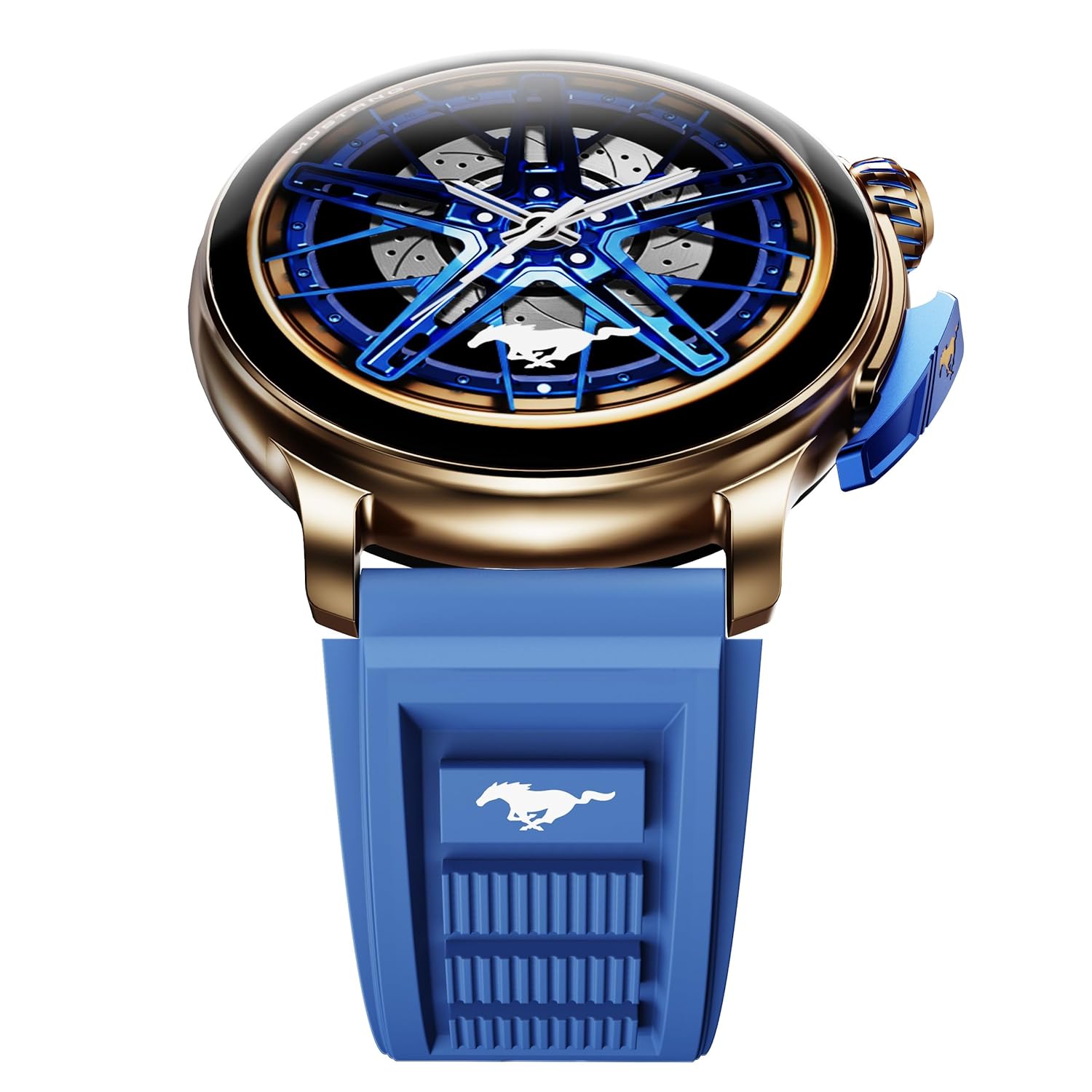
Image: The GOBOULT Mustang Racer Smart Watch, showcasing its 1.43-inch AMOLED display and overall design.
Display and Bezel
The watch features a 1.43-inch AMOLED display with 500 Nits brightness for clear visibility. The functional rotating bezel allows for intuitive navigation through menus and features.

Şəkil: ətraflı view of the smartwatch's 1.43-inch AMOLED display and the rotating bezel, highlighting its design and brightness.
Buttons and Crown
The watch includes a rotating tyre-tread crown for navigation and selection, along with a functional paddle shifter button for quick access to features.

Image: The smartwatch featuring its functional paddle shifter and rotating crown, designed for enhanced control.
4. Quraşdırma
4.1. Ağıllı saatın doldurulması
Before initial use, fully charge your smartwatch. Connect the magnetic charging cable to the charging pins on the back of the watch and plug the USB end into a compatible power adapter (not included) or a computer's USB port. The watch will display a charging indicator. A full charge takes approximately 120 minutes.
4.2. Açma / Söndürmə
- Güc Aktivdir: Press and hold the main power button (crown) for a few seconds until the GOBOULT logo appears.
- Söndürmək: From the watch face, swipe down to access quick settings, or navigate to the settings menu. Select "Power Off" and confirm. Alternatively, press and hold the main power button until the power-off option appears.
4.3. Smartfonunuzla Cütləşmə
To unlock all features, pair your GOBOULT Mustang Racer Smart Watch with the companion app on your smartphone via Bluetooth.
- Download the official GOBOULT app from your smartphone's app store (iOS App Store or Google Play Store).
- Smartfonunuzda Bluetooth-un aktiv olduğundan əmin olun.
- Open the GOBOULT app and follow the on-screen instructions to create an account or log in.
- Proqramda "Cihaz əlavə et" və ya oxşar seçimi seçin.
- Select "GOBOULT Mustang Racer" from the list of available devices.
- Həm smartfonunuzda, həm də ağıllı saatda qoşalaşma sorğusunu təsdiqləyin.
Once paired, the watch will synchronize data with your phone, and you can customize settings through the app.

Image: The smartwatch highlighting its Bluetooth V5.3 connectivity for quick syncing and IP67 water resistance.
5. Əməliyyat Təlimatları
5.1. Naviqasiya
- Yuxarı/Aşağı/Sola/Sağa sürüşdürün: Navigate through menus, notifications, and quick access panels.
- Klikləyin: Element seçin və ya hərəkəti təsdiqləyin.
- Rotating Bezel/Crown: Rotate to scroll through lists or adjust settings. Press to select or return to the home screen.
- Paddle Shifter Button: Customizable shortcut for frequently used functions (e.g., sports modes).
5.2. Bluetooth Zəngləri
With integrated speaker and microphone, you can make and receive calls directly from your wrist after pairing with your smartphone.
- Saatınızın Bluetooth vasitəsilə telefonunuza qoşulduğundan əmin olun.
- To make a call: Access the dialer or contacts list on your watch.
- To receive a call: An incoming call notification will appear on your watch. Tap to answer or decline.
5.3. Saat siferblatları
Customize your watch's appearance with over 150 watch faces, including exclusive Mustang designs. Long-press the watch face to change it, or use the companion app for more options.

Şəkil: Ağıllı saat şousuasing multiple watch face options, including exclusive Mustang designs.
5.4. İdman rejimləri
The watch supports over 120 sports modes to track your physical activities. Access sports modes from the main menu or via the paddle shifter shortcut (if configured).
- Select your desired sport.
- Start the activity. The watch will record metrics such as duration, calories burned, and heart rate.
- End the activity to save data. Review your performance in the app.

Image: The smartwatch displaying a sports tracking interface, indicating its capability to monitor various physical activities.
5.5. Sağlamlığın monitorinqi
The GOBOULT Mustang Racer Smart Watch provides comprehensive health tracking features:
- 24x7 Ürək Dərinin Ölçüsü Monitoru: Ürək döyüntünüzü davamlı olaraq izləyir.
- SpO2 Blood Oxygen Saturation Monitor: Qanın oksigen səviyyəsini ölçür.
- Yuxu Monitorinqi: Analyzes sleep patterns (deep sleep, light sleep, awake time).
- Stress Monitoru: Stress səviyyələriniz haqqında məlumat verir.
- Qan təzyiqi: (Note: Smartwatch blood pressure measurements are for reference only and should not be used for medical diagnosis.)
Access these features from the watch's health menu or view yoldaş tətbiqində ətraflı hesabatlar.

Şəkil: Daxili view of the smartwatch highlighting its health tracking sensors, with text indicating features like heart rate, SpO2, sleep, and stress monitoring.
5.6. Süni intellekt Səs Köməkçisi
Activate the AI Voice Assistant on your watch to perform tasks, set reminders, or get information using voice commands. Ensure your watch is connected to your phone for this feature to function.
5.7. Ağıllı Bildirişlər
Receive notifications for calls, messages, and app alerts directly on your watch. Manage notification settings through the GOBOULT app.
5.8. Always On Display
The Always On Display feature allows the time and essential information to remain visible on the screen without needing to raise your wrist or press a button. This feature can be enabled or disabled in the watch settings to manage battery consumption.

Image: The smartwatch displaying the time and a car image, illustrating the Always On Display functionality.
6. Xüsusiyyətlər və Spesifikasiyalar
Əsas Xüsusiyyətlər:
- 1.43" AMOLED Display with 500 Nits Brightness
- Bluetooth Calling (BT V5.3)
- Rotating Bezel for intuitive control
- 150+ Watch Faces, including exclusive Mustang designs
- AI səs köməkçisi
- Health Monitoring: SpO2, Heart Rate, Sleep, Stress, Blood Pressure
- 120+ İdman Rejimi
- IP67 suya davamlı
- Up to 7-day battery runtime with fast charging
Texniki Spesifikasiyalar:
| Brend | GOBOULT |
| Model nömrəsi | GOBOULT Mustang Racer |
| Ekran Ölçüsü | 1.43 düym |
| Simsiz Tip | Bluetooth V5.3 |
| Batareyanın doldurulma vaxtı | 120 Dəqiqə |
| Batareyanın enerji məzmunu | 1.11 Watt Saat |
| Suya davamlılıq | IP67 |
| Maddə Çəkisi | 55 q |
| Mənşə ölkəsi | Çin |
7. Baxım
7.1. Ağıllı Saatınızı Təmizləmək
Saatın müntəzəm təmizlənməsi onun görünüşünü və funksionallığını qorumağa kömək edir:
- Ekranı və korpusu yumşaq, tüysüz parça ilə silin.
- İnadkar ləkələr üçün, bir az dampsu ilə parça. Sərt kimyəvi maddələrdən və ya aşındırıcı materiallardan istifadə etməyin.
- Clean the charging contacts periodically with a dry cloth to ensure proper charging.
7.2. Suya davamlılıq (IP67)
The GOBOULT Mustang Racer Smart Watch is IP67 water resistant, meaning it can withstand immersion in up to 1 meter of fresh water for up to 30 minutes. It is suitable for daily use and light splashes. However, it is not recommended for swimming, showering with hot water, or diving. Avoid exposure to saltwater or chemicals, as this may damage the device.
7.3. Batareyaya qulluq
- Tez-tez batareyanı tam boşaltmaqdan çəkinin.
- Uzun müddət istifadə edilmədikdə saatı sərin, quru yerdə saxlayın.
- Yalnız təchiz edilmiş doldurma kabelindən istifadə edin.
8. Giderme
| Problem | Mümkün Həll |
|---|---|
| Saat işə düşmür. | Saatın tam doldurulduğundan əmin olun. Ən azı 30 dəqiqə şarj cihazına qoşun. |
| Smartfonla qoşalana bilməz. |
|
| Qeyri-dəqiq sağlamlıq məlumatları. |
|
| Qısa batareya ömrü. |
|
9. Zəmanət və Dəstək
Your GOBOULT Mustang Racer Smart Watch comes with a warranty as specified on the included Warranty Card. Please refer to the card for details regarding warranty period, coverage, and terms and conditions.
For technical support, product inquiries, or warranty claims, please contact GOBOULT customer service through the contact information provided on your Warranty Card or visit the official GOBOULT websayt.
Daxil olan komponentlər: Charging Cable, Mustang Racer Apex Blue Smart watch, User Manual, Warranty Card


