1. Giriş
Thank you for choosing the Lenco PDR-030 DAB+/FM Portable Digital Radio. This manual provides essential information for setting up, operating, and maintaining your device. The PDR-030 offers high-quality digital radio reception (DAB+) and traditional FM radio, along with features such as an integrated rechargeable battery for portability, an RDS display, station memory, and an alarm clock function.
Daxil olan komponentlər:
- Lenco PDR-030 Digital Radio
- AC Power Adapter (220 Volt)
- İstifadəçi təlimatı
2. Əhəmiyyətli Təhlükəsizlik Məlumatı
- Yanğın və ya elektrik şokunun qarşısını almaq üçün cihazı yağışa və ya nəmə məruz qoymayın.
- Güc adapterinin səsini təmin edintage yerli enerji təchizatınıza uyğun gəlir.
- c açmayınasing. Bütün xidmətlər üçün ixtisaslı işçilərə müraciət edin.
- Cihazı istilik mənbələrinin yaxınlığında və ya birbaşa günəş işığı altında yerləşdirməyin.
- Handle the integrated battery with care. Do not attempt to replace it yourself.
- Cihazı güclü maqnit sahələrindən uzaq tutun.
3. Məhsul bitdiview
Familiarize yourself with the main components and controls of your Lenco PDR-030 radio.
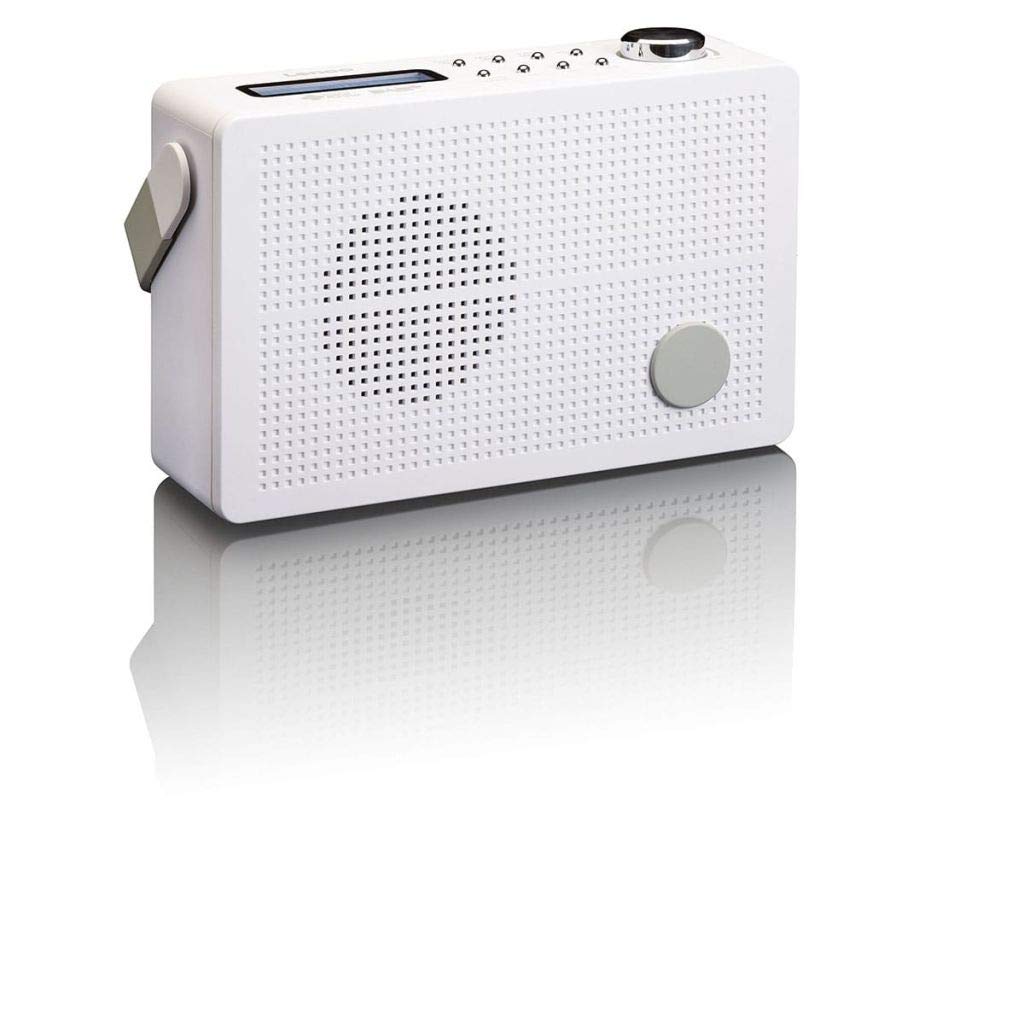
Şəkil 3.1: Front Panel of Lenco PDR-030 Radio. Features include a blue backlit LCD display, power/source button, alarm, sleep, info/menu, preset buttons, select/snooze, scan, previous, next buttons, and a rotary volume knob.
Əsas Nəzarətlər və Xüsusiyyətlər:
- Ekran: Two-line illuminated LCD for time, date, station name, and information.
- Güc/Mənbə Düyməsi: Turns the radio on/off and switches between DAB+ and FM modes.
- Səs düyməsi: Audio çıxış səviyyəsini tənzimləyir.
- Teleskopik antena: For optimal radio signal reception.
- Qulaqlıq girişi (3.5 mm): Şəxsi dinləmək üçün.
- Alarm/Sleep/Info/Menu/Preset Buttons: For various functions including setting alarms, sleep timer, accessing information, menu navigation, and managing station presets.
- Select/Snooze/Scan/Prev/Next Buttons: For station tuning, menu selection, and snooze function.
4. Quraşdırma
4.1 Radionun işə salınması
The PDR-030 can be powered by the included AC adapter or its integrated rechargeable battery.
- AC Gücü: Connect the supplied 220V AC power adapter to the DC input jack on the radio and then to a wall outlet. The radio will automatically begin charging the internal battery.
- Batareya Gücü: The integrated Lithium-ion battery allows for portable use. Ensure the battery is sufficiently charged before use without the AC adapter.
4.2 Antenanın qurulması
Extend the telescopic antenna fully for optimal reception of both DAB+ and FM signals. Adjust its position for the best signal quality.
4.3 İlkin Yandırma və Stansiya Skanı
- düyməsini basın Enerji mənbəyi radionu yandırmaq üçün düymə.
- Upon first use, the radio will automatically enter DAB+ mode and perform a full scan for available digital radio stations. This may take a few minutes.
- Tarama başa çatdıqdan sonra radio ilk mövcud stansiyaya köklənəcək.
5. Əməliyyat Təlimatları
5.1 Yandırma/Söndürmə
düyməsini basın Enerji mənbəyi radionu yandırmaq və ya söndürmək üçün düymə.
5.2 Rejimin seçimi (DAB+/FM)
düyməsini basın Mənbə DAB+ və FM radio rejimləri arasında keçid etmək üçün təkrar-təkrar düyməsini basın.
5.3 Sazlama Stansiyaları
- DAB+ Mode:
- After the initial scan, use the Əvvəlki və Sonrakı Mövcud DAB+ stansiyalarının siyahısında naviqasiya etmək üçün düymələr.
- To perform a new full scan, press the Menyu button, navigate to "Full Scan" using Əvvəlki/Sonrakı, və basın seçin.
- FM rejimi:
- düyməsini basın Skan edin button to automatically scan for the next available FM station.
- For manual tuning, press and hold the Əvvəlki or Sonrakı Tezliyi dəqiq tənzimləmək üçün düymələr.
5.4 Saving and Recalling Preset Stations
The radio allows you to store up to 10 DAB+ and 10 FM preset stations.
- Əvvəlcədən ayarı saxlamaq üçün:
- İstədiyiniz stansiyaya kökləyin.
- basın və saxlayın Əvvəlcədən təyin ekranda "Ön qurulmuş saxlama" görünənə qədər düyməsini basın.
- istifadə edin Əvvəlki/Sonrakı əvvəlcədən təyin edilmiş nömrəni seçmək üçün düymələr (1-10).
- basın seçin stansiyanı təsdiqləmək və saxlamaq üçün.
- Əvvəlcədən təyinatı geri çağırmaq üçün:
- düyməsini basın Əvvəlcədən təyin düyməsini qısaca.
- istifadə edin Əvvəlki/Sonrakı istədiyiniz əvvəlcədən təyin edilmiş nömrəni seçmək üçün düymələr.
- basın seçin Əvvəlcədən qurulmuş stansiyaya kökləmək üçün.
5.5 Səs səviyyəsinə nəzarət
Döndürün Səs düyməsi səsi artırmaq üçün saat əqrəbi istiqamətində, azaltmaq üçün isə saat əqrəbinin əksi istiqamətində.
5.6 RDS Functionality (FM Mode)
In FM mode, the RDS (Radio Data System) function displays information such as station name, program type, and other broadcast data on the two-line LCD display.
5.7 Zəngli saat funksiyası
The PDR-030 can be used as an alarm clock with two separate alarm times.
- Siqnalın qurulması:
- düyməsini basın Siqnal düyməsi.
- istifadə edin Əvvəlki/Sonrakı to select Alarm 1 or Alarm 2, then press seçin.
- Follow the on-screen prompts to set the alarm time, duration, source (Buzzer or Radio), frequency (Daily, Once, Weekdays, Weekends), and volume.
- Ensure the alarm is set to "On" and press seçin saxlamaq üçün.
- Mürgüləmə funksiyası: Siqnal səslənəndə, düyməsini basın Mürgülə button to temporarily silence it for a set period.
- Yuxu Taymeri: düyməsini basın yatmaq button repeatedly to set a sleep timer (e.g., 15, 30, 45, 60 minutes) after which the radio will automatically turn off.
5.8 Qulaqlıq bağlantısı
Connect 3.5mm stereo headphones to the headphone jack for private listening. The internal speaker will be muted automatically.
6. Baxım
6.1 Təmizləmə
Wipe the radio's exterior with a soft, dry cloth. Do not use abrasive cleaners, waxes, or solvents as they may damage the finish. Ensure no liquids enter the device.
6.2 Batareya Baxımı
The integrated Lithium-ion battery is designed for long life. To maximize battery lifespan:
- Tez-tez batareyanı tam boşaltmaqdan çəkinin.
- If storing the radio for an extended period, charge the battery to approximately 50% and store in a cool, dry place.
- Do not attempt to replace the battery yourself. Contact qualified service personnel if battery issues arise.
7. Giderme
| Problem | Mümkün Səbəb | Həll |
|---|---|---|
| Güc yoxdur | AC adapter not connected or faulty; battery discharged. | Check AC adapter connection. Charge the battery. |
| Zəif DAB+/FM qəbulu | Anten uzadılmamışdır; zəif siqnal sahəsi; müdaxilə. | Fully extend and adjust the telescopic antenna. Move the radio to a location with better signal. Avoid placing near other electronic devices. |
| Səs yoxdur | Volume too low; headphones connected; mute activated. | Increase volume. Disconnect headphones. Check if mute is active (if applicable). |
| Siqnal səslənmir | Alarm not activated; alarm volume too low; incorrect time setting. | Ensure alarm is set to "On". Check alarm volume. Verify current time and alarm time settings. |
8. Spesifikasiyalar
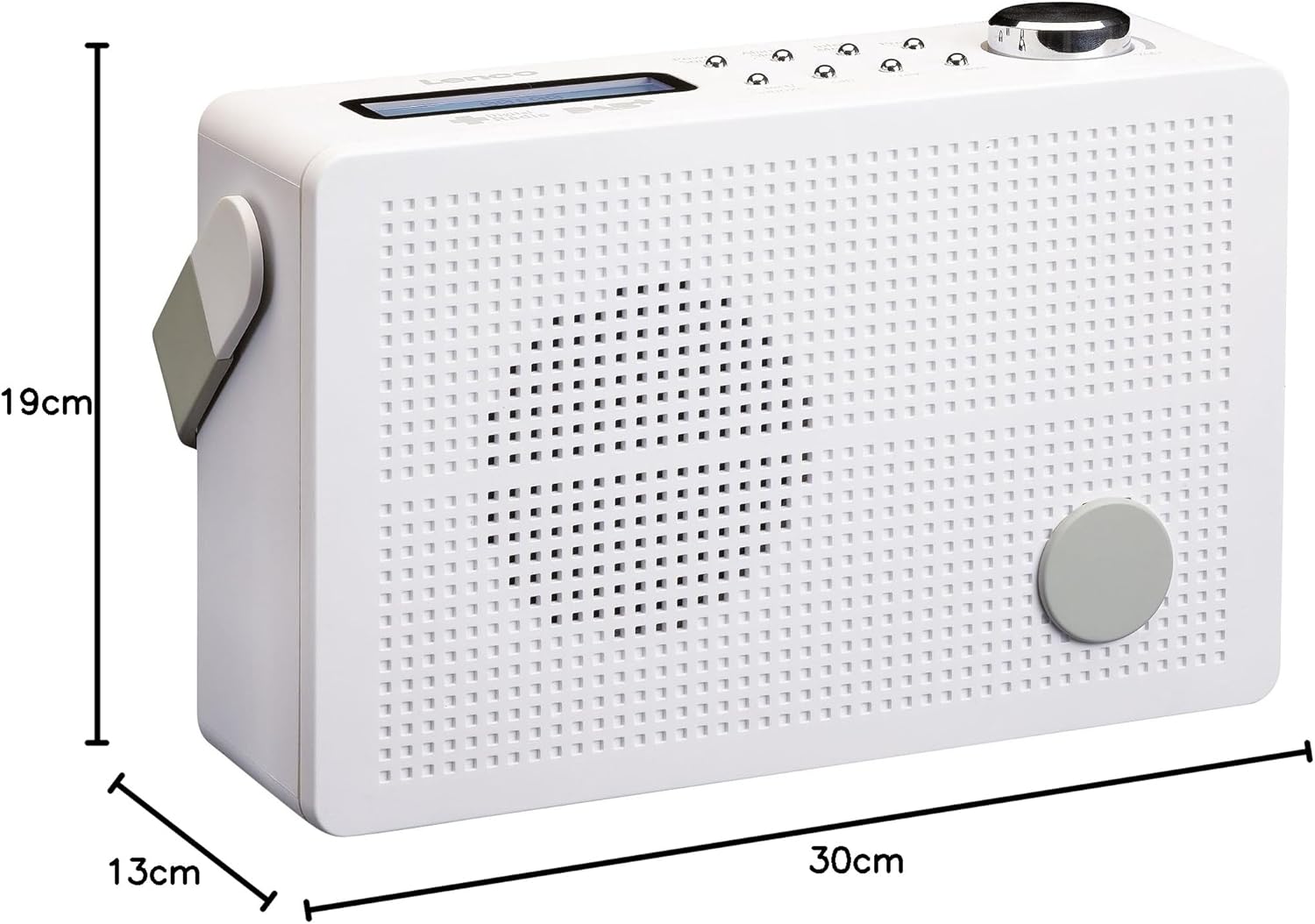
Şəkil 8.1: Lenco PDR-030 Dimensions.
| Xüsusiyyət | Detal |
|---|---|
| Model nömrəsi | PDR-030 |
| Tuner Texnologiyası | DAB+, FM (Ukw) |
| Güc mənbəyi | Battery-Powered (Integrated Lithium-ion), AC Adapter |
| AC Cildtage | 220 Volt |
| Məhsul Ölçüləri (G x D x Y) | 21.4 x 6.5 x 13.8 cm (approx. 22.5 x 8.5 x 15 cm as per another spec) |
| Maddə Çəkisi | 9 g (Note: This seems incorrect, likely 670g from description) |
| Material növü | plastik |
| Avadanlıq interfeysi | 3.5 mm Audio (Headphone Jack) |
| Xüsusi Xüsusiyyətlər | Portable, RDS Display, Alarm Clock, Station Memory (10 DAB+, 10 FM) |
Note: Some dimensions and weight specifications provided by the manufacturer may vary slightly. The description states 670 grams for weight, while specifications list 9g. Please refer to the product packaging for the most accurate information.
9. Zəmanət və Dəstək
Lenco products are designed for reliability and performance. This product typically comes with a 24-month manufacturer's warranty from the date of purchase, covering defects in materials and workmanship. Please retain your proof of purchase for warranty claims.
For technical support, service, or warranty inquiries, please refer to the contact information provided on the Lenco official website or your local retailer. Do not attempt to repair the device yourself.
Ətraflı məlumat üçün müraciət edə bilərsiniz Lenco Store on Amazon.


